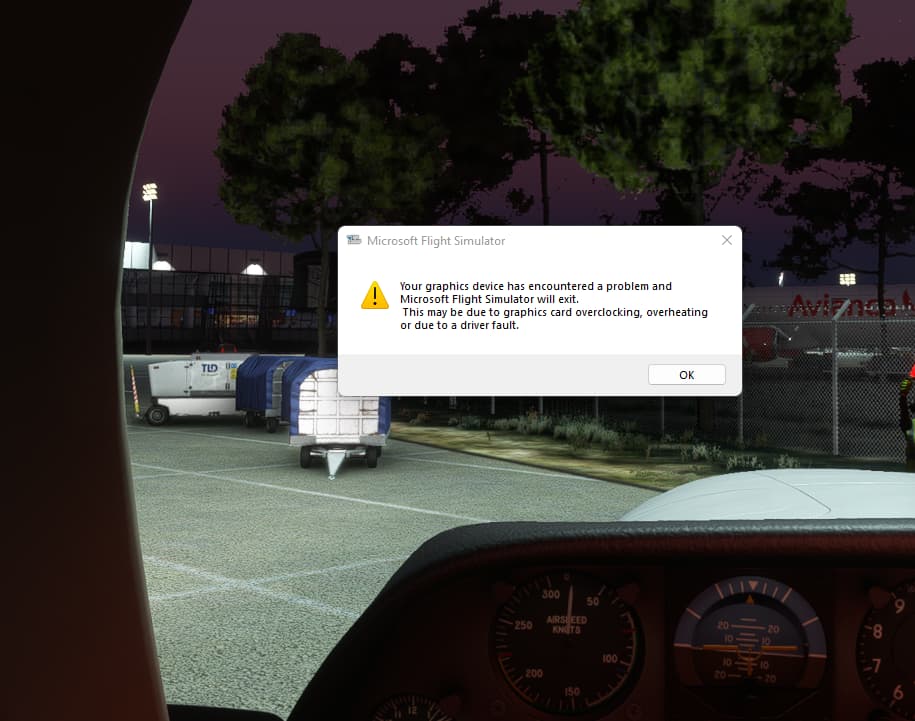
Warning: Your graphics device has encountered a problem

So for me i seem to be getting this crash in the Kodiak.

I am getting those error logs (latest example below)- as far as i am aware for Beta you dont report to Zen desk (or at least that was what I was told somewhere)

For at least three times that I can recall I was definitely in the Kodiak for sure (I have had seven since the 24th of August) - I have been flying GA for the last month (got a bit bored or airliners for now) and I suspect the others where in the Kodiak.

DX11 and DLSS

PC
I9-9900 (3.6GHz)
64GB
Windows 10
RTX2080S

{
“Base info”: {
“Application name”: “flightsimulator.exe”,
“Dump date”: “Tue Sep 20 18:19:44 2022”,
“Graphics API”: “Direct3D 11.2”,
“PID”: 16516
}
},
{
“OS info”: {
“Build number”: 22000,
“Service pack major version”: 0,
“Service pack minor version”: 0,
“Windows major version”: 10,
“Windows minor version”: 0,
“Windows product type”: 1
}
},
{
“Display driver info”: {
“Version”: “516.94”
}
},
{
“Device info”: {
“Adapter reset occurred”: false,
“Device state”: “Hung”,
“Engine reset occurred”: true
}
},
{
“GPU info”: {
“Adapter LUID”: 65785,
“Adapter name”: “TU104-A”
}
},
{
“Shader infos”: {
“Info”: {
“Shader hash”: 8116159855782604135,
“Shader name”: “fragment_01”,
“Shader size”: 21760,
“Shader type”: “Fragment”
}
}
},
{
“ApplicationName”: “Microsoft Flight Simulator”
},
{
“ApplicationVersion”: “1.27.21.0”
},
{
“Active Warps”: [
{
“GPU Address”: “fragment_01 @ 0x00000090”,
“Shader mapping”: null,
“Warp count”: 4
},
{
“GPU Address”: “fragment_01 @ 0x00000150”,
“Shader mapping”: null,
“Warp count”: 1
},
{
“GPU Address”: “fragment_01 @ 0x00000480”,
“Shader mapping”: null,
“Warp count”: 1
},
…a lot of similair code here like above and below…
},
{
“GPU Address”: “fragment_01 @ 0x00005310”,
“Shader mapping”: null,
“Warp count”: 2
}
]
}
],
[
{
“PageFaultInfo:”
“Faulting GPU VA : 0”
“FaultType: GFSDK_Aftermath_FaultType_Unknown”
“AccessType: GFSDK_Aftermath_AccessType_Unknown”
“Engine: GFSDK_Aftermath_Engine_Unknown”
“Client: GFSDK_Aftermath_Client_Unknown”
“No resource info for page fault”",
“ActiveShaderInfo:” “Active shader hash: 70a2646338352d67”
“ShaderHashForShaderInfoh : 70a2646338352d67”
“Instance: 000001cfbcd2a5a0”
“Type: 5”
“Internal: false”
,
“ShaderLookup:” “”

	}

]
Do you have the same issue if you follow the OP’s steps to reproduce it?

yes

Provide extra information to complete the original description of the issue:

3060ti

Are you using DX12?

no

Are you using DLSS?

no

If relevant, provide additional screenshots/video:


“The solution doesn´t work for me”

MSFS: SimUpdate 10
Nvidia Driver 516.59
OS: Win 11
CPU: i9-10850 (non OC)
RAM: 32GB Ram
GPU: GeForce 3070 (non OC)
Mod: GoogleMaps Mod
Aircraft: C310R

Users on Avsim are already seeing this problem with SU10.. Why was SU10 released when the problem was reported weeks ago?

Shame Asobo released SU10 without addressing this.

Thats the question!!!

Same Problem as in Beta

  • any Ideas ?

MSFS: SimUpdate 10
Nvidia Driver 516.59
OS: Win 11
CPU: i9-10850 (non OC)
RAM: 32GB Ram
GPU: GeForce 3070 (non OC)
Aircraft: C310R

Hello @SSRNatter82 ,

this map mod is not supported/recommended and may cause issues, such as CTDs.
It is said, that the error message may appear, where normally the Sim would just have crashed, e.g. due to exceeding the VRAM limit.

I can not tell you what exactly your issue is, but reducing VRAM intensive settings and removing the mod(including cleaning up the hosts file, which the mod changes), would be the first things I would try.

Switching back to DX11 fixed it for me

it happend on DX11 :frowning:

.. but Thanks

Ah, not that then. I get it with DX12 but not with DX11 on a 2080Ti at 4k


Same problem and it’s so annoying.

Thx for your support, but i use this mod since the beginning - and no problems. I know the issue with the host file in the beginning. The same Thread was opend in the SU10 Beta - and many of them don´t use the MSFS2020 google mod.

The VRAM is n option - but why have Asobo this didnt see?

Thx, i have found your Thread in the SU10 Beta - we have to keep this thread alive!!! Whatz your Settings at the moment?

I’ ve no Oc on cpu or gpu, and use high-end settings while getting this error. Now using medium settings and no error massege.

Yeah, it must be a Memory problem, but i´ve never this problem before 2 or 3 Weeks - same Settings-

im having the same issue since the update, its clearly a sim issue

Having the same issue, what’s funny is that I wasn’t having it yesterday while in SU10 Beta, but now that the update came today I am having it.

Have u tried, to lower your Graphic settings ? I used the “show FPS” funktion in DEV Mode, to Check out, how many VRAM is available.

I’m having it too. I was never in the Beta, I’ve come from a clean SU9 to a clean SU10 (clean = nothing in Community folder). Tried switching from DX11 to DX12Beta, same issue. Tried to lower graphic settings, same issue. I have a Ryzen 3600, 32gb RAM, 3080 (driver version 516.94) running on an SSD. SU9 was smooth as silk for me, SU10 is awful so far.