Posting some test results in case it helps anyone else tuning their 9800X3D. I went a little OCD wanting to understand the tuning options.
My first surprise was that “tightening” memory timings (actually subtimings) using presets in the MSI motherboard BIOS has the greatest effect, at least on benchmarks (see charts below).
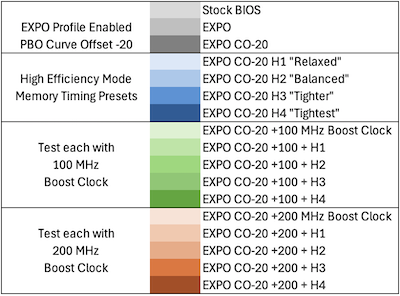
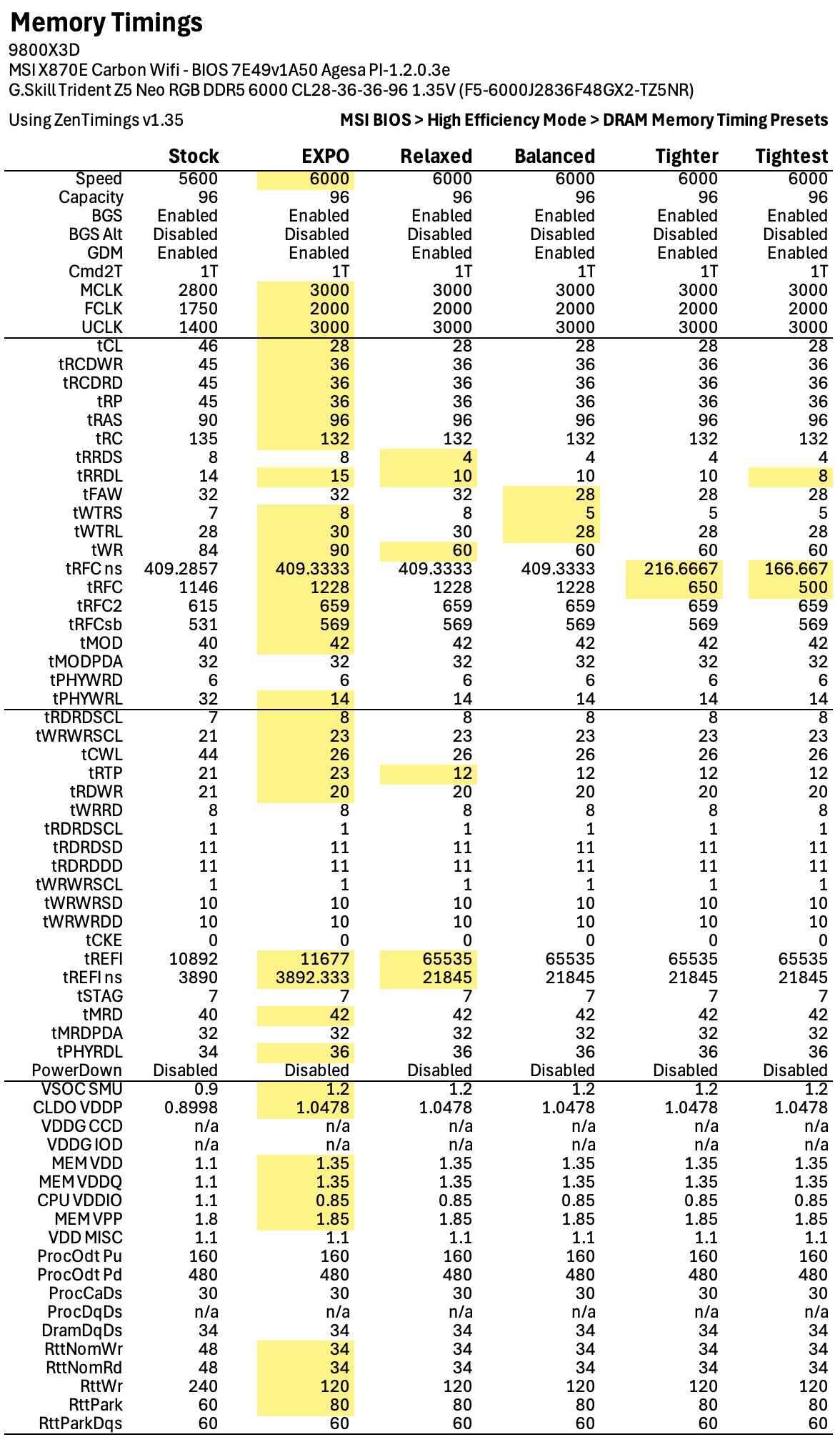
The MSI BIOS under EXPO it offers “High Efficiency Mode” with 4 Memory Timing Presets to adjust the memory subtimings (details below):
- Relax
- Balanced
- Tighter
- Tightest
EXPO itself reduces memory latency by about 15-17%, but enabling any of the High Efficiency Mode presets further reduces it by another ~15%.
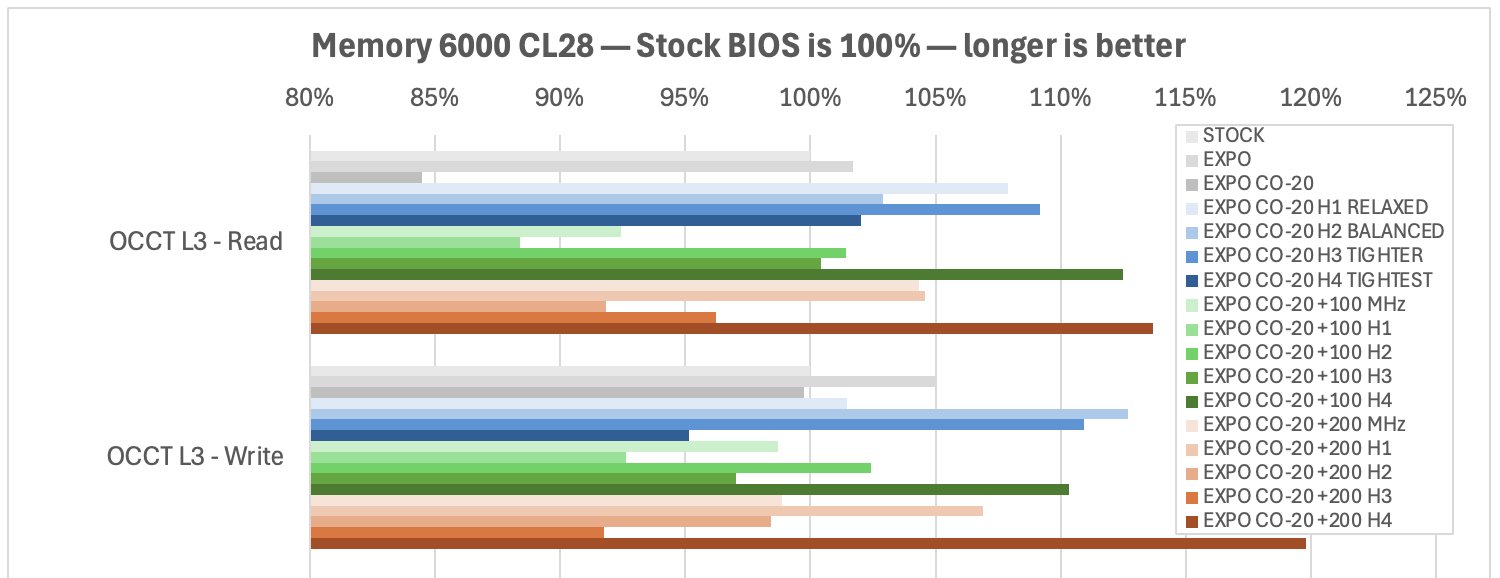
2nd surprise is the OCCT Memory test of the L3 Cache is all over the place with Boost Clock enabled… it could just be the way OCCT does its tests…


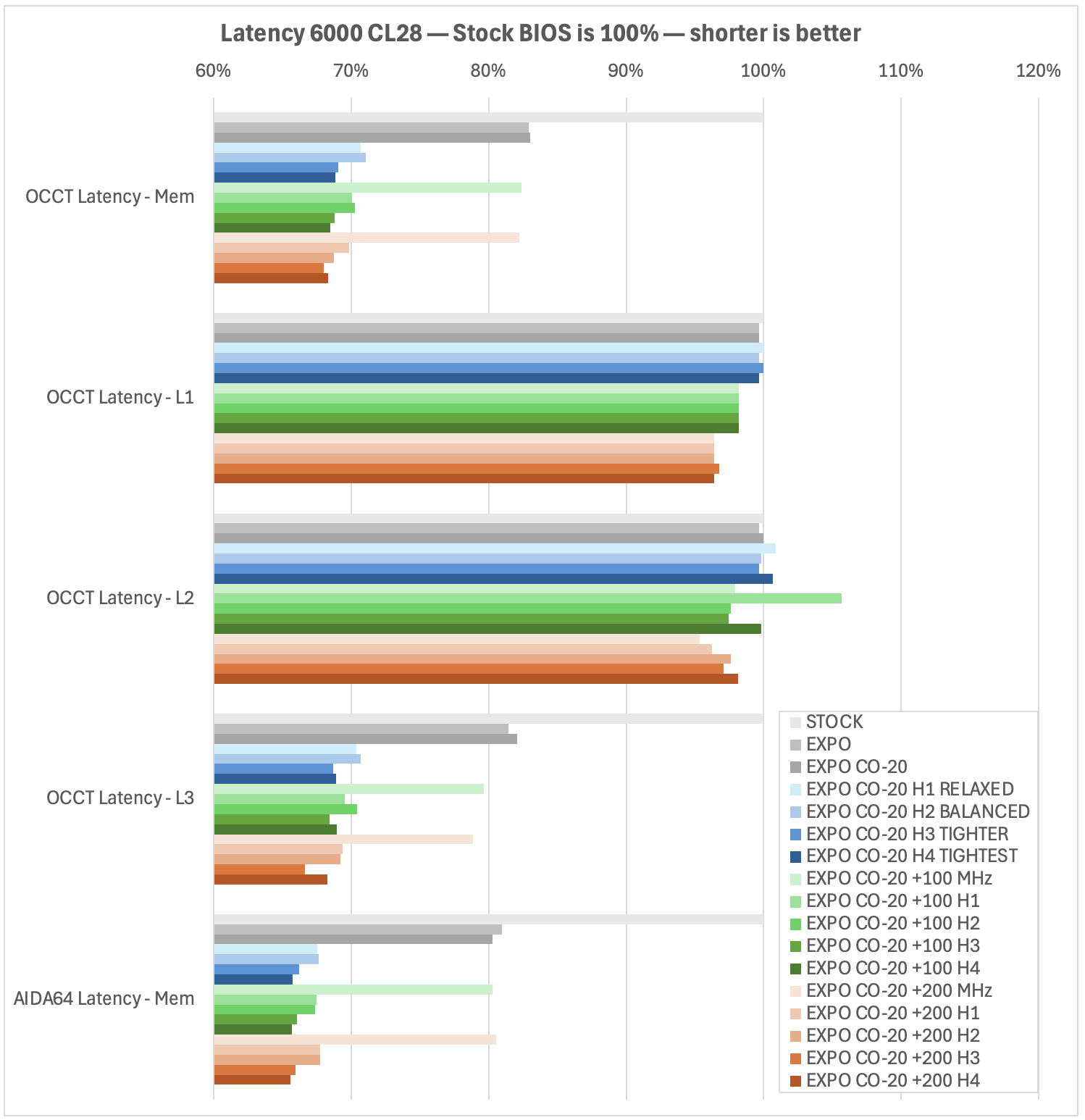
L3 Cache benchmarks in OCCT all over the place
I have no idea if this is meaningful. All the other Memory data is consistent, just OCCT and the L3 Cache look like this.
My basic conclusions so far:
- Enable EXPO (assuming RAM is on Motherboard QVL) reduces memory latency
- Enable a PBO Curve Offset to lower voltage, power and heat, which provides thermal headroom
- BIOS likely has some profiles for tightening memory subtimings, and if available, can really improve memory latency (and at least benchmark scores)
- Adding 100 or 200 MHz boost clock has a much greater impact when combined with tightening memory subtimings. Just make sure you have good cooling - when I added the boost clock, it did push thermals up.
- I have yet to run long stability tests, which would be essential after trying any of the above.