I don’t think that anything has changed with the water. I think it’s more that they fixed the stuck wind layer a few versions ago. I think that was causing the water to look choppy with large waves even in clear conditions. If you dial the wind up manually you can recreate the original look.
2 Likes
Hello Paul,
I tried dialing up a wind layer flying a TBM and Cessna. Dialed up the wind layer to 10 knots to see if the wave view changed on the Gulf of Mexico near Pensacola KPNS. To my dismay, I could not hardly control either aircraft in those winds. Both were bucking like a bad horse… Maybe they are focusing on FPS for us lower spec systems. We shall see in the next update but I am a bit unhappy with the flat Gulf and Bays here in the Pensacola area.
I think they are on about when it’s low wind. There is a generic swell that just looks awful. In higher wind settings it looks amazing.
All you have to do is go into the weather and click on wind and then change the wind speed from 2 up to what ever suits you, the higher the wind speed the higher the waves will be.
1 Like
Hey sthackrey…
That’s a superb 1 (and a bit) line summary. exactly right!
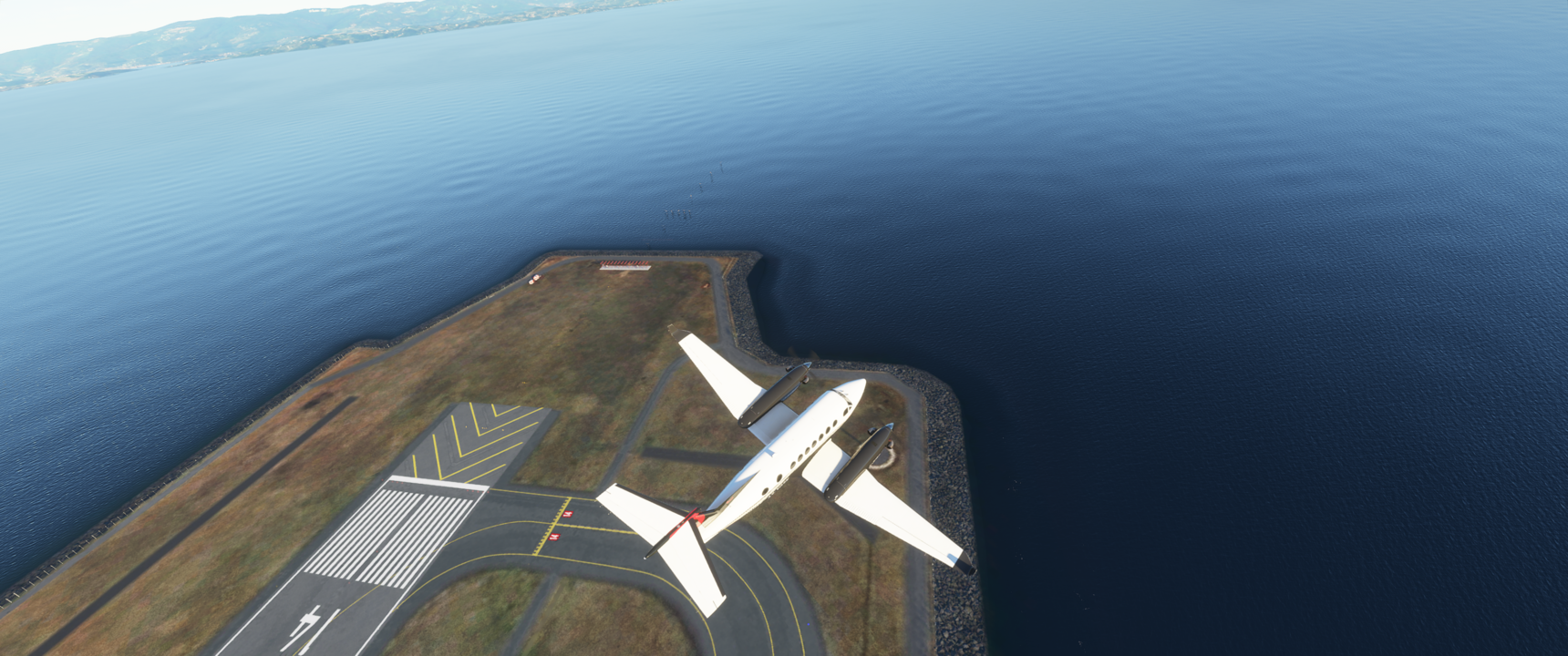

You need to post actual pictures of the same location, before and after the patch, so the developers can see the differences.
I was going to vote on the ticket you created, but when I went to the post, there was no specific examples of the problem, including pictures of before and after the patch.
For example, look at ClayishCoast9’s post. Now that is useful and actionable information because ClayishCoast9 posted pictures of before and after the patch, in the same location, and I assume using the same settings.
Your post in the Bugs & Issues forum will just confuse Asobo further. Without specific pictures, something that they can compare, any fixes that Asobo does can be even worse. So because you don’t have any examples and pictures in your thread, I can’t upvote it and I would dissuade others from upvoting it until you post such pictures and examples.
2 Likes
You must be living under a rock the last 10 years to seriously ask this question. Of course they are. This is basically history repeated for every game released. PC will always get downgraded to not out-shine consoles if the console title is still to be sold, or better if the console title is supposed to sell hardware as well - the new Xbox - for which it is a flagship title. And you know what? Asobo does not care one bit about all you complainers because you already gave them your money. You are off the market and not of interest anymore! The console buyers are now on the money radar. If every PC player did what I did and held off their purchase to really be sure we are not getting sh*fted, then the story would be different because the majority of the PC player base were still on the money radar. But no, you guys have to buy at release and basically spent you only bargaining chip to avoid downgrades.
1 Like
Troll post. Water looks much better now. People think those comedy REX water effects of FSX should make a return in MSFS. Sorry not happening. Devs please do not change the water quality.
4 Likes
That is not an accurate view of their revenue and profit model from a long term perspective. I think most reasonable people could conclude and understand that it is much more robust than this.
This theory has popped up multiple times, and been dismissed by Asobo as an unintended effect of them tweaking things. They even seemed unaware it was an issue.
Just to play devils advocate, but for us not them, some of you may know of Ubisofts trickery, the bait, and switch trailers they release, where the retail release looks nothing like their vertical slice teasers. They have been doing this for years. The rumour here is that Microsoft, or Sony, I forget which, had demanded that the console release should not be eclipsed quality wise by the PC version. So they neutered the PC version. The game in question here was “Watch_Dogs”
After release, some intrepid user found a way to turn on all those little features that Ubisoft had forcibly disabled, at next to no cost, performance wise. It then looked much closer to what the preview footage looked like, and of course put the console releases to shame.
Just putting that out here.
Thanks for your comparison!
On a side note on the haze, it is something I noticed after patch 1.9.3.
There is now always this haze, even with aerosol density to zero. This haze makes the ground even more pale and we can not get back the clarity that we had prior to that patch.
Maybe they did this because people were complaining about live weather always using zero aerosol density? Or maybe another bug?
Your comparison of the first image does show what I am talking about. The whole scenery is more pale because of the haze and that also makes the water reflection even less intense. And look at the upper right aera of the water in the first pic showing the old version. You can still make out a slight reflection of the lower clouds. In the new pic you can clearly see that the wave rendering distance to the camera does’n go as far as in the original. So the LOD/rendering distance for the waves with reflections has also been reduced. The lower pic does not have any cloud reflections at all, despite the water being more calm and having lesser waves.
1 Like
I haven’t flown in-game for a while - kinda skipped the previous patch due to AP issues. However I jumped back on last night and the haze was one of the first things that struck me. Flying at 3000ft, anything not in the relative vicinity of the plane position was hazed out. Things in the distance were basically just a pastel coloured smudge without much detail at all. I increased LOD to 200%, without any impact. My other settings are all HIGH, except terrain detail which is ULTRA.
Don’t want to hijack this thread as this is about water, but might put up a separate post to see if this is affecting everyone and whether tthere is perhaps a setting that removes the haze.
1 Like
I was at kjfk (overcast and windy) the other day taxiing to runway 4L and saw the water waves, they looked great. Next time I was a kjfk still overcast but not windy or as windy and water is calm. The sim is doing its thing
Thanks gadwin777,
Personally, I would like to see a return to what we had at release (and during alpha testing).
It’s as simple as that.
There are already many posted images on the subject and everyone has their opinion on whether it’s better or worse.
Those that agree with me are free to vote. Those that don’t agree can ignore my post.
At the very least, Asobo should be made aware that the current water is not universally satisfactory and more work is needed.
Nice post. Since they changed the water, I have changed my mind about the new look, it looks nice for the reasons you said, except:
- Light lamps no longer are reflected in water.
- Calm waters have that ugly oil pattern.
- white caps and waves tend to show a more evident pattern than before (maybe due to the smaller wave size, which I think is good but needs some work to avoid visible patterns)
Other than that I think water is better than before.
1 Like
Yes this is a new bug from the patch a few weeks ago. I would encourage as many of you as possible to submit zendesk reports.
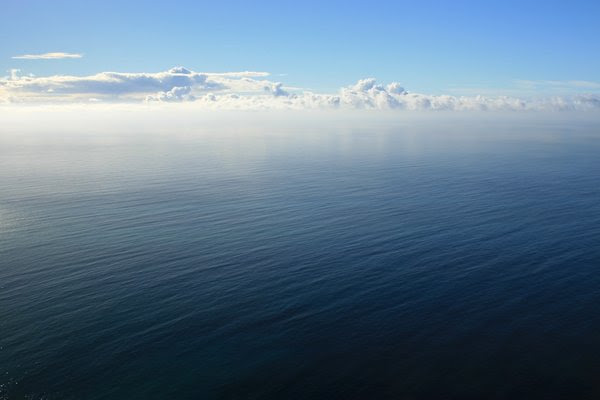
Did you try storms?, definitively a work in progress water, very bad blue lines appear, hope they will fix it soon 

1 Like
I am not seeing the blue lines but if I add a wind layer with enough wind to cause waves, I can no longer control the aircraft. Maybe the next “patch” will help.
1 Like