Weirdly Irregular Frame Rate on Laptop

Anyone getting good results on a 4GB graphics card?

Mine is a Radeon Pro 5500M.

I run this on a MacBook. So the goal here is to optimize it, as I cannot add a new graphics card or anything. It is not made for that. It is my portable MSFS rig.

And I am noticing something that hints there is more I could be getting from it.

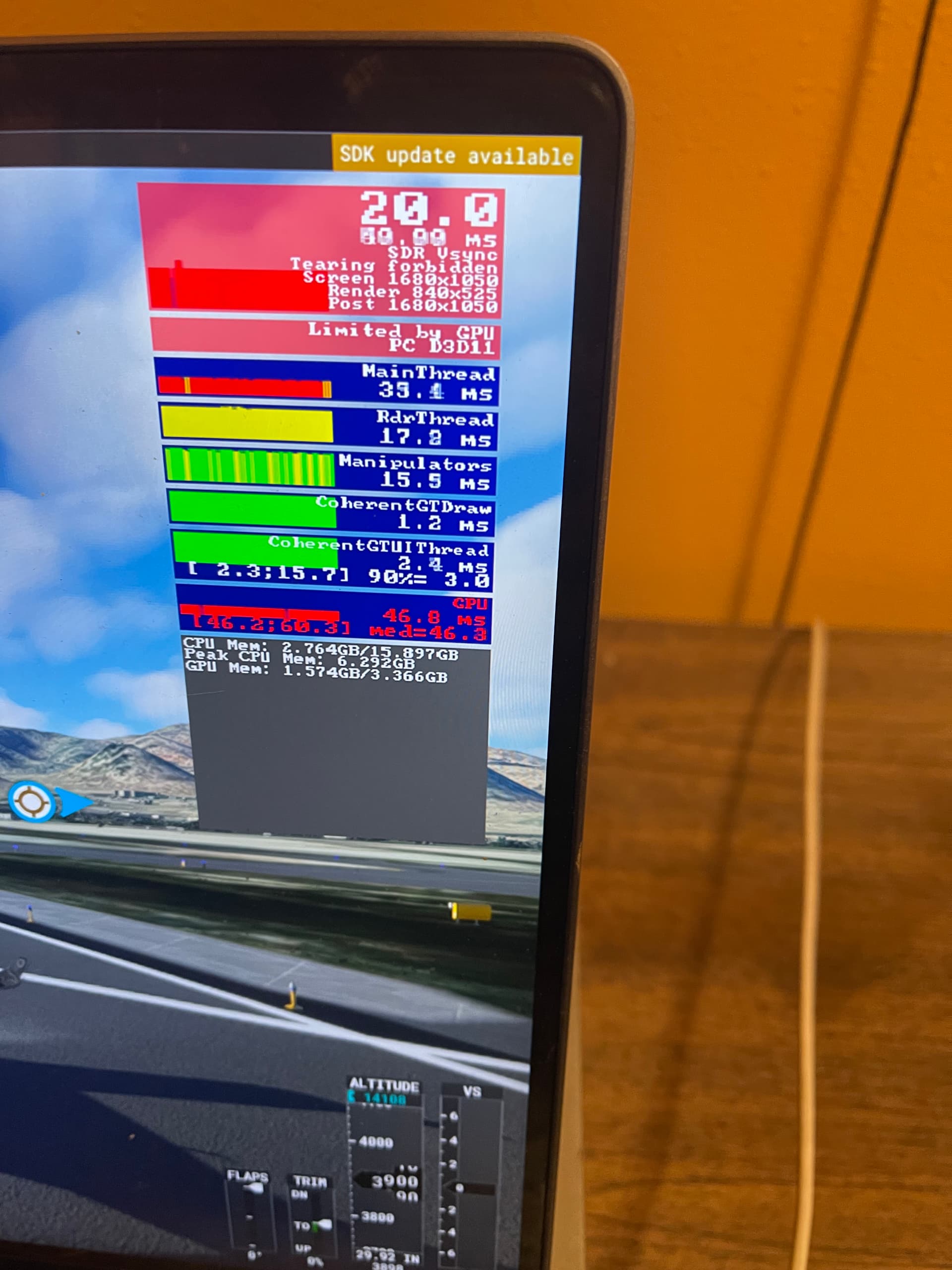
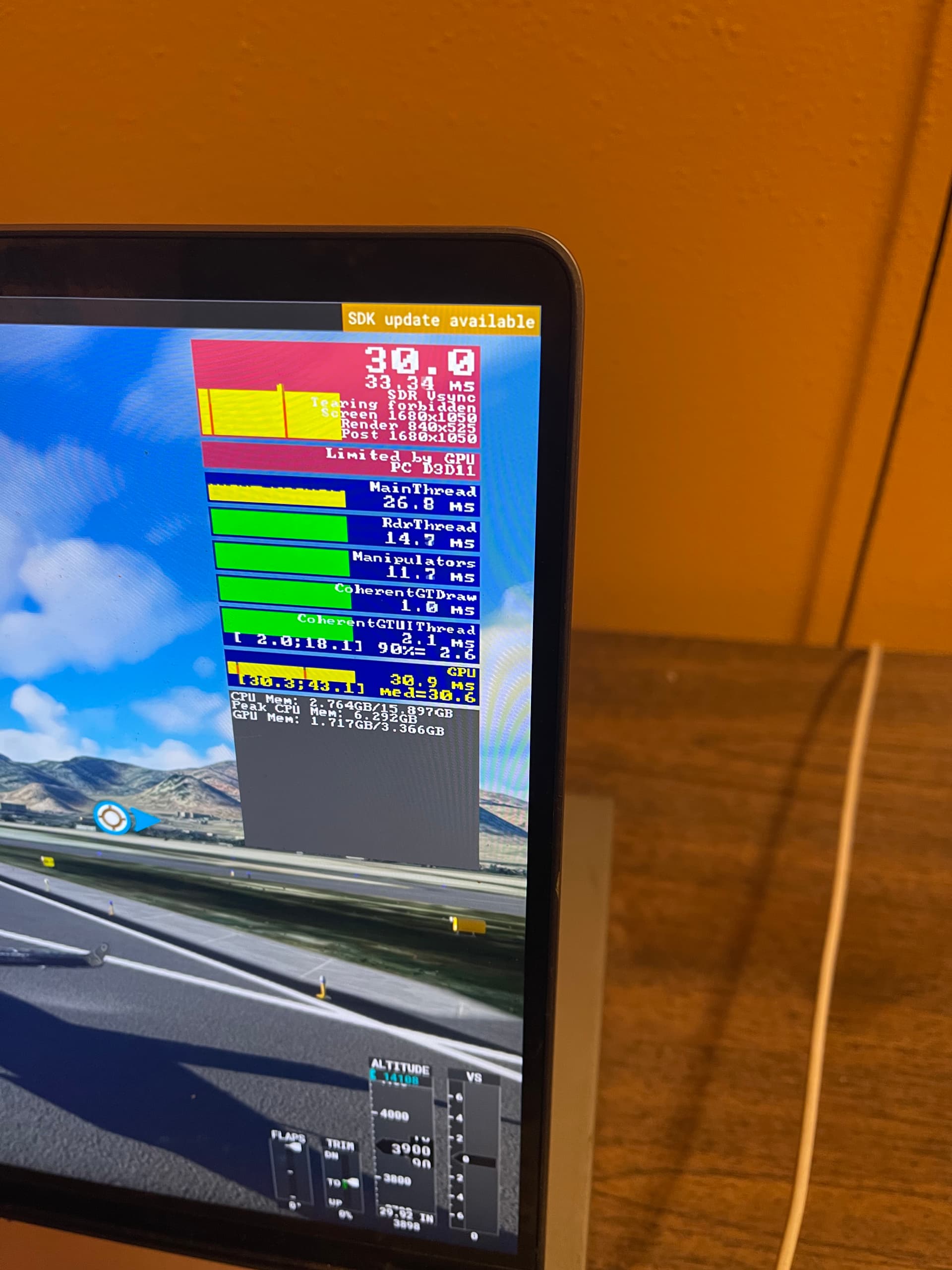
The sim flys for a minute or so at 20FPS then for 30 seconds at 30 FPS then back to 20. This jump happens when in the pause menu, In photogrammetry cities, just in the middle of nowhere, or on a runway.

It makes me think something is askew in my optimization and that pattern might be a clue as to what the problem is.

With a card like this, I do not expect miraculous results. But the difference between 20 and 30 FPS is the difference between visible frames and relative smoothness.

I don’t think this is a bug. Or if it is, it doesn’t seem common. I haven’t heard of it.

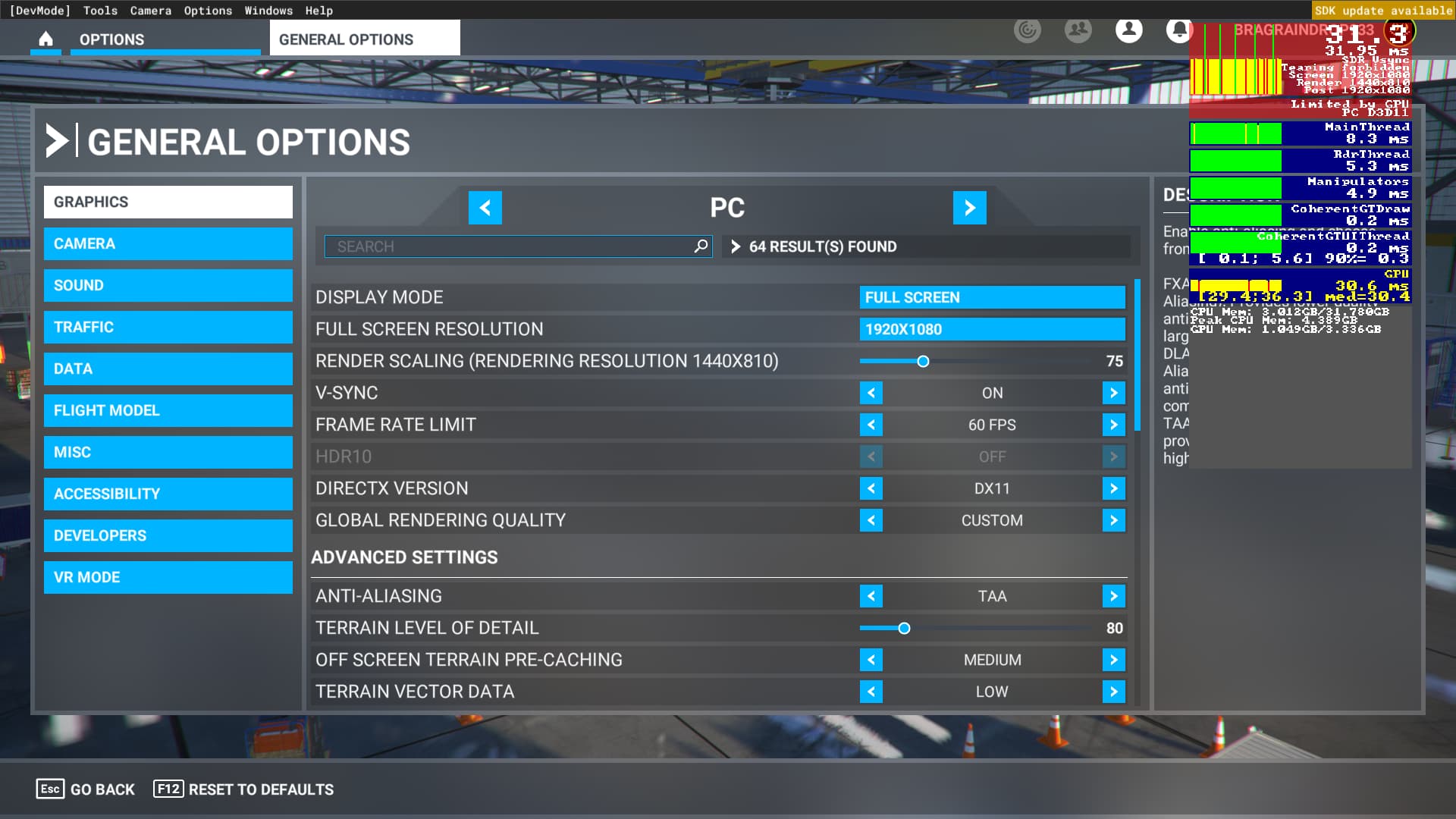
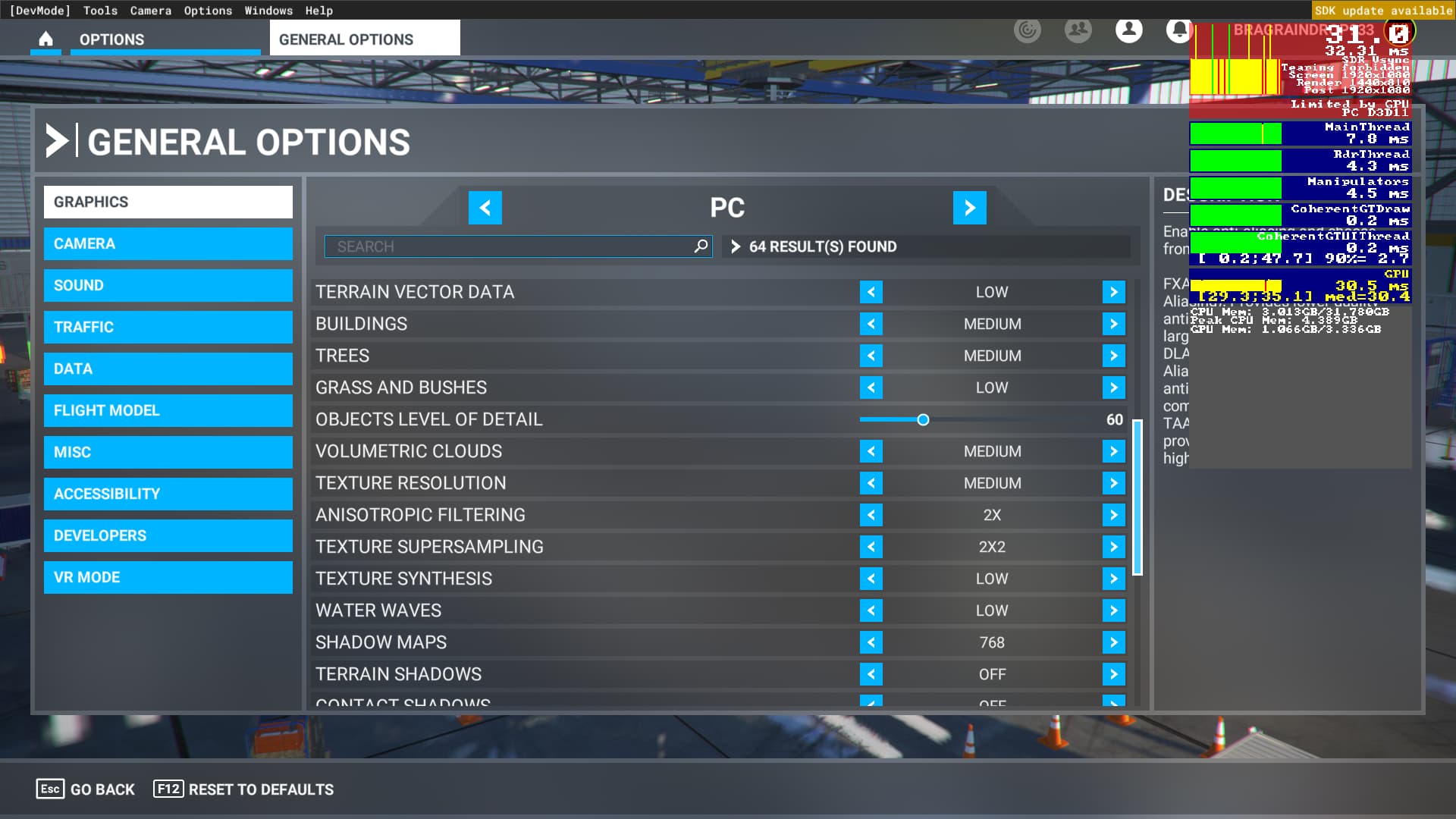
Here are some pictures of the dev mode of both extremes. Both 20 and 30 FPS running quite smooth for a while before switching back to the other.


I was running FS on a Quadro P1000 (4GB) laptop. It’s a NON GeForce/gaming card was getting good steady 30FPS, but with a LOT of optimisations to get there. Make sure your desktop res is same as FS output res. so if desktop is 1080 then FS res has to be 1080 even if you are rendering with a different render scale. I was running windows desktop at 4K and FS at 1080 and that downscale hits FPS.
The main way to get your GPU eased a bit is to reduce render scale though. I think Ihad mine at 70% render scale, it was about 1400x900 or thereabouts with most other graphics sliders on medium. I still have my settings screengrabbed somewhere if it’s any use to you. Optimise at a scenery dense airport. All gains I got were incremental though the most significant impact being render scale.

1 Like

That is about the same for me.

And yeah, Render Scale is at 50 here for those photos.

Lowered desktop resolution matches the sim (not much of a problem since I can just run the Mac side for a high res desktop).

It is weird. Even in the settings as I check them and reply to your post, my FPS keeps switching from 30isn to 20ish FPS as I described above.

I guess a photo wouldn’t hurt. But don’t bend over backwards looking.

Found them. Keep in mind this was also before I discovered the smoothness (on my newer PC) of locking FPS at 30, which I didn’t try on the laptop (which is an i7 with 32GB but with that sluggish for gaming GPU) -


1 Like

I went through a whole matrix of changes to optimise (at a scenery dense airport). Aim was to achieve a steady 30FPS there so I could get 30FPS everywhere. Overall I just a bout achieved that. Slight dips below while taking off at EGLL say.
The only thing I didn’t try as explained above (as I didn’t know about it then) was locking at 30FPS and using 60Hz refresh rate.
Also worthy of note is that if you don’t lock your framerate (even at 60FPS as shown in this screengrab) then FS menus will run as fast as possible eg. at 140FPS and your GPU fan will scream.
It’s silly, so i’d definitely advise locking FPS in sim. Try 30FPS at 60Hz and see how it goes though. 60Hz refresh rates set in NVCP, 30FPS locked in sim.
Also don’t rule out thermal throttling on your GPU. Best to unload it a bit so it doesn’t ever reach that state. May be worth monitoring it’s temp. My GPU fan spent most of the time running FS screaming away, not sure the fan bearings have been the same since after running FS on it for 4 months sraight :rofl:

1 Like

This is an improvement in visual fidelity, for sure. The bump in render scaling alone makes up for the losses.

If you could get a locked 30 with yours, I am probably missing something… likely outside the sim.

But this is a great 20ish FPS locked experience and thank you! This is definitely better than what I came in with. Thank you!

1 Like

I didn’t try locking FPS at 30 on laptop as I didn’t know about the trick then. Would have tried it for sure if I’d known.
You have to set 60Hz refresh rate in NVCP. The whole 30FPS trick is listed here, probably worth giving it a go. Pay attention to NVCP settings he advises as they need to happen in conjunction with the FS options -

1 Like

Moved to #self-service:pc-hardware for better visibility.

1 Like

That was definitely worth watching.

No 30 FPS breakthrough for me. But a locked 20 FPS with a 20hz refresh does seem to boost performance a bit.

I am usually in the high teens at a big airport or in a photogrammetry area. And a smooth 20 once in the air and landing in smaller, rural places.

Between the improved fidelity and consistent framerate, this is definitely an improvement.

This is already working much more acceptably. I know it is not the best MSFS machine. But it looks hilarious hoocked up to all my cockpit gear.

1 Like

20Hz is kinda low (may cause visual flickers on desktop?). The refresh rate can be in whole multiples so 20FPS (40Hz) and 30FPS (60Hz). It’s to do with v-syncing. Card and screen if at different (non whole multiples) can hunt around trying to sync causing stutters and lack of smoothness. So worst case scenario might be variable FPS and 140Hz monitor or something like that. I have my newer PC locked at 30FPS/60Hz, works wonders for fluidity. 30FPS can look like much more when smooth/consistant.
With low/mid end laptops it’s about living with low/med settings and smaller render scales. Dial back what’s not important to you (grass springs to mind).
I did however find FS on Low/Medium settings at 1080 and a 75% render scale still looks fine to my eyes. It was staring at the small 15" screen that finally did it for me, got fed up peering into it.

1 Like

20 hZ is as far as I could get last night before sleep but I agree. 60 would be better overall. I wanted to see if I could run it so low. I can… but the performance seems virtually identical at 60 hZ, and 60 is easier on the eyes.

I really think I will keep it locked at 20 FPS in sim unless I have a breakthrough that unlocks an extra 10 FPS. As it gives the little laptop some time between frames to stay cool… and they aren’t great at cooling without a little help.

I have been running a short 30-45 minute test flight between adjustments. I quite like Salt Lake City, UT to Wendover, NV. You start at an international airport in a photogrammetry city, fly across the Salt Lake and into the salt flats where nothing grows. Finally a landing at a small town with a medium sized airport.

As of last test, frames were worst of course, at and around the photogrammetry airport, as the CPU is also taxed with LOD and traffic in that place. And the frames are best over the salt flats where nothing grows. The CPU hardly has to do anything there, and the GPU is also spared having to render trees and cars and whatnot.

So my FPS seems to be behaving now. Slowest where it makes sense to be slowest and fastest where there is the least to do, instead of having bursts of an extra 10 FPS every minute or so in all of these environments. It does feel like I am eking a bit more out of the card now. It just looks better. A lot of the settings I had been using were worthless with render scaling at 50 anyway. Everything was fuzzy. How detailed do shadows need to be when everything is fuzzy?

Visual fidelity is now similar to an XBOX Series S… which is FINE on a tiny screen.

I did sacrifice render scaling down to 65 then back up to 70 so I could bump clouds up to high. The lack of detail in medium clouds was noticeable on that screen, and it was worth the price of sacrificed scaling… to me and my eyes, I would prefer the detailed clouds.

20 FPS is fine on this little machine. 30 would be better, but I am unwilling to sacrifice much more detail to get there. It ruins some of the fun. MSFS is about looking photo real.

All in all, the machine works great… for what it is. And the fidelity rivals XBOX Series S. On such a small screen, it is quite stunning. I feel like I am getting away with something.

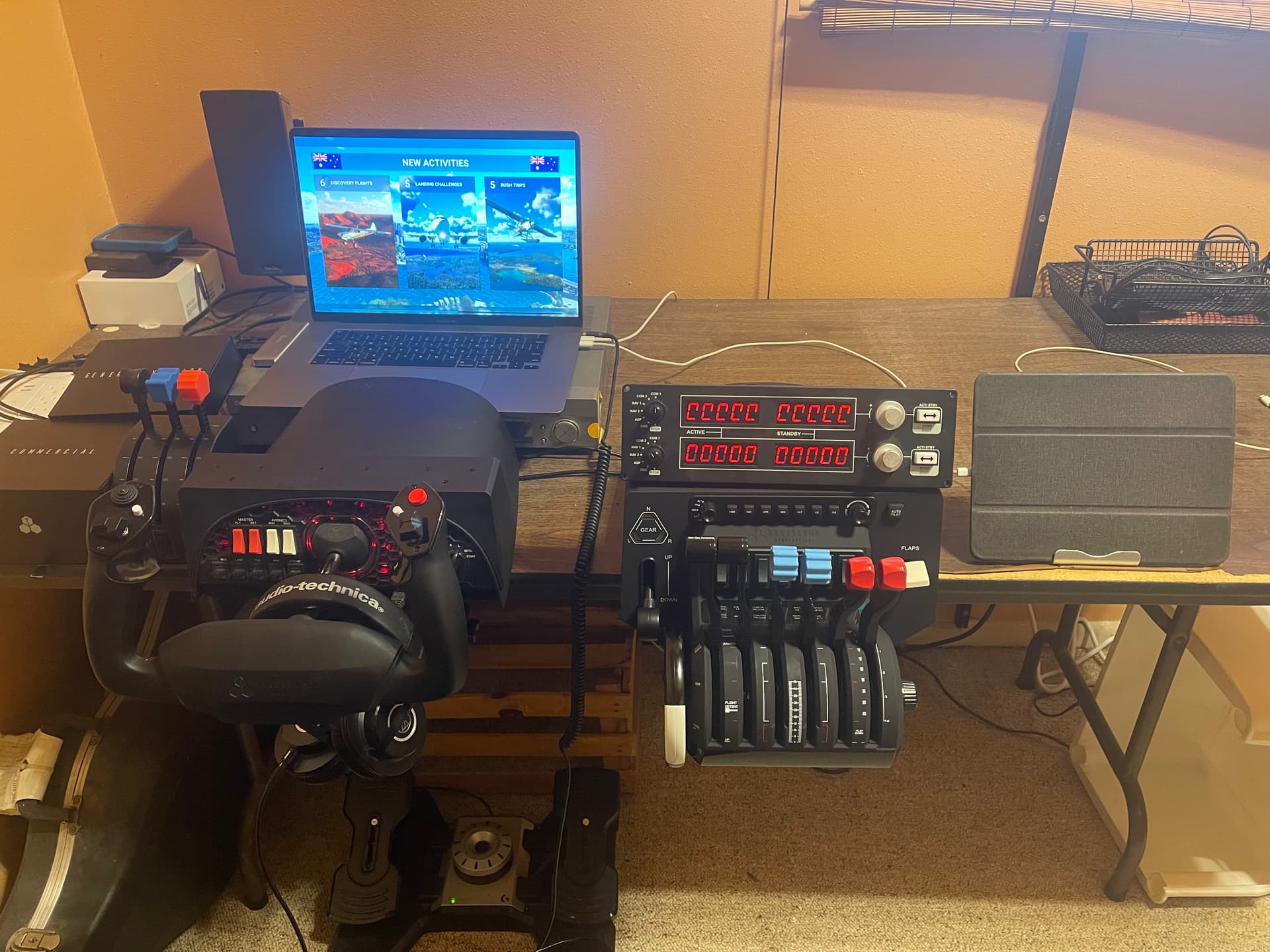
Now time to open the Honeycomb Bravo that just came in the mail. Some day I will have photos of this little laptop plugged into my new and improved home cockpit. It already is quite funny.
1 Like

Yeah I had the same getting away with it feeling when I got it to run on my laptop too. I had the laptop for business reasons already and I wanted to try the PC version out. (I was on xbox X previously). I’m now on a newer desktop. Got a sore neck issue peering into the small 15" display. I see your copilot is impressed with your setup😂

1 Like

Exactly.

This little machine is/was my home sound studio, then it got replaced by an entry level M1 machine. :flushed_face:

So now it is my portable sound studio in Mac OS and my portable sim rig in Windows. And I DO have a monitor to plug it into… but the photos are MUCH funnier without, so I tend to share photos like the one above with this forum. Also, my cat is always aware of where the camera is pointing. :joy:

2 Likes

My cat regularly nudges my HOTAS throttle which really isn’t OK flying the CRJ. I’ve had a few interesting approaches that needed a fast intervention.:grinning_face_with_smiling_eyes:

1 Like

Thank you SO much for your help preparing for this big day!

1 Like

That looks amazing! One caution from my own perspective/experience, I’d have a keyboard /mouse handier. I gave myself a real shoulder and neck issues just by reaching over to my laptop touchpad and keyboard all the time while flying. I ended up straining a muscle between my shoulder blade / spine, and I still haven’t got rid of it yet despite not simming on my laptop any more. Maybe having lots of things programmed to your yoke buttons will help in this regard though. Same can be said of peering at the small screen. Especially when setting AP settings up on airliners & zooming in and out to see gauges etc. It could just be me that breaks too easily though!

1 Like

I brought in the Xbox controller shortly after I took this photo.

Helps me look around and mouse over in those odd times when I need to… which during setup of this quadrant is fairly often. :joy:

The screen is too small, but I go with monitor often enough.

Tonight I will see if I can make a flight without touching the mouse… doubtful at this point, but I think it is an obtainable goal. I still have that Saitek quadrant on the left, with some buttons and levers to be assigned.

1 Like