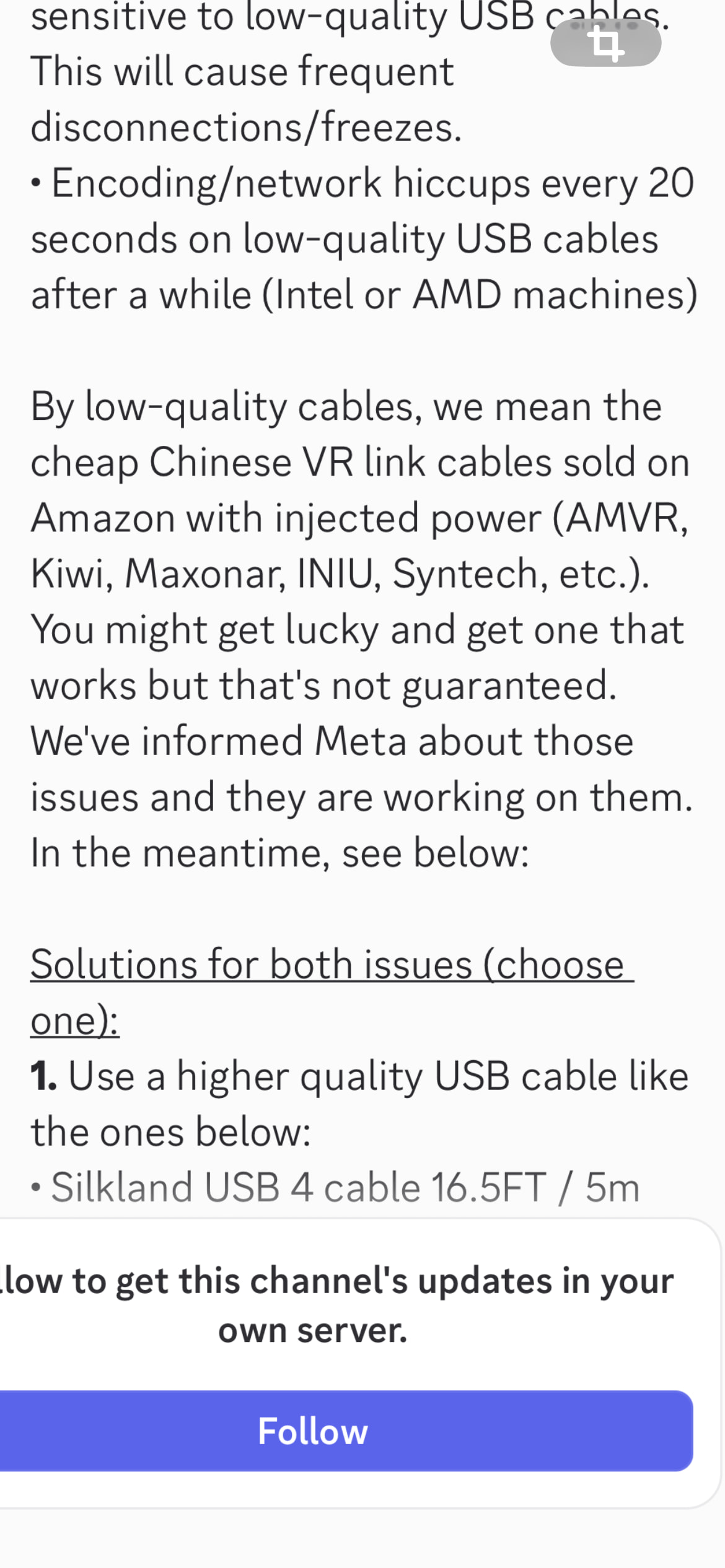
I am glad that works for you as well. The combo changes the whole VR experience. Some usefull info here : TRIPLE Your FPS WITHOUT Buying A NEW PC! 3X VR Frame Gen - OFXR VR Bridge | MSFS 2024 Pimax Super 4K
Thank you - it made so much difference
Just need to sort out LOD as as low level it looks like a war zone…getting there though
Try the OFXR Bridge from Github. run it, arm it, set medium and 50% to start with.
I keep my LOD at 200, but I run a 5090, so for your card perhaps 150 might work better. Foveated rendering will make a good difference, you can go for a setting as low as 25.
Man, sorry I got busy after I got home and forgot to grab my settings. Here is a google photos album with a few screen shots.

My system specs
7800x3d processor
RTX4080 graphics card
64gb memory
Quest 3 using Virtual Desktop, runtime set to VDXR.
Along side the sim I run
Sky4sim
Mobiflight
SimHub
FSRealistic
Rex Atmos Core
Say Intentions
Occasionally LittleNavMap and a VR plugin for that.
The above settings have been working VERY well for me, I am also using the addon to keep the screens from blurring which is associated with DLSS, its FANTASTIC!
So last night I formatted the PC. Left it overnight so it and me could calm down.
Today was install, testing and setting up as you all advised. Following all advice.
16:00pm UK time started the sim to 80fps and a latency of 80 also and am pleased with that now. Lesson for me “no tinkering”
DLSS performance and the latest build with the latest drivers for both NVIDIA and AMD car s
Bu of an issue with graphics especially in the cockpit of the PMDG 737 where it’s blurred - tried several settings but don’t want to lose the latency or the fps.
I use the current bridge set to 50% and medium for triple frame generation and the sim retained all settings for my yoke. Anything I can do to improve quality u and clarity of the cockpit?
Awesome! Now that things are settled a little bit, take pictures of your current settings. And if you decide to tweak things a little bit you can do so, and then take a new set of images and label them. Only do one or 2 settings at a time, check the results, and if they are good make a couple more. Get it to where it looks the best it can get without degrading performance. Take pictures and label them at each step so you can get back to where you were if you need to.
For the cockpit blur, is it the entire cockpit? or just the screens, if its the screens use the addon that Mihaita posted! It works WONDERS!!!
So some takeaways in my quest3 using VD
I am using OFXR Bridge and comfortably hitting 80fs and my latency about the same
I am on DLSS preset M so I don’t have ghosting - not sure that other programme will help. I whacked my render resolution up in the streamer to 120 and it make a great difference.
What I do need to do is spawn and start at a vanilla airport to maintain the FPS and latency because if I use a crafted airport there is too much going on. Landing at a crafted airport is fine with little effect but once on taxi heading towards a terminal my fps plummets and latency exceeds 150
Once parked up in a fashion it steadies to an acceptable back to 80fps level.
The sim is also very bright. In VR it just seems too light
I use Island Sim Pilots excellent preset manager so I back up anything can do but take on board your excellent idea also of taking screenshots.
The other program fixes the blurring on glass cockpit screens. If you look at the speed tape for example during a steep climb, it will be a smear of numbers, and make it hard to read. The other program will take and make the screens use a different rendering method that does not cause the blurring. If you don’t feel you need it, don’t install it, it does not seem to add any overhead to the sim. So you would not gain or loose any performance by using it, but would gain clear screens.
Try turning down your Exposure Composition EV down a bit to help with the overall brightness. The brightness in VR has been an issue since the sim was released.
Is the degradation in performance at one specific airport? or is it at all of the hand crafted airports? You can try turning down the airport traffic, services, variety etc. Which should help on the ground. Try setting the Streamer app in Windows to use H264+ I find that I have lower latency when using that streaming codec. It could be that your network is struggling to push the data through the network.
Also, if is a purchased airport, sometimes they are not as optimized as they should be, which can lead to higher overhead and performance drops.
how is your network setup? I see that your PC is hardwired to the router via cable, that’s good. How far is the router from your headset? Is the Router at an absolute minimum Wi-Fi 5? I know Virtual Desktop recommends Wi-Fi 6 as a minimum, but I got away with 5 for a very long time.
It seems that you are moving in the right direction!
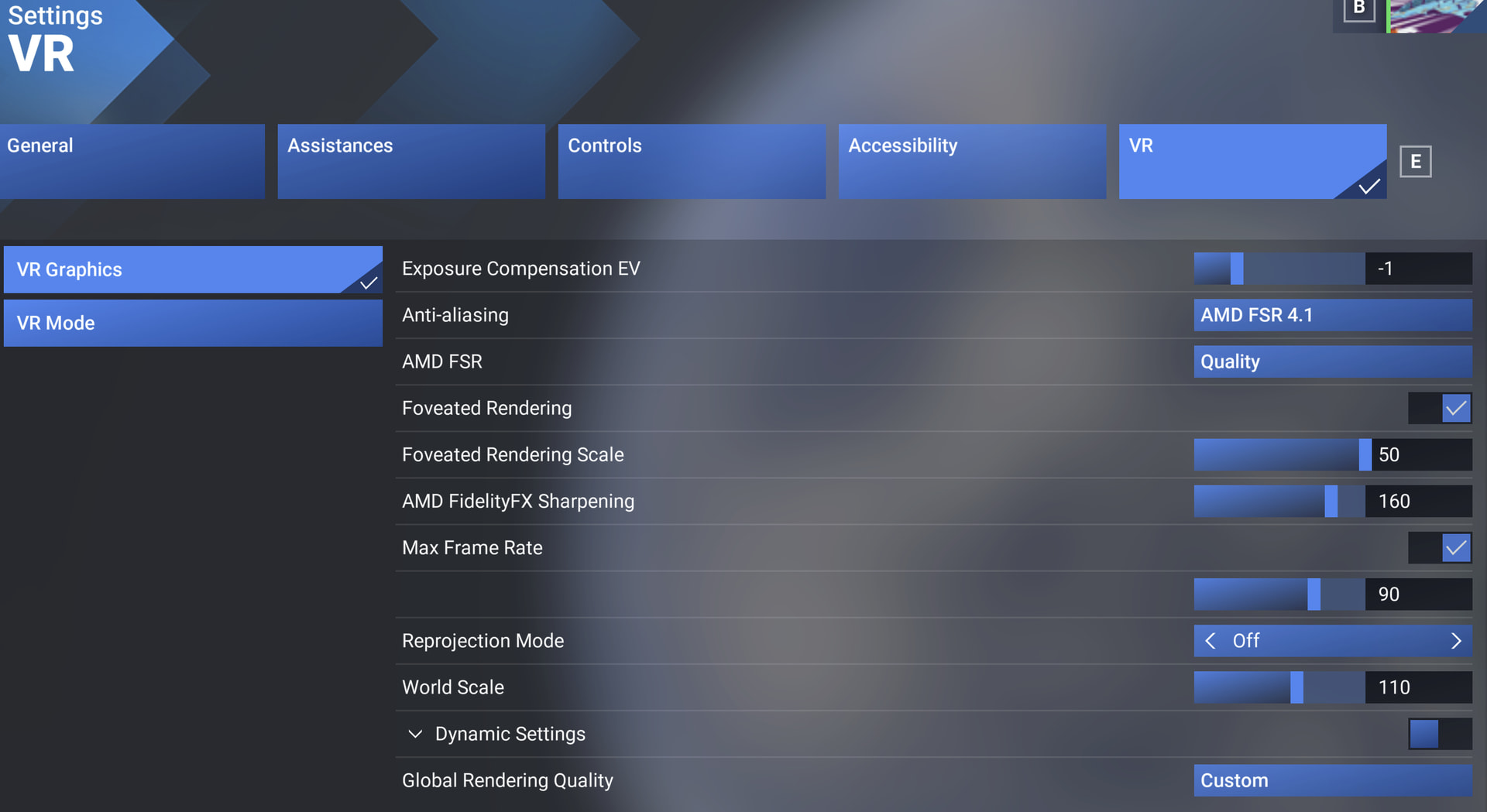
The blurred cockpit is readable but ‘crisp’
The 737 is what I am in but other planes like the citation is marginally better - the dials and MFD/PFD are readable but strain sometimes.
The degradation is something I am going to experiment with - using different airports and settings. I have disables all airport traffic or set to its lowest input. I was using a couple of add ons - GSX, BATC and apron life. I will try with none of these this morning.
My WiFi is very good and my computer is hard wired to the router (SKY) and is about 4m away from the computer.
Thank you. I will try some of these this morning and concentrate on exposure and optimizing the graphics.
Questions: do you use RESHADE?
No. I read somewhere that it could be problematic to run with VR and/or the MS store MSFS version.
I avoid using anything other than the SimBrief plugin, because I still consider MSFS 2024 an unstable product and don’t want to spend my time debugging new problems 
My preference: Everything is stock, all changes to graphics are made in-sim, nothing running in the background, no overclocking, no overlays.
I never have crashes, and there are plenty of complaints about them in these forums. Maybe that’s luck with my configuration, maybe that’s because I keep it simple 
I don’t know if it’s been said prior but set Contact Shadows - OFF
I also set AI planes, airport vehicles, airport traffic etc to low but their variety to high.
To counter the brightness and glare set the gamma to 0.90 and turn down the brightness in the quest 3 settings to 50% or there abouts, you will feel your eyes have less strain. Night time actually becomes somewhat usable this way too.
Failing that set everything to low and turn on 1 setting at a time to medium, fly it then proceed to the next setting and so on. It’s a long process but eventually it will pay off.
Looking at your screen shots, your WiFi is probably the cause of the latency. If you have WiFi 6 that is a big improvement but if you can connect to VD using a USB make sure it is a full bandwidth powered one. It will charge as you play and make sure it’s plugged into USB 3.0 or higher on your PC. Like this one below and plug in your usb c charger into it.
Hope this helps brother.
Thank you
I have a cable and am on beta in VD so again I might try that as well.
I changed to TAA this afternoon and had some real improvements in graphics but still latency spikes. I asked if I was on OXFR bridge should I continue with SSW?
Personally OFXR is a big improvement for me. However I set up my system with SSW then when I switched the other day it was like magic.
If you do use OFXR turn off SSW.
You should definitely use the cable especially if it is high speed link the one I linked. You’ll go from your 1,200mbps on WiFi to 5,100mbps using cable.
Ordered that cable thanks
So I am trying to figure out why when I have OXFR Bridge on and set and have now disabled SSW in VD, I get these results. I am trying to just get something stable and have been on 2 weeks now and done one flight (I am off work for 3 months so loads of time) - set this, set that, lowerd this, lowered that. But now, in VR TAA, when I turn my head look at the results - Why TAA, it did give me a better clarity, I dont want eye candy, just clarity. Probably sell everything and find a new hobby
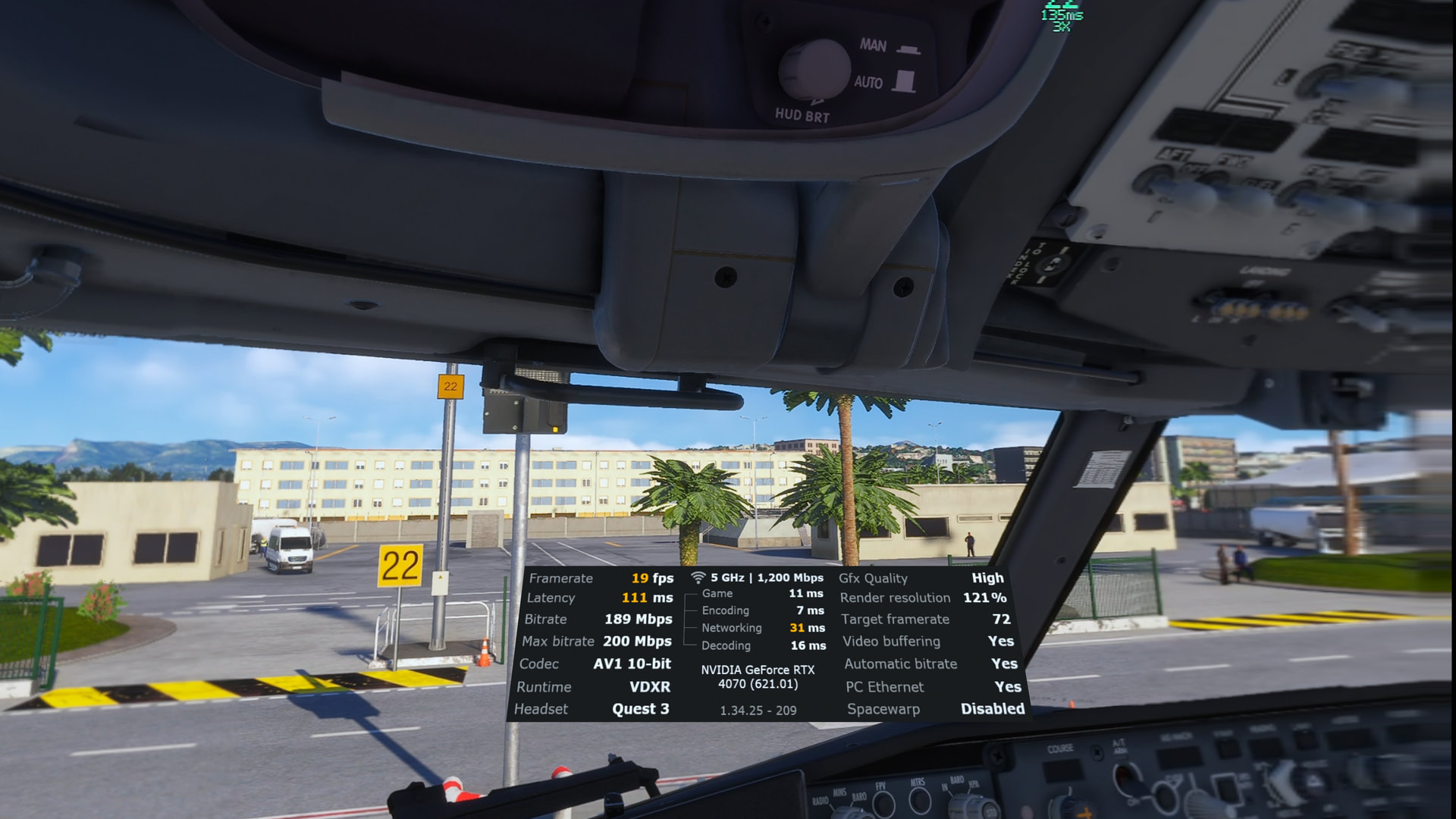
We will try this.
I know there’s something having a battle between themselves. It’s a bit like sharpening, you have three ways to sharpen on VD. Somehow I can feel the sim having an internal struggle. The mouse is very slow for a start and even at some point when I turned bridge off I was able to hold 72fps in TAA but not on DLSS
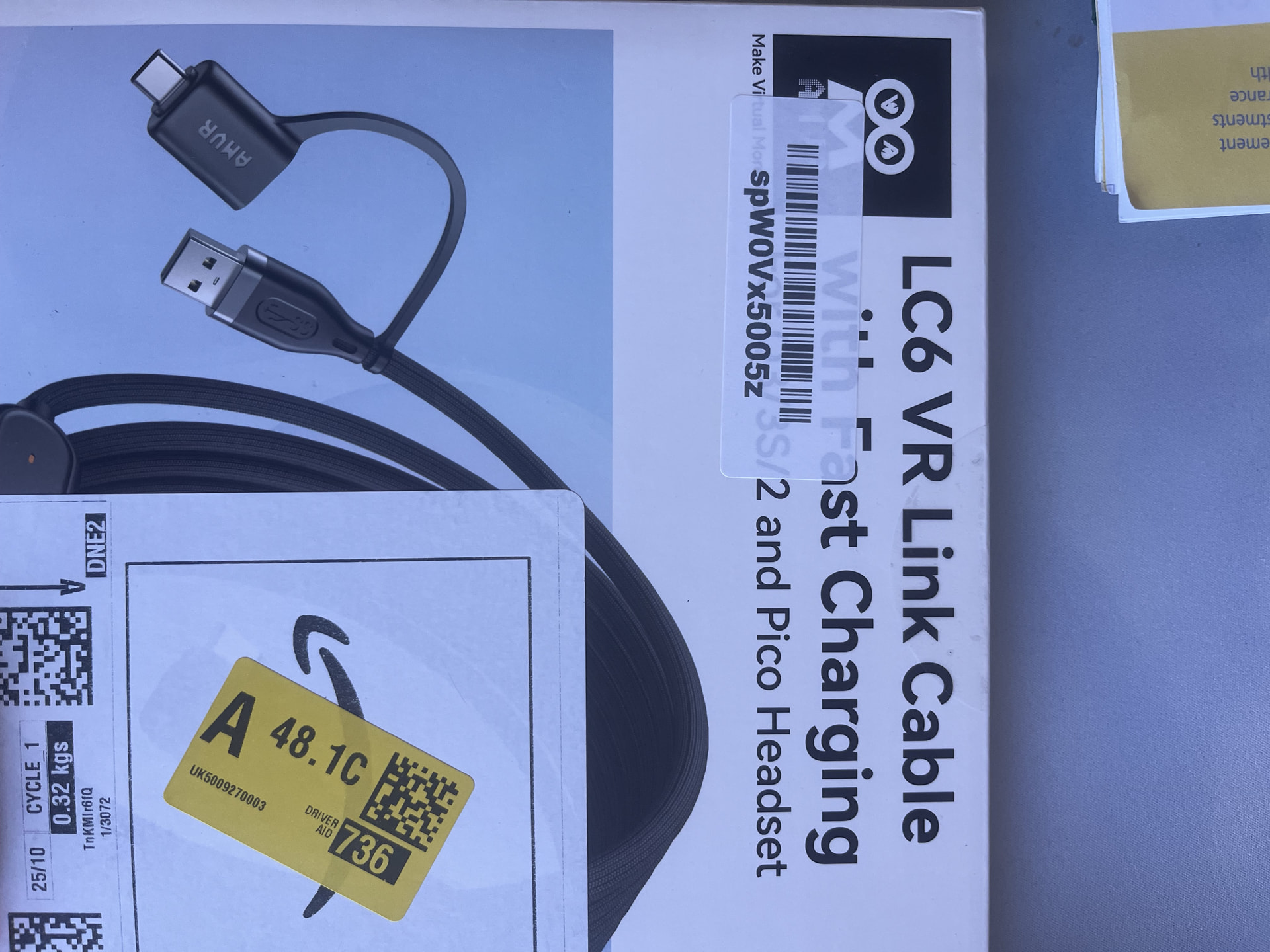
I might have to think about this now as well