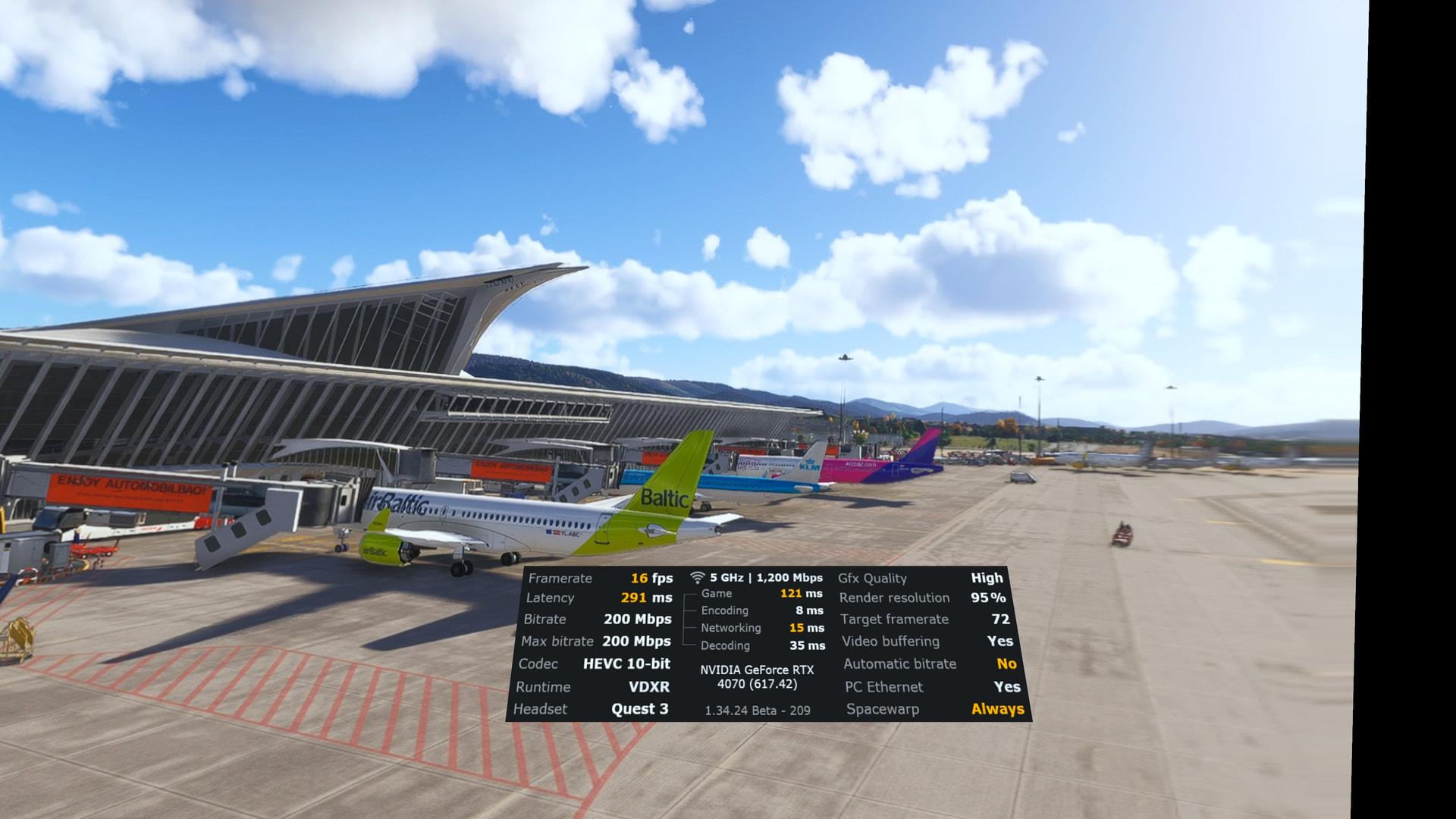
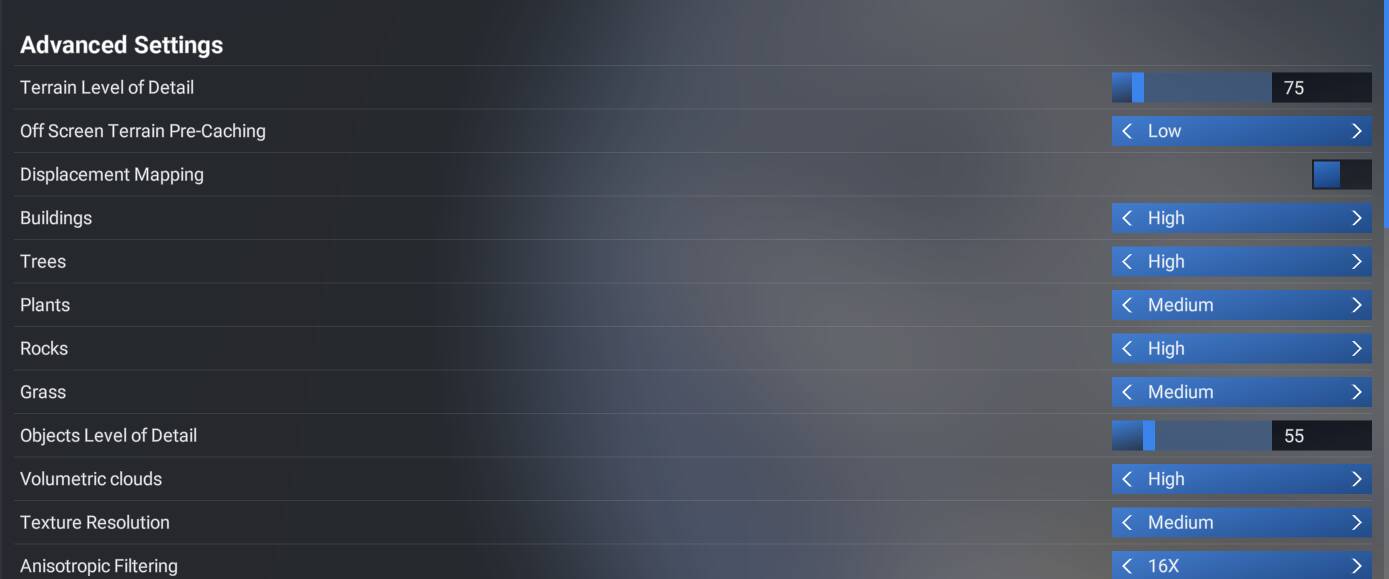
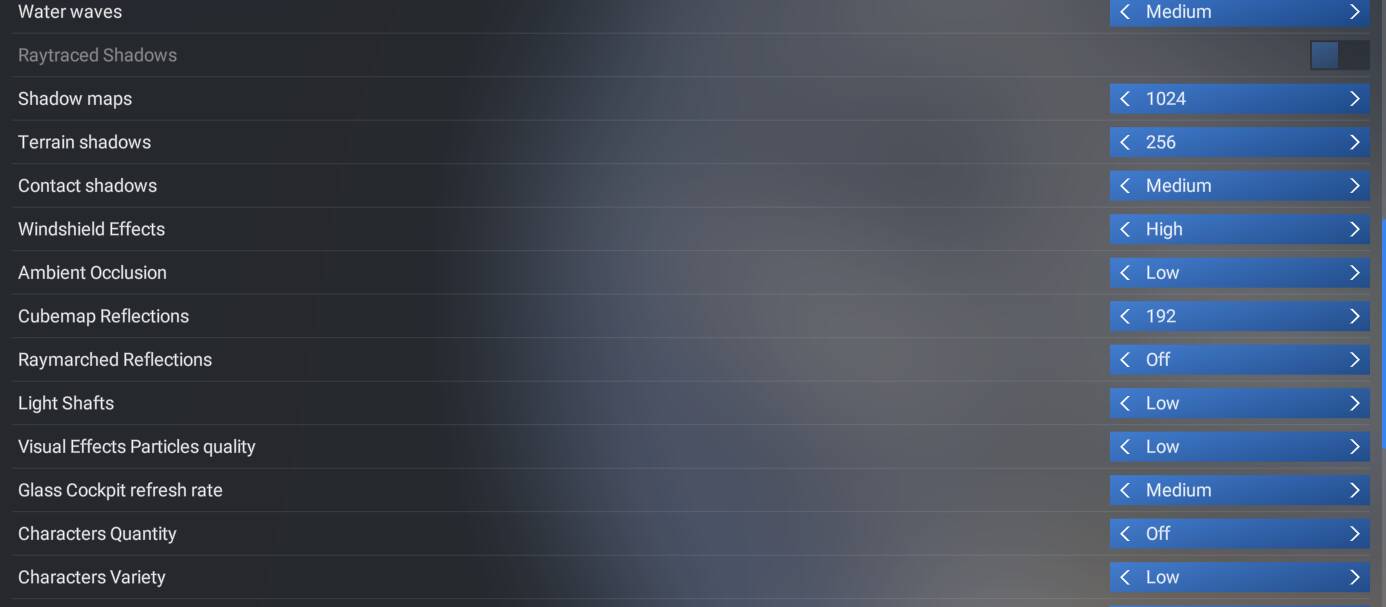
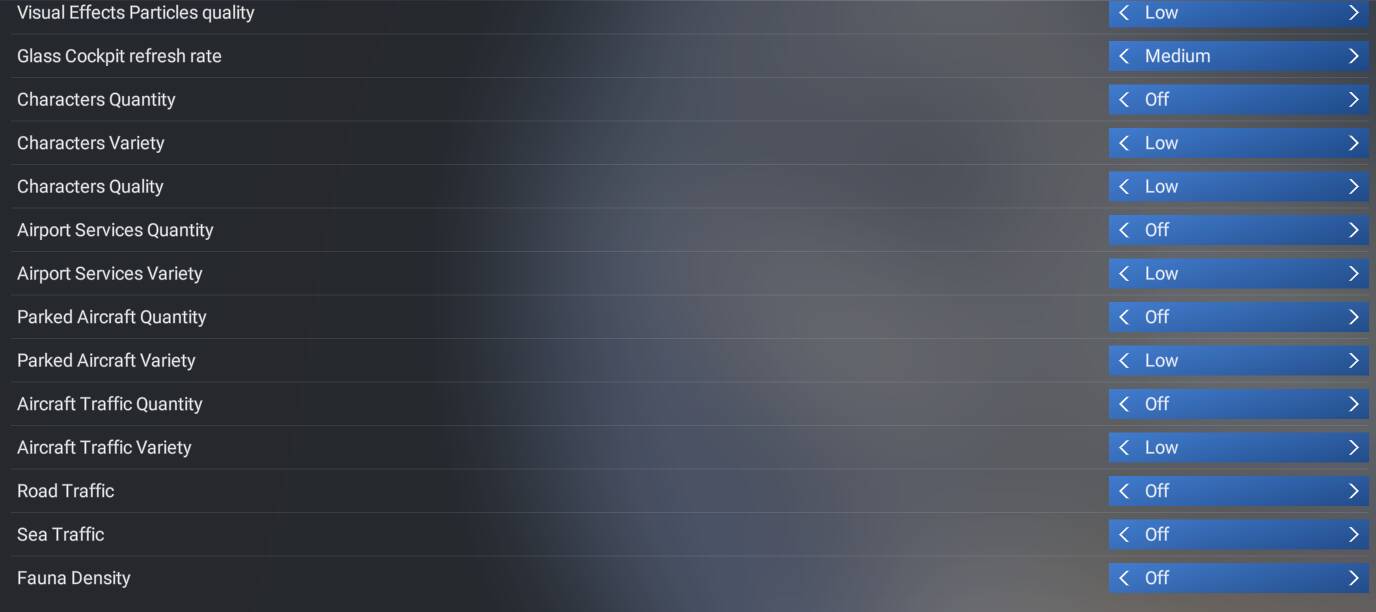
I would be most appreciative if someone could help with this please
Started using 2024 on Thursday last week, and today was to be my first flight after setting up and getting my controls etc on the sim
Quest 3 with (VD ethernet) the lowest settings in the sim. OLOD and TLOD set at minimimum allowed - NO BATC or GSX started, no add ons only one airport LEBB of which I started in the PMDG 737-800
Most likely VRAM is not sufficiant. You should check it in the FPS window of the developer mode. There is a thread here in the forum, the FPS window can also be activated without developer mode via command line switch.
For a nice increase in performance use DLSS in Performance mode and Foveated rendering at 30 - 35%. Install and use OFXR Bridge to double your frames. With all this you will have a totally different experience!..then you will be able to add all extras as BATC etc
You haven’t said what the problem is, your screenshots look okay to me.
Apart from the Quest 3 (I use Pimax Light) your system is pretty similar to mine and I get no problems at all. 12GB of VRAM is acceptable, that’s what I have, so what’s your problem?
All I’ll say is don’t try for high FPS numbers, 30fps in the headset is fine for me, no upscaling or frame generation. Start there and gradually increase until you get a good balance of performance/quality.
I’m not a MSFS settings expert so take these recommendations with a grain of salt.
You’ve got plenty of RAM so you can set “Off Screen Terrain Pre-Caching” to High or Ultra.
Try setting Buildings, Trees, Rocks, Volumetric Clouds to Medium if nothing else works.
Otherwise everything looks OK to me. I run a 5800X3D+64GB RAM+9070XT+HP Reverb VR setup and can run mostly on high settings with FSR4 Quality upscaling and no frame generation, although there’s always a hit on large airports, but I fly mostly GA.
This could also be a PC or add-on problem, you can look into running some PC benchmarks for comparisons online and temporarily disabling add-ons you might have installed (there are add-on managers to facilitate that).
Setting plants to off and trees and buildings to medium helped me a lot. Also raymarched reflections, aao, terrain and contact shadows to off, cockpit refresh rate medium. Those are the worst fps killers in vr
I really find it over whelming the help I get for a “getting older” bloke in the UK
thank you
I look at all scenarios and with this sim, everyone always looks for improvements with slight tinkering to get to the desired goal. With me I always seem to go backwards. Let me take stock of the suggestions and I will report back later in the day.
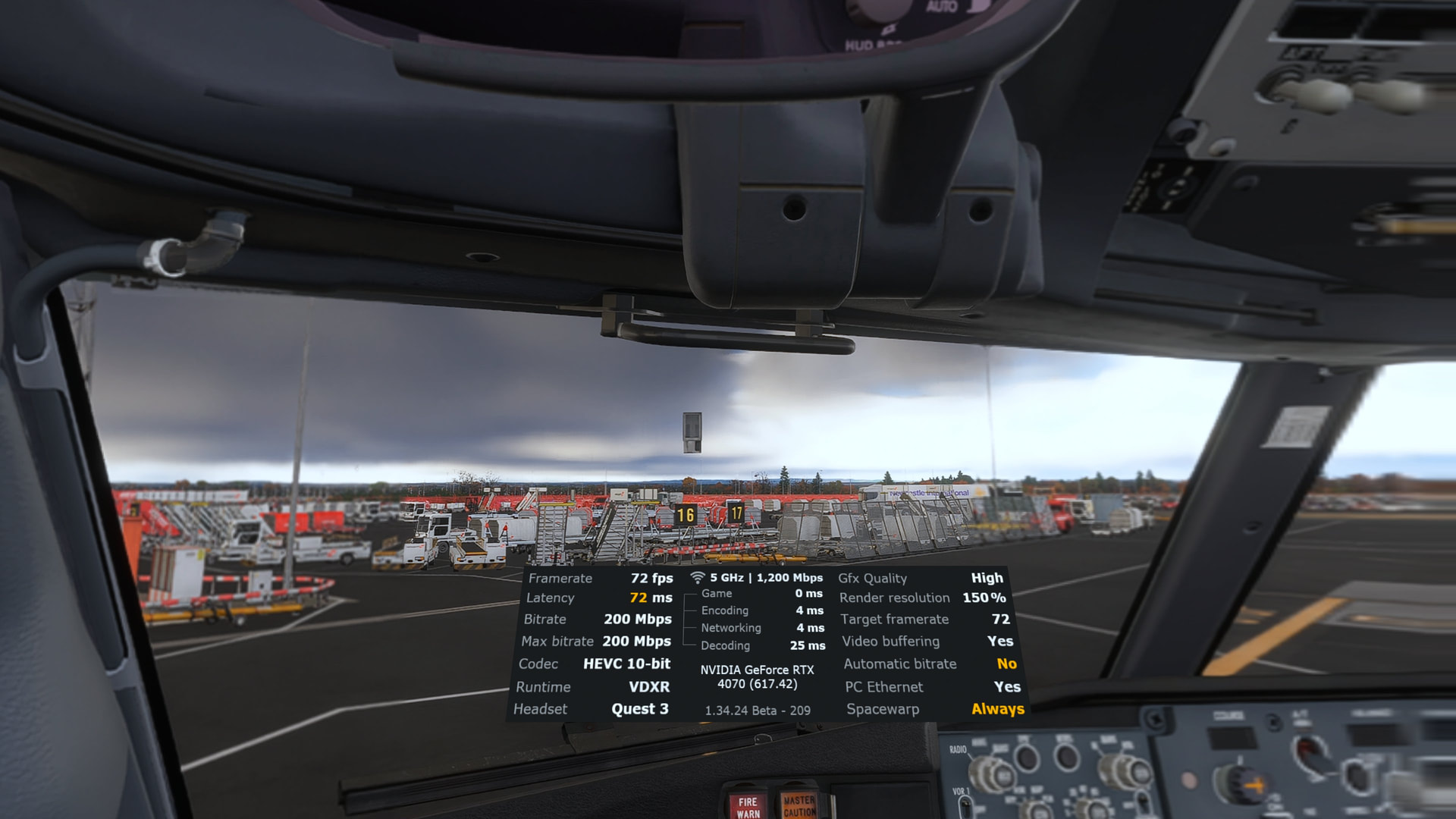
So I have now done what was asked and my latency (for now is as shows) FPS 72 (36) but…the image is blurred on the outside (you can see that on the right hand side)and that red fence when i turn my head beomes a black fence. Move my head back and it cme s red…
I will try to grab my in-sim settings for you when I get home from the office today. so you can give them a try. I think your system would be capable of running a slightly less version of my settings pretty easily. I have butter smooth performance.
What you are not showing… Are you running DLSS, DLAA or TAA? for your VR settings?
Your best bet would be to use DLSS, and now that there is a 3rd party fix for the glass cockpit screen blur, there is no reason not to use DLSS.