Post SU15, the Darkstar has no AB signature or visual effect.
What did you do Asobo? Lol…
Post SU15, the Darkstar has no AB signature or visual effect.
What did you do Asobo? Lol…
Mah dude, the Darkstar is one of your creations. It’s not a third party product.
There are no necessary steps to reproduce the “bug”. Just hop into it and see the engine nozzles. No AB trail or signature.
Anyhow, would love to see a Hotfix or something to correct this.
Have the developers not investigated this? I don’t want to fly this bird at all because the AB signature now looks so flat. It barely looks like any AB flame or signature is coming out of the engine nozzles, both regular thrust and scram jet thrust.
@Hester40MT
Personal Comments and Observations
If you want to get a suspected defect or concern directly to Microsoft, the quickest path is to file a Zendesk Ticket using the Support Link on the forum banner menu.
That will get it over to Triage and you can even track it’s progress.
Done, thanks.
Here’s hoping.flying this aircraft ain’t fun in chase cam. AB signature looked nice.
Well, I reported it a few days ago and it seems they are more interested in convincing me that I’m doing something wrong rather than reproducing it on their own end to see the core issue.
Looks like we’ll be going in circles for a while. 
 Thank you for using the Bug section, using templates provided will greatly help the team reproducing the issue and ease the process of fixing it.
2 tags are required: One for platform, and one for aircraft.
Are you using Developer Mode or made changes in it?
No
Have you disabled/removed all your mods and addons? If the issue still occurs with no mods and add-ons, please continue to report your issue. If not, please move this post to the User Support Hub.
No mods or add-ons (on Xbox)
Which aircraft are you reporting an issue about? (Please also add the proper tag for it)
Experimental Darkstar
Which aircraft version are you experiencing this issue on? (You can find this listed in the Content Manager under the Aircraft Name)
The latest one (it was fine before SU15)
Brief description of the issue:
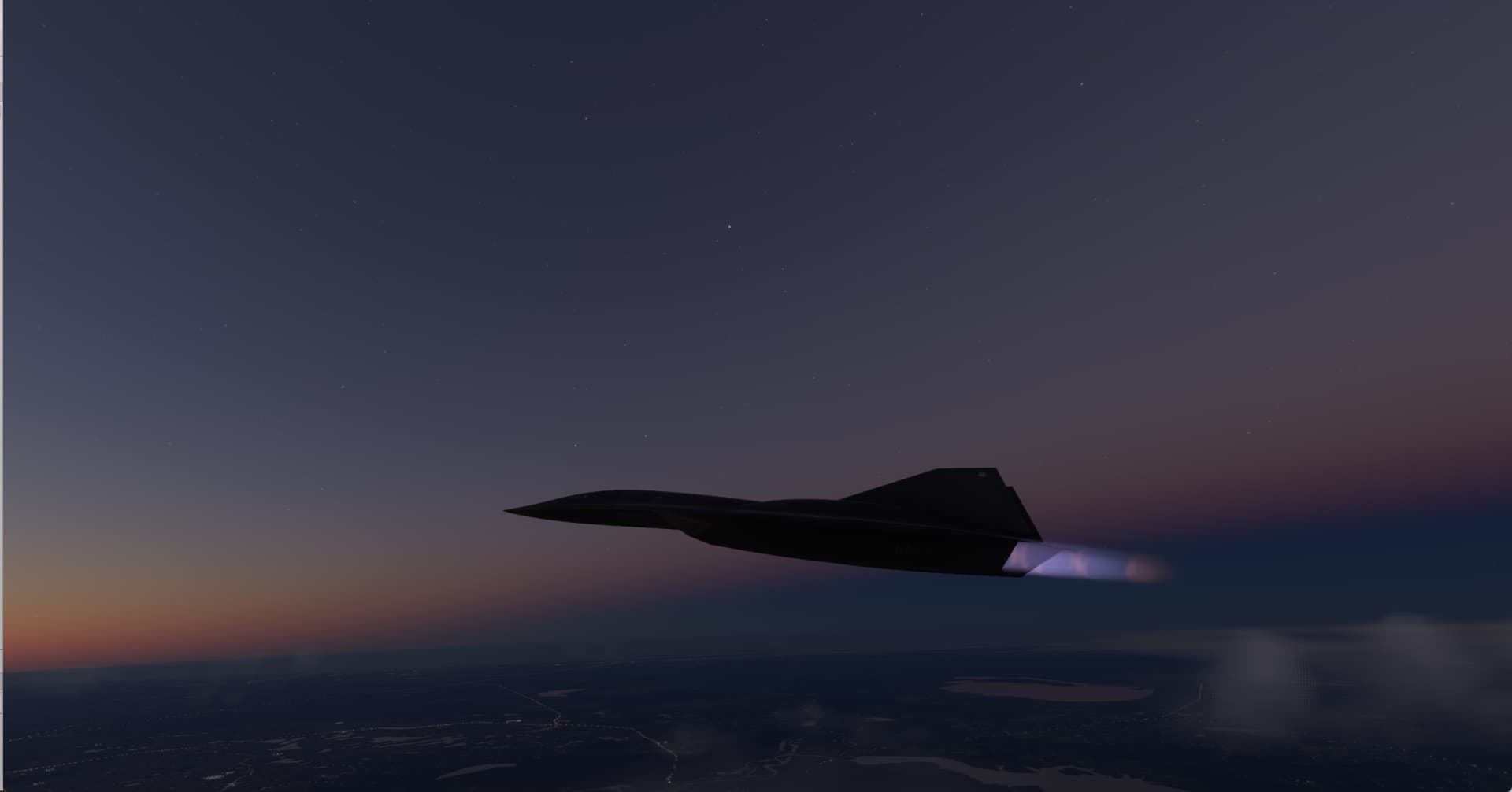
The afterburners on this aircraft no longer show a trail or signature in external cam when at max throttle (yes, they are engaged as I use them to go into space and reach mach 10)
Provide Screenshot(s)/video(s) of the issue encountered:
Sorry, no screen shots at the moment; easily reproducible - launch the aircraft with full throttle and ABs engaged - no visual trail or signature (flames) coming out of the engine nozzles
Detailed steps to reproduce the issue encountered:
Start a flight in the Darkstar. Take off with full throttle and ABs engaged. No visual trail around the engine nozzles.
PC specs and/or peripheral set up if relevant:
N/A
Build Version # when you first started experiencing this issue:
The latest one (SU15, all mandatory updates installed)
 For anyone who wants to contribute on this issue, Click on the button below to use this template:
Do you have the same issue if you follow the OP’s steps to reproduce it?
Provide extra information to complete the original description of the issue:
If relevant, provide additional screenshots/video:
Do you have the same issue if you follow the OP’s steps to reproduce it?
no
Provide extra information to complete the original description of the issue:
I am seeing the AB visual trail. Better visible when sun is low or at night.
(ms-store version)
If relevant, provide additional screenshots/video:
Is this on PC? If yes, then it’s likely an Xbox only bug.
Posting videos as soon as they get uploaded.
Yes, this is on PC.
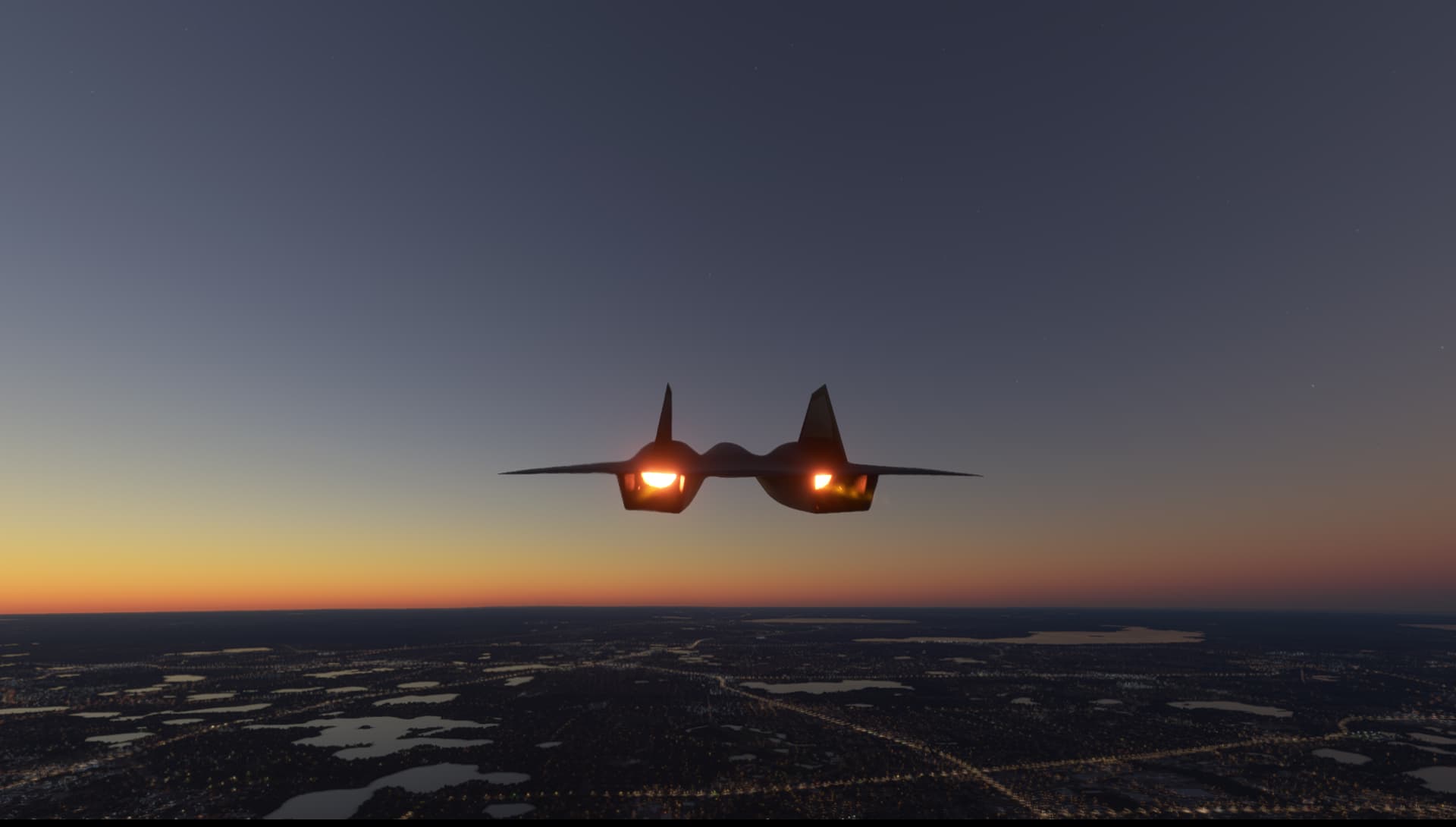
Another screenshot from the back showing the AB ON. Set my time to 20H30, if you could provide the same on your video or screenshots it would be great.
Tje flames are on inside the nozzle but the signature is not visible OUTSIDE the engine nozzles.
Can someone please reproduce this on Xbox Series X?
Here’s video 1:
Takeoff, no visible flame.
Video 2:
Transitioning to scramjets.
Video 3:
Mach 10 in space, still no AB trail outside the engine nozzles
Thank you, we can clearly see that flames are missing. If other Xbox users can perform the same test and post their results using the “Contribute to this topic” template in your bug report above it would be great.
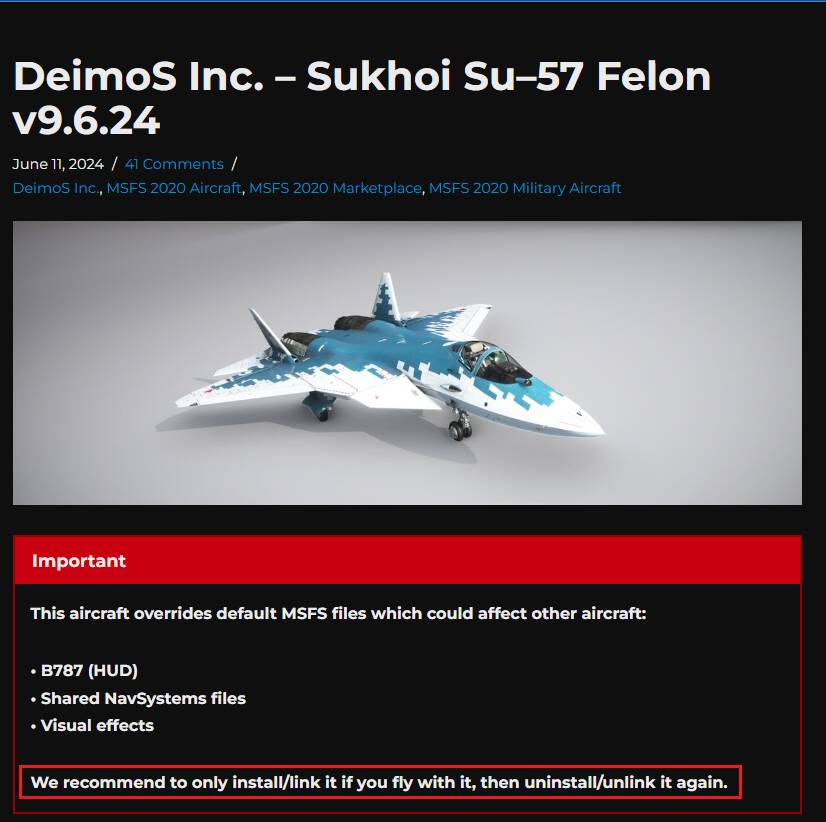
By any chance do you own that DEIMOS addon ?:, not sure if it could also impact the Darkstar AB.
Interesting workaround. Yes, I do own the Deimos Felon.
Let me delete it and get back to you.
I truly appreciate your help.
After uninstalling the Deimos Felon, the AB effects outside the engine nozzles are back! I tested this thoroughly in both Earth atmosphere and outer space and those lovely AB effects are now showing on the scramjets too.
I don’t get it though. Why does the Felon interfere with this? Do I now have to keep the Felon uninstalled just to see the AB trail/signature on this aircraft? Also those vapour effects around the cockpit from the inside are back when climbing toward space… I hadn’t noticed they were gone until uninstalling the Felon.
Glad you have the effects back !, so much better like this.
They are explaining on their site:
This aircraft overrides default MSFS files which could affect other aircraft:
• B787 (HUD)
• Shared NavSystems files
• Visual effects
We recommend to only install/link it if you fly with it, then uninstall/unlink it again.
So yes, meantime you don’t fly the Felon, you need to uninstall it if you want the effects work as expected for MSFS base aircraft.
Interesting and bizarre at the same time. Yeh, I’ll just keep the Felon out of my hanger for now as I love the AB effects too much on the Darkstar.
This never used to be the case before SU15 however as I’ve had the Felon since last year.
Also, I seem to remember the Darkstar’s AB trail in earth atmosphere as being a bit brighter looking and more prominent.
This topic was automatically closed 365 days after the last reply. New replies are no longer allowed.