I was finally able to load into the sim today but while setting up my key binds I don’t see anything to move free view in the cockpit. I have an Airbus sidestick and on the old sim I used the little joystick that would be used for trim to look around in the cockpit but I can’t find anything to bind the buttons to in the new sim to do the same thing.
This is one of the two reasons that caused me to ask for (and receive) a refund.
I’ve tried mapping every move command but I’m yet to be able to move around the cockpit to reach instruments and switches
I’m not able to look around the cockpit while holding right mouse button and the setup UI is so overloaded, no idea what the correct option is.
And I also set a button on my stick to toggle external and cockpit view but nothing happens when pressing.
I mapped the hat on my hotas one, so I am sure it will be the same for the airbus sidestick…
under your stick config in options, scroll down to camera… then expand cockpit camera… then scroll down to where you see “look left”, “look up”, “look down left” etc. and go through those and manually bind them (the list on the left) to joystick pov left, etc.
THANK YOU SO MUCH I don’t know how i missed it but i tried searching every combination of cockpit and camera related words and couldnt find it for the life of me. It comes up now when I search for it so idk if somehow i just didn’t think to search for the tern look but anyways thank you.
When I installed the game, the mouse worked. For some reason, it does not work now. I think MSFS is upgrading stuff, and since everything is in the cloud, probably that’s where they update stuff.
resetting the cloud should help.
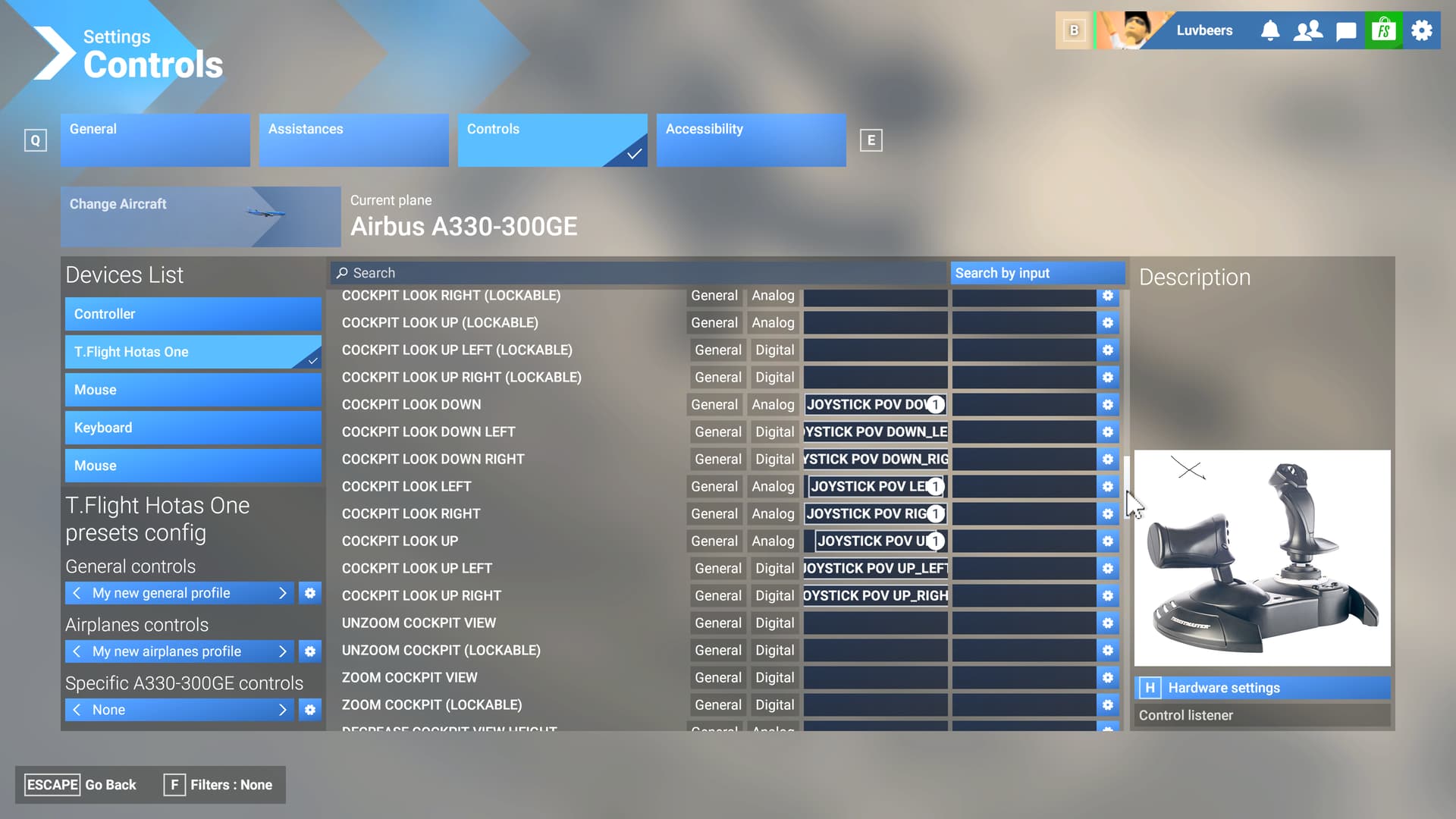

What do the white circled numbers mean that basically hide the description behind
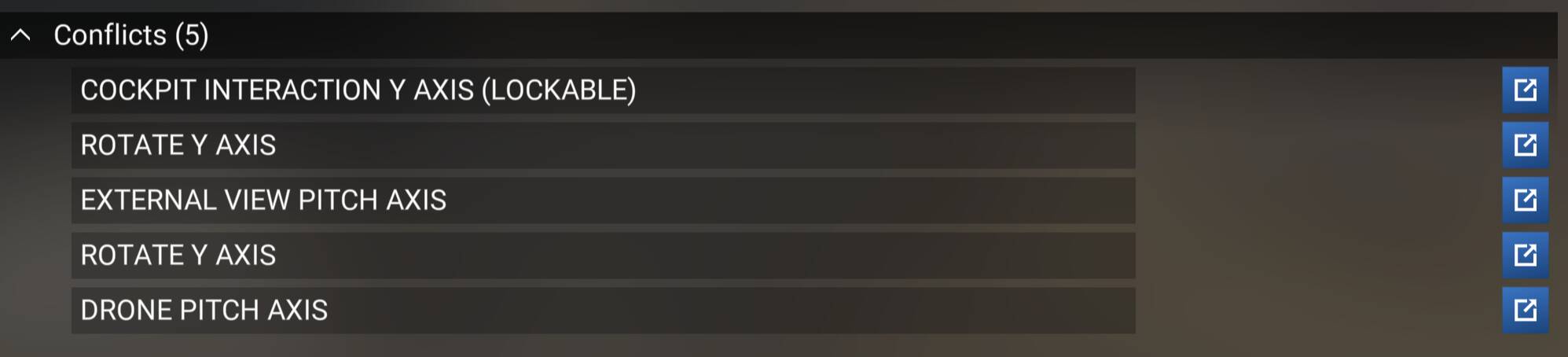
it is the number of how many times the same key is bound to some other action in the game. it can be a conflict, but it also can be an action in different part of the game that doesn’t conflict. like here the hat also controls the quick view in external camera… it lists it as a conflict, but since you are either in cockpit or in external view, the command doesn’t actually conflict.
Hi @TrevPGTREV ,
They indicate the number of mappings to a particular control. if you click on the white wheel to the right of an item, e.g:

You’ll see a list of the mappings:
[edit: As @Luvbeers also describes above. We responded at the same time  ]
]
actually that would be a point that they could improve… have two lists, ^ Conflicts (x) and ^ Shared (y) so that you could distinguish if the binding actually causes two simultaneous actions, or if the bind is used in totally separate aspects of the game.
Also does the binding description scroll left to right or the column expand so you can see the whole controller bindind
no but if you click on the gear icon, you will have a list to the left with every possible option and their full name.
Before you could free float around by default with the arrow keys in the cockpit. I had to figure it out, too. I deleted the new assignments that are now tied to the arrow keys (look around the cockpit) and reassigned the old free floating ones. They’re now called: Increase/decrease cockpit view height and translate cockpit view right/left.