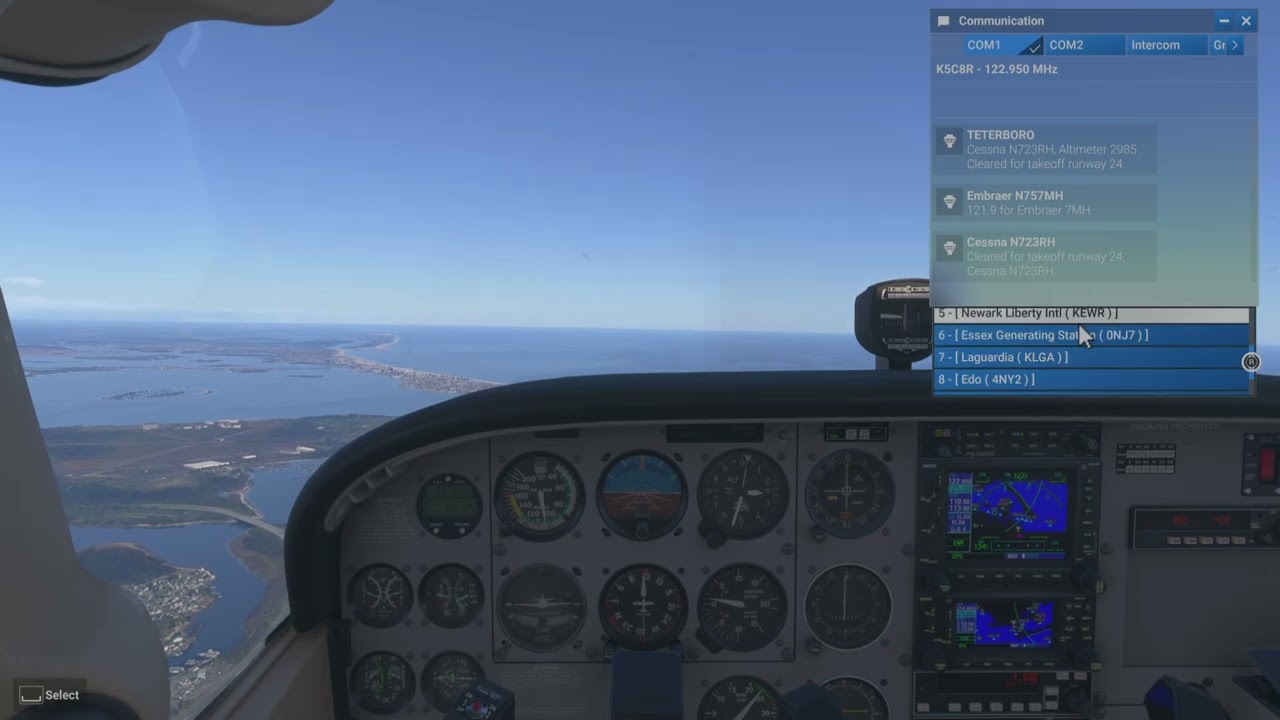
Why did they have to take something that worked okay in 2020 and make it this annoying? In 2020 we had 10 lines available in the Comm panel and it was relatively simple to find the desired airport in the nearest list.
Now we only see 4 at a time at most, and only 3 if you’re at the top or bottom of the list. It’s like trying to read the list while looking thru a straw. Furthermore, if you chose “Airports farther from you” it jumps to choices 7-9 on the next page rather than starting at the top, forcing you to scroll back up every time.
And all the while the list is constantly changing order due to your position changing. In a word, this is MADDENING. And before someone pipes in to tell me to use BeyondATC or Vatsim, I’m on Xbox and it’s not an option or believe me, I would.
And this example is mild compared to someplace more heavily populated with airports (and heliports, gah!) like Los Angeles, Tokyo or Mexico City. Try that in the Vision jet at 220 kts while the order of the list is changing even faster and it’s enough to make you pull the plug.
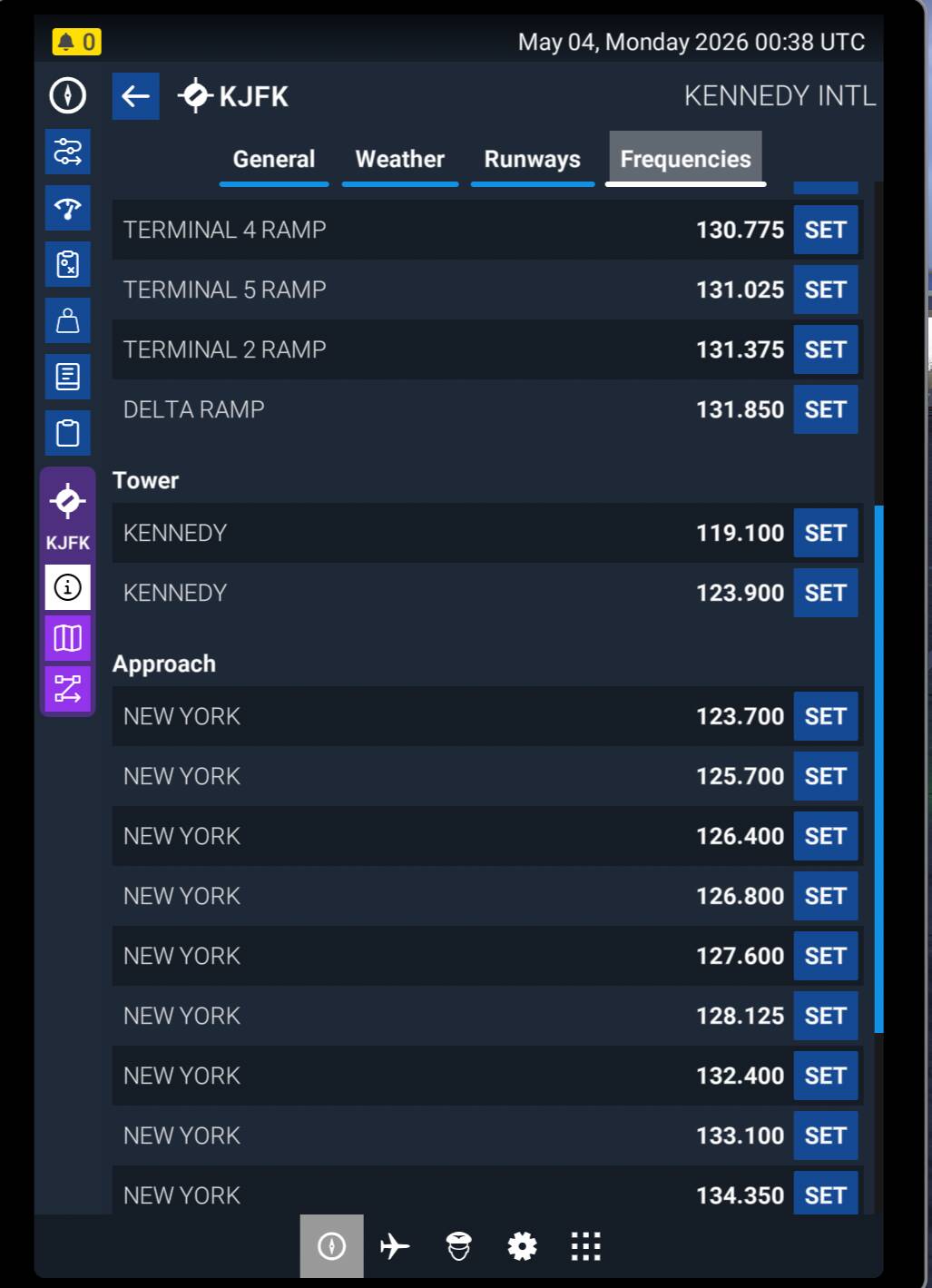
Why won’t they simply a) restore the window back to 10 options as it was in 2020, or b) allow us to select the frequency and then initiate communications? You can set the frequency using the EFB, but then no options show up in the panel.
Or, gasp, do both!
BTW, I did open a bug report on this shortly after 2024 was released, only to be told it is working as designed.
If we could also exclude the heliports and glider fields it might help. Or when setting up a flight allow airports that only meet certain runway lengths.
They are all here in the EFB. Look them up and change the frequency on the radio like a real pilot! (-
As I posted, you can do that. But then when you open the comms panel, there are no options available, ie. request full stop landing, etc.
I’m with you on this one. The EFB workaround is there, but that doesn’t really fix the in-flight usability problem. In 2020 the comm lookup felt much less fiddly, and in 2024 the short visible list plus the constantly re-sorting nearest airports is a bad combination, especially in anything reasonably fast.
For me the simplest fix would be either a larger visible list again, or at least a temporary sort freeze once you open the nearest-airport frequencies so the entries stop moving around while you’re trying to select one. A direct tune action without the extra hand-holding would help too.
They could just move the comms window into the EFB…
The easiest is to give us a box in which we fill the icao code plus runway. That drop down list is massive, which ATC frequency do you pick? I assume they are for different runways or does each controller have their own frequency?
Or how about a radio that works like a radio? If you manually tune to a frequency, you can then listen, and talk, to that frequency. Without the need to go through a menu to confirm, that yes, I would indeed like to listen to, and talk to, the frequency that I have already tuned to.
If you tune to an ATIS frequency, it already works like this. Why not other frequencies as well?
That’s basically where I land on it too.
If I manually tune tower, approach or ground, the sim should just treat that radio like an active radio, same way ATIS already does. The menu can still exist as a shortcut, but it shouldn’t be required just to talk on a frequency I already selected.
Part of the confusion here is also that the nearest-airport list is doing two jobs at once, finding the right airport and exposing the right service frequency, and neither part feels very clean right now.
Oh yeah, I’ve already voted on both of those. But a year and a half in and it’s still broken. How hard can it be to fix? Just restore what already worked in 2020. Then add the ability to tune directly and initiate comms when you have time. But for Pete’s sake, expand the window again ASAP.