Why does the rdrThread double when VR is enabled? My understanding is that OpenXR handles getting frames to both eyes in VR. rdrThread represents the CPU time it takes to build the draw commands. Does this mean the CPU is creating twice as many draw calls in VR, or is it creating draw calls for two frames?
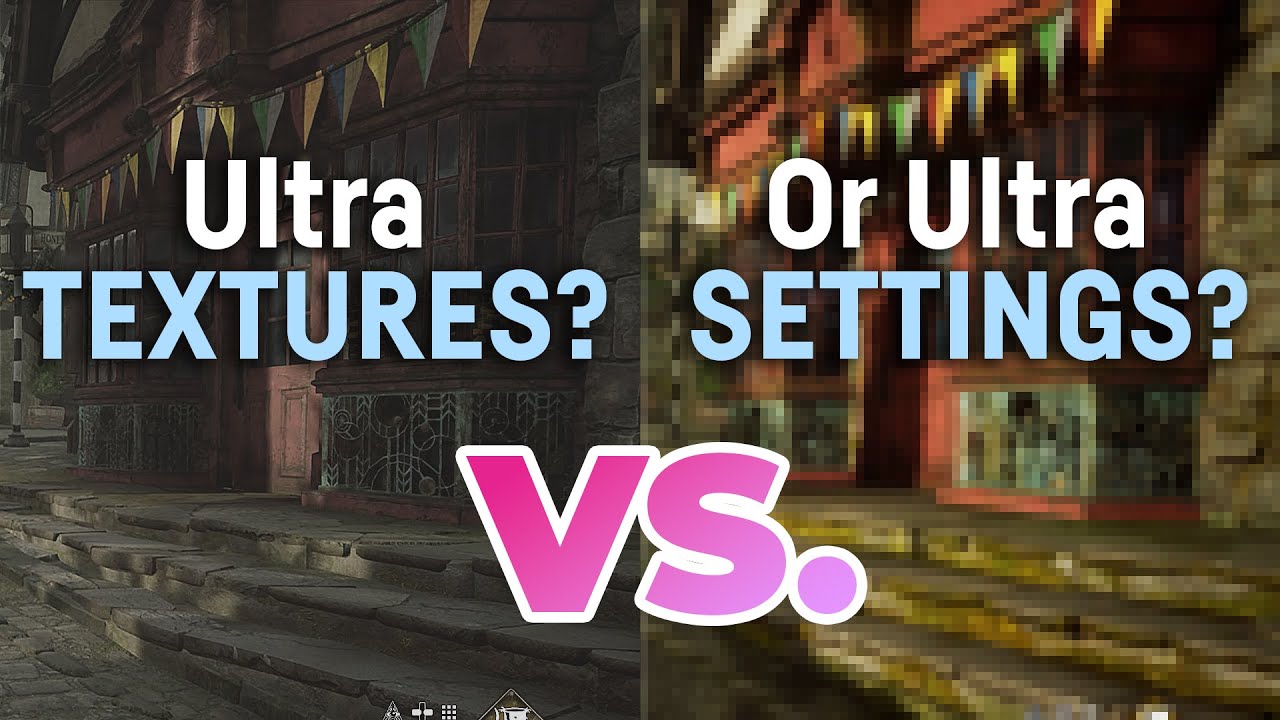
So, I replicated the testing in the above video. Very interesting tests. With Low Settings - Ultra Texture Resolution, going in and out of VR hardly impacts Mainthread and Rdrthread. But, with Ultra Settings - Low Texture Resolution, going in VR crushes the Mainthread and Rdrthread.
This makes sense, as the draw commands become much more complex with Ultra Settings vs Low Settings, so the Rdrthread would see a big impact.
Speaking of stacking, I performed these tests with Nvidia Shader Cache = Disabled (old NVidia control panel, not available in the Nvidia App). The only noticable difference is slightly longer load times for flights. After that, no impact.
Finally, with Ultra Texture Resolution - Low Settings, there was a slight stutter when panning my head back and forth. I set Off Screen Terrain Caching to Ultra, turned up LODs to 100, and enabled Foveated Rendering. No more stutter. I’m not sure which of those settings changes cured the stutter. YMMV. Cheers.
So, I tested Ultra Settings, Low Texture Resolution, and although it looks good, and gives good performance, it does stutter on takeoff and approach. This makes sense. At any given resolution, increased settings like shadows and reflections, adds information to the pixels. Ultra settings adds the maximum amount of information to the pixels. As you move on the ground, or come in for landing, geometry is moving into the “drawable area”. This makes the Mainthread work harder, and it makes the draw calls more complex. If the custom scenery has ridiculously high vertices or draw calls, and you are packing on the maximum amount of information with ultra settings, the mainthread and rdrthreads get overloaded temporarily, hence stutters.
If you flip the coin over with Low Settings and Ultra Texture Resolution (which only affects the aircraft), you are packing the least amount of information onto the draw calls. This makes the sim more tolerant of poorly designed scenery, but not immune to it. So, in a default airport, you may not see any stutters. As you takeoff and land, the cockpit doesn’t change, so no additional information is getting packed onto the draw calls, it’s already in memory.
Here’s a puzzler. This is the wonderful FBW a320. Look at the 4x increase in rdrThread when switching to VR. Also note that Foveated Rendering has no impact on performance in this aircraft. The performance is excellent, but the numbers defy explanation. DLSS DLAA.
The menu:
2D no frame gen:
VR no foveated 4x increase in rdrThread:
VR Foveated Rendering no impact:
Foveated Rendering decreases load on your GPU by reducing the amout of rasterization and the pixel shading rate. It’s never going to lower your CPU utilization. In fact, due to how MSFS2024 implements it, Foveated rendering actually increases the CPU load, since some of the geometry has to now be submitted twice (and that process is the most closely on the CPU).
This is not an “OpenXR vs not OpenXR” thing. The way the application submits geometry to the GPU is 100% up to the engine and is not tied in any way to the way the final frame is submitted.
Yes, MSFS does duplicate a whole lot of draw calls (about 66% of them last I checked). Their implementation of multi-view rendering (which allows a single batch of draw calls to rasterize geometry for both eyes, or even 4 views in the case of foveated rendering) is incomplete and only covers about 1/3rd of their render passes. Note that it isn’t any worse than MSFS2020, it’s in fact better.
See my detailed analysis of the foveated rendering implementation from last year:
This also explains that 66% of duplicated draw calls that I mentioned above.
Thanks, Matt, your input is always appreciated. So, draw call frame time (rdrThread) can increase based on the complexity of the data contained in them, and the number of calls being sent in a batch. A batch of 1000 simple draw calls can equal a batch of 500 complex draw calls.
In 2D, let’s say you are driving 1000 draw calls with Low Settings Preset. Then you switch to Ultra Settings, and now you are driving 1000 draw calls with a LOT more data in them.
Or, you are driving 1000 draw calls in 2D, and you switch to VR. The math here is a bit more complex because as Matt indicated, some calls are duplicated between Left and Right eye, and about one third are “optimized”. Also, the geometry changes between the left and right eye to provide the stereoscopic effect. It’s not clear to me how much more CPU time is required here; does the CPU already have the geometry for the right eye, or does it simply apply a transformation to the left eye geometry to obtain the right eye geometry, or does it have to make API calls? Regardless, reducing the number of pixels processed with Quad Views does not always translate into performance improvements. In my tests above, I used the native 100% resolution of my Valve Index which is not very high resolution. At that resolution, Quad Views doesn’t solve any bottlenecks for me.
If I increase my headset resolution to the maximum 500% (which crushes my rdrThread), and decrease Quad Views to 36%, I get about the same results.