Hello
Has anyone used the Winwing USB screen as an Airbus PFD?
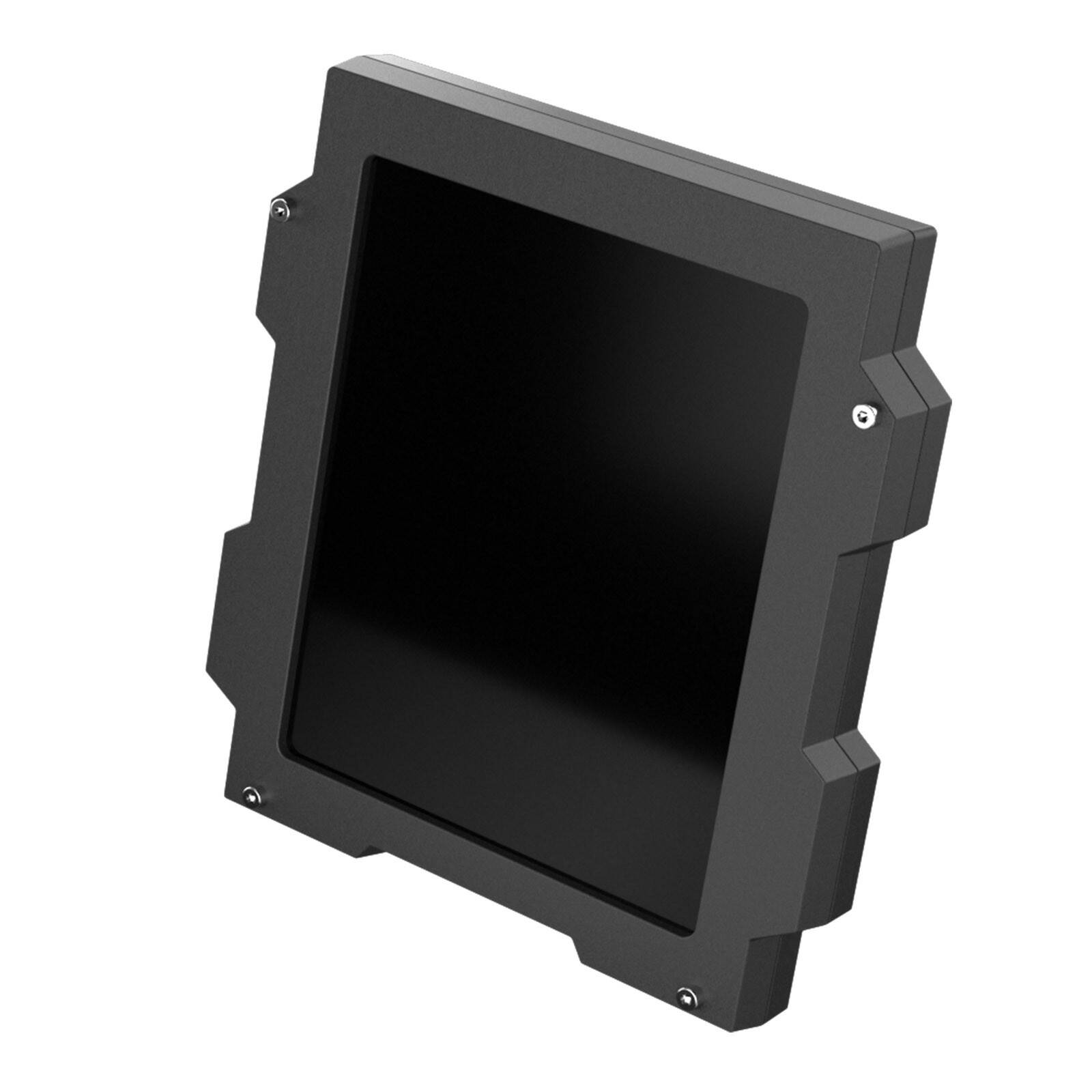
Is this a viable technical solution?
Hi, I’m asking the same question. I have put an email query to Winwing via their info@winwing.cn address (couldn’t get connected to their knowledge base) and am awaiting a reply. It should stand for reason that it can be used as they do for fighter profiles only just for airlines. Hopefully we get some insight through here.
Hello
Indeed, your approach to Winwing is the right one to get feedback on the feasibility of wiring this screen in an Airbus cockpit.
Hopefully, Winwing offers a solution for installing a cockpit with all the displays.
Regards
I’m surprised that there isn’t more interest, either by someone that has done it or someone who has tried everything and failed. i’ll normally give anything a go but it’s a bit too much money to just thorw at a hunch although I’m quietly confident it should work fine.
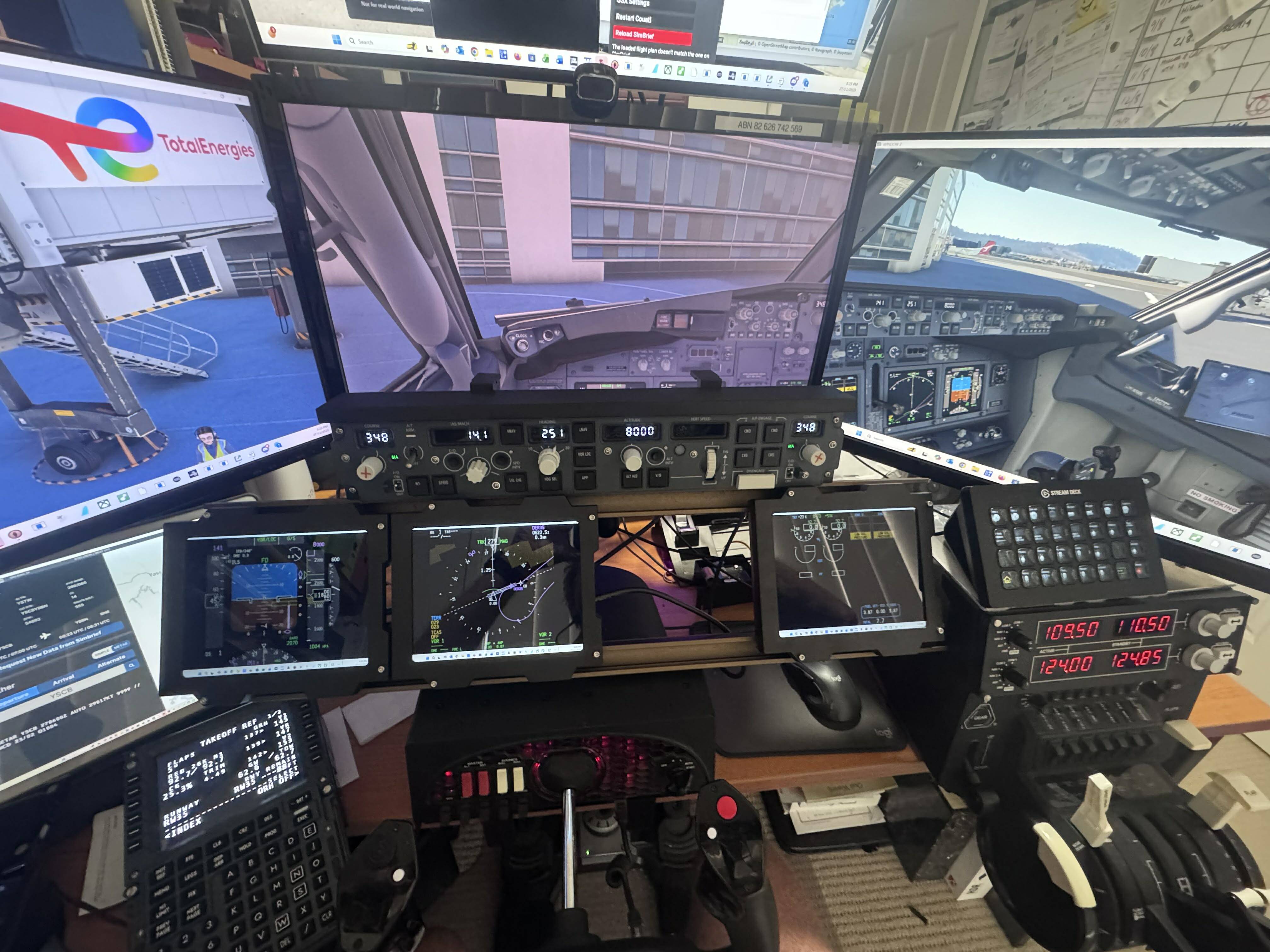
Back again: I have been searching and found a Utube clip of someone setting ujp the USB3.0 display for a jet fighter. He used SimAppPro but also showed how the PC’s own system picked up the units and identified them as individual displays. That’s enough for me, because I know I can simply pop-out each panel, resize them and sit them in each dispaly. Pop out Manager will no doubt work as well. I’ve ordered a triple set and pre-ordered a single, hopefully I’ll have the triple delivered in the coming week so I can get back to you and let you know how I went. In the meantime I’ve attached a link to a Utube clip which looks like it will give similar information; I only scanned this one while looking for the one I saw earlier because I saw the windows display setup window showed in the preview pane.
Hi
Thanks for the information.
My main goal with these Winwing monitors was to avoid using an HDMI output on my graphics card and the associated FPS loss.
Winwing monitors also have the advantage of being able to be mounted on aluminum profiles.
Otherwise, I’m looking at another solution: 8-inch IPS Universal DIY Portable 4:3 LCD Screen Drive Control Board PC Computer Auxiliary Screen Raspberry Pi Orange Pi Banana Pi Monitor
Regards
Me too, I got the triple and it worked straight up, I have a single on back order. The photos are a temproary set up until I get my Ursa Minor throttle etc and I’ll make up a roll-in/ roll-out pedestal which showld free up my desktop to build aan instrument panel inspired by A320 but modified for space and reconfigurable to fly 737 and A380
Nice “temporary” setup!
I’ll probably order the 3-screen package 
I’m looking for cockpit layouts based on 2020 and 2040 type aluminum profiles ?
Being a Chippie by trade I’m going to go with plywood base for pedestal and Instrument panel (separate for ease of conversion back to office desk) and veneer the faces with 3D printed faces and bezels. I’m also thinking of 3D printing fake panels with rotating knobs etc just to fill the pedestal etc. I can swap them out for the Winwing units as they become available.
I’m not very good with wood and I don’t have the space to build a pedestal. So I’m looking for a solution using aluminum profiles.
Without wanting to impose, I would be very grateful if you could share the dimensions of your 3D printed screens.
I’ve been waiting for delivery of the set of 3 Winwing screens since November 27th 
Happy to share anything I do but the sizes will not be the same as the real deal. I too am limited on space and my thoughts are to build my pedestal on castors so it can roll under my desk when not in use. I’m thinking of putting drawers in the bottom for storing stuff I change out as I reconfigure from one type of aircraft to another as i’ll swap between A380, A320, 737, 747,777. Given that Winwing are well on their way with the A320 components the pedestal will mainly be A320 swapping out trim wheels (fake ATM) to make room for extra two throttles when changing to 4 engine config. FMCs, MCDUs just swap and as for radios etc …….. the A32 variant will work for everything.
I haven’t done the 3D prints yet as I’ve yet to get my printer (due between Christmas and New Year) and I’m also waiting for delivery of my Winwing throttle sets (2x2), flaps, rudder & Park Brake, Spoiler, landing gear & autobrakes and the ECAM. All on pre-order and apparantly becomeing available here in Australia prior to Christmas (fingers Crossed). Once I have them I then can feel confident with sizing the pedestal leaving blank spaces for the radios etc.
As for the instrument panel, that too will be made to move and lift off the desk. EFIS and FCU equivalents will swap out. My fourth screen is on its way now from Winwing. I have some old Iphones that I will use for smaller screens as in back up instruments, I use Spacedesk as the interface software, free and good. I’ll set all the screens into the plywood base and the 3D print face panels will form a veneer over the top covering the structrue and sizing screens to present an unmistakable aircraft instrument panel sized to fit my desk.
It’s early days but the ultimate aim is that I have something that looks and feels like an airline cockpit whilst not being entirely true to any specific aircraft (Although it will have a lot of A320 attributes).
Sorry if that was a bit of a long response but if you know where I’m going then you can decide on what of what I do will suit you in the long run. I should have something to show you early in the new year.
Thank you for your reply.
I’m following the same logic as you regarding the A320 cockpit construction, focusing on reducing dimensions (which is why I also ordered the Winwing displays).
Like you, I ordered the throttle and ECAM while waiting for the rest of the Winwing components.
Since my wife’s approval doesn’t allow me to buy a 3D printer, I’ll have to outsource the display panels.
That’s why I’m interested in your feedback.
Sorry for my poor English; I’m speaking French here.
Finally, what are your favorite flights in Australia? (I hope to visit your beautiful country someday.)
Hi,
On the back of the screen is a USB port for the 5v power, the other says USB 3.0 to PC HDMI. There is a USB to USB lead that comes with it, not anything with a HDMI connector. How do you connect to a PC graphics card?
Many thanks,
Sarah
Hello
To my knowledge You have two options:
Connect the monitor to a USB port on your PC, which will save you an HDMI output on your graphics card (and incidentally, some FPS).
Use a USB-to-HDMI cable (not included).
PS: I do the opposite on a monitor with a mini HDMI output and an HDMI-to-USB adapter.