Press the “B” key
no the differenz of 300 feet has nothing to do with press the B key
Did you try it? I had the same issue this weekend
What happens if you set 10,000 feet?
Just bumping this question.
I also was expecting to see other air traffic appearing on the MFD but this doesn’t happen - is this a bug or intentional? An MFD setting I’ve missed?
1 Like
@kaosfere4829 please could you answer this one for us? Sorry if I’ve missed this info on Github
@freshcard25
I only see this behaviour when the two air pressure gauges are not in sync. If the standby air pressure gauge reads less pressure than the gauge in the PFD then the longitude will rise above your preset altitude in the PFD.
For reasons unknown to me, the standby air pressure gauge determines the exact altitude and not the gauge in the PFD.
As @mdapol wrote “push key B” to synchronise the gauges, or do it manually.
I have gotten into the habit of checking both when passing FL180.
Translated with DeepL Translate: The world's most accurate translator (free version)
A couple of bugs : during a flight, the wind at destination turns, so I have to change runway, but that means changing the route leading to the STAR.
→ The option “remove waypoint” doesn’t remove the selected point but the one above
→ I can’t figure out where it adds a waypoint : sometime it’s two above, sometime whrer I want it, sometime one below, even though I always select add before
→ activating a leg sends me on the totally worng direction, because it sends me to a leg that has nothing to do with the one selected.
In other words, the flight plan options are completely not working, and just forget about making even the sightest change…
1 Like
Traffic display on the map has been disabled temporarily. It will be added back later (in a more realistic manner). Only for AI planes, though, since the simulator does not give us data on multiplayer planes.
3 Likes
I have the latest Mod, and just trying to fly the TBM, after that last MSFS update and nothing works. The G3000 works, but I can’t click to set anything up or change brightness, radios etc.. It is not frozen its like the clicks don’t work.
If you have the g1000 or the gx mods installed, I would try removing those and seeing if that fixes the issue.
I really enjoy the mod inside of TBM but i have some problems.
Did some flights and i use simbrief PLNs which i load at worldmap into sim.
At the G3000 i select the Approach und get some USR waypoints within every STAR/Approach.
Every time i click on Arrival/Approach it loads not the select option but it shows in the overview the right one. (Departue Arrival Approach Screen).
Every time i select in the Departue/Arrival/Approach section something the AP goes back onto normal route and doesnt follow anymore the Direct
1 Like
v0.5.0 is now available. See OP for details.
1 Like
G3000 Version 0.5 available now.
2 Likes
Beat you by literally half a second. 
4 Likes
Yep, I dropped you a note in Discord lol
1 Like
And the best is: the WT mods seem to be developed further despite WT people being part of Asobo now. Hope the G1000 will have some improvements in the near future too.
1 Like
Yeah, saw a few verbose forum posts from certain folks insisting that we wouldn’t see anymore updates after the partnership. Doomers gonna doom.
Love the new release!
2 Likes
Screenshots please…? I feel like dancing!!!
Too far away from my  .
.
Love you guys to pieces 
1 Like
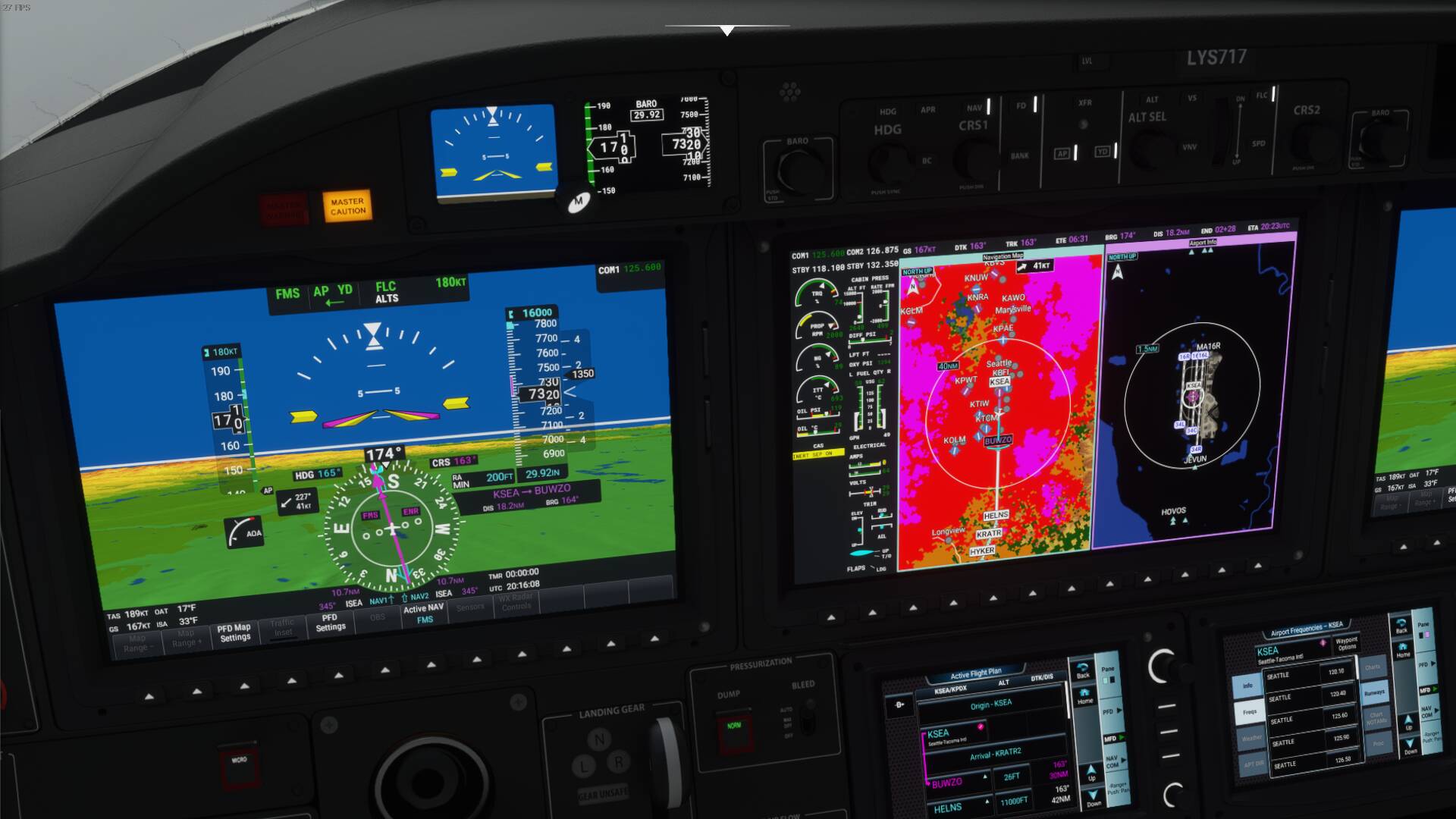
v0.5.1 is now available. See OP for details.
4 Likes