Am i blind or does the world map no longer show the range of the aircraft dependant on the fuel selected? With 2020 you selected your aircraft, selected a departure and then on the world map it would show a range ring dependant on how much fuel you had loaded, i can’t seem to see that in 24.
1 Like
I’ve noticed with the 930 that I use most, there is a “lighted” filled-in circle area that seems to correlate to the range of the plane. I had to zoom out a bit to realize the range was a lighter circle.
That said, the circle doesn’t seem to change dynamically when you add/decrease the fuel load. Or at least I couldn’t get it to change on the WM as I adjusted the fuel load. But if I change the fuel load, and then exit the flight and go back in with the last fuel load it will adjust the range circle.
Regards
1 Like
I am seeing the circle range (ms-store, SU1):
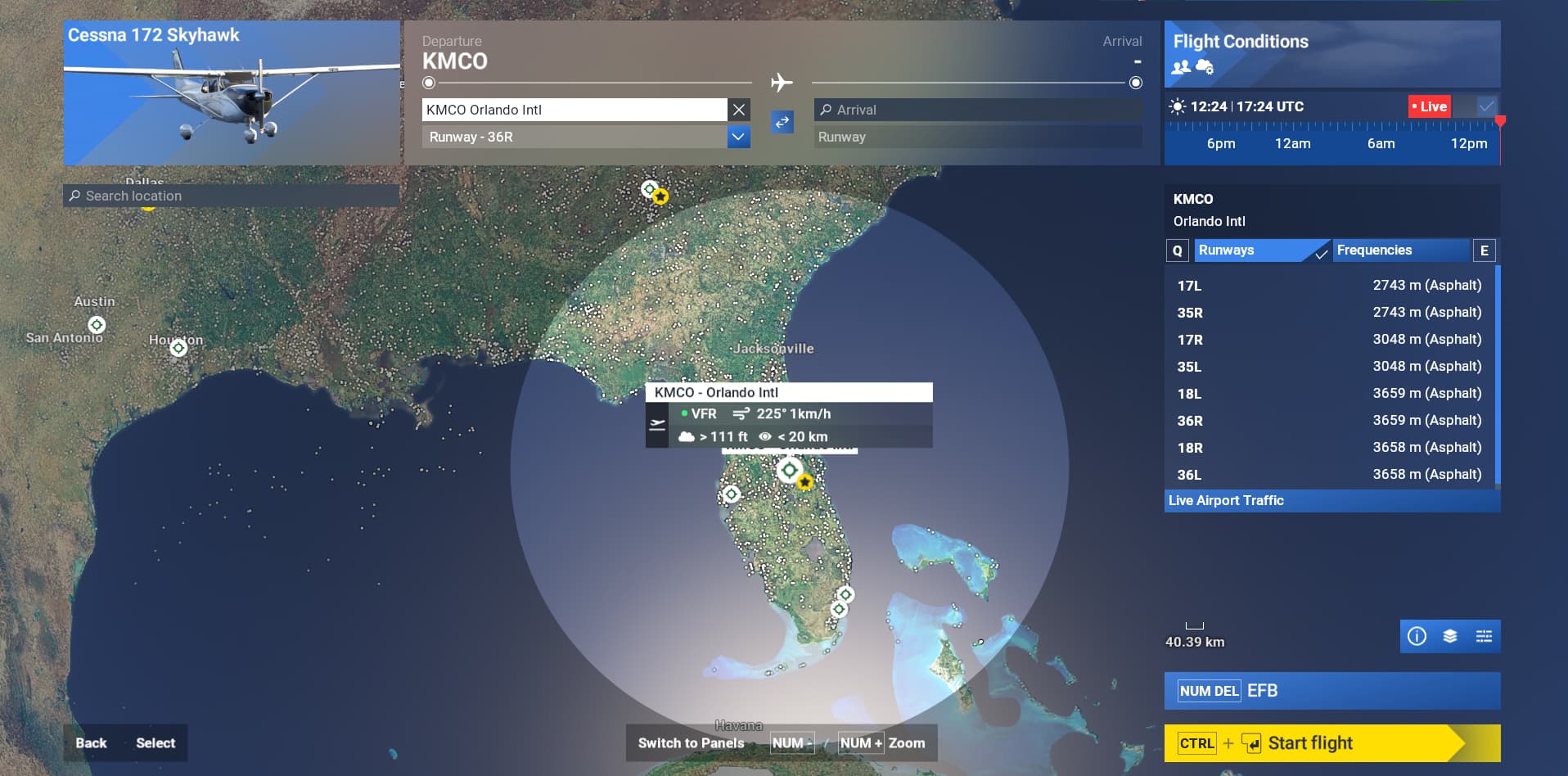
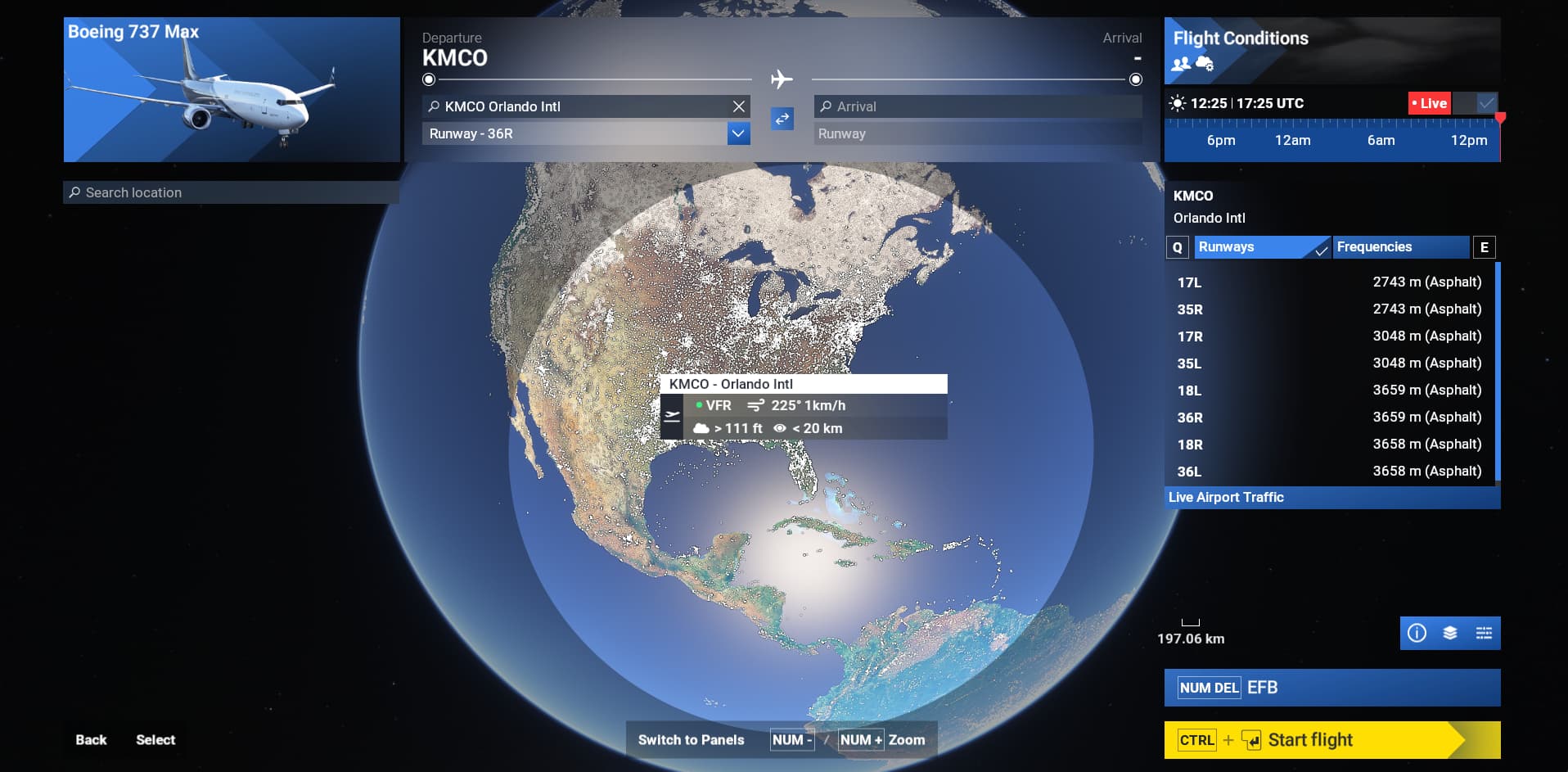
@Contracted2Punk : you don’t see the same ?. If so, any specific steps to reproduce ?
1 Like
I don’t get the same ring as you have there. MS-Store version, same plane same airport, on the SU1 beta, never had it even before the beta. I don’t know why it’s not showing up. i’ve tried switching assists on and off to see if that had anything to do with it, changed graphic setings, online settings, nothing i do brings up the ring.

@DementedCorn327 So i gave reinstalling a go and it gave me the ring, i’ve had the same install since release. But now i have another issue in that it just seems to be a flat plane, it’s not wrapping around the globe like it probably should, is it meant to conform to the shape of the globe or is it supposed to just be flat? . I dunno if you can see it well in this screenshot.

1 Like
Maybe something went wrong with the reinstallation. I am not experiencing that flat disk and neither I have seen a similar report.
@DementedCorn327 I’ve reinstalled 3 times now making sure to remove any trace of the game in case anything was interfering and nothing has changed, i load up the game, set a departure airport, and the flat disk reappears. I cannot get it to conform to the shape of the globe.
Testing again and moving the globe to the side, I can effectively see a flat circle, so it is not specific to your setup. But since it is not intended to see the range circle from the side, I don’t see this as an issue.


1 Like
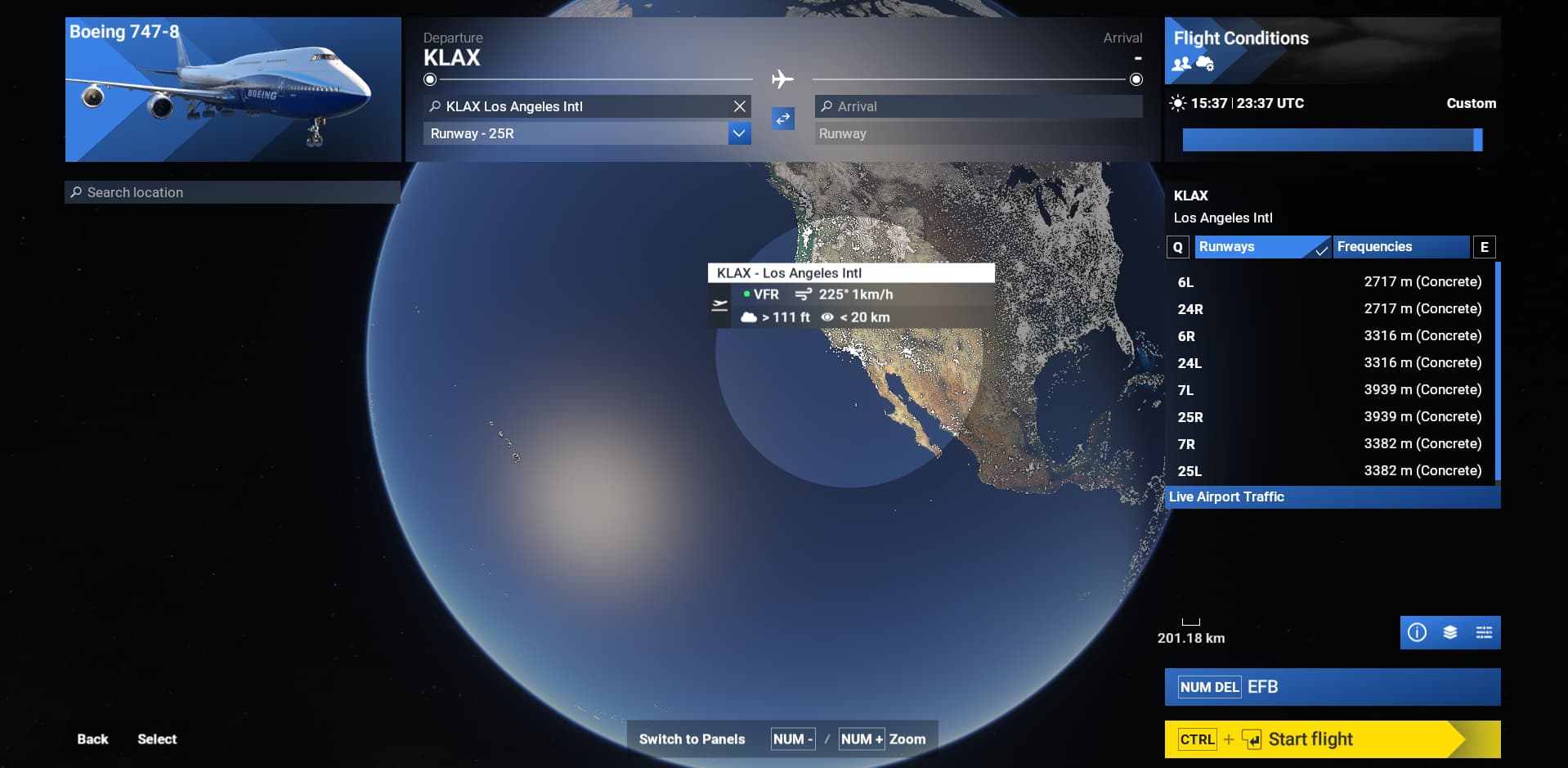
@DementedCorn327 Here’s a 747 fully fuelled with the departure set to LA, a 747 can easily make the trip from LA to London, yet, going by this screenshot, it can’t. Can you see the issue here? Sure, in your screenshot with the tiny ring it’s less of an issue, but once you get into larger aircraft with a longer range, using the ring becomes impossible. This has to be a bug, this cannot be intentional.

Are the tanks full ?
In below screenshot tanks are full, but since the circle is so large and flat, yes in that case you cannot see correctly the limit, range includes London.

@DementedCorn327 Yes, filled to the brim.
Range should automatically adjust based on the fuel you’ve loaded. In my case it works, could you try the same ?:
Low fuel:

This range is displayed:
Medium tank:

Range has increased, need to zoom out to see the circle limit:

@DementedCorn327 I think you’re missing my point. The range adjusting based on the fuel loaded isn’t the issue, that works fine, fully loaded and semi loaded the range ring adjusts and that works as intended. The issue, is that with the ring being a flat disc against a round object, it is significantly more difficult to accurately depict where the limit of that range is the larger it gets because it doesn’t cover the area of the range’s edge past what you can see head on and even adjusted slightly, because it doesn’t conform to the shape of the globe like it did in FS20, do you understand what i mean?.
As mentioned earlier, with a fully fuelled 747 it can easily make the trip from LA to London, past that, i couldn’t tell you, and based on the current implementation of the range ring without already knowing, could you? And without prior knowledge could anyone else? The moment you move the globe, the disc moves with it, and there for, facing the opposite side and away from you, so pointing the camera at London wouldn’t give you a clear indication that the 747 can indeed make the flight from LA. In your screenshot provided, If you adjusted the camera so that the edge of the ring is in the middle, it makes it look like the maximum range is to Venezuela, when it isn’t.
Hopefully I’ve made the issue a bit more clearer.
@DementedCorn327 I don’t know if it would be and who you’d need to escalate this to, but is it possible to get a dev to chime in on this? Cause i’d love to know if this is intentional, or a bug that hasn’t been pick up on yet that needs to be reported.
I would recommend you to create a bug report in Bug Reporting Hub Bug Reporting Hub > User Interface & Activities using the provided template, adding enough details in the reproduction steps section to allow other users & devs to reproduce it.
hi. i have the same issue aswell and id like to know if you maybe found a way to solve it?
No known fix/workaround as of today. You can always contribute to the report: World Map Aircraft Range Ring