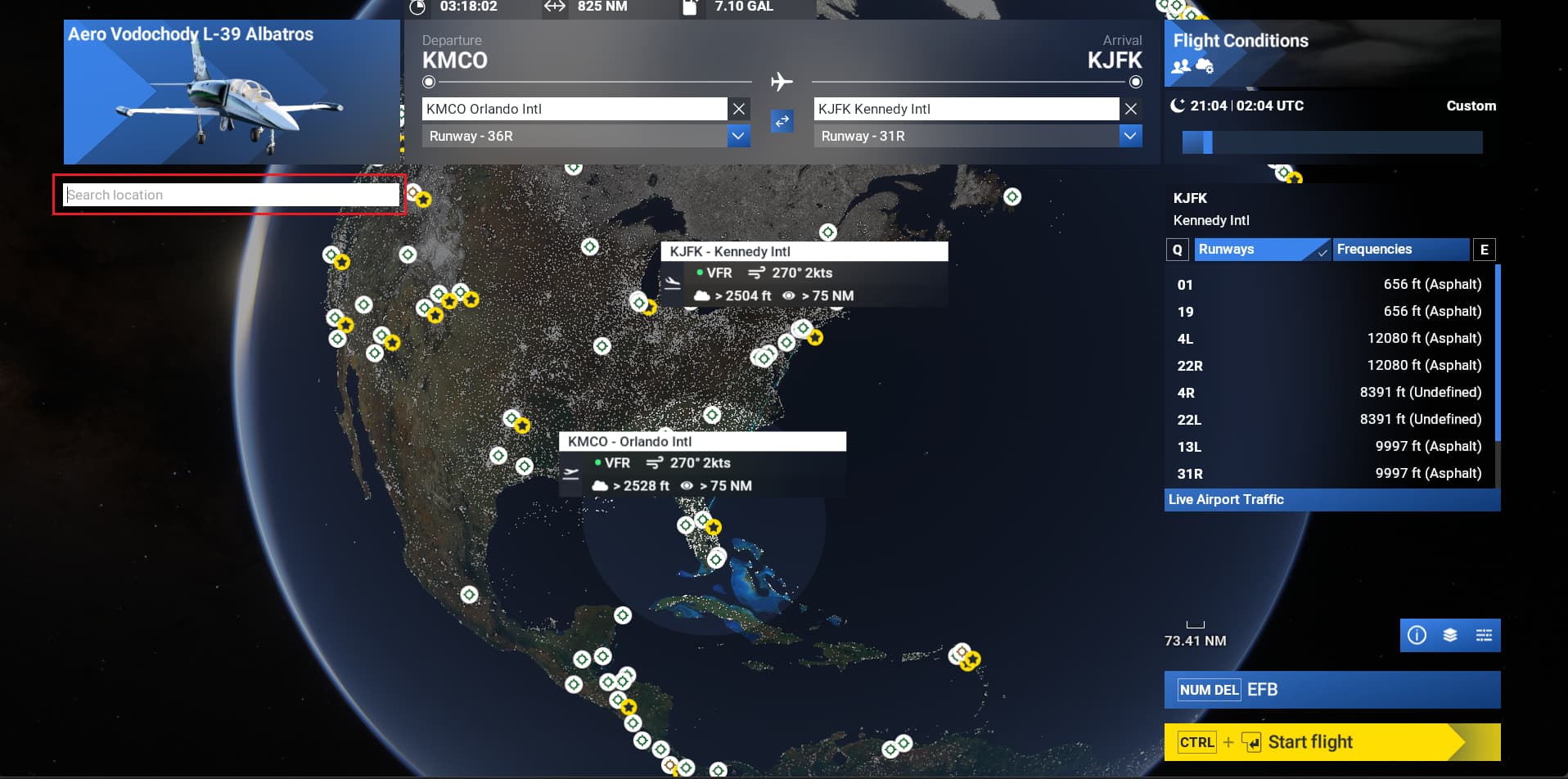
World Map "Search location" field not clickable on Xbox

ISSUE DESCRIPTION

Description of the issue: Can’t add long / latt coordinates when setting up a flight

FREQUENCY OF ISSUE

Only tried to add them once but were unable to select that box

REPRODUCTION STEPS

Please list clear steps you took in order to help our test team reproduce the same issue:

  1. setup a flight (both starting / ending airports)
  2. try to choose the box to add coordinates to.

YOUR SETTINGS

Xbox

[END OF FIRST USER REPORT]

:loudspeaker: For anyone who wants to contribute on this issue, Click on the button below to use this template:

Do you have the same issue if you follow the OP’s steps to reproduce it?

Provide extra information to complete the original description of the issue:

If relevant, provide additional screenshots/video:

Do you have the same issue if you follow the OP’s steps to reproduce it?
• no

Provide extra information to complete the original description of the issue:
• can add coordinates in the Search location box
@kenniekayoz : is that what you are trying to do ?

If relevant, provide additional screenshots/video:

@DementedCorn327 - Yes I know where to post the long / lat, but the problem is on Xbox I don’t know how to access that box.

Can you see the box but cannot click on it ? or you don’t see it all ? could you post a screenshot ?
Maybe the issue is just on Xbox. Hopefully some Xbox users could post their feedback here.

I see the box but can’t click on it

I have updated the topic title to better reflect the issue. Let’s wait for Xbox users feedbacks.

This topic was automatically closed 360 days after the last reply. New replies are no longer allowed.