World Update XIV installation failed

Using the template below will greatly help the team reproduce the issue and ease the process of fixing it. Before posting, search for an existing report. If you are not sure it’s a bug, please first report in User Support Hub.

3 tags are required - add them in the tag section next to the title above:

Feel free to delete this quote section after adding your appropriate tags.

ISSUE DESCRIPTION

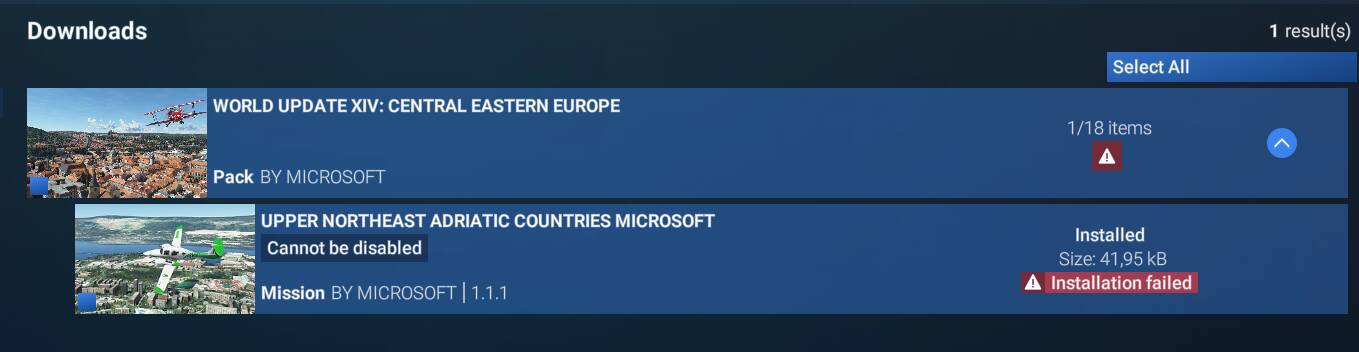
Description of the issue: After latest Sim Update, also many World Update patches became available. For some reason World Update XIV refuses to install. Already deleted it once, returned to Streamed, redownload but still refuses to install.

FREQUENCY OF ISSUE

How often does this occur for you (Example: Just once, every time on sim load, intermittently)? Continuously

REPRODUCTION STEPS

Please list clear steps you took in order to help our test team reproduce the same issue:

YOUR SETTINGS

If the issue still occurs with no mods and add-ons, please continue to report your issue. If not, please move this post to the User Support Hub.

What peripherals are you using:

[PC Only] Are you using Developer Mode or have you made any changes to it? NO

[PC, MSFS 2020 Only] Are you using DX11 or DX12?

[PC Only] What GPU (Graphics Card) do you use? RTX3080

[PC Only] What other relevant PC specs can you share? Windows 11, R5 5700X3D

MEDIA

Please add a screenshot or video of the issue occurring.
Hi @Puttishuu82 ,

Thank you for this report. We’ve moved your topic into the User Support Hub.

The Bug Reporting Hub is for posting suspected or confirmed bugs that other users are able to reproduce without duplicating an existing bug report. Using the template or providing all the relevant information about your bug and sim setup is required in order to provide valuable information, feedback, and replication steps to our test team.

If you are not sure if your issue is a bug or need further input from the community, please use the User Support Hub category. If the community can replicate your issue, first search the Bug category to see if there’s an existing topic. If it already exists, contribute to that report. Duplicate bug reports will be closed.

If you believe it is a new report and no duplicate exists, then create a new bug topic using the provided topic template.

All issues caused by or involving third-party addons/mods should be reported to the third-party developer. Assure that no addons/mods are used when reporting issues in Bug Reports.

And I’m not sure what I missed to report of this issue I have been facing now after latest SU7.

What I searched of, I didn’t find any duplicate report of this issue. Not at least for this specific World Update failing to install.

I believe official World Updates are not any 3rd party developer things either.

But what I understand of my current report, it has to confirmed / replicated by some other users too before it reaches actual Bug reporting hub?

You are correct but since I was able to replicate the issue I moved it back to the Bug Reporting Hub :slight_smile:

Nevertheless, I would recommend to also create zendesk ticket https://flightsimulator.zendesk.com/hc/en-us/requests/new to directly advise the support team, since I am not sure many users will try to download WU14 and report/vote for the issue here.

World update XIV: Central Eastern Europe failed to installed.

Template:

:wave: Thank you for using the Bug section, using templates provided will greatly help the team reproducing the issue and ease the process of fixing it.
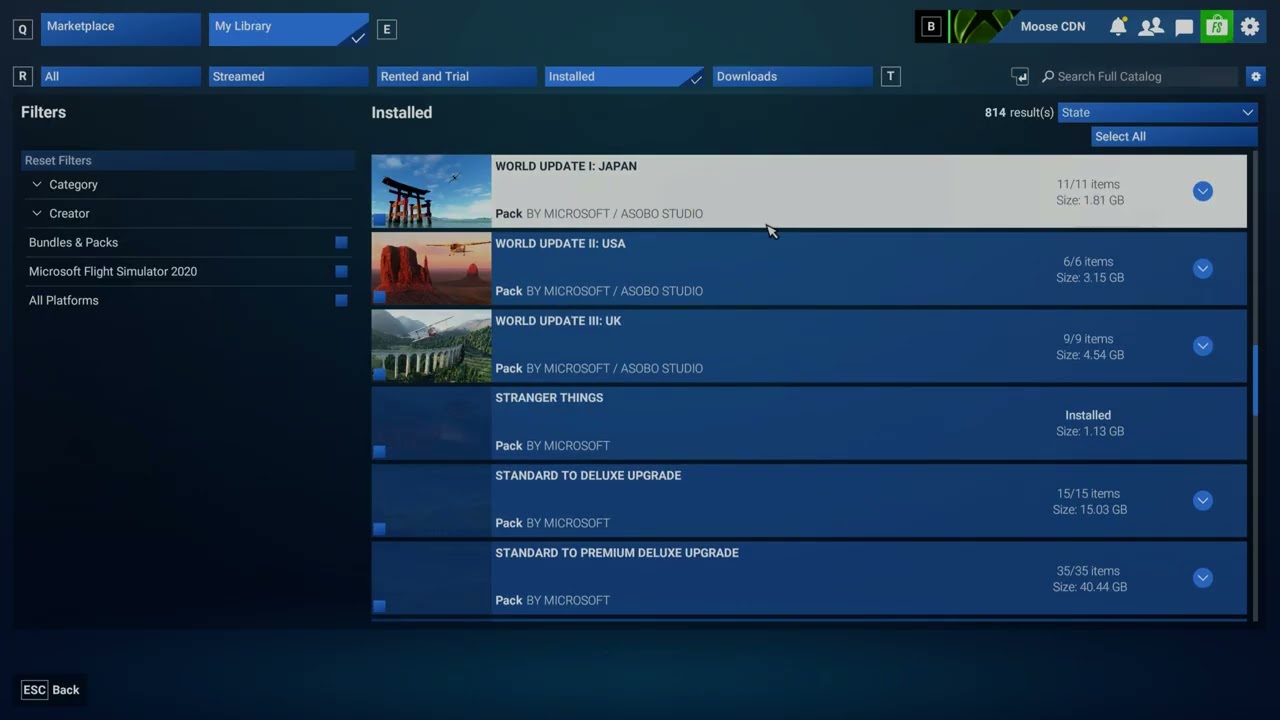
Are you using Developer Mode or made changes in it? NO

Have you disabled/removed all your mods and addons? If the issue still occurs with no mods and add-ons, please continue to report your issue. If not, please move this post to the Community Support section.

Yes tried without all mods and addons

Brief description of the issue:

Once SU7 came. I attempted to update / download all thing possible. However one always failed.

World update XIV: Central Eastern Europe failed to installed.

I did some diggin and noticed that other users are experiencing the same issue with the exact same package on reditt.

Provide Screenshot(s)/video(s) of the issue encountered:

Detailed steps to reproduce the issue encountered:
enter game, go to library and peform all updates required. One will failed.

Many issues may be due to an outdated graphics card. Please state your Graphics Card Driver Manufacturer (NVIDIA, Intel, AMD) and Version (Learn how to find your current graphics card driver version):

AMD Software (Adrelanine) 26.8.1

PC specs and/or peripheral set up if relevant:
ARMOURY Vanguard Gaming PC AMD Ryzen 7 9800X3D, Radeon RX 9070 XT, 32GB RAM, 4TB SSD

Build Version # when you first started experiencing this issue:
Once SU7 got released

:loudspeaker: For anyone who wants to contribute on this issue, Click on the button below to use this template: please due…

Do you have the same issue if you follow the OP’s steps to reproduce it? I have no issues, pls reproduce it. That itself would make my day..

Provide extra information to complete the original description of the issue:

If relevant, provide additional screenshots/video: youtube video provided. Until then, I will stream the add-on. I have no choice, so please fix it. I understand this is not a P1 issue or a break-fix requirement. Nevertheless, it needs to be addressed, as it was introduced with SU7. I had no issues prior to that.

Thanks in advance.

Identical issue, identical file. have uninstalled the affected world update and redownloaded and reinstalled, however 1 failed out of 18.

Okay, will create ticket too. :slight_smile:

I also have this bug and it’s rather annoying. Hopefully this package gets fixed asap and there’s some kind of announcement about it in these forums.

+1.

Same file doesn’t install for me.

I have exactly the same failure.

FWIW I am experiencing exactly the same issue. I tried uninstalling the package and redownloading it, all seems fine,until I try to install this specific subpackage, then I get an error again.

I also have the exact same issue.