msfs-2024 ms-store atr-72 airbus-a380
ISSUE DESCRIPTION
In both the Asobo ATR and the Inibuilds A380, in 2D, cockpit interactions are fine and things work as expected. I experience similar issues in both add-ons when switching over to VR:
-
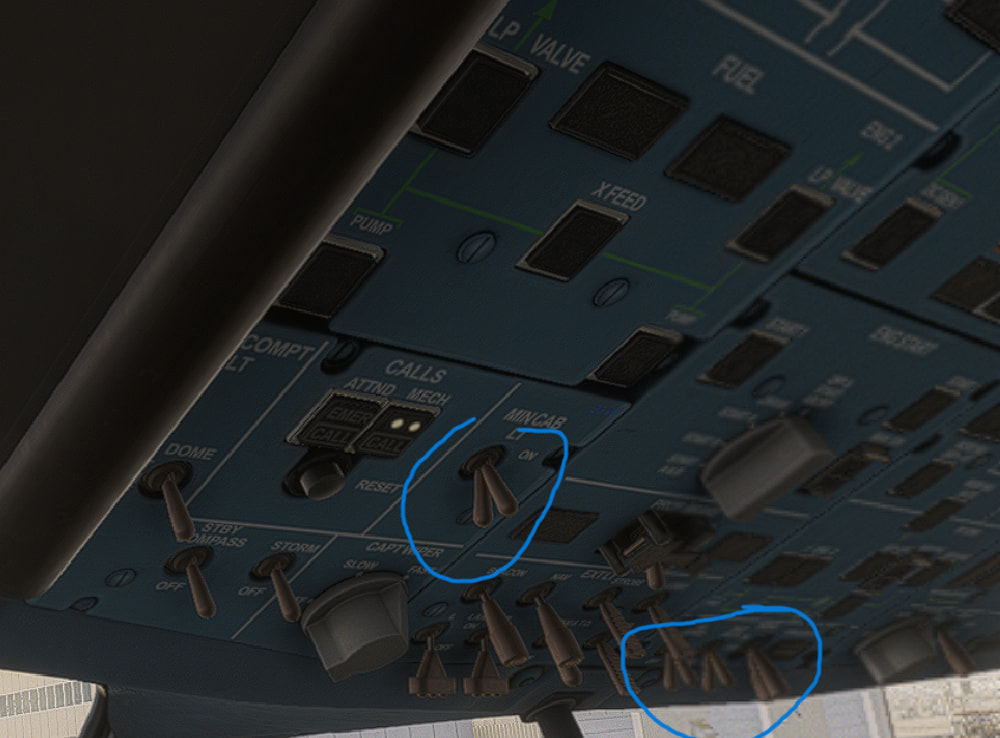
Interactions with pushbuttons, switches, knobs, dials etc. are impossible. E.g., for knobs such as the wiper or cockpit light controls in the ATR, interacting with these have no effect, and also, the visual state of them is not updated. I.e., rotating a knob does not visually rotate a knob when in VR.
-
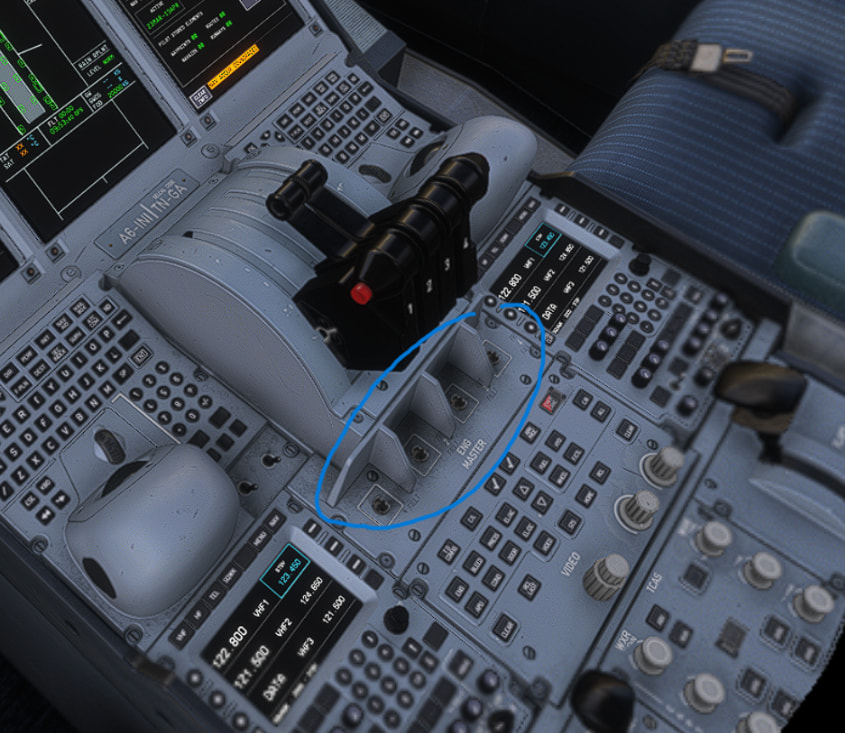
Switches are rendered floating in the air, some switches are not rendered at all.
-
In the A380, trying to interact e.g. with engine start switches makes them disappear. In the ATR, I cannot interact with any controls either.
However, whenever I switch back to 2D, everything works again as normal, and then also the visual state of buttons/knobs is updated.
I do not stream aircraft, everything is installed locally.
Is anyone else experiencing this? In the Ini forum they insist the issue is not reproducible, and must be due to streaming issues. I know my hardware is not top-of-the-line, but I reduced quality to low to medium for most settings, and have no issues flying in VR with any other add-on.
I am a bit of a loss as to what the issue could be here and would be happy to hear thoughts on this.
FREQUENCY OF ISSUE
Constantly occurs since the most recent ATR updates, and since launch of the A380. Before the recent updates, ATR was fine in VR.
REPRODUCTION STEPS
Please list clear steps you took in order to help our test team reproduce the same issue:
-
Launch flight in ATR
-
Switch over to VR
-
Observe, e.g., overhead panel or try interacting with something on the centre pedestal.
YOUR SETTINGS
What VR peripherals are you using:
HP Reverb G2
[PC Only] Are you using Developer Mode or have you made any changes to it?
No.
[PC Only] What GPU (Graphics Card) do you use?
AMD Radeon RX 7600 XT
[PC Only] What other relevant PC specs can you share?
AMD Ryzen 7 3700X, 32GB RAM