Xbox: cannot bind throttle reverse on Inibuilds A320 using an Xbox controller

Hello guys, I have an issue with the Inibuilds 320, on Xbox, using the Xbox controller

ISSUE DESCRIPTION

Description of the issue:

After touching down, if I keep pressing the B button on the controller, the throttle goes down to IDLE but no lower, and I cannot activate reverse thrust.
Never happened before and I didn’t change my controller settings

FREQUENCY OF ISSUE

Every time

REPRODUCTION STEPS

  1. Xbox (series X), standard controller

  2. Launch a free flight with the Inibuilds 320N (V2)

  3. Start the engines

  4. Keep pressing B

  5. Throttle goes down to IDLE but no lower (the A button works well and increases the throttle)

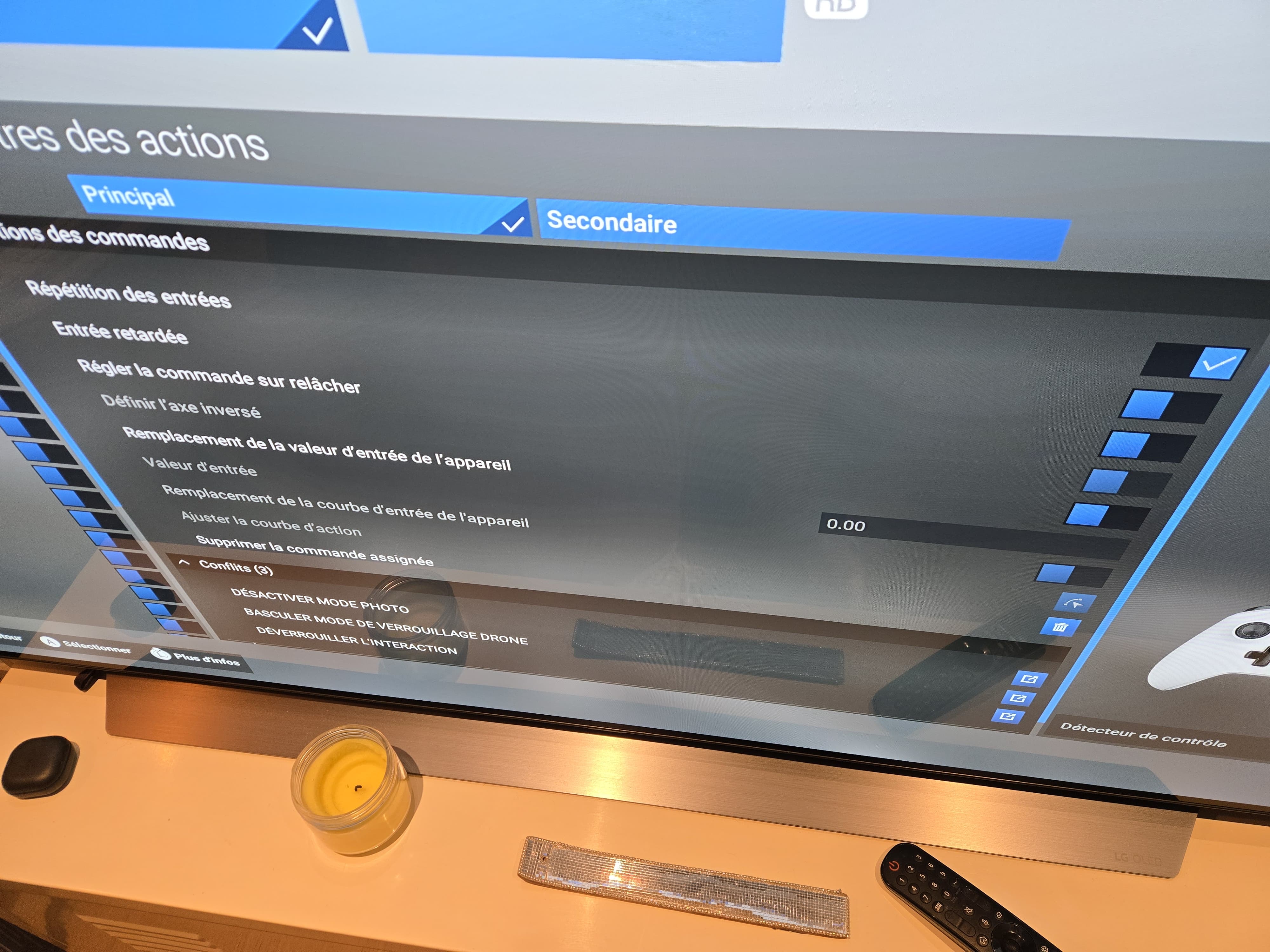
My settings (sorry it’s in french)

Thank you :slightly_smiling_face:

Have a look at that post: Reversers not working on A320N V2, Airbus TCA - #6

A Xbox user confirmed it worked: Reversers not working on A320N V2, Airbus TCA - #10 by YarisDAD1

Thank you, I tried but it didn’t work :pensive_face: even after relauching the flight

Ok, I guess the other Xbox user was using the Thrustmaster TCA that I think is compatible with an Xbox. It does not apply then when using a regular Xbox controller.

yes indeed :wink: would you suggest to uninstall / reinstall the game ?

Not at that point. I would suggest to wait for some Xbox users input that may have faced the same issue using an Xbox controller. Not sure if it is a bug or a configuration issue since the binding assignations can sometimes be tricky.

1 Like

In that bind, do you have input repetition checked?
If not you will only get one small decrease in the throttle position.

Title updated to better reflect the issue.

Yes I do :

1 Like

Something you might try, bind each individual engine to the B button.
I do seem to remember the unnumbered engine command caused problems at one time.

I use previous & next detent which works perfectly on the A320 V2. It will step through each of the gates from REV TO CLB, FLX/MCT and so on.

I tried, unfortunately it didn’t work :confused:

1 Like

Did you delete the throttle calibration data. That may help. Otherwise it sounds like interference from another bind or device.

Also, have you tried that ?:

Sorry, I didn’t understand. What do you mean by

Thanks a lot

This is my XBX Gamepad setup that I use for all aircraft including the A320 V"2

Neil.