UPDATE: In doing web research I have come across something called “Scenery Pop-In”. Is this what I am experiencing? Most of the “fixes” for this problem aren’t available on the Xbox.
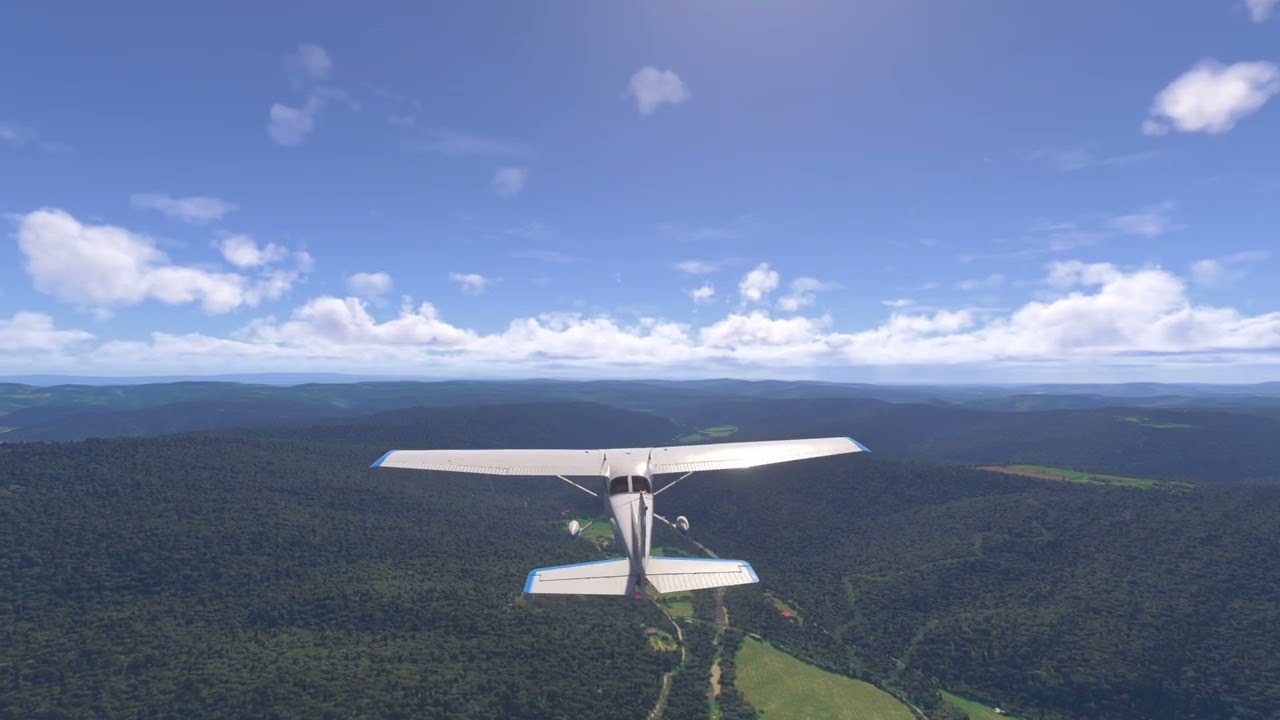
I am running MSFS 2020 on an Xbox Series X with latest updates and am experiencing serious screen anomalies. See the video for example.
I first noticed this while flying down the Columbia River Gorge in Oregon where I live. When I got a little off center from the Gorge, landscape from the bluffs on the edge of the gorge would appear as screen glitches. Then when I landed at Hood River and was taxiing back to the ramp, the trees alongside the runway showed up as glitches.
I have tested 12 other games on the Xbox and none of them do this. Everything I do on my Samsung QN65S90 tv other than MSFS runs fine.
I have researched this at length on YouTube, Google AI, and Copilot AI. Google gave me a one page list of things to try. Copilot gave me a 4 page list of things to try! I have checked them all out and none of them were incorrect or made a difference.
I am convinced that this is not a matter of TV settings or Xbox settings. Out of many games I’ve tried MSFS is the only one with a problem. It has existed with everything at their default installation values on Xbox and MSFS. Also it is not a random problem, it is consistent and can be recreated. Many of the suggested settings are irrelevant to Xbox version of MSFS 2020 because there is only one setting for Graphics – HDR10. It was off in the demo video just to eliminate it.
Everything that would consume CPU/GPU cycles in the game have been turned off, like POI’s ATC, automatic weather, etc. I have gone to great lengths to insure all of the “extra curricular” options are off. I want a very minimalistic simulator for SEL scenery and aerobatics flying.
In the video I purposely taxied near trees because that makes the issue always happen so that I could record it. But the problem occurs while flying near obstacles and happens on both sides of the screen. I once had a screen shot of it covering 1/3rd of the screen with a dark green opaque triangle in the upper right corner but accidently deleted that image (it was while forcing the trees thing again).
I am willing to try anything to solve this issue as it is very distracting while using MSFS. I have flown MSFS 2020 on my PC for years and have never had this problem.
After extensive research and time on this issue I’ve come to the conclusion that the Xbox Series X does not have the horsepower and torque to cope with MSFS 2020. So I’m giving up on pursuing a solution as it’s the “nature of the beast” and I just have to live with it. Dozens of adjustments as recommend by AI searches and forum searches have not made a difference. Here is a video that accurately demonstrates the problem. This video was created with every option that would affect graphics turned off, or minimized if it can’t be turned off (CPU/GPU load). Also, Xbox is set for 60 FPS. The game is configured as a simple arcade game. Other graphics intensive games such as Forza racing run fine at 120 FPS and 4K. They have figured out how to make it work.
This issue has caused me to wonder if I should go back to what I initially tried on Xbox – 2024, or stay with 2020. This AI query has made me decide to stick with 2020.
I’ve played 2024 since release day on Xbox X and never experienced what your video depicts. However I haven’t specifically tried it near any trees. Perhaps I’ll give that a shot and see what happens.
It does appear to me that your camera position is zoomed out some from the default and you’re getting a bit of the fish eye lens effect. Perhaps this is causing the Xbox some confusion as to what to show. It seems as if your camera position is passing behind some trees as you pan about and it’s attempting to display those trees between you and the aircraft. Have you adjusted you default zoom level in the external view under the Camera settings?
Another thing that may help with scenery pop-in is increasing the size of your rolling cache. Have you tried that? The default is 16 GB. Try at least 32 GB and see if it helps.
I don’t think the tree issue has anything to do with your download speed, but scenery pop-in during flight might. What speed is your internet connection?
The only reason I have the plane close to the trees is that it consistently demonstrates the issue. Of course I would not be taxiing near them, but even on the taxiway, minor tree pop-in does occur, but I can live with that. The nuisance part is that flying down the Gorge pop-in randomly occurs from the bluffs/hills at the sides of the Gorge if I get anywhere near them. At the end of the last video you can see that the plane is not parked in the trees, it is out in front of them. The pop-in is so bad that it looks like the plane is in the trees. I do not have any zoom active, just the level the sim starts up in. When actually flying I do occasionally have some zoom out active for a more panoramic view.
The default cache as installed was 8G. AI suggested it should be 32G, which is how it was in the last video. I have also tried cache off. Seems to make no difference.
My internet speed is 300 fiber optic. Testing speed in Xbox gets 200. I ran the PC version with an internet speed of 25 for years with no problems (and this is on a 5+ year old home-built PC that probably has about the same horsepower and torque as an Xbox Series X).
There is something called off-screen cache and LOD, but these are preset by Asobo and not adjustable. I’m sure they have tweaked these to best affect trying to get MSFS to fit inside an Xbox.
If you read all of the AI’s opinion above you see that these kinds of issues with MSFS on Xbox are to be expected. I wouldn’t have even gotten an Xbox except that I am mentoring a neighbor 14 year old on using MSFS with plans for him to use it on his PS5 and I wanted to do it on my 65" TV and a game console to KISS it for him. So this is not a show stopper, but I am just surprised and disappointed to discover that MSFS on an Xbox has an issue such as this. Being the rat terrier that I am compels me to try and fix it. :o)
When you exit the sim, do you shut it down completely (Highlight MSFS > press Start Button > Quit) or do you just press B to get back to the Xbox desktop, meaning the next time you get back in it displays “Quick Resume” at the top right corner of the screen.
If you don’t shut down completely between sessions, memory doesn’t get freed up completely and can cause performance issues.
I use your first method. I didn’t know about the B method. I have also tried the unplugging for over a minute method to clear the Xbox cache, but that didn’t help.
I just recorded some video off my Xbox X. Does this look any different than yours? If so, then something is wrong because we should have identical hardware.
Very interesting! Thank you for doing this. The main difference is that you are using 2024 and I am using 2020. Also my settings are dumbed down and yours are probably not. I’m going to install 2024 and give it the same near-trees test with everything at their defaults.
Interesting that this AI query says 2020 works best on an Xbox. But since 2024 uses a different core graphics method, maybe not. = 2020 vs 2024 =
Install 2020 (it restored Assistant and Controls options, set General Options to defaults)
Run the pop-in test
Results: 2024 no pop-ins; 2020 pop-ins.
I’m not going to switch to 2024 as I don’t want to go through 40 man hours of learning the new User Interface and there’s nothing in it that I want at this time. I will stick with 2020 and ignore the pop-ins.
Once you grasp the idea of what they are trying to do with the new controller scheme, it’s really not that bad. I actually prefer it now. But it was a head-scratcher at first.
It still has some bugs at times. But once you get everything set up as you want and stop making any changes, it’s relatively stable.
There are enough benefits to 2024 that I won’t go back. Foremost among these for me is the addition of the EFB for flight planning and the inclusion of charts. And SU 7 is supposed to move all Ground Service requests into the EFB as well, so that’ll be nice.