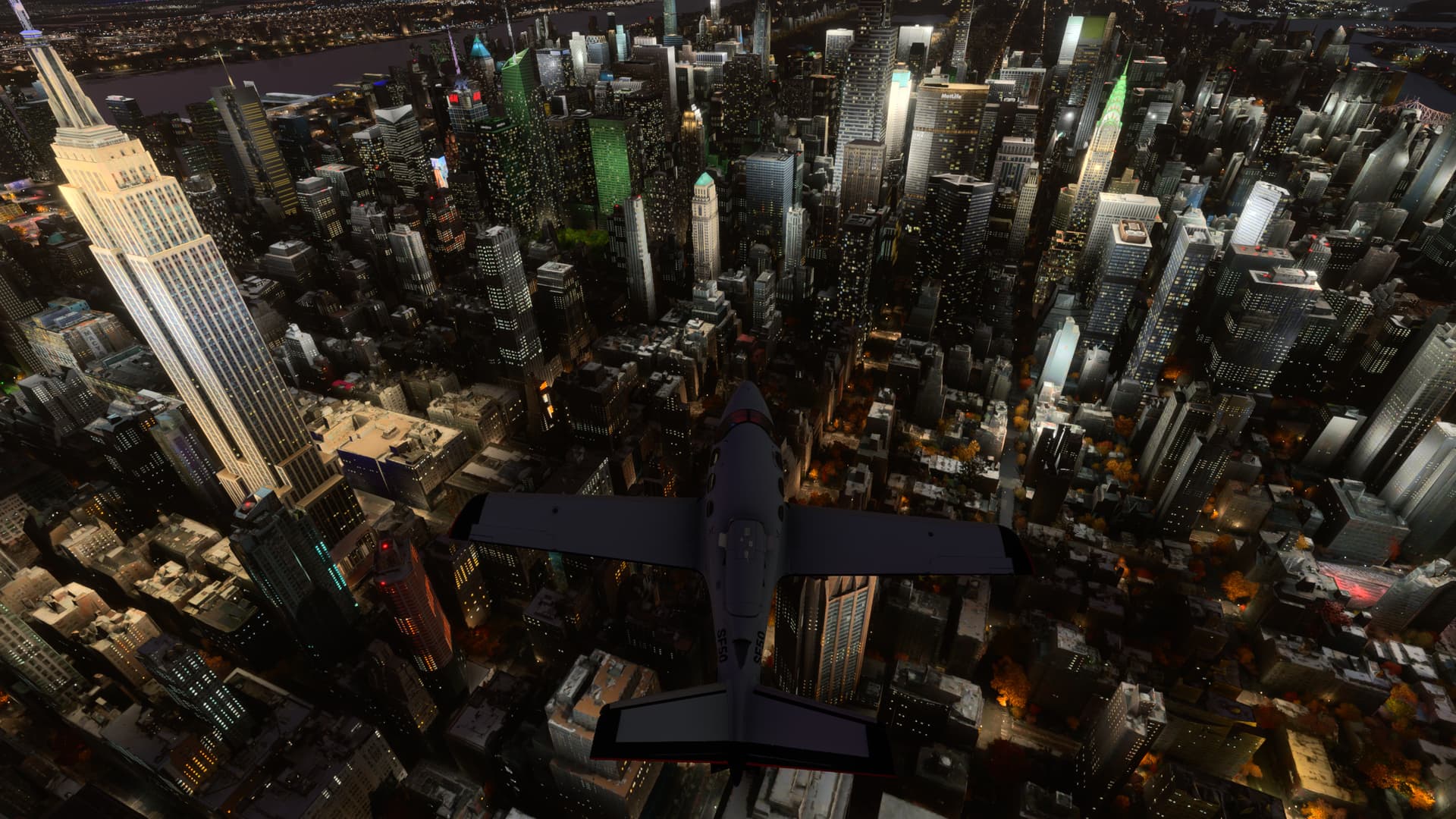
Been testing all eve and it’s looks great - a little blurry runways here and there could be my add ons but the main issues with LOD seem to have largely gone lots of lovely detail back and no flat built up areas. Even the most taxing 3rd party airports seem fine - Corfu is always demanding a few little stutters and some black screens but this is a memory optimisation issue with some 3rd party add ons - this airport and others probably now need updating - but the XBox X dealt with it - didn’t crash. It a joy to fly VFR again and have some great Instrument approaches in the heavies with detail all around airports. If this is the first attempt to put right the issues it’s a huge improvement! I hope everyone on the beta is having the same experience.
I just landed at a busy La Guardia (live traffic still a mess but one thing at a time eh?!) but New York looked amazing - I spent a decade living there and I got that sense of awe back tonight flying over the Hudson - so beautiful
Just flew a couple of flights in the beta. Still have to pinch myself, it looks so awesome. Did notice some runways were still blurry but that’s such a tiny tiny thing compared to the rest of the whole world.
Incidentally, did see quite a bit of multiplayer traffic. Hope to see some of you in the beta!
Looks like almost everything fixed. Flied in Chicago and downtown doesn’t disappear/reappear like it did in SU11.
Also, night flights the lights don’t turn off and on for the near vicinity. I see it still happen for areas a bit further out but honestly don’t remember paying attention if this was occurring in SU10.
good improve, liked to see this graphics back like the prior version (SU 10) but I have to share. 2 CTDs. flying with Honda Jet. 3rd party airports (SBSD) and using the hotas one.(XSX)
So far they seem to be working nicely with the update..i have tested TJBQ add-on and TJSJ and both run smooth and I swear the whole game is running smoother and looking better but could be just me imagining stuff.
After downloading the beta update, I initially did some tests at a few default and 3rd party airfields in the Cessna 152. All went well with those tests.
I then gave my Xbox Series X to the most challenging test available to me with the products I presently own: I started a flight in the Airbus A310 on a stand at Flytampa’s KLAS Las Vegas airport. Since SU11, I’ve not had any problems flying in/out of Flytampa’s KLAS (it was a source of regular CTDs for me prior to SU11). In short, I think the system that Seb described in the latest developer Q&A to reduce graphical fidelity when memory usage is reaching the maximum available is not working as well as is needed in demanding situations such as this.
On initial load into the aircraft, I had my doubts because I saw that the EFB screens were off and I had to manually switch them on, whereas previously they’ve always been automatically powered on. There were then a few stutters as I started working through the start checklists, then as I attempted to start the APU, a CTD occurred.
Again, this was the most demanding test I could put on my Xbox, however it is a bit disappointing that the CTD problem has reoccurred in this situation. I’m hoping that when I have time to do more tests, CTDs won’t occur with my less demanding 3rd party airports (that have been optimised well for the Xbox), as well as default airfields.
Hi. Yes, I usually have rolling cache on by default.
I’ve just recreated the same test three further times but with the rolling cache switched off. Each time, the CTD occurred more quickly than with rollng cache switched on - about one second after I clicked the ‘fly’ button on the screen that’s shown after the flight has been loaded. As usual for me, I also waited an additional 5 to 10 seconds for the the flight to fully load before clicking the yellow button. On the last try, I didn’t get beyond waiting two seconds before it CTD.
For clarity, I’ll also add that I’m not hugely upset or even surprised that the CTD has returned in this particular scenario. KLAS by Flytampa was, until SU11, always a source of regular CTDs for me that I could avoid only by not using it. However, it is discouraging to see the CTDs again, albeit with a very demanding test!
Again though, we must remember that this is still a beta. I’m still reasonably hopeful that Asobo can continue to improve the mechanism for reducing graphical fidelity (and avoiding CTDs) in such resource-heavy situations. I hope they read and take on board the feedback given by us all here. Time will tell!
I read that thread also. They did not mention wether they are on PC or XSX. I’m on the Xbox and with rolling cache on, I’ve had no CTD so far. If anything, sim is buttery smooth when I move the camera around inside the cockpit. I hope it stays that way forever. Also I did reset the rolling cache immediately after installing the latest update.
Like a year ago I used to have some stutters or frame lags that went away by disabling the cache and I’ve left it off ever since. I’m not sure what the state of it is now, but just wanted to remove it as a variable. And based on the latest response it seems like their CTD is not tied to the cache anyway.
 glad you joined the beta night and day difference from old version lod is much better