Hey everybody.
I’m new to MSFS and to flight sim. I bought the game a few days ago, and the Thrustmaster TCA Sidestick Airbus Edition, which obviously is also my first joystick ever.
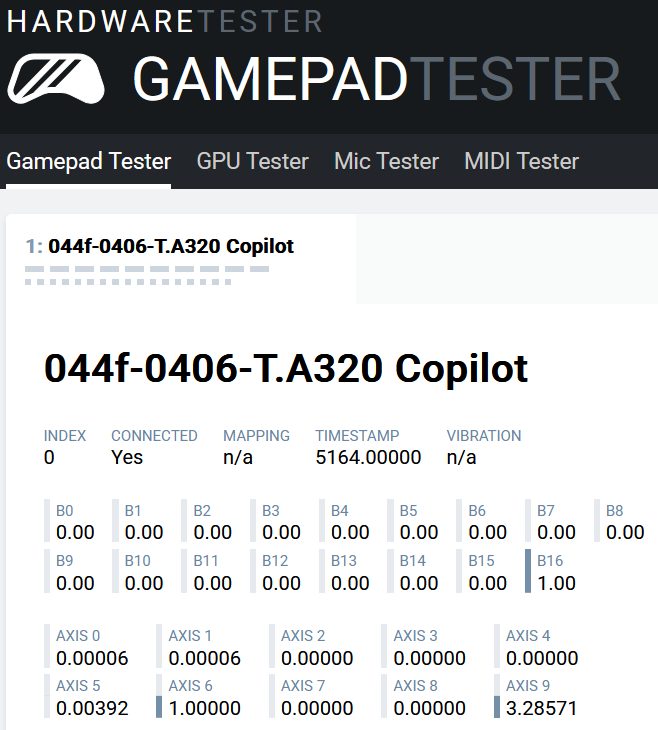
I’ve noticed my plane always drift a little to the left, and hardwaretester.com says the joy has a value of 0.00392 in its neutral position (also, there’s other axis -the pitch up and down, whatever it’s called- which has 0.00006, but I guess that’s negligible, and the value of this same axis won’t stop changing when it’s at 100% up or down).
I tried increasing ingame the dead zone to 5% but that didn’t solve the issue. Since I bought it on Amazon, I’m just gonna send it back, but my question now is: should I try my luck again with the same joy? Because looking for answers to this issue I’ve realized this is a common problem with the TCA.
Like I said I’m new to this, I don’t even know whether I’ll really get into it or not. Also, my budget is tight, I’m gonna buy a low end joy, at most a bit more expensive than this one.
Is there any recommendations you people have for me?
My TCA has been flawless. Give it another try.
I have 2 TCA sidesticks and both work great. There’s settings on Reddit or YouTube that could help you.
Hi,
I am using the same device for moe then 4 years without problems.
Which planes are you flying? There is at least 1 thread with many posts explaining why some aircraft bank to the left as a “natural” behavior (propeller types) to be compensated by trimming. You should do a “search” in the forum and see if they may help..
Cheers
Personal Comments and Observations
TCA has a factory defect where the wiring harness running the length of the handle impinges the rudder potentiometer - it’s well known and well documented. It results in ghost signals impacting the rudder axis. TM over the years has never officially acknowledged it. I was constantly tearing it down to reroute the harness, but it wasn’t long enough to be a permanent fix , it eventually crept back and got pinched.
I got rid of the stick, moved to the more robust and better engineered VKB and never looked back.
2 Likes
So far I’ve only flawn the Cessna 152.
The problem is according to the site I linked in the op, there’s actually a small deviation in that axis. In other words, if that site is accurate, the joy is malfunctioning.
Yeah I might’ve even read some older post of you saying this. And many other posts here, on Reddit and stuff on yt too. There’s no doubt there’s issues with this joy.
Unfortunately, cool as they look, VKB are beyond my budget.
Thanks to all of you for your replies.
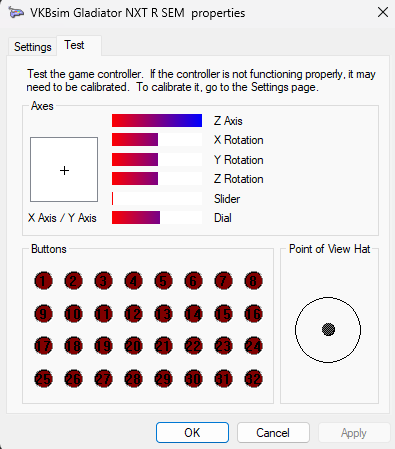
Just as a cross-check, use Windows USB Game Controller Applet.
Just observe if there are any uncommanded inputs - which the bars will show as twitching or changing - and you haven’t touched it, yes, there’s definitely something up with the innards.
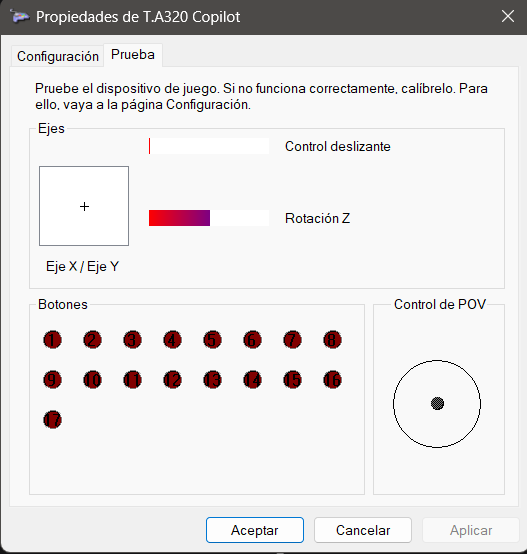
Well now I’m confused, cause afaik this looks exactly right, doesn’t it:
On the other hand, maybe the amount of drifting is so small you can’t notice just by looking at this menu, but it’s big enough to make the plane drift.
I don’t know, this is all new to me.
If Z-Axis (Rotacion Z) isn’t moving on it’s own, then yes.
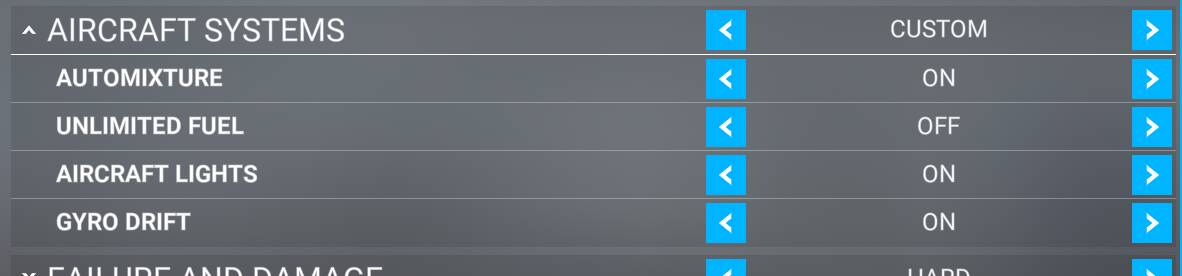
Do you have any assistances in the sim turned on?
I don’t think I have any relevant one, correct me if I’m wrong.
And yes, the bars are just as static as they are in the picture I posted, nothing is moving on its own.
What does what the site I mentioned earlier says mean then?
And if the stick is fine, then what might be causing this? Apologies for my ignorance but can the wind cause this behavior? I tried in several different scenarios before posting, although all with the Cessna 152.
I’m not sure what that site is measuring or how considering it would have to be using FSUIPC to interrogate your controllers.
Check to see if you have any other controls mapped to rudder and disable them. That’s the only suggestion I can think of now.
The wind will have an influence but not always to the same side! If you have an unequal amount of fuel in the tanks, or only the weight of the pilot in the left seat (ie no passenger), these both will cause a bank to the heavier side.
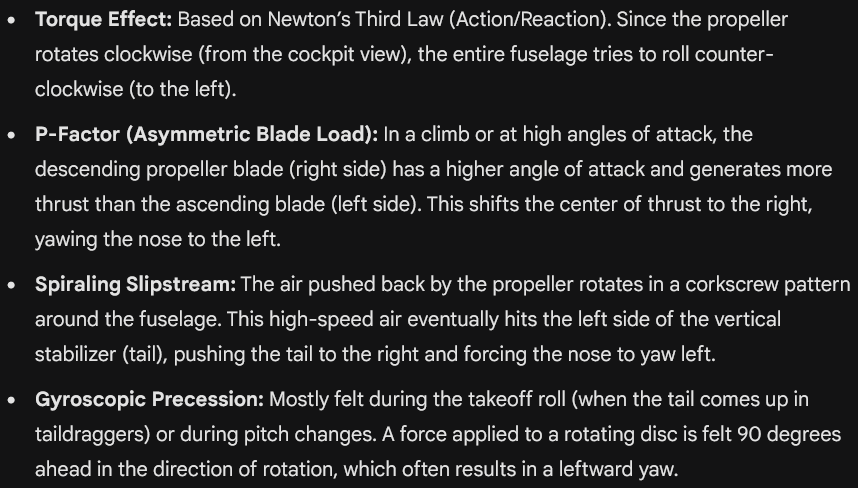
It’s funny, you’re not the first mentioning in the thread these kinds of factors I didn’t know about, so I asked our ai friend:
Are all these actually modeled in MFS? If so, then that could be it.
I tested a few different planes on different airports, including two airliners. Without any input, when applying full throttle, ALL of them went to the left side of the runway, some faster than others.
I don’t think this is right.
Yeah, unfortunately your only option here is to get another joystick and confirm. Otherwise if that TCA is within the return period, just get it exchanged.
In that case we go back to recommendations for a different joystick. In principle my first option would be to try a different one with similar price tag. Only in case I don’t find anything interesting I’ll just get a new TCA and hope for the best.
Thanks.
I think I would get a replacement TCA, if a second one shows exactly the same characteristics it would be rather unlikely to be the same fault in my opinion. And while these joysticks have had usually rudder problems in the past, they do seem to have largely sorted that out now.
Hello Xhico.
I have the Thrustmaster HOTOS One. No problems at all!
Add me if you like.
Rich
Thrustmaster HOTOS One $99.99