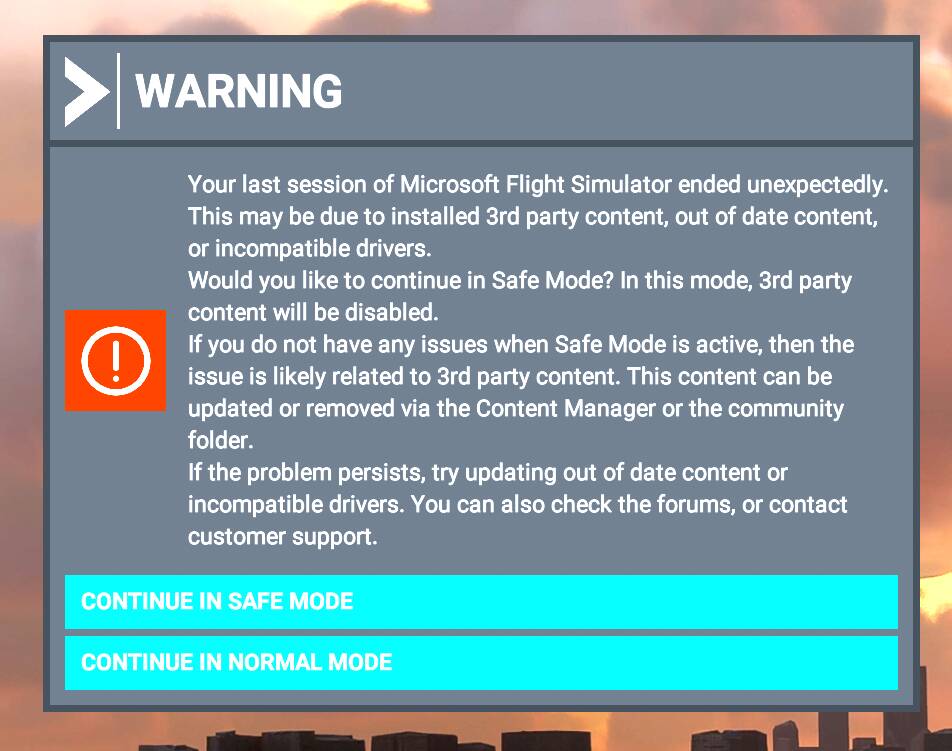
Sounds good to me. Pretty much dread a game reinstall.
I did reinstall the desktop shortcut and just the shortcut and that seems to be working fine.
Did a complete shutdown and start up. Then loaded msfs thru the new desktop shortcut without any ‘warning notice’ and the game loaded fine.
1 Like
I’m glad that helped you, @NightHawk1867, happy flying!
I agree with @TheSevenflyer - if things seem to be working OK don’t tempt fate by doing the reinstall.
3 Likes
thats realy intressting… I would have no idea how a steam created desktop link to an application can cause that ( its nothing else like a url ).
1 Like
Quick Update:
Since I fixed this issue on January 30th 2022 i have only had 2 CTDs (as of March 12). One CTDs was caused by the TBM930 Improvement mode and the other was probably me doing things too fast. The warning message came up after the next restart but disappeared afterwards from future msfs starts.
Still amazed and relieved that a simple solution of deleting and reinstalling the Steam msfs desktop icon was the solution. Of course the recent MSFS updates have probably helped too.
1 Like
Hi,
I hope this is the right place to post this.
Asking for my dad,
He haven’t played for a few months, and the other day he opened the game and recieved this error.
I managed one time to click on safe mode (im helping him though teamview), it opened up the microsoft log in, asked for a password but everything was frozen and unclickable, I couldn’t type anything.
I’ve seen a similar post to this, but it didn’t have the same issue of the game freeze - so hopefully its ok to ask.
My dad has the game through steam, if that matters.
He and I will greatly appriciate any help!
Thank you 
This is a link to the Support Troubleshooter.
If you complete all these steps there are links to more at the bottom of the article.
You may also want to consider entering a support request from the “Support” tab at the top of the page.
https://flightsimulator.zendesk.com/hc/en-us/articles/4406039624338-All-versions-Loading-issues-Checklist
1 Like
Thank you, I’ll try these out during the weekend, hopefully it works!
2 Likes
I am exiting via the menu properly, and successfully. So i don’t know why this keeps coming up when i start the game. Like it’s crashing in the background for some reason.
Any ideas ?
Just noticed. If I start and stop FS2020 from within Steam, the error does not appear.
Is that how it works in Steam ? I used to have the Sim via gamepass, so not familiar with the Steam version…
Is that how it works in Steam ? - No.
Yeah its really weird. If I “Quit to Desktop” from within the sim - next time i start up - it shows me that error as if the game crashed. However, if i STOP the sim from Steam - its fine ?