ISSUE DESCRIPTION
Description of the issue:
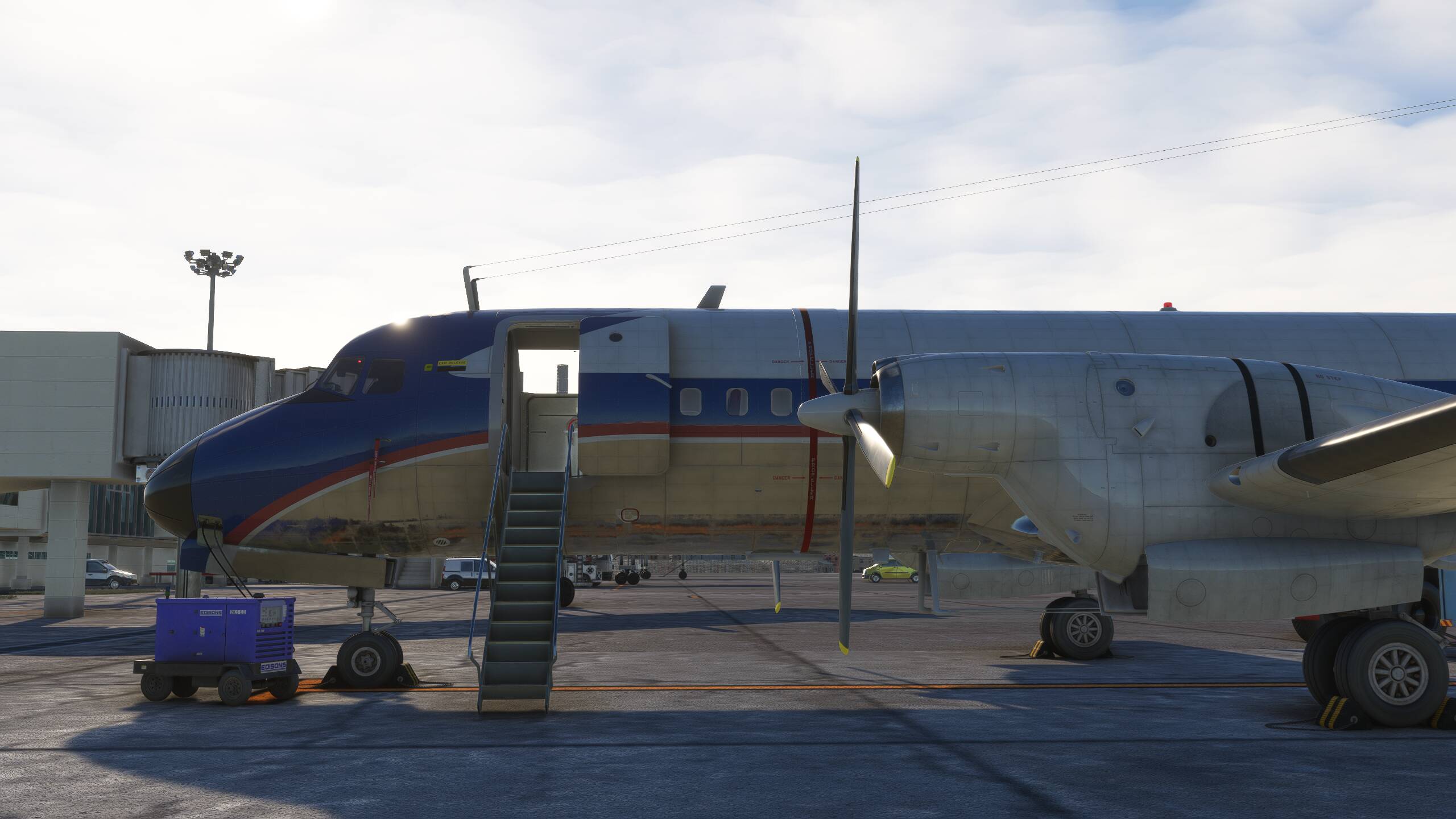
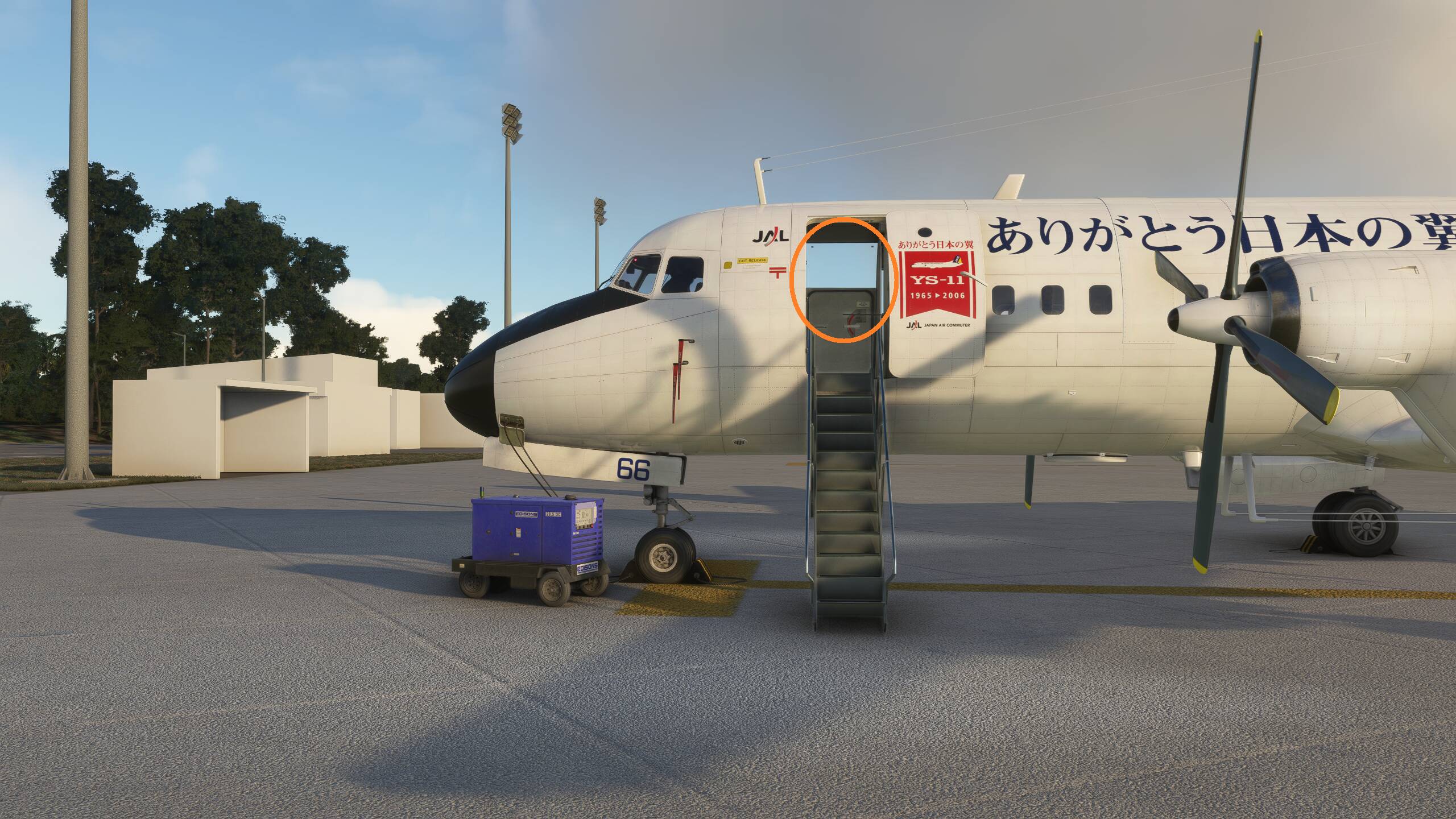
In the iniBuilds YS-11, the cabin panel texture above the R1 door sometimes fails to render.
This issue becomes clearly visible when the L1 door is opened and the step is lowered. It appears to occur when the camera is positioned beyond a certain distance or when zoomed out. However, when viewed up close or from the cabin interior, the texture displays correctly without any missing elements.
Given the exceptional quality of the product, it’s a pity to see this issue. I hope it will be resolved promptly.
FREQUENCY OF ISSUE
How often does this occur for you: every time
YOUR SETTINGS
[PC Only] Are you using Developer Mode or have you made any changes to it? NO
[PC, MSFS 2020 Only] using DX11
[PC Only] What GPU (Graphics Card) do you use? RTX3070