EGLL has very bad performance for me. 12700K, 64GB Ram DDR4, 4090.
Nothing in community folder. With Gaya EGLL, bad stutters at various points on taxi ways, not bad FPS, just really bad stutters. Settings on Ultra or Low, still see the same. I replaced the Gaya EGLL with inibuilds latest version and I still see the same issues of stuttering. Maybe there is something underlying in the surrounding area causing it, not the airports themselves?
1 Like
My GPU is running at PCIe x16 4.0 @ x16 3.0, and it’s not sharing lanes with any other slots. Since I’m on a 10th Gen Intel CPU, my Asus ROG Strix Z490-E motherboard is limited to PCIe 3.0 only.
I have two M.2 SSDs one in the primary slot for Windows 11 and the other for games. To take advantage of PCIe 4.0, I’d need an 11th Gen Intel CPU, but in 2025, that upgrade wouldn’t be worth it. A 14th Gen CPU would be a better choice, though it’s not in my budget right now.
For now, my GPU is getting full PCIe 3.0 x16 bandwidth, and my M.2 SSDs are using chipset lanes instead of CPU lanes so everything seems to or right to be running optimally! 
Meanwhile, my buddy with an i7-8700K just borrowed an RTX 4080 to test it out, and the results were surprisingly good. His CPU usage stayed around 30%, yet he was running MSFS 2024 at 4K with 127 FPS at KMIA using the Fenix A320, with all settings on Ultra and LOD at 200.
On the other hand, my i7-10700K wouldn’t even fully support a 4080, making it a pointless upgrade for me right now.
He’s considering to upgrade his 3080ti to a 4080 or 4090 himself now  If he can get the right price
1 Like
Yes, everything seems to be ok. I also took a look to your MoBo data and GPU would only run x8 if you were using the second PCI-E slot, which is not your case, so you clearly have the optimal setup.
And you should not see big difference between PCI-E 3.0 and 4.0 unless your 3090 card was running x8, which is not your case either. You maybe get 10 FPS less depending on games, but not too much anyway.
Sorry but I can’t imagine anything else. Mybe other users have more ideas.
Cheers
I’m lucky to get 100 FPS at KMIA loaded with the 320v2. I have an
i9-14900KF, 4080 Super and 32gb MT5600 RAM.
I have everything set to ultra except Terrain Resolution is set to high, trees are set to medium and TLOD/OLOD are set at 200.
1 Like
Probably I was not clear enough: On my PC MSFS 2024 with lowest settings renders an installed airport with 5-6 fps where MSFS 2024 with high to ultra settings renders the same airport scenery with 20-25 fps and even much better visual representation.

Performance is much better in 2024. Still needs improvement, but good fps at default scenery. Add 3rd party airports, aircraft, and vatsim and performance is not the best…but much better than SU1
1 Like
you most have a 5090 then to able to get 128FPS XD
1 Like
Settings Ultra, FBW A320, Real time weather running 130+ FPS. now I’m only running 1080p which does affect things but a 4080 Super with 16GB VRAM can run this no issue at all.. I’ll try to get a screenshot when I get on approach where it has to work harder… but it definitely wasn’t running bad on the ground at KFLL, well over 60FPS
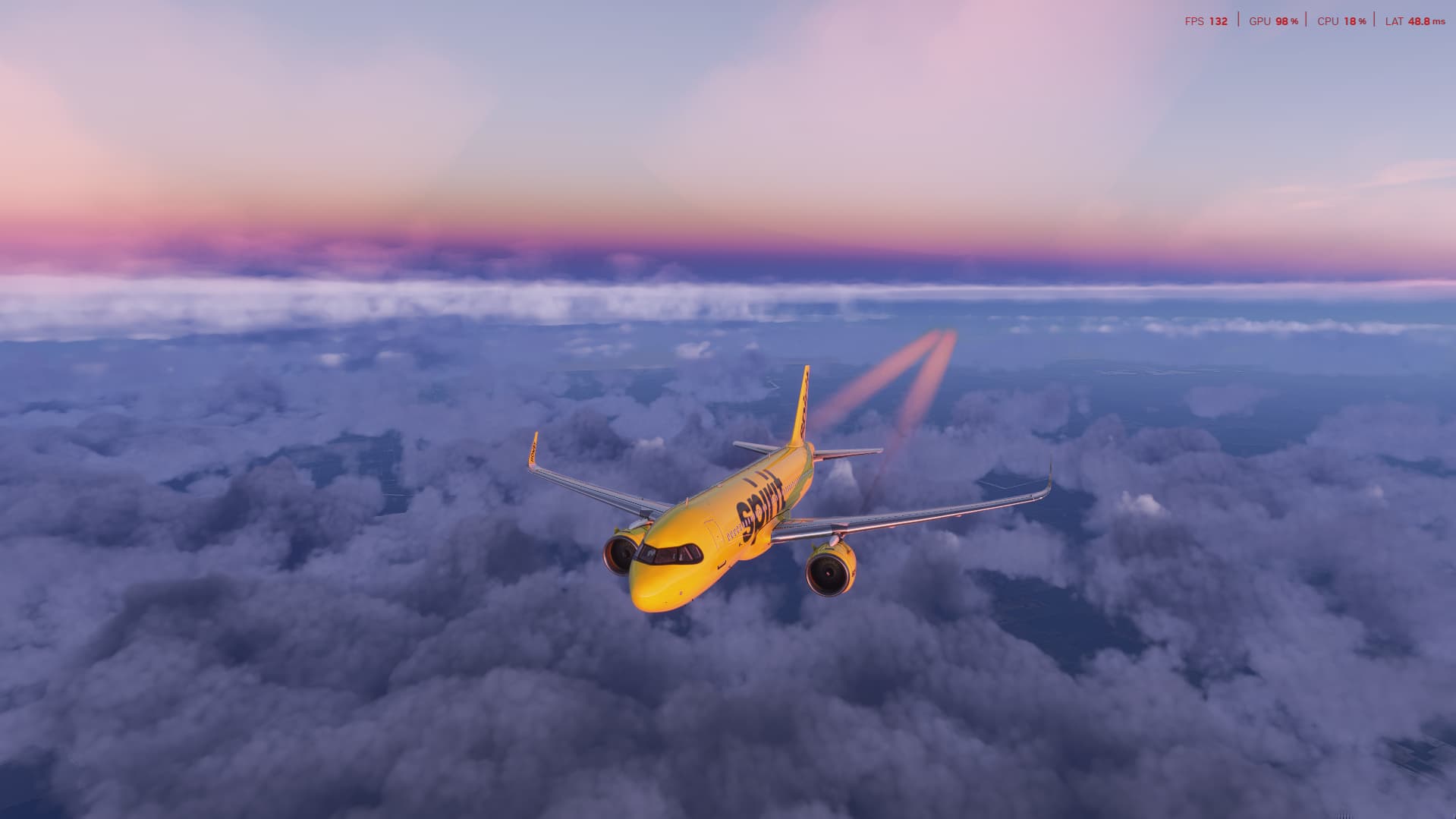
i9-14900KF
4080 Super (16GB VRAM)
32GB DDR5 6000Mhz
Default KFLL airport
FBW A320
All settings on Ultra
Lowest FPS shown in top right was 115. I usually cap it at 60-80fps for the smoothness

Interesting, your GPU is maxed out and CPU is holding just fine, Meanwhile I locked at 30 FPS with Frame gen on to 60 FPS, yet my 3090 only goes to 60% and CPU is way higher then yours, at 50% to 60%
In that video I couldn’t get the frame limit to work so I was running over 100fps. I use a 60hz TV so now that I have the frame limit working and set to 60 I see my GPU usually around 70% at its highest and CPU rarely gets above 50%.
It’s getting better with SU2 beta in VR
1 Like