What are your settings. Screenshot them and post them here.
Not sure what it is but it seems like my 7800X3D performance is way down today?
After aau2 i began to see micro macrostutters, lag spikes, hickups and freezes on xbox series x https://www.youtube-nocookie.com/embed/8g4vt0YxMD0 it could be a bug again effecting some users on pc and xbox. They did a special beta test for xbox only months ago (maybe more than a year) to solve these issues, those days issues were way worse than seen in this video. I am taking a break, dont want to deal with same issues again.
It’s using 12 GB of RAM which is unusual, and totally your occupied RAM is 20 GB. What else are you running in background?
There must be something really wrong. Is that really a fresh and clean installation of Windows and MSFS?
Empty community folder, no FSUIPC, standard Ultra settings, etc.?
In the JFK videos it’s the ultra preset with TLOD set to 220.
I’m not running anything else in the background asides from MSI Afterburner and RivaTuner to show the overlay.
Yes, it’s a clean install of everything. The community folder isn’t empty because I’m using two addons there, but comparing to other users with the same specs, the performance is a lot worse.
Which addons? One is enough to screw up things sometimes.
Also, LOD values higher than 200 are known to cause stutters regardless of the CPU power.
Reset everything to default values and take it from there… that memory usage is unusually high.
It’s the Fenix A320, FSLTL traffic and Inibuilds, KJFK.
But I’ve tried without anything too, when I did the fresh reinstall. The performance is still much lower than expected.
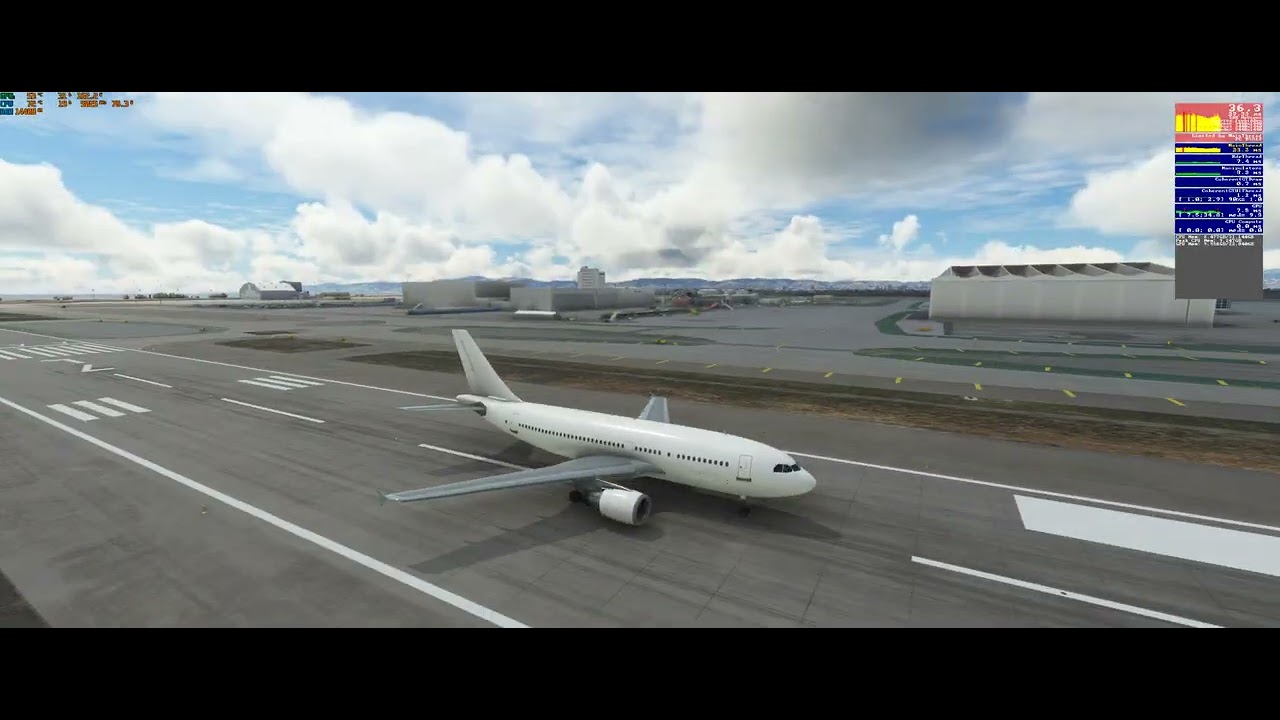
This is what it looks like with everything set to default and no addons. Worse performance than I used to get with the 10900K.
Any 3rd party add-ons?
FWIW I’d say the performance of the sim is noticeably worse since AAU2.
Yeah, FSLTL traffic, the Fenix A320 and IniBuilds KJFK.
I guess that may be a thing, would be interesting to see direct comparisons to users with the same hardware.
Which runway did you use etc? Just to confirm, Ultra settings, LOD 220. What are your FSLTL and in-game traffic parameters set to?
Sorry but your tests are totally confusing… many times you’ve been told to run a clean setup with no community folder and background apps, yet you are testing with FSLTL, Fenix’s A320 and a 3rd party airport. Putting all these addons together along with TLOD higher than 200, and considering how heavy all this is for the CPU, I would say that the performance you are getting is normal.
Unless you test with a CLEAN setup, no background tasks, no community folder, default aircraft and standard Ultra settings without changing anything manually, you are just wasting your and other people’s time…
I can’t believe that you even changed PC components in all these days of chasing ghosts.
1 Like
It’s runway 31L, FSLTL settings are just default and the MSFS settings are copied from this video: https://www.youtube-nocookie.com/embed/5DkHz9sanvw
I seem to be getting about the same performance as you rolling out with a complex aircraft however I’m a generation behind with a 3080

This is Kennedy facing NYC the haze this morning is not ideal, full ultra and a couple of mods. 3x1080
You should be doing a bit better.
edit:Oh and your camera pan is way more snappy than mine.
The one getting confused here is you  I sent you a video of exactly what you asked, the FSLTL Fenix thing was a reply to another user. If you scroll up, you can see why I tried those different addons and settings, it was because I found a couple of benchmarks with the same hardware on YT and wanted to compare my performance to them. I’ll give you that I made a mistake cause I said the settings in the JFK vid were the ultra preset and I actually had a few things turned down.
It may be chasing ghosts, but I don’t think it’s unreasonable to expect something more than stuttering down to 10 FPS with the best system you can buy for this game today, even if I’m using addons. My point here is if I wanted that I could’ve kept the 10900k (which is still a very capable chip, don’t get me wrong) but a 7800X3D or 7950X3D should be showing a notable performance increase.
I guess it could be possible that Asobo screwed up with some of the latest updates because the benchmarks I’m comparing to are a few months old.
Forget to run LOD at or above 200
I found my personal sweetspot in msfs performance for a while now …
there are so much things having impact on the performance … i can be anything…
Im running “just a” 5800x3d, with a 4090 …
What works fine is the overall smoothness
A short impression … frame geneneration on and locked to 60fps outside…msfs settings, nvidia setting are included.
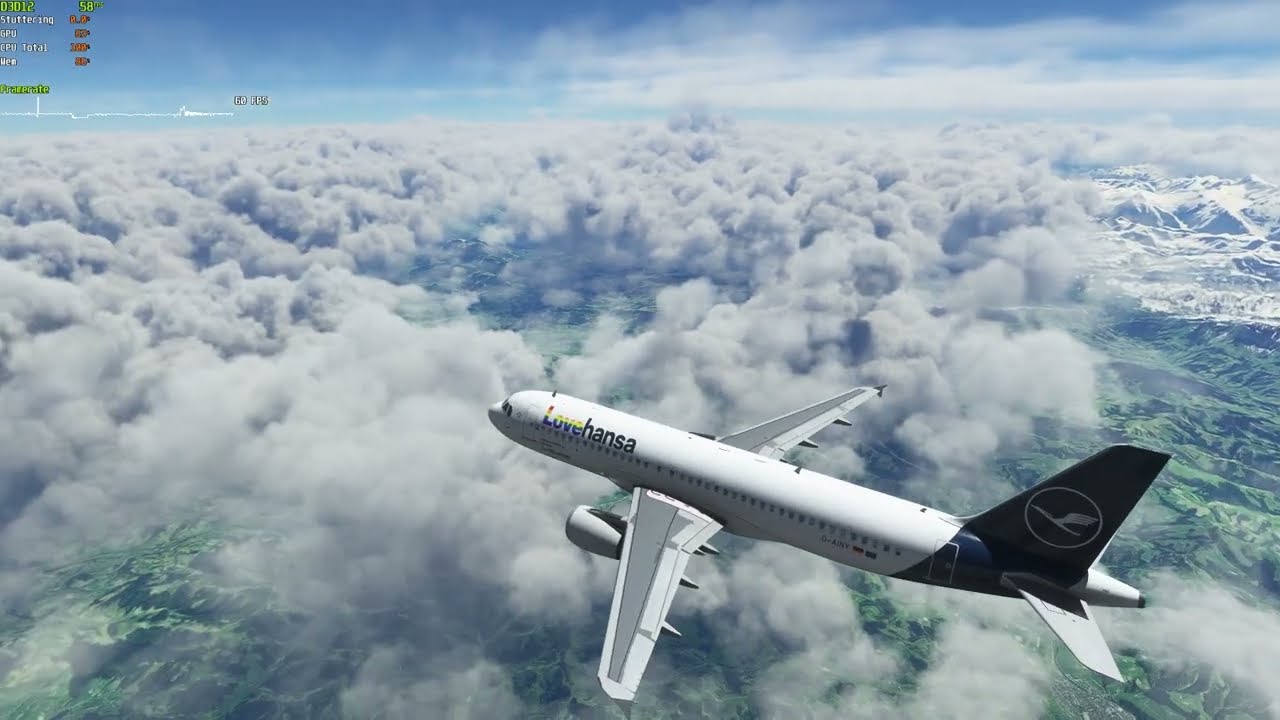
Dont get worried about the ingame fps which turns red and flickers (and just show 30fps) … capframe shows the smoothness… dont trust on the ingame fps
2 Likes
You’re right and I’d be happy with 30 FPS and FG on. The thing is, I get stutters when the airplane is moving and even worse when panning, it’s those frametime spikes that make it annoying.
IMHO FSLTL on default is way too intensive, and more pertinently, unrealistic.
Try these settings And see how you get on;
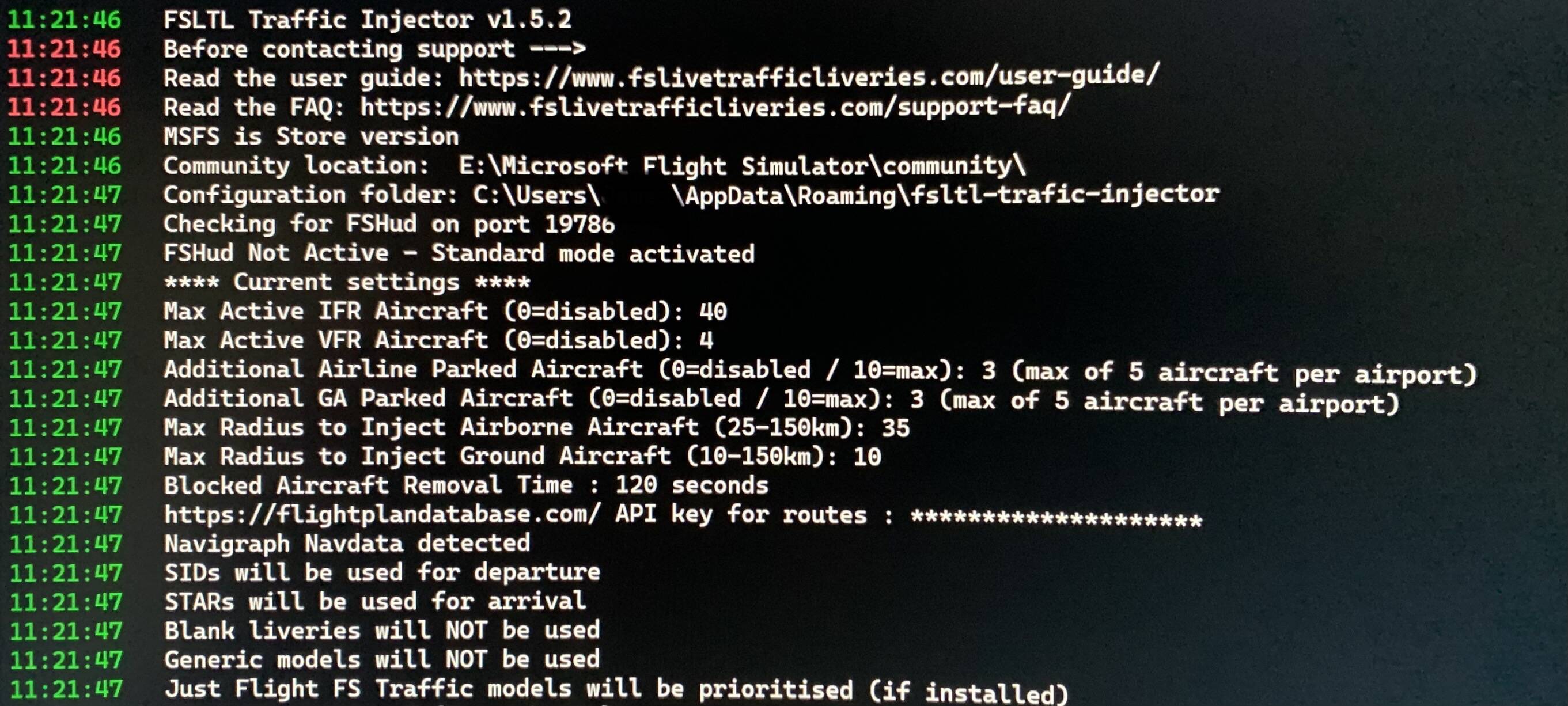
What about your other settings? Cars, boats, airport vehicles etc?
Airport vehicles should be set to 1, Ground Aircraft and worker density should be set to 0
Road vehicles 20-30 and boats whatever fits best for the method you use.
Finally, set your TLOD to 205 and see what difference those settings make.
I agree, and it breaks the ATC too. I tried FSLTL a few days ago on the EGKK - EIDL route with the A32NX. The ATC talked continuously for the first 30-40 minutes, then stopped completely (just the audio, the instructions continued to flow without interruption).
I don’t think that in reality there isn’t even a second of peace in the pilot’s cabin 
1 Like