I haven’t touched that setting, so whatever it’s at by default in Windows 11. It’s a 1 TB drive with over 700GB of free space.
Does anything over 100 render scaling not cause ghosting with frame generation on? For me it does, it’s really noticeable.
It should be off by default, as long as you have plenty of space, which you do 
(Since the new CPU and components)
Do you get good performance using the default A310 or is that bad too?
Other people have previously had stutter problems and had to set their CPU affinities while using the Fenix. Check out this old thread, it might be the same issue you’re having!
I have the same issue since the latest AAU2 patch with a 3080Ti, even without panning camera. There are several posts in the forum declaring severe performance issues also with high end systems. It looks as if mainthread had a periodic low to high load every few ms and also you can find several seconds freezes and even CTDs.
It may not be a general issue for everyone but it´s quite clear that the game update has introduced a change which is resulting in that behaviour. Game was running quite good for me for several months before patch. According to the HWiNFO data you posted everything looks normal on your HW. I have also checked mine and I see consistent results too. This looks like a game problem to me, not a HW related one. I have checked that issue is reproduced only when world is loaded. In menu and hangar you see normal behaviour with a very stable and solid fps graph.
Cheers
It’s the same with the A310, was just testing the Fenix to compare 1:1 to some benchmarks I found on YouTube.
The fact that people with similar hardware have wildly different performance results also leads me to think that the issues are MSFS related rather than hardware. MSFS is just a poorly optimized sim and they can only do so much with the current architecture / engine. Hence MSFS 2024 - where they have mentioned that the sim will have better use of multi-cores, not be so overly reliant on a single core, will be “leaner” pulling more from the cloud, hopefully making it far more optimized and more consistent in performance. Based on Jorg interviews from FSExpo, he mentioned that once the team learned that many of the optimizations and fixes required an entire overhaul, at that point they realized the need to make a fully new sim.
We have seen that MSFS can perform quite fine with current engine, even on its max settings and overriding them with things like TLOD 400 on high-end systems. But to achieve that you need one of those “gold” updates that work well, and we had several of them during the past years indeed. However in most cases the next update just broke everything and we started over again.
I agree that limitations may exist for implementing other features they want but there´s also some poor quality code here that won´t be fixed by just switching the engine to multicore for instance. Therefore a proper combo is needed: fix errors so that basis is solid and then upgrade features to achieve better results supported on that basis.
Fixing, breaking and fixing again the same thing for a second type and in the middle of the process including an engine upgrade that is also broken and fixed 100 times during the following years is not the optimal approach I would say but just a repetition of what they did in MSFS case with just a different name.
Cheers
I know it’s a little off topic but it does seem there are lots of performance related issues recently and while not uncommon for MSFS the strange thing is that it seems (at least to me) almost all the performance issues are with Nvidia based systems) even with high end 4000 series cards).
I can’t help to wonder if MS/Asobo’s performance tuning for the AMD based Xbox is hurting the Nvidia cards?
I just think it´s one of the latest modifications included in AAU2 which is not compatible with latest Windows updates. I had the same drivers since they were published two weeks ago (installed on June 15th), same game config and same addons too. Game was fine some days ago with that setup. The only things that have changed since last week till today are:
- AAU2 patch
- Xbox Game Bar update via MS Store
- MS Store app itself
- Windows 11 cumulative 22H2 update (KB5027303), triggered yesterday on my system
I was even playing fine during weekend, so apparently AAU2 patch was initially ok I would say. After the windows update yesterday the mess started in my case, including the appearance of the white dot which was not displayed before. To be honest I had no time to play too much till yesterday after weekend so I can´t compare results other than those two. I uninstalled Xbox game bar via powershell and reinstalled via MS Store to discard it as a reason for the issue and it had no effect and MS Store won´t be the reason as it´s not used after game is launched. I didn´t get addon updates after weekend either so I can only come to the conclussion that AAU2 is not compatible with 2H22 update, at least on Windows 11.
AAU2 didn´t include performance relevant modifications, at least according to release notes, but client version changed so they have most likely changed something which is not included in release notes. I bet it´s one of those generic “memory optimizations” they include from time to time in the patches. They are always the guilty ones…  The fact is that main thread is now going from low to high load like crazy every few ms, so something is wrong there. With SU12 it was smooth most of the time with just some short peaks when a dense area was being cached and then it turned smooth again. That good behaviour survived to several windows, addon and driver updates, so SU12 seem to be quite solid indeed.
Cheers
We’re getting way off topic here, but…
I wonder if there is any validity to this:
It´s a good contribution indeed, thanks. But I disabled that feature and I still have the same effect. I don´t mean NanoVG is not contributing to the overall problems but it seems there´s something else still causing the main performance degradation.
I forgot to mention I´m also using stock airplanes and helicopters for tests so far to discard addons as the possible reason. The performance drops while on dense areas, like cities and so on. On regular generic areas or less dense cities it still works more or less fine, while peaks are still there.
Cheers

I haven’t really noticed it, but then again I haven’t necessarily been looking for it. Will need to test more.
What speed are you trying to run the RAM at, most 670 motherboards are not fond of over DDR6000.
If you are CPU bound in cockpit then you will notice performance right away. If you are on the high end side of things you will not notice performance but will indeed notice lower temps as the CPU has to work harder without NanoVG working.
This can also lead to CPU thrashing at low alt even with Photogrammetry disabled as the CPU does more work and when it exceeds the limit it thrashes causing a delay to send to GPU or drop in frames.
This is the second time we have had NanoVG broken or disabled by Asobo. I have already alerted some developers who are busy responding to performance based threads and questions around their latest builds. I would expect a NOTAM soon from PMDG and other devs.
We need this fixed ASAP as this really hurts the low end and XBOX side of things when it comes to CPU based performance in the sim. I am on PC myself but you can imagine how poorly these planes start performing on XBOX X without GPU support in cockpit. Stutter fest and low fps for sure.
Thank you for your screenshot, I can’t get over 35% GPU utilisation with my CPU AMD 7900x3d and RTX 4090…
I use TAA, I will test your settings and give you feedback…
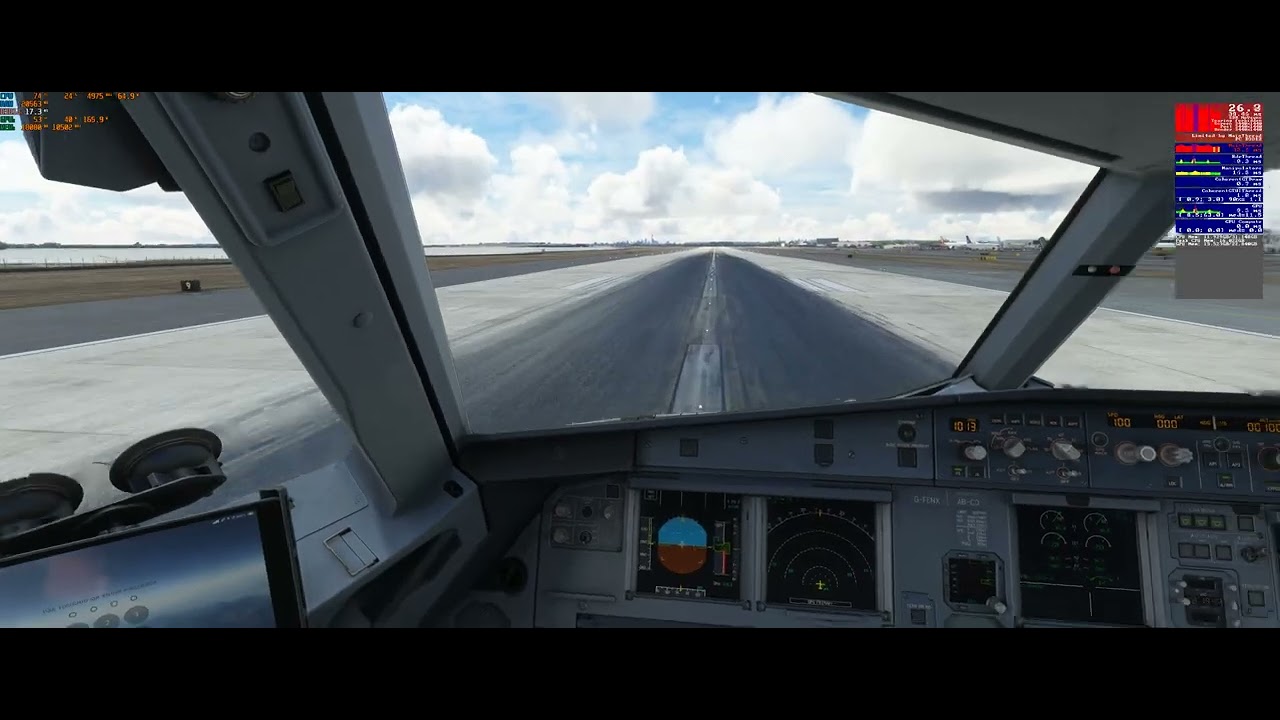
So here it is, I’ve basically built a new PC. It’s now using a better AIO for the CPU and a 1200w PSU.
And it’s still the same lmfao. I give up 
■■■■. did you do a reset of your settings in msfs?
Yes, I did.