And I assume, you don’t see the same drop in performance in the 16 core cpu? And this behavior is repeatable. If that’s the case, then you do have a valid point. Else you may want to check if those background apps are causing something within the sim, because most of them do something to the sim as well (fsuipc, spad, fsltl for example). Also, MSFSs performance is very network and area dependent and even changes from run to run. Unless a behaviour is repeatable, the root cause cannot be determined accurately.
Edit: I don’t run vatsim, but i do run quite a few bg apps like fsltl, lnm, stkp, spad and fsuipc. Other than fsltl, nothing causes drop in performance for me. I am also on a 5800x3d.
exactly my usecase. This is why I got it and this is what I am pledging since a week after it’s release, but some ppl seem just ignorant and don’t get that there are ppl doing different things other than flying around for 1 hour at 2k feet with a cessna.
Of course they are not, what I am saying is this sample shows that 16 cores are not clearly useful.
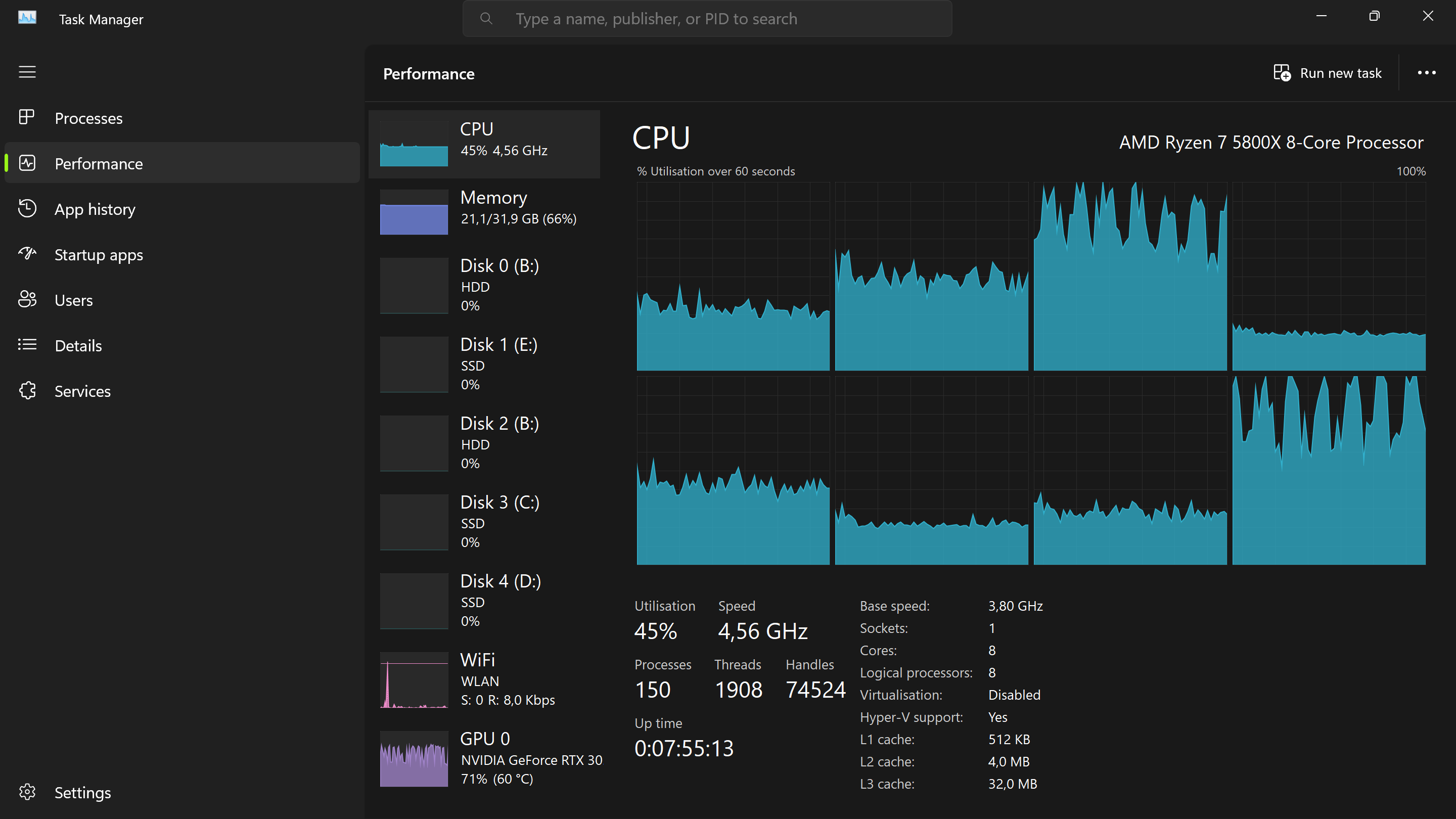
Look closer, the 8 performance cores are barely utilized. Most of them are idle. If they weren’t there, I am not sure it would change the gaming experience.
If you have numbers showing otherwise, please feel free to share hard data.
As I said, this is just a sample.
Trust me, if I had the money to buy both a 7800X3d and a 7950X3d I would; just for the sake of testing it with real world MSFS scenarios and because I am curious myself. But for now I am just gonna enjoy my 7950X3D you enjoy whatever you have. I don’t care in the slightest what other ppl use and won’t judge anyone for what he is doing with his money. But even without testing I am more than certain that the 7950X3D has a lot of benefits for my specific usecase and setup.
I am sure it does, it is a great CPU, and I am happy for you.
FWIW, I have decided to buy the 7900X3D for my virtualization setup, will be running MSFS in a VM on the 6 Vcache cores, so I completely agree that in some use cases, the dual CCX chips are indeed useful.
Like you, I’d like to see a more detailed head to head RL comparison for MSFS, with all the bells and whistles.
I am not suggesting background apps perform better either - I am simply asking for evidence that those background apps are utilizing the HF CCD, and in doing so increase performance in MFS whilst using those apps.
On a 5800X3D, you mention a 30% reduction in performance when running several apps associated with MFS. However, who is to say you wont also see an equivalent reduction in performance with a 16 core 7950X3D. The scheduler could be choosing to put those apps on the same CCD as MFS. The scheduler could also be moving those apps between threads, or even between CCD’s, which could introduce latency, or a negligible gain in comparison with a single CCD 7800X3D.
There’s a thread running over on the DCS forums in relation to their multi-threaded beta running across both CCD’s on the 7950X3D, causing some erratic performance. Look don’t get me wrong, if an extra 400 AUD would assist in getting a 16 core CPU that lessens the load of background apps that us ‘power users’ of MFS use, then sign me up. But I fear these CPU’s don’t behave in this way, and any difference would be negligible between the 7800X3D and 7950X3D.
I am a simple, happy 3700X user so I do not have a dog in this fight. Neither have I done any studying on this subject.
But as regards the test descibed in this video: is it really representative to do CPU testing with an aircraft sitting stationary on the runway? What exactly is the CPU required to do in this case? Is it really stressing the CPU? And how might this change if the aircraft was flying low over a graphically intense area? Intuitively it just “feels” that it could be very different. And yes, I know: “feels” is a great scientific basis… not!
So not a criticism as I do not know enough to criticise: purely a question out of curiosity.
As long as the aircraft position or consistent, where it’s parked doesn’t really matter for comparative purposes on your own system. If you are trying to compare to other people’s systems, then you would want to also test in the same location as them, such as a specific gate number.
OK, but my question as to the validity in terms of this specific test, which is to see how many cores are used, remains. Isn’t having a stationary aircraft a very low CPU impact scenario? And what would happen in a more real/normal scenario? Wouldn’t for instance flying low over a highly detailed area or an intense PG area potentially show a very different picture?
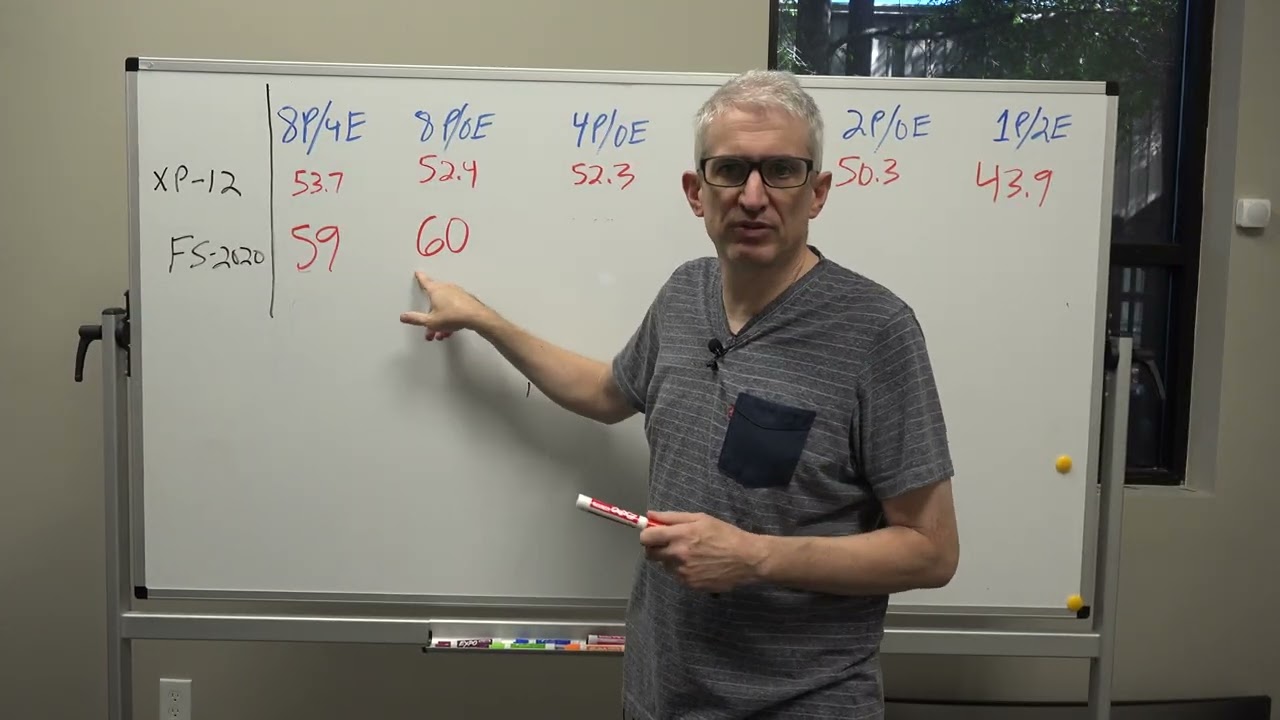
He says he recorded the frame rates sitting La Guardia, at 1080p, with general Ultra settings all around. It’s a very demanding scenario on most CPUs. My old 6c/12t 8700K OC’d at 5Ghz struggles to go over 20 FPS at JFK, I got a better frame rate sightseeing aboard a small glass cockpit aircraft in Manhattan.
Maybe I am the only one?
So I’m seeing lots of different results. Some show MSFS and 7950X3D outperforming 7800X3D but then there are some showing 7800X3D outperforming 7950X3D.
That’s where I say save your money and go with the much cheaper 7800x3d. Unless you fall into a very specific use case that most people won’t see, the negligible performance increase (if any) simply isn’t worth the extra $250 msrp.
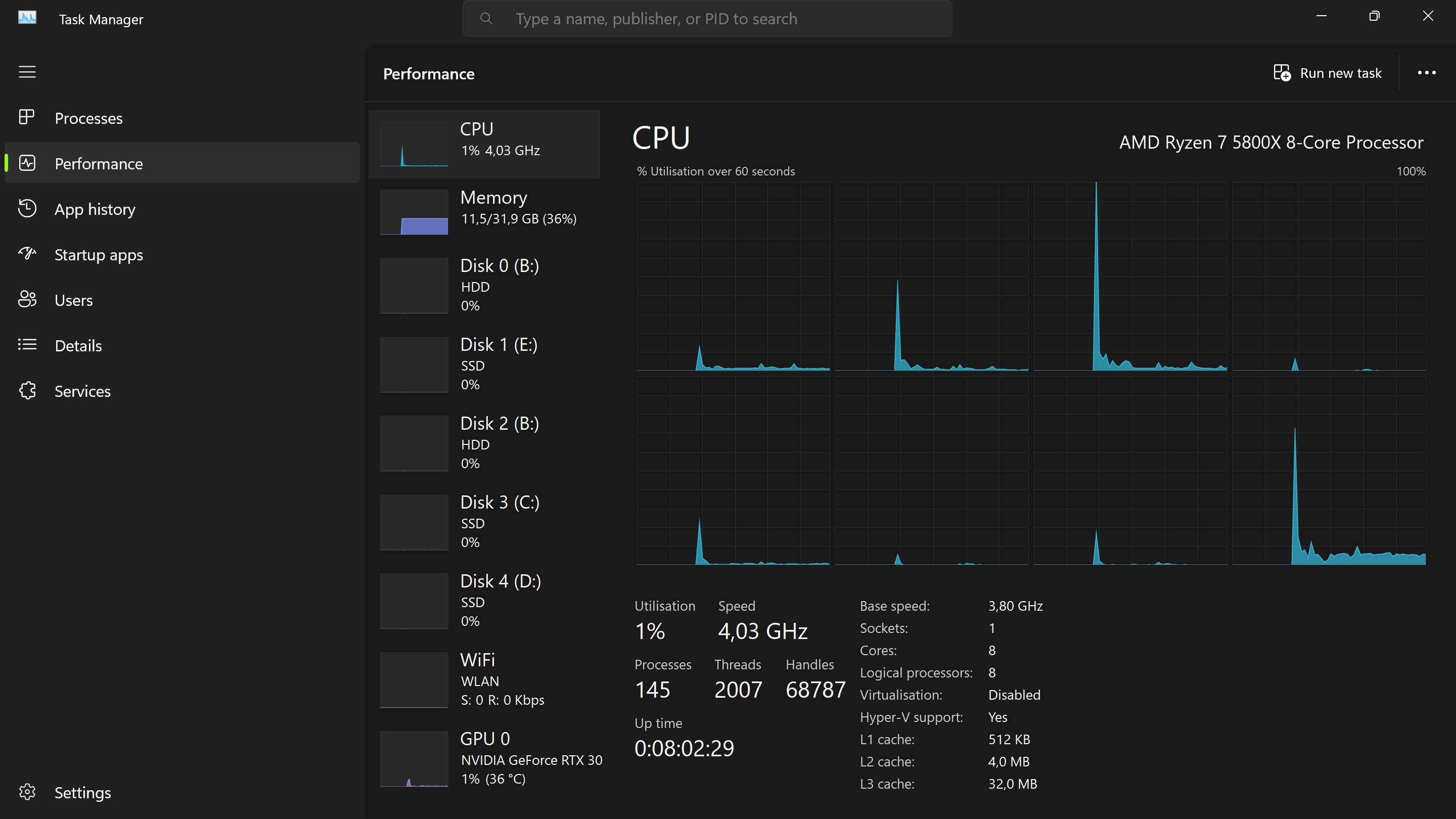
I have multithreading disabled so effectively one core = 12.5% of my total possible output yet in that first pic even stationary 44% of my cpu is being used just for MSFS.
I don’t think the core scaling video was taking into account DX12, but that’s fair enough. He’s measuring FPS after gradually turning off cores, it would be interesting to do the same in DX12.
FWIW I quickly tried something similar at KLGA. Biggest difference I am at 3840 x 2160.
Siting on the end of the runway: CPU stabilised at 27%, just over 30FPS
Flying over downtown NY at about 1500ft: CPU varies between high 30 and low 40% utilisation
This seems to at least somewhat support my concern for the value of the test in the video.
I was rather surprised at the high total CPU utilisation as I thought one would be main thread limited long before that due to the unequal workload distribution in MSFS.
In any case: it appears in this one quick test that I did that demand on the CPU is higher flying low over a intense PG area than sitting not moving at a complex airport. I did a similar test at Vancouver CYVR and got similar results. To push matter further, in that case I used the very demanding FSimstudios CYVR and over the city I used the very detailed add-on PG scenery by CLi4D. Here I actually saw CPU utilisation of 50% (!) and obviously stutters as that was just too much.
 Do you expect to see 3-4-5 cores with 100% usage?