A32NX Simbrief Initial Request* at INIT page

Hey Community experts,

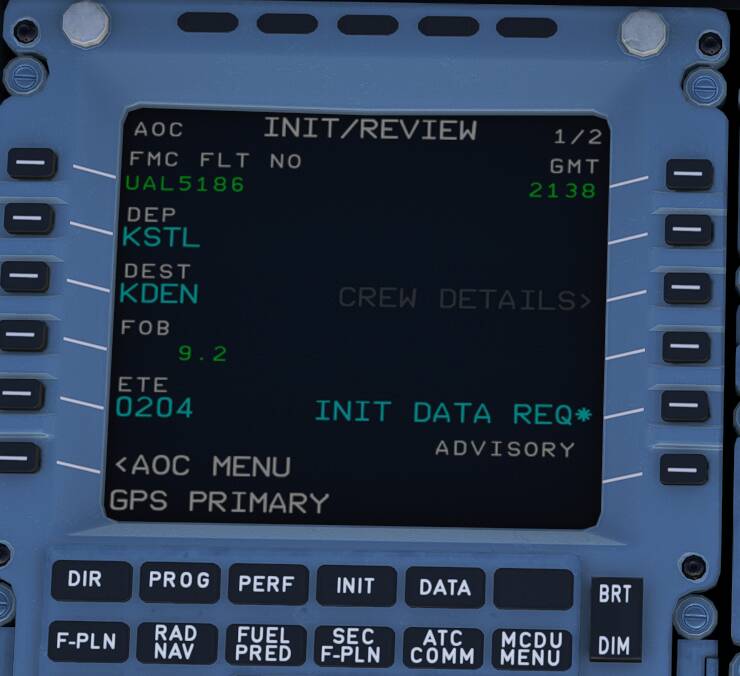
I am on A32NX v0.5.2. After configuring, I could use the Init Data Req* button to pull the data from Simbrief just fine, from the AOC menu. The fuel and payload are perfectly loaded.

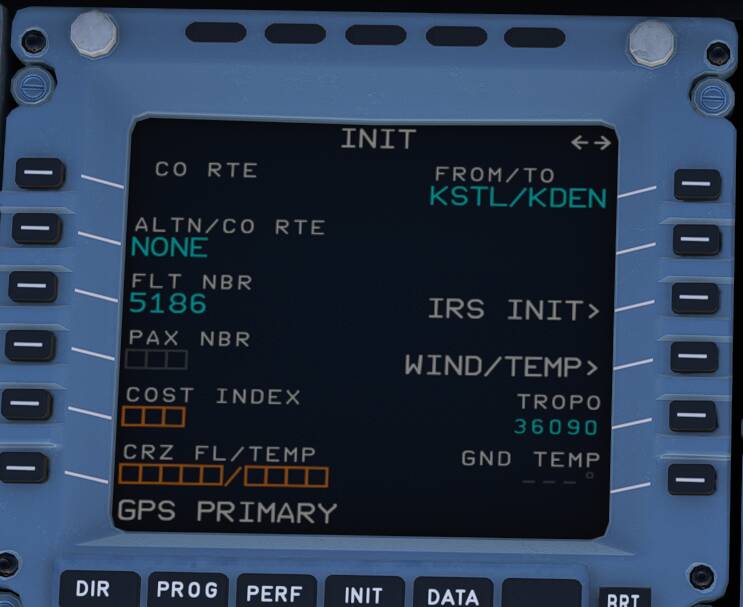
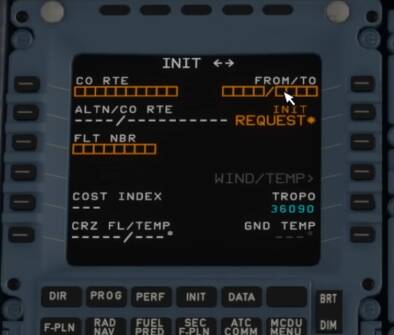
The problem is, I am not able to see the Init Request* button in the INIT page, as mentioned in the demo and tutorials for this feature.

Due to this I am not able to import the waypoints into the MCDU from simbrief.

Request your help to find and enable this config.

Thanks,

But the Waypoints are in the F-PLN page. The Init page is used for setting up fuel prediction and PERF values.

Yes. Based on demo i’ve seen for this feature, clicking on this button ‘Init Request*’ in INIT page, also pulls waypoints into F-PLN page from simbrief, apart from the actual INIT page parameters. But am not able to see the button.

One below from youtube demo video

Is that already available in the stable version yet? I thought it’s still in the Development or Experimental custom version.

Did you put the destination airport in at the world map?

I’ve always loaded c&d with no destination and had no issues importing from simbrief

4 Likes

Ahh.. yes..

If I enter the flight without destination in the world map, ‘It works..!!’

Thanks mate.

2 Likes

Mod note: Moved to the correct forum category

Will the ATC work if you don’t enter the flight plan in the world map?

Yes, The ATC clearance & following will work after you complete the MCDU flight plan. The destination and flight number for clearance are taken from the plan.

Just bear in mind not to request clearance from ATC until after you have loaded the plan from simbrief in the MCDU.
ATC “sees” that plan, so there won’t be an ATC “request for clearance” in the pop-up until you do.