My point is that you need to physically reconfigure your screens, two in front, not one. One screen (left for pilot), one screen (right for copilot) both on the same vertical plane. This is the only way to get the center line in between the two screens. And you need to stretch the main window so it covers both screens - creating two separate windows won’t work. There is no way to do this with only one screen (unless it’s 85-100", and you shrink the window vertically by 50%, to give the same aspect ratio).
No. Totally incorrect.
Your proposal is not relevant to this topic.
You have obviously not actually looked at my cockpit.
I am not going to physically reconfigure anything.
I do not intend to destroy my fully enclosed, surround screen, dual seat, 3 DOF motion cockpit just to revert to 2 screens on a benchtop in my house.
I know what you are proposing, (and it achieves what you are saying) but it has nothing to do with this topic.
We want Asobo to restore the ability to move the frustum origin as suggested by @FlyerOneZero and or shift the rendered plane as suggested by @BeardyBrun
I am happy for you to contribute if you go back and understand the actual issue, but again, can I ask that you please refrain from injecting confusion into the discussion.
These are just different ways of describing the same thing.
1 Like
I looked at it, and Asobo will never do what you want, and has said so. If you want proper views from both the pilot and copilot’s seat at the same time, this is the only way to achieve it.
They have been very clear - there will never be any changes to enable what you want. Sorry. Your other option is to go with another sim.
Ok. Thanks. We have already known that for 2 years but there was no harm in pushing the idea on a wish list.
However, reverting to a table in my bedroom with 2 screens is no “solution”.
As you say, another SIM is an option, but then there are other issues.
One thing for sure, complacency is a dangerous thing.
The door is open - particularly given the risky decision to go cloud/server based with MSFS2024.
We will see.
The other sims don’t currently support. Intel arcs, so I’ve been scoping out AMD 24gb gpus. Probably stuff one in my linux server when fs2020 no longer cuts it. xplane is looking like my next sim. Has everything you want as well. So we’ll see what happens when 2020 gets long in the tooth. Because I too want proper views.
Hi FearlessSwan217, I'm also building a triple-screen cockpit, and I've encountered the same problems you're posting. I've also implemented the partial solution of moving the POV, although as you know, it seems the plane will drift to the left. I support this suggestion with my vote, and I wanted to let you know that I found a solution in Prepar3D. I'll copy the link for you to check out.
https://www.youtube-nocookie.com/embed/0Mtb96Rq8Y4
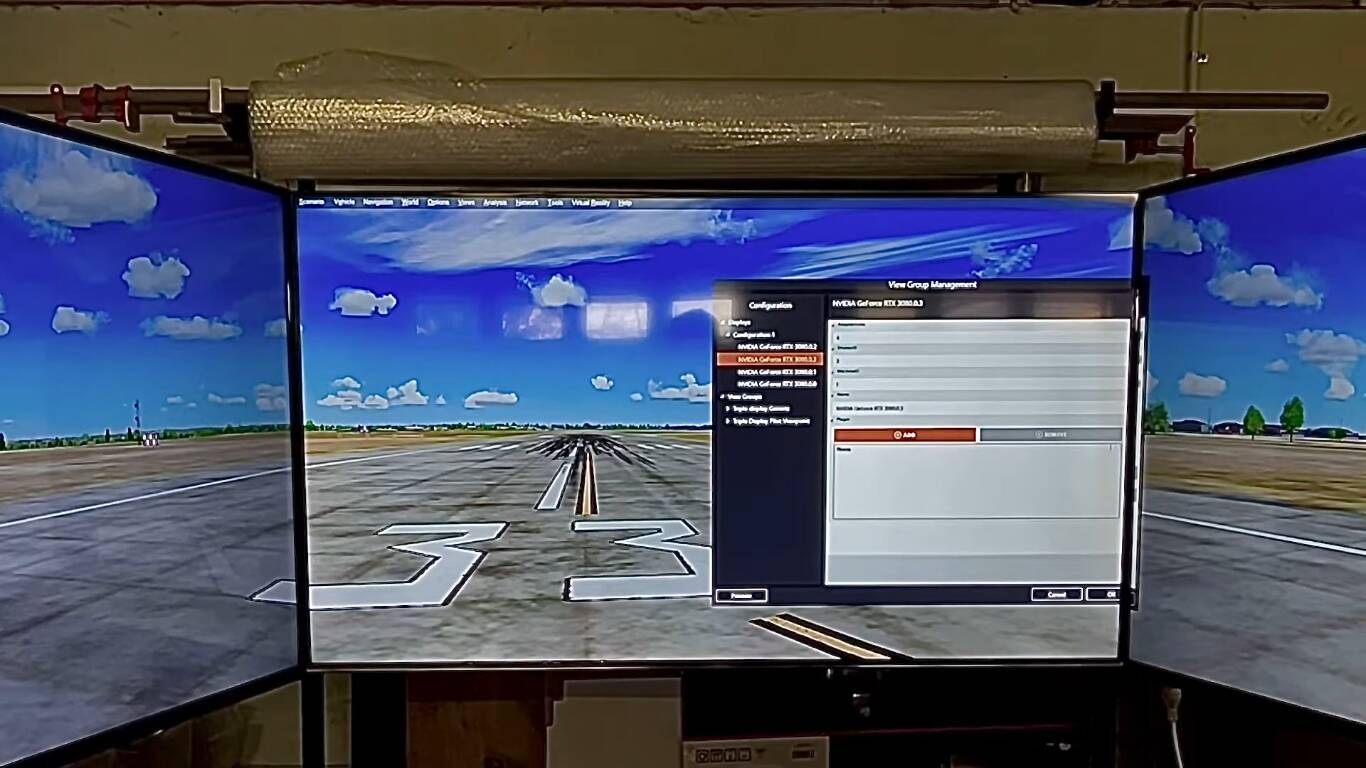
Thanks Jef. Ironically, I have today just got back into my SIM after about 3 months out of action. I reinstalled Windows 11 (after previously reverting to Windows 10 becasue of the task bar not being able to be located at the top of the screen). However I have installed STARTALLBACK which has brilliantly restored the WIN 10 task bar options in WIN 11. It is amazing that your post came today just as I was doing this.
Anyway…. I saw what the video demonstrated…. and yes…. if MSFS 2020 had that capability it would be great. The video did not show how the aircraft would be rendered in this set up though. I am not sure if the aircraft cockpit would be centred separately from the Pilot view of the outside world.
Good luck with your cockpit. I assume you have seen the photos of my cockpit in the posts above:
I have 6 monitors all together. I found 55 inch to be the best for the three main TVs because it renders about the corect size for GA aircraft. (Four monitors run from the 3080Ti - one from the onboard graphics and the small centre monitor using Spacedesk app.
My current project is finalsing the 3DOF motion platform - which is working pretty well when tested taxi across rough terrain. A few bolts to tighten before a flight test.
Thanks again for your vote…. although I doubt they will make the modifications requested. I have resigned to a compromise Pilot view for takeoff and landing - which looks right - and a general view when flying that puts the cockpit central to give a nice experience for most of the flight.
A320 Homecockpit user here! I totally understand this issue. Yet MS/Asobo not doing anything about this. It’s as simple as look at how plane and p3d implement this.
It would have been simple if they had thought about it from the start, but I guess their base platform architcture is different so it is not so easy without going back to square one.
FearlessSwan217, I can confirm that in X-Plane 12 it is possible to have the pilot’s view centered to one side of the monitor. The photos sent by azpilot61 in May 2023 weren’t the best; I’m sending you the ones I printed using only 0.38mm Lateral Fractional offset.
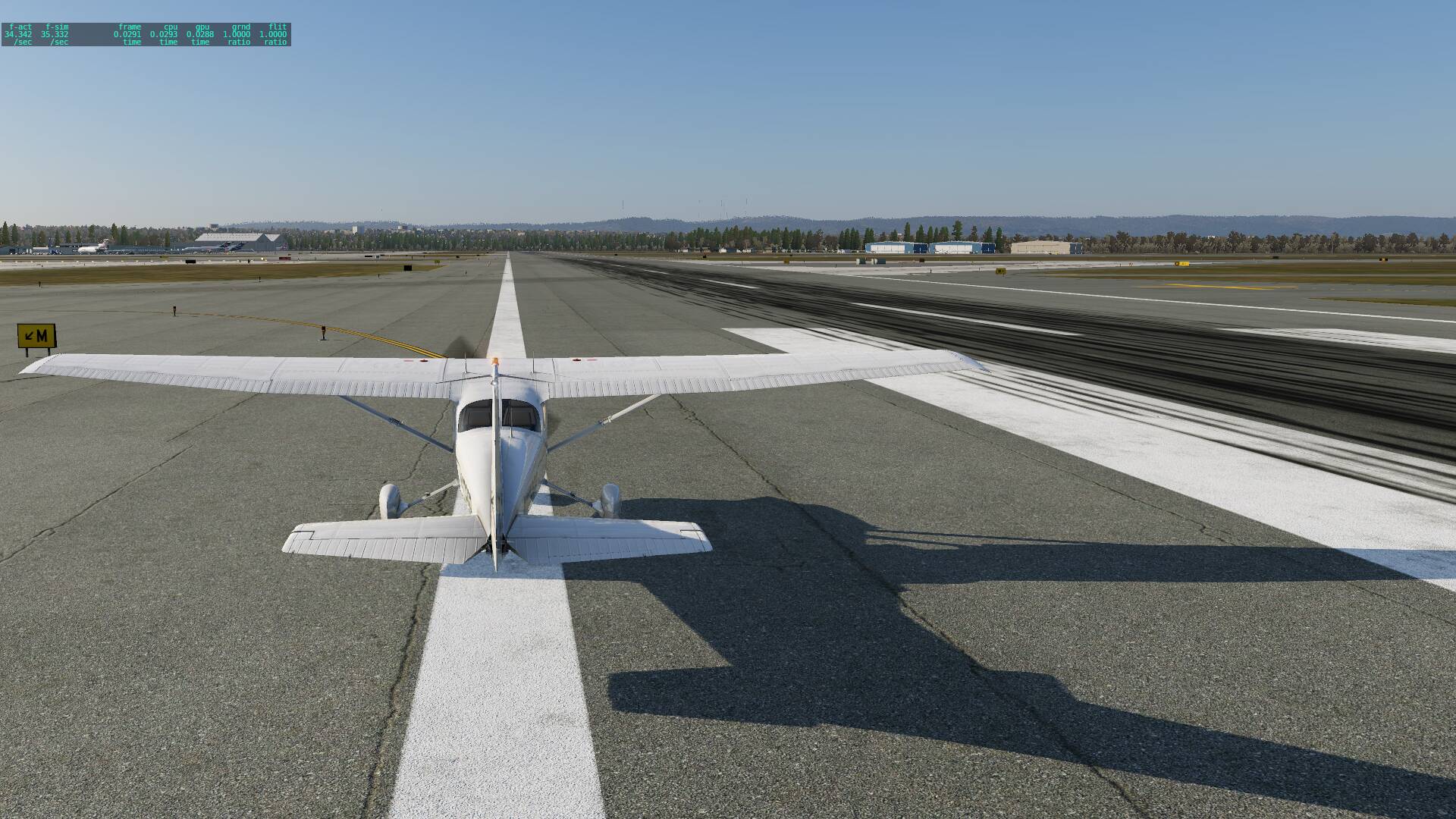
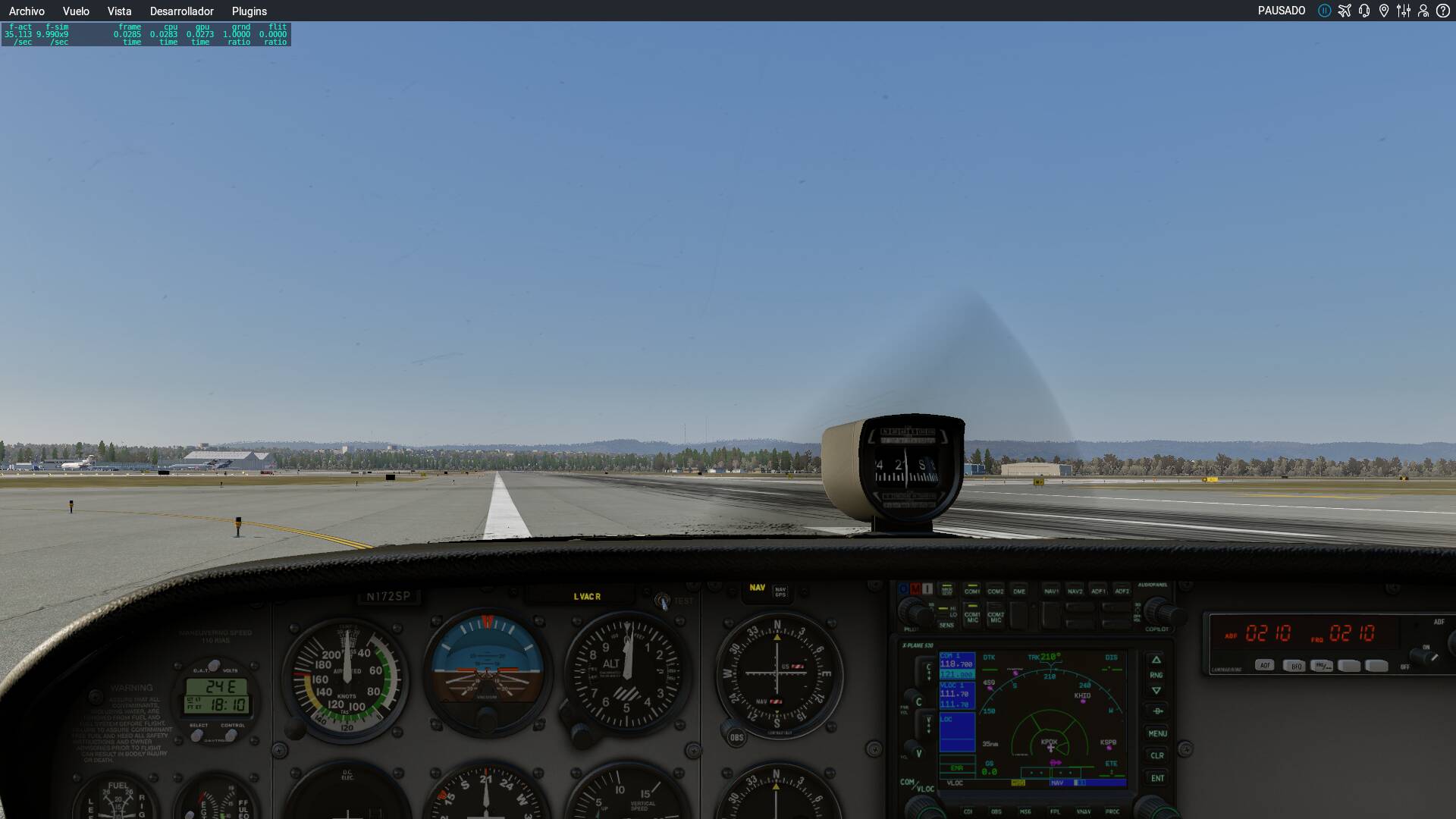
Moderator Note: Edited to remove font formatting. Please be aware that some devices / browsers / translation services add formatting to text that can cause it to display incorrectly on this forum.
1 Like
That’s exactly what we need. Proper Multiview has been totally abandoned by Asobo/MS.