I don’t know if it’s correct to post here. Please move if it’s not the right place.
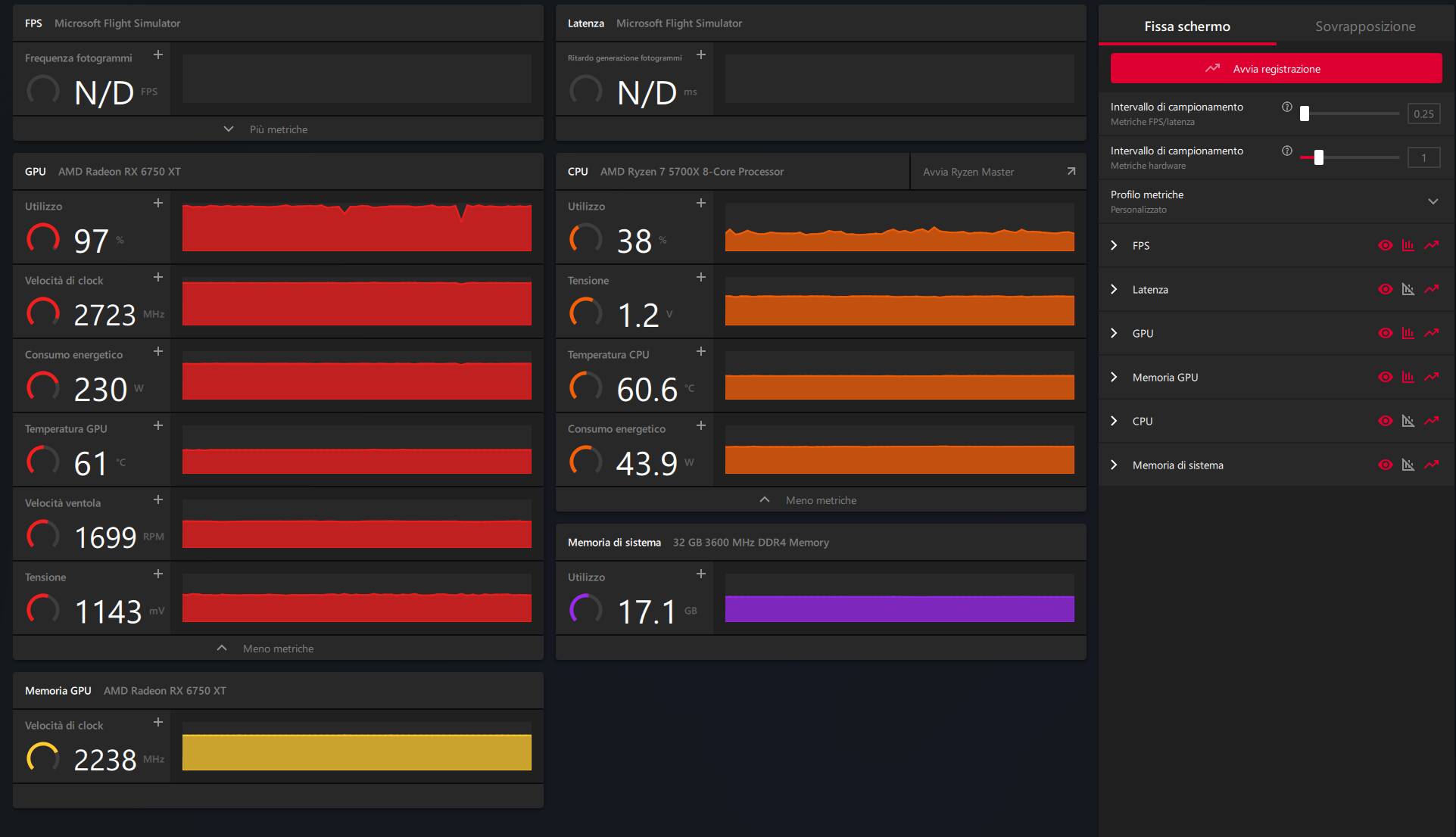
After installing the AMD Adrenaline 25.12.1 drivers/software, my GPU is always at 100%. Before, it was at 75-80%. I haven’t seen any changes to my graphics setup. My graphics card is an XFX RX 6750 XT with FS2020 in Win11 25H2. Is there anything similar happening to others?
Have you looked under the Adrenalin perfromance tab to see the cooling curve your card is following. May just need a tweak there. I should ask if you mean the fan is always at 100% or the GPU is 100% utilized? If your GPU is at 100% I would expect you fans to be running prety fast.
This is not, in and of itself, a negative thing. Are you seeing a negative impact in performance in the sim? Honestly, if your CPU is now able to utilize more of your GPU, this may mean you see a performance boost.
If your not noticing a boost in performance while at 100% I would try doing a clean uninstall of your GPU drivers using DDU in safe mode and then re-installing 25.12.1.
I’m always close to 100% on my RX 9070XT unless I’m capping the frame rate or when the CPU is the bottleneck.
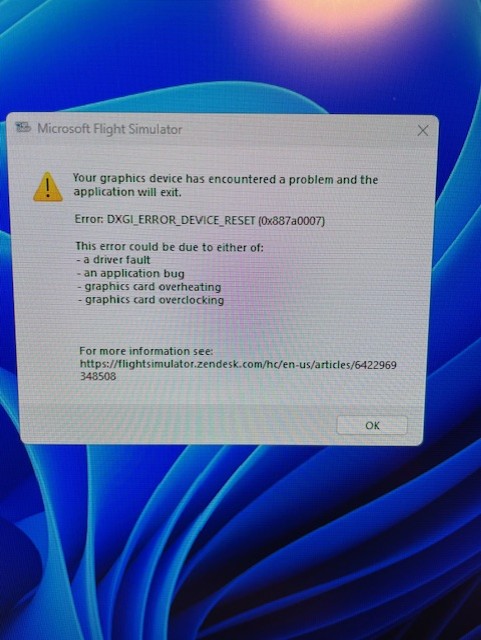
True! I haven’t noticed any significant worsening, a few studs and one crash. The error said driver fault, GPU OC, High T but the card isn’t OC and the T is at 63°C.
I’ll add that, in addition to the graphics card software/drivers, I updated the motherboard (Asus B550) with the latest chipset drivers and others released on December 31.
The strange thing was that before these updates, my CPU was overloaded (I was thinking about replacing it) and the graphics card was at 75%. Now it’s the opposite, as you can see from the image above.
Is DDU a free software for cleanly uninstalling drivers?
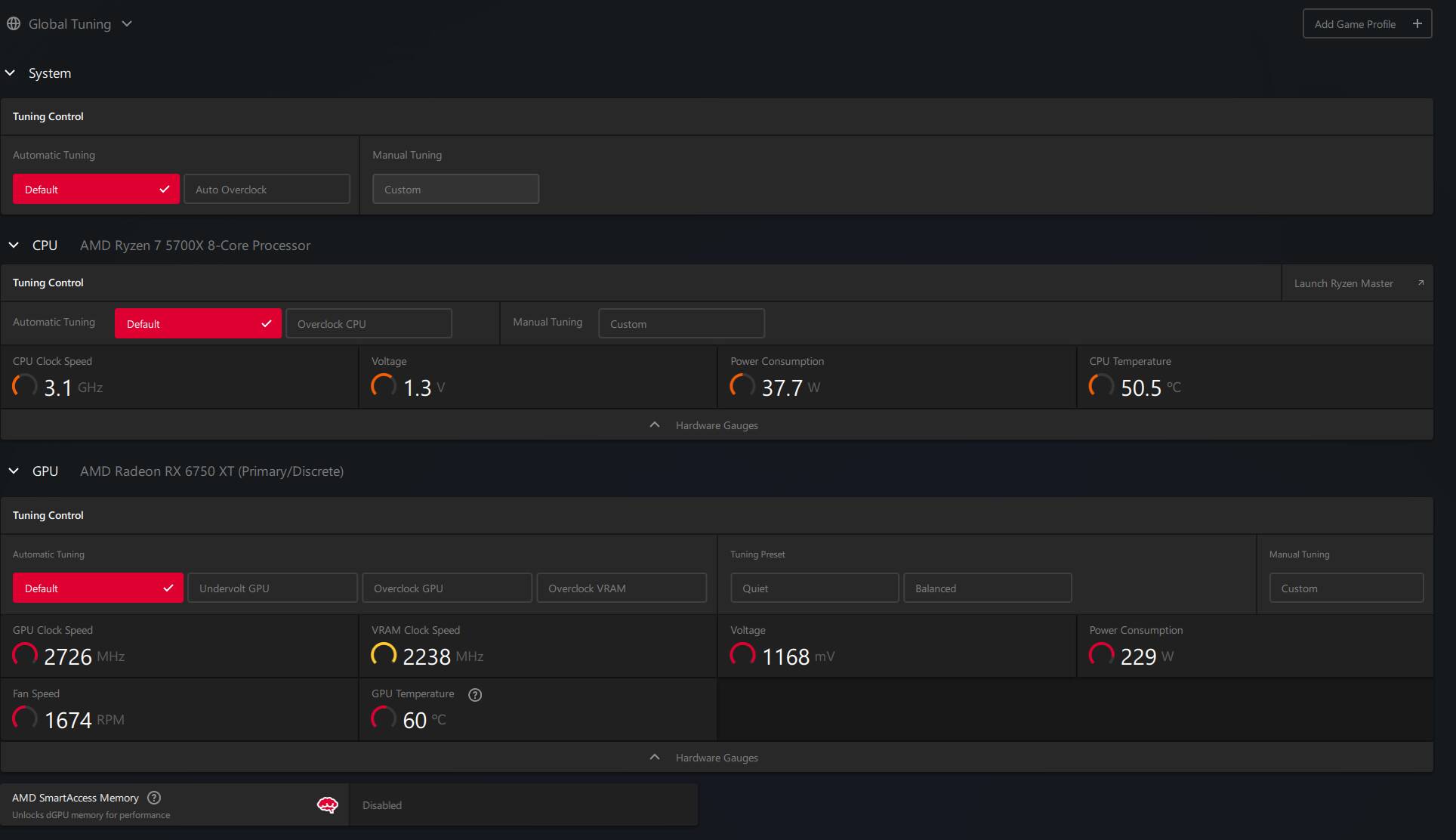
You have shown us the Performance>Metrics page. Can you show us the Performance>Tuning page? I’d like to see how the fan is supposed to run relative to the GPU load. Thanks.
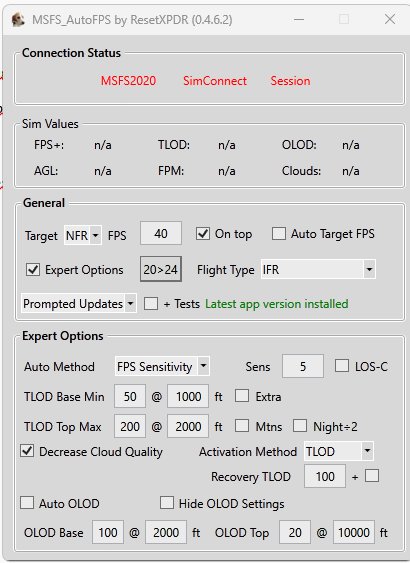
Well, the fact that you’re getting a 20% increase in FPS would suggest a performance boost so it makes sense the GPU is working harder. It’s perfectly normal for GPUs to hit 100% when required and is by design so nothing to worry about IMO
Correct analysis, I re-ran some tests. I was curious about that improvement, but I can’t reach that value anymore (50 fps).
During the tests, I had two simulator crashes. I’m attaching a photo of the error. My PC wasn’t in the error condition except for 100% GPU load, CPU and GPU not in overclocking.
I noticed that the FPS indicated by the Steam system are 40-42. If I disable the Steam option, I use the Adrenaline option in the same situation (plane with engines running at the head of the runway). The FPS is 50-51. Is that strange? Are they different calculation rules? Where do the FPS disappear?
For both options, the other comparable values are the same.
Thanks.
I can’t save in-game photos to attach with the AMD Adrenaline parameters visible. I’ve done several tests without finding a solution.
Regarding the FPS difference between Steam and Adrenaline, I cannot answer that since I’m using the MS version of the sim and only use Adrenaline however you can also use the FPS counter in Dev tools in the sim to compare.
Regarding the error, there is another thread on that specific issue in this thread.
Seems to affect both AMD and Nvidia. That thread may hold answers for you