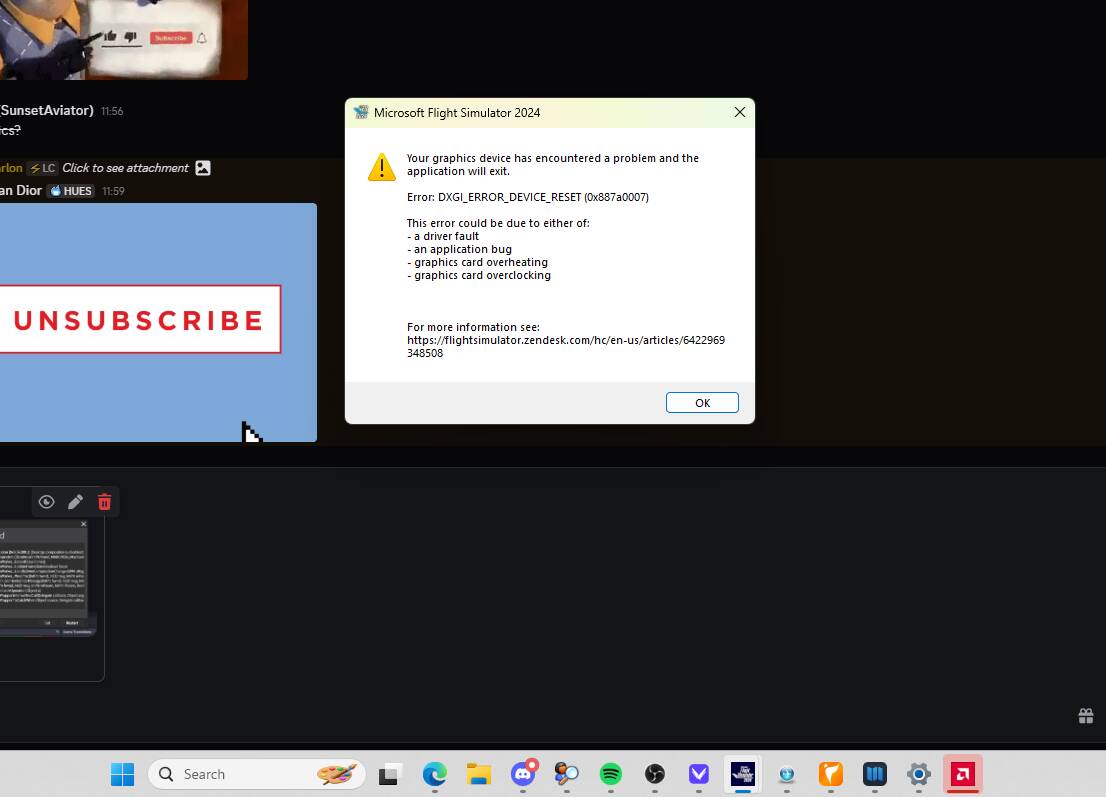
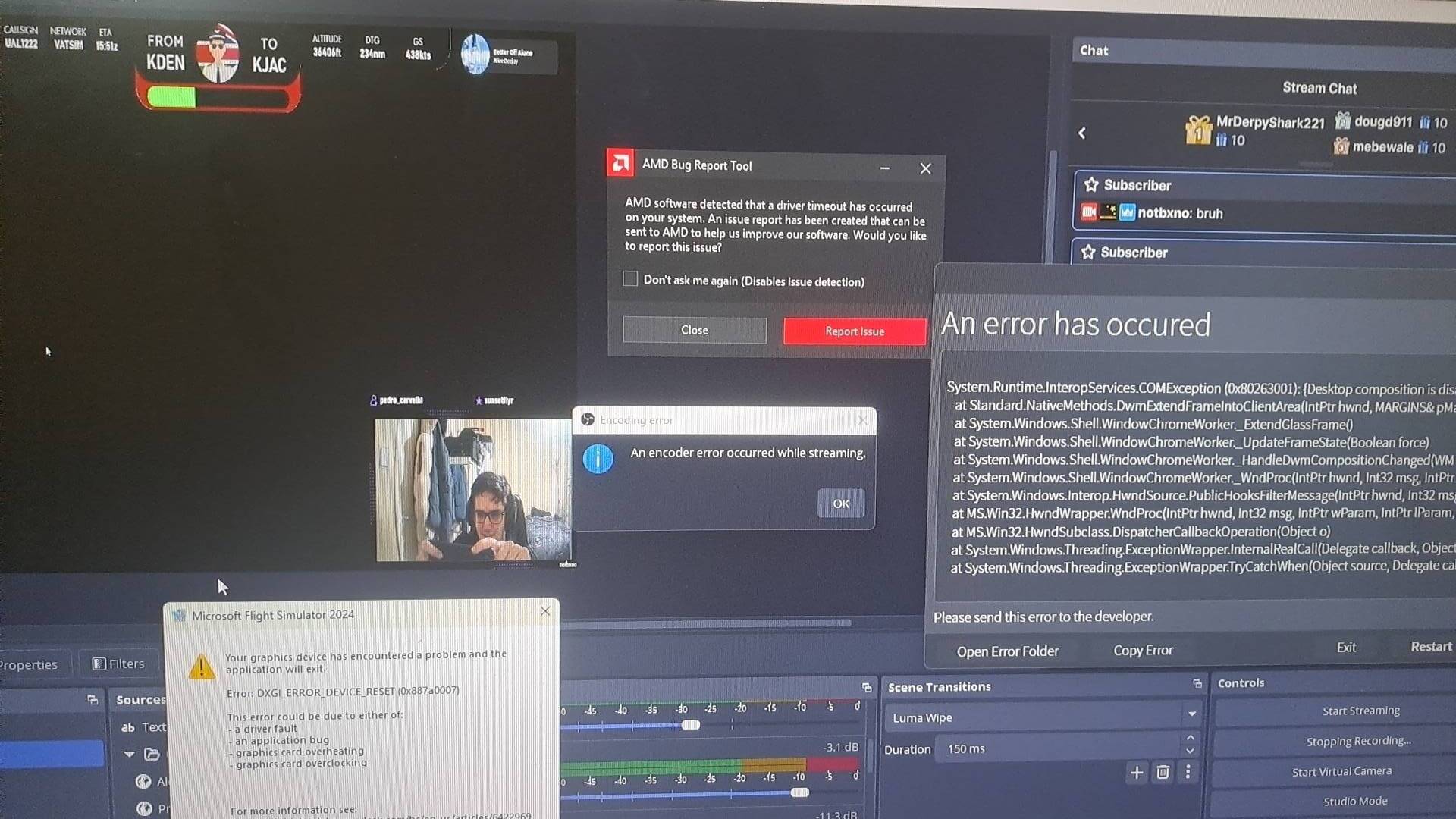
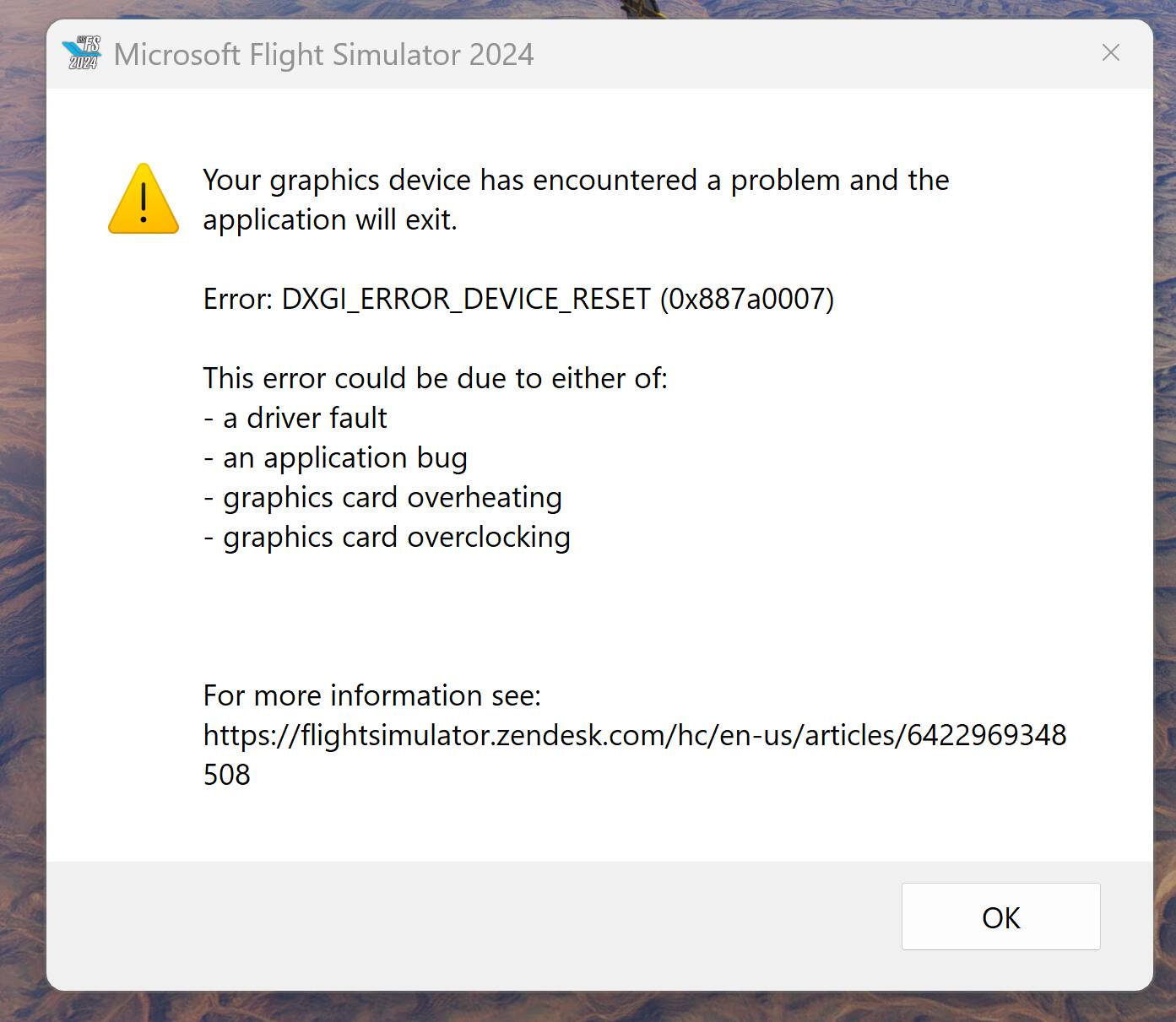
DXGI_ERROR_DEVICE_Reset (0x887a0007)


ISSUE DESCRIPTION

Description of the issue:
The graphical element of the sim crashes, but the sim is still running as evidenced by the application open in task manager and the sounds still working.

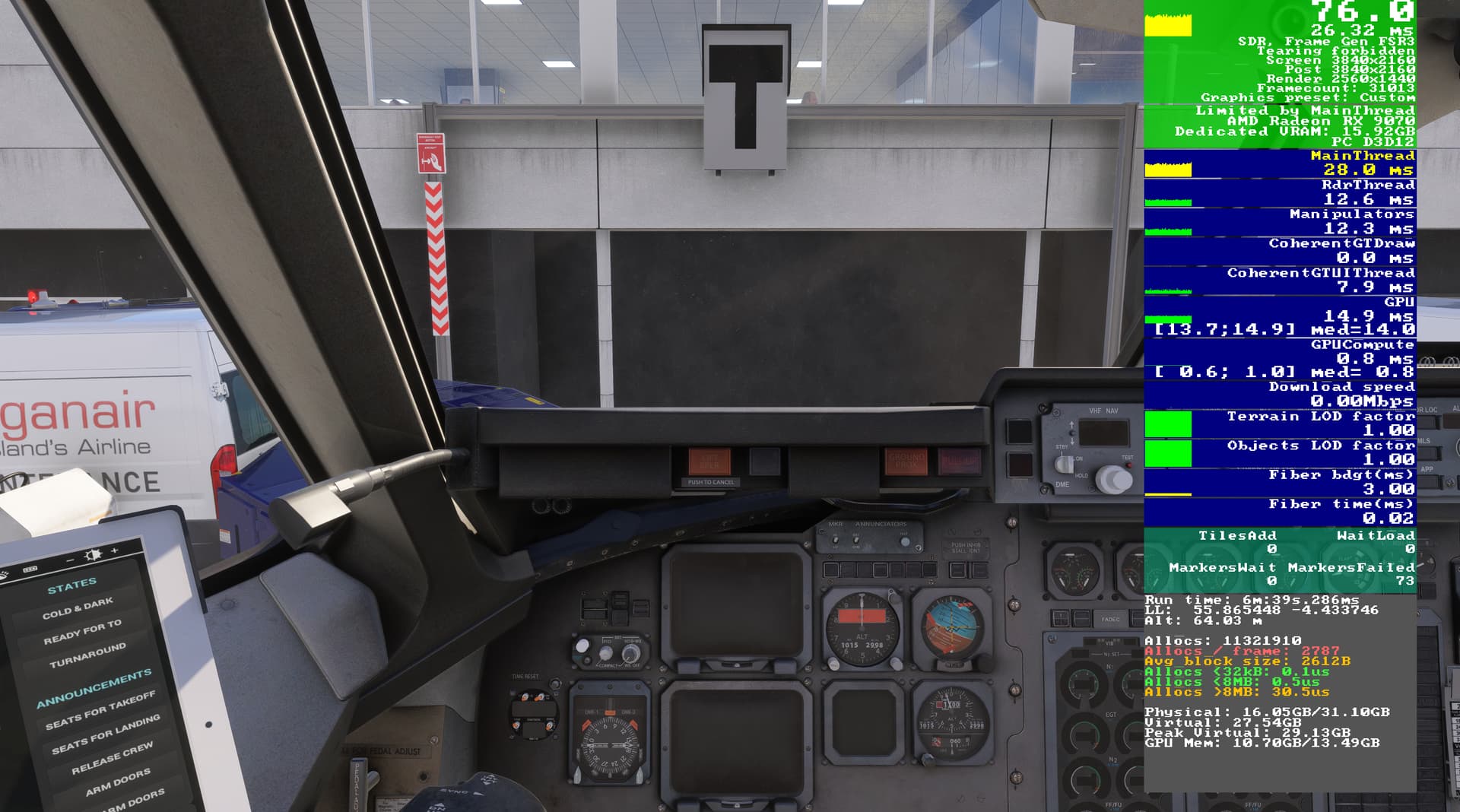
The dialog box states that it could be issues with overheating or overclocking. I can confirm that I have not overclocked the card and the temperatures range between 50-60 degrees. The GPU and sim are running well within parameters before the crash as evidenced by the dev mode FPS counter before a crash (I had enabled this only to capture that information for the purpose of reporting, I do not fly with it on).

The crash also results in an AMD crash dialog box and I have sent every report to AMD.

[PC Only] Did you remove all your community mods/add-ons? If yes, are you still experiencing the issue?
Tried with and without empty community, results in the same crash but less frequently with empty community folder.

FREQUENCY OF ISSUE

Intermittent. As above, it depends on what’s loaded into community, for example with the Just Flight RJ professional, it occurs almost every time. Additionally, the timing of the crash is random, it can be between 2 minutes and over an hour.

REPRODUCTION STEPS

Please list clear steps you took in order to help our test team reproduce the same issue:

1.No particular steps, as mentioned above, it can occur at any point in a flight from preflight checks to landing.
2.
3.

[PC ONLY] FAULT BUCKET ID

type 0

YOUR SETTINGS

If the issue still occurs with no mods and add-ons, please continue to report your issue. If not, please move this post to the User Support Hub.

What peripherals are you using, if relevant:
N/A

[PC Only] Are you using Developer Mode or have you made any changes to it?
No

[PC Only] Many issues may be due to an outdated graphics card. Please state your Graphics Card Driver Manufacturer (NVIDIA, Intel, AMD) and Version:
AMD Adrenaline 25.6.3

[PC Only] What other relevant PC specs can you share?

Ryzen 7 7800X3D
MSI PRO X670-P WIFI
DeepCool LT720 AIO
Radeon RX 9070 Sapphire Nitro+ 16GB GDDR6
32GB RGB DDR5 6000MHz
Samsung 1TB 980 Pro PCI-E NVMe
Adata 2TB NVMe
Kolink Continuum 1050W 80 Plus Platinum
Hisense 55U7NQTUK - 144Hz, 4k
AOC Gaming 27G2U - 144Hz,1ms, IPS, (1920x1080)
1GB Fibre connection

MEDIA

Please add a screenshot or video of the issue occurring.
Graphics settings before a crash:
[END OF FIRST USER REPORT]


:loudspeaker: For anyone who wants to contribute on this issue, Click on the button below to use this template:

Do you have the same issue if you follow the OP’s steps to reproduce it?

Provide extra information to complete the original description of the issue:

If relevant, provide additional screenshots/video:

ERROR Crash: msfs error: dxgi_error_device_hung (0x887a0006) - Bug Reporting Hub / Crashes (CTDs) - Microsoft Flight Simulator Forums

Yes, I saw that, the error code is different. I get this one every time and haven’t had the one you link to.

Roll back to Adrenaline 25.6.1 (WHQL Recommended)

FWIWl, I was having the same issue and this fixed it (I linked my post there but essentially, forcing the PCI config from AUTO to a fixed value to prevent changes)

Thanks, I’d already tried this, it didn’t make any difference.

Thanks for the advice, but the problem seems to be resolved with the installation of the new Adrenaline driver 25.8.1 (and uninstallation with DDU) a couple of days ago. I’ll bear your suggestion in mind if it happens again on this driver.

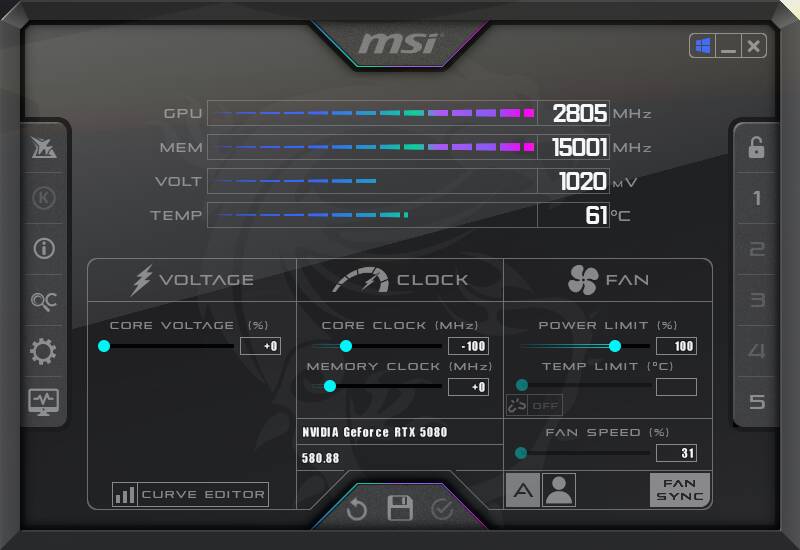
I also experienced this problem, it was always different after 20-90 minutes of flight. After that I decided to try to lower the frequency on my video card 5080 by 100 MHz less, after that the crashes of the MSFS2024 stopped. I think this is an error of the MSFS2024, because in other games there is no such error, in XPlane it also does not hang at the factory frequencies of the video card.

1 Like

same,I dont know how to resolve

Unfortunate to report that my issues are back..

I ran an OCCT test for 5 hours and a few stress test on the CG (3D Benchmarks) without any reported failure so I’m gonna go with a driver issue more than likely (essentially an application is requesting access to something it shouldn’t from what I gathered).

Will try to DDU, remove Nvidia App and report back.
I forced the PCI GEN instead of AUTO as well so lets see..

Are you guys still having the issue?

I have been talking to nvidia support trying to get to the core of this issue. I do not believe it is MSFS 2024 specific as I have now experienced the same with other games

From the dump files, I’m getting a 0xc0000005 which is an unauthorized access to memory.
Tried a memory test and sfc/scan now with NIL findings.

At the moment, it seems that Windows Clean Boot holds ok but I’ll further troubleshoot. I suspect it might be an ASUS service issue or an AMD one (basically it stops booting all services other than MS ones and then you can activate the others one by one to troubleshoot).

nvidia is recommending a few other things like trying to switch to PCI Gen3, check AVX is enabled in BIOS and disable Fast Startup, disable resizeBAR (which I had done already so it’s not that)

ISSUE DESCRIPTION

Description of the issue:

During a few flights with the latest Beta, I’ve had consistent crashes resulting in something from the GPU side with AMD, which was never experienced until the latest beta version, resulting in a 0x887a0006 (Graphics Driver Hung) error, which has happened on a couple of instances that I’ve had:

Loading into the FSS Embraer 195 at Cogonhas
Mid air from Bucharest - Skiathos in the iFly Boeing MAX 8
Mid air from Denver - Jackson Hole in the Fenix A319

I did end up checking everything, and the latest SU4b was the only thing I can link this to, and I have no issue playing other games on this exact same setup even for prolonged periods of time since the update released. However running the MSFS SU4b beta with my current setup not only causes a game crash but also results in my screen running blank too temporarily for a few seconds.

Weather settings: Live

FREQUENCY OF ISSUE

How often does this occur for you (Example: Just once, every time on sim load, intermittently)?

Happens intermittently with the latest beta version, and happens at random times. Can be either during spawn, etc.

REPRODUCTION STEPS

Please list clear steps you took in order to help our test team reproduce the same issue:

  1. Ensure an AMD Setup with a GPU (in my case, used the 9070XT)

  2. Fly for more than an hour in the sim loaded, can be anywhere in the world. The issue may come, or it may not, for me it was at random for this side.

  3. Full crash with everything.

YOUR SETTINGS

If the issue still occurs with no mods and add-ons, please continue to report your issue. If not, please move this post to the User Support Hub.

What peripherals are you using:

[PC Only] Are you using Developer Mode or have you made any changes to it?
No

[PC Only] What GPU (Graphics Card) do you use?

AMD 9070XT (latest GPU drivers)

Driver Version
25.10.30-250902a-419752C-AIB

[PC Only] What other relevant PC specs can you share?
AMD Ryzen 7 9800X3D
G.Skill Trident Z5 Neo RGB 32 GB (2 x 16 GB) DDR5-6000

MEDIA

Please add a screenshot or video of the issue occurring.

There is a long thread regarding this error. Long story short: It has nothing to do with the application, a user space application can trigger GPU hangs only indirectly. It is always an issue of HW or graphic driver. Details in the Thread, just search for the error number.

I’m currently checking over again, will probs DDU and try again with the drivers, see if I can get anything from there.

Kind of odd because I know a couple of others who also run AMD GPUs and have had similar issues with the latest beta. Could be a co-incidence but I’ll see if anything comes of it

Then the lates beta seems to call driver functions, which cause a GPU reset. But this has to be fixed in the driver, it shall never be possible, that a user space application can crash the GPU. This has to be prevented by the driver.

True. But it’s always good for an application developer to log a fatal error so they can follow up with the driver developers to support a resolution. The end user here doesn’t have the tools nor technical knowledge to inform the driver developers which function call is triggering the fatal error. I believe the hopes here is to at least get the feedback logged for a follow up.

You are right. But often in the threads in these forums, the users expect a solution from upcoming updates. This may happen, but only by accident. Usually these crashes have to be fixed by driver updates.

A second reason for GPU hangs or GPU resets are HW issues: power supply, temperature, overclocking, undervolting. This is of course a issue caused by the user.

I haven’t done anything to either undervolt, overclock atleast on my end - and as for temps, operating normally.

I’ve done a full DDU and reinstalled the Drivers just in case. If that’s the case then so be it, but just felt very odd that it only happened here. And I should elaborate, wasn’t intending to see it get fixed ASAP, because well nothing works like that. Better to get something logged for me to see if other people maybe come across the same issue otherwise, as I said earlier, only really happened for me on the Beta, even though my MSFS has been running good otherwise the last few months without this issue, and nothing changed on my end regarding HW.

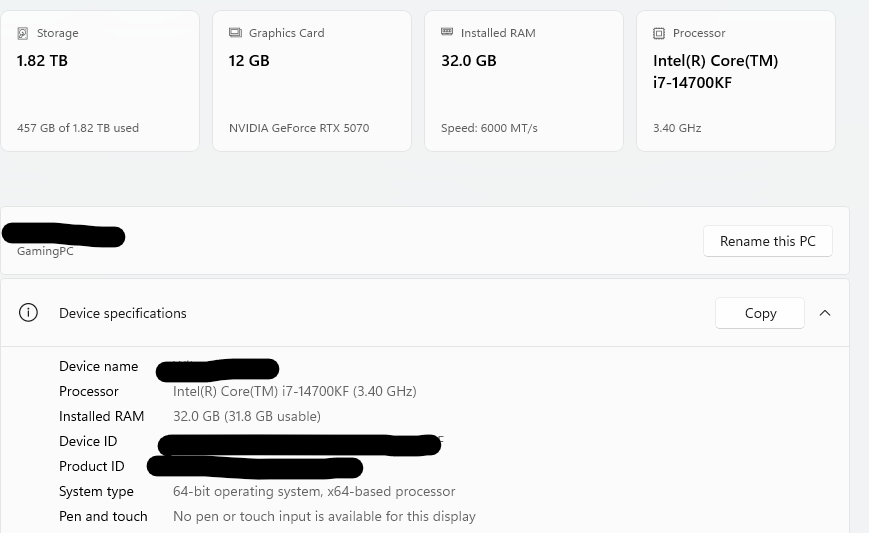
I am having the same issue. This is for MSFS 2020. The sim crashed last week and I am not even able to start it up to change settings. There is a crash to desktop on every attempt to start the sim. I have included my specs. I am not very tech savy so I am at a loss as to what to do. My system is less than 8 months old and the only thing I use it for it Flight Sim. ANY help would be appreciated.

Hello, I have CTD whenever enter VR before Flight for the first time ! When I let the game loads to flight and then enter VR - is OK, also changing scenery works, but simply cannot enter VR too quickly because each time CTD. HW: No OC/Stock: RTX 5090, CPU 9800x3D, Pimax Crystal Super ( everything High ) with DFR

Hello, I have recently swapped my graphics card from 3090 to 5080. I am getting the same DXGI_ERROR_DEVICE_RESET. Any solutions for it? This is happening on both FS2020 and 2024.

PC Specs:
Intel i9-13900K
Asus TUF GAMING Z790-PRO WIFI
MSI MAG CORELIQUID 360R V2
MSI GeForce RTX 5080 16G GAMING TRIO OC
Corsair RM1200x 80 Plus Gold
Corsair 64GB DDR5 6400MHz

I’m on the latest version of NVIDIA Driver.

1 Like