The problem is not that addons are not secure, the problem is that antivirus make false positives.
Don’t be afraid young Padawan, fear is the path to the dark side. Fear leads to anger. Anger leads to hate. Hate leads to suffering.

The problem is not that addons are not secure, the problem is that antivirus make false positives.
Don’t be afraid young Padawan, fear is the path to the dark side. Fear leads to anger. Anger leads to hate. Hate leads to suffering.
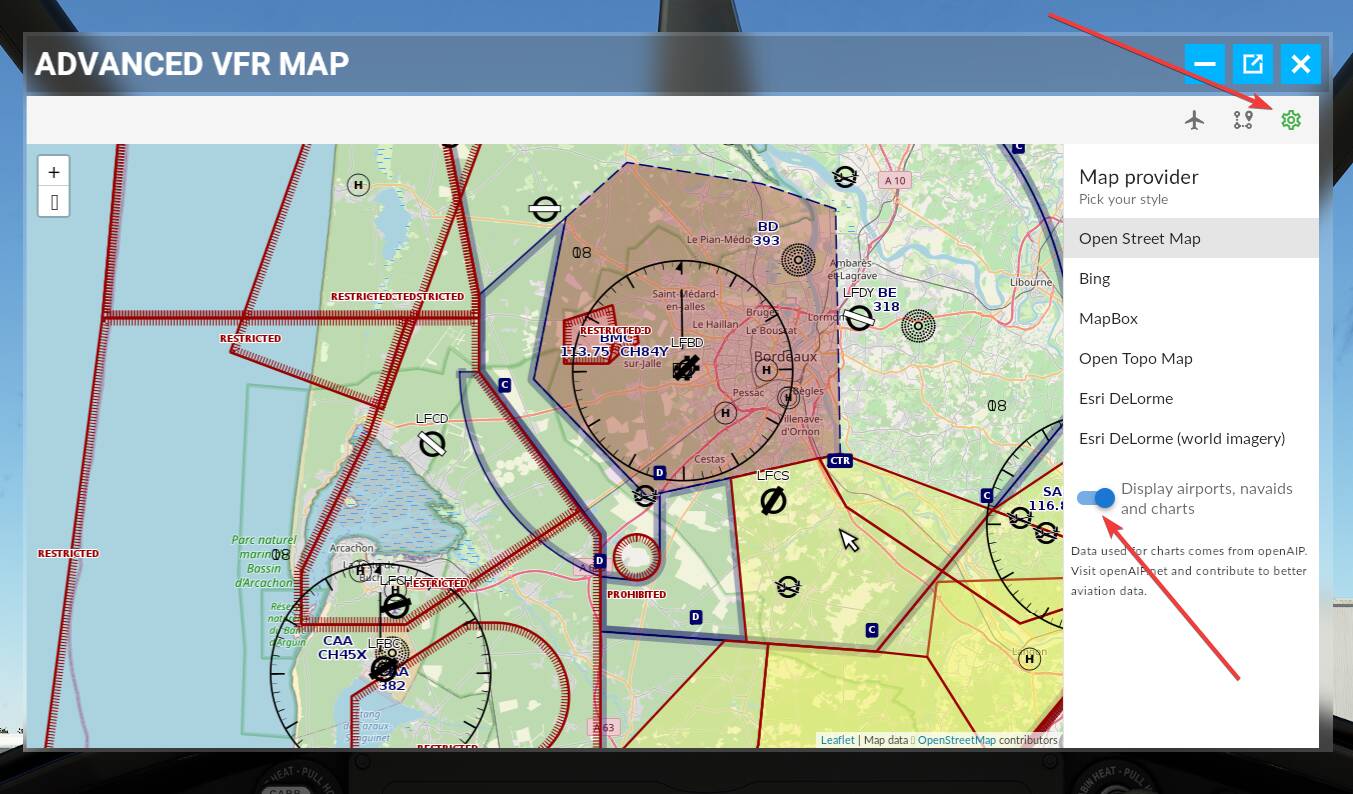
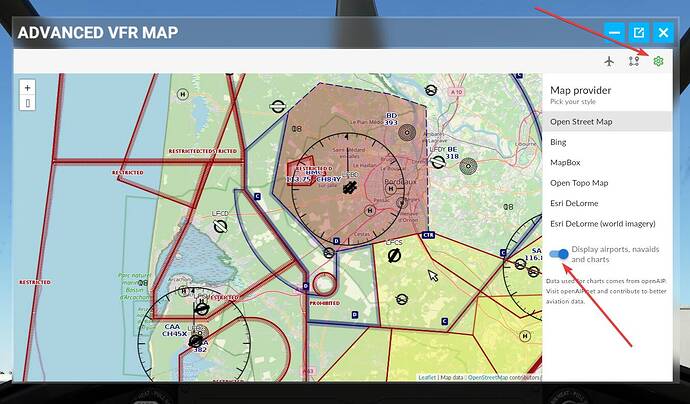
You can disable it in the options menu (the wheel at right)
Yes spotted that, thanks. This add-on is fantastic. I’d like to see a button to auto pan to your plane location like the GPS button for the original VFR and of course airports more clearly indicated.
I’m sure these QoL changes will come but in the meantime I get to know where I am which is fantastic. I hope these windows can be placed in the virtual world like Avitab - that would be cool as well.
Unfortunately I am having stutters using the map.
This add-on is fantastic really , but how to set a button for quick access to this map, I do not find it in the list of controls and I always have to point with the mouse
not only this one Open Topo Maps , on all the maps i can’t create a plan … and yet the add-on is very useful
UPDATE !
Airports && charts have been added.
You can display it on any map, you just have to toggle the “Display airports navaids, and charts” switch on the config panel:
PS: there is no need to update the addon.
Enjoy 
We have implemented it after your post, thank you for the suggestion
It will be available in the next release of the addon, normaly next week.
Can you be more specific, what exactly is the problem ? (don’t forget, english is not our native language, speak slowly )
It’s seems difficult (at least for now) to bind the panel to a key event.
We failed to reproduce the problem, so it is difficult to fix it 
Great work Poroot - wow. The addon works perfect  There is only ony thing I have to send to you in private because of NDA.
Thank you @Poroot this is great news! 
Great , thank you! Very useful! 
Great tool! Kudos!
Thank you very much for this very neat addon. Simple and effective.
Some thoughts:
I like the fact that you added the option to visualize airports and airspaces. However the altitude of the airports seems to be reported in MSL (meters), whereas it is in normally in feet on all aviation charts.
It would also be nice to have the option to use sectional charts or openflightmaps map overlays.
The aircraft icons seem a little bit “gamey” to me: I understand you want to differentiate the aircraft by color, but they look somewhat out of place.
Please forgive my little wishlist  , it’s really a nice addon and the one I find myself using the most.
Nice mod! I’ve been looking for a better VFR chart that I can access directly from inside the sim, so that I don’t have to alt+tab to look at LNM all the time. Looking forward to what you are going to add in the future. Personally, I like the current plane icons; they add a little ‘colour’ to the map…
I’d like to be able to send someone a link (URL) to monitor my aircraft specifically as I am flying it, rather than to just point them to the Global map link.
Jim-Sim
Just chiming in once more to report that I can’t seem to be able to create a flightplan by adding waypoints with a mouse either. I can do it in the web page, but not directly in the map whilst flying. Is it supposed to work this way?
Cheers and thanks again for a wonderful little app.
Could you try after detaching the panel (sorry in don’t know the english term for that, you know when you click the button between minimize and close).
If it works on detached mode, the problem may be that you have an ingame binding for the mouse left clic. Game UI have priority on input (mouse, keyboard) vs panels so when you click or press a keyboard key on a panel, the event is handled first by game UI (cockpit) and only if there is no binding by the panel which get the event.
Thanks for your reply.
I don’t believe I have anything specific bound to the left mouse button, as my mouse profile is just the default. But I see what you mean, I’ll try that tomorrow and report back .
For the record… I can drop an existing .pln file and see a flight plan, and I can click on map and make a flight plan… But how exactly do you “export” anything? There is talk about it on the screen, but no “export” button or tool.
Jim-Sim