ST relies upon the Asobo GA BGL schedule.
So I just set it and forget it and get GA traffic.
Yes, you’ll see a mix. It also depends upon the density of Offline AI traffic. I get plenty of both at 30 percent, the 80NM radius around me is filled, which is 5 points below what the manual recommends. And I still get departing traffic of both types, so it’s really nice. If any utility deserves the “One Click Installer” title, it’s ST.
Yeah, it does. I know Aerosoft will keep updating it. AIG is more involved and has more and its free. But I think I will keep both and support both. Aerosoft allowing GA really helps. Pilot2ATC does recognize the traffic, I think.
Except there are planes that are flying over the airport…like 50 feet above the airport…
Asobo AI Traffic issue. It cannot be fixed by ST or AIG.
I think the latest update has finally convinced me to purchase this after the holiday. With the consolation of the directory structure, it now appears manageable to integrate this with MSFS Addon Linker. If I read correctly, prior to this update you would have needed to create symbolic links to dozens and dozens of directories if you wanted updates to work automatically.
I’m ready to see some real liveries. Tired of the odd green and gold A320’s parked everywhere 
I’ve been using AIG while waiting on this to hit Marketplace (because I’d like the traffic on my Xbox too). Does this add much to the loading time? A full AIG schedule adds about a minute or so to my sim loading.
(Also, can anyone confirm if this works okay with MSFS Addons Linker?)
Works perfect with add on linker.
Having read and viewed a lot ofreviews for this I took the plunge and installed Simple Traffic today.
Inital thoughts are that yes, it does what it says on the tin:
Very easy install and runs smoothly with not much of a hit on FPS ( these were probably the clinchers that put me off AIG) . Quick flight from Gatwick to Brussels showed some nicely populated airports. Ok, the aircraft models are generic but the overall effect improvement is very good: Gatwick is full of EasyJet, BA, China Airways and Wizz Air planes (among others) . Brussels is full of DHL, Brussels airways etc.
Nice to see a China Airways quad jet taking off after I had departed the runway at EBBR. ATC were also calling this out too which added to the overlal effect. From my low and distant vantage point taxiiing in a CJ4, I did initially think it was an A340 or perhaps a 747 up until it was passing me on its take off run which I feel probably vindicates the use of generic models.
Some low flying aircraft seen (I know this is due to the Asobo AI) and one A330 doing some weird taxi manouvring antics at EBBR (again, the AI is up to its old tricks) .
Interested to see if/how Aerosoft develop this further and if Asobo start adding some more generic aircraft types to the core sim (eg 737/757, a turboprop-type commuter like a ATR or Q400, something like a Fokker100 or 727… even just a low polygon “generic” A320 would make a big difference) then this could end up being a very nice add-on indeed.
The first plans are to add the airlines that have been requested, but that will have to be coordinated with the release on the Marketplace.
We are also looking at adding our own models but that is not easy because we want to do it fully in MSFS standard, so with many LOD’s levels. Framerates are super important for us and we do not want to compromise on that in any way. That means that for every aircraft type you need to make 6 models. We’ll see, for now, we are super happy with the product and the sales.
Mathijs Kok
Aerosoft
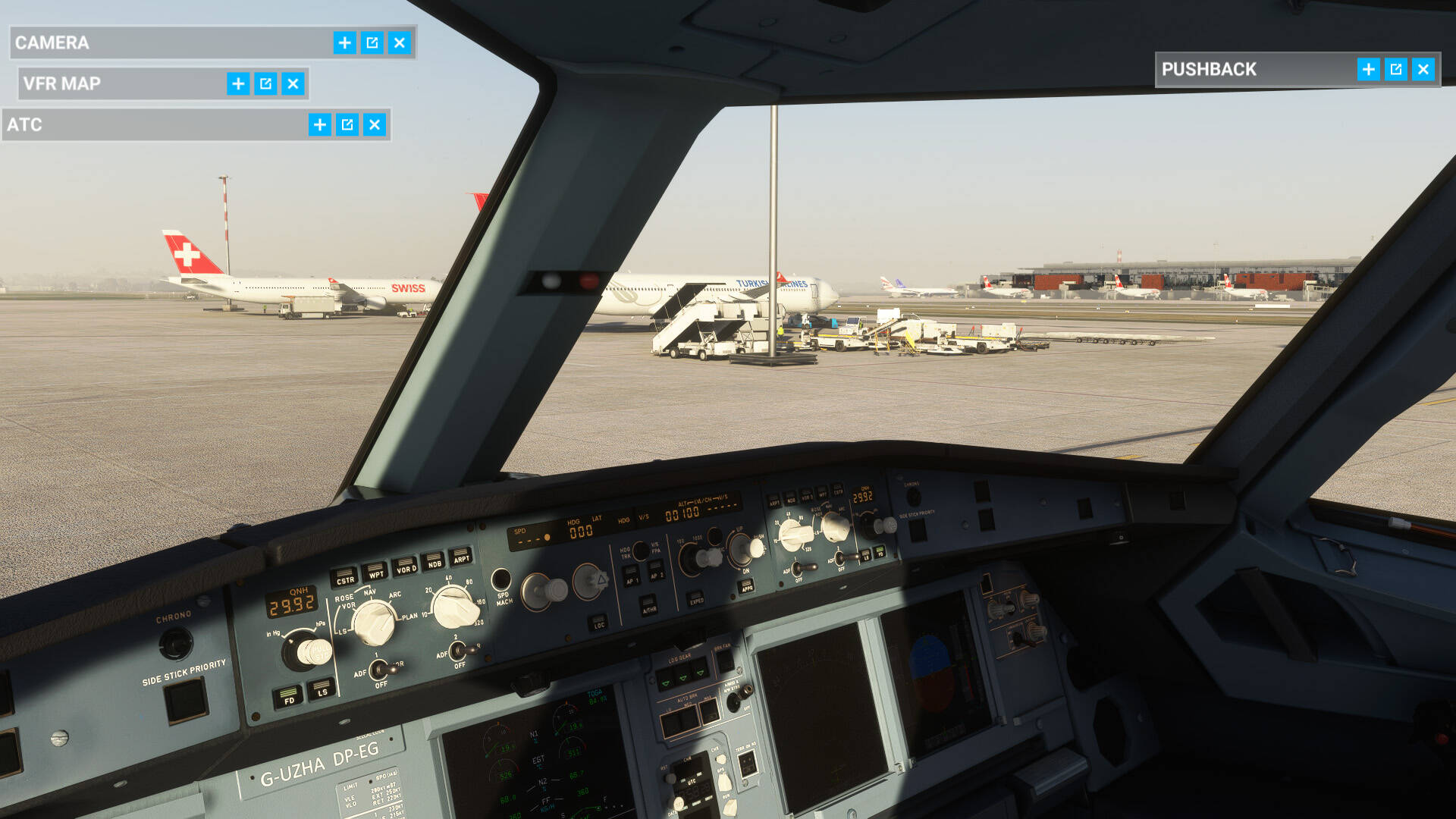
This morning at Vienna:
Ok so you can get pedantic about the generic plane models but the airport is full, those horrid generic liveries are gone and the general feeling of immersion and taxiiing amongst traffic is good.
I did notice that there was a Lufthansa liveried regional jet on the taxiway waiting for clearance (shown using the generic biz jet model…ok, so its supposed to be a CRJ I guess) so there is some more variation.
Frankly as Swiss, BA, TAP (didnt get a screengrab of that) , Turkish Airways etc all use big twinjets like A330/777’s, then this all looks good and adds to the experience. Just needs Asobo to fine tune the AI planes taxiing behaviour (which is supposed to be looked as but they have more pressing things to do right now with the Sim Updates/hotfixes) and this will really work well.
Cheers to TheFalconOne 
I’m just the project manager, don’t confuse me with people who actually work.
Quick Q to @TheFalconOne if that’s ok.
In readiness for tonight’s MSFS update, I always (like a good simmer) clean out my community folder.
As AST is using links to folders, is there any specific instructions I should follow, to make sure my community folder is empty prior to the update?
Or will simply moving the AST stuff, just like any other folder, work just the same?
TIA.
Works just the same.
You really don’t have to clean out your complete community folder. I have never done that and I am on MSFS from the beginning and I have never had a problem with an update.
He just have to make sure to refresh add-ons as needed after an update
The only things you need to consider removing before the Patch updates the base game is things that touch basic functionality. For example, Navigraph Navdata. Generally, everything else should be good to go.
Disclaimer;I ran latest 1.1.0.0 of Simple Traffic in the Public Beta since before the Holidays. No functionality problems whatsoever.
And, even if you want to play it extra safe by cleaning out your community folder, don’t clean it out, just rename it to whatever you like. I usually add a _hold to the end of it. You don’t even have to create the new, empty community folder. The first run of the sim will create it silently. When you are satisfied that all is well, just delete the currently empty community folder and rename your community_hold (or whatever you picked for a name) back to community. If you then DO have problems, you’ll have to go through the painstaking process of removing half the stuff from the community folder, check operation, repeat until you can narrow down what was causing the problem. I don’t think I’ve ever had a game-wrecking item in my community folder, however.
One thing about ST I don’t understand - most of the time I just see the horrible pointy nose jets but once in a while I come across a perfectly modeled A320 or CRJ at the gates. Why is this? If a fully detailed A320 can appear once in a while, why can’t it be made to appear all the time?
Those better models are not AI models.