I am wondering whats causing this. Especially since I didn’t have this problem during SU8.
The main culprit seems to be Mainthread and Manipulators. I first thought it could be RAM related, but then I realised that there is even less RAM in use after landing than before.
Something really seems to hammer the Mainthread upon landing.
I have flown about 50 hours in Fenix and FBW in the last 3 weeks. From 2h up to 7hours. Didn’t had a single frame drop. Last time i can recall a drop was back in december
Just completed CYYA to KLGA in the Aerosoft CRJ900. Started out super smooth, no stutters with FlyTampa CYYZ, overcast, rain and lots of thick clouds. Arriving to LGA with a few clouds and my FPS tanks. Becomes full of stutters and jerky performance. I shut down FS, restart at KLGA, same gate, same conditions and it’s super smooth and fluid. This happens on every flight. FPS and performance degradation. System specs: Ryzen9 5900x, RTX3080 10G, 32GB DDR4 3600. Always a disappointing ending to otherwise great flights. This has been an issue with the whole FS series, IMO. It happened in FS9 as well. Not sure about FSX as I was out of flight simming for years.
Here we go again… 5.5 hours into the rotation of EDDL-LGSM-EDDL, right over Serbia, the latency went through the roof and FPS dropped below the basement…
Note that this is on a fresh and clean install of MSFS, after just upgrading to Win 11. DO SOMETHING Asobo!
This is more and more becoming ridiculous!
I tested different settings, the simulation starts with 30 to 40 fps like before but constantly
dropping to 10 fps, it does not matter what settings you choose its always the same.
Maybe its helping someone, or Asobo. I have no idea if its the simulator, those problems occured afer SU9
I wish Asobo would get this sorted, or provide some advice on what could be causing it at a local level so affected users can do whatever is needed to resolve it. If Asobo want a test PC that suffers the issue they are free to use mine! :
More often than not, between 5-7 hours into a long haul flight FPS takes a dive and sometimes ends in CTD. Strangely doesn’t do it all the time but prob 3 out of 4 long haul will end prematurely in low single digit fps. Have the issue even after a fresh install, nothing in community folder, reducing graphics to low, turn off live traffic/weather, make sure on the local server etc. Lost track of when it started but I do remember a time when had no issues at all with long haul flights but then over time the fps issue has become more and more frequent.
The other day did Heathrow to Haneda in the default 787 with a 3rd party livery and was ok. Exactly the same flight/set-up again a couple of days later and after about 6 hours fps gradually went down to around 5fps before a CTD. When FPS does drop I can (eventually!) pause and go to the sim menu and all good there…can navigate and change settings no problem yet go back to the sim itself and it’s a slide show. Nothing maxed out in task manager and everything else seems to be running fine at the time e.g can open Youtube and videos will play fine, other apps open and run no problem. All the while the sim is at 5fps if that.
I am wondering if Asobo might not be putting much effort into this particular problem if 99% of users don’t do long haul so have no issue.
What concerns me the most is the fact that we are relatively close to seeing high fidelity, long haul aircraft… yet the sim is just not stable enough to support it. I’ve been trying to do flights with the BBJ that are 9+ hours. There is always a little performance drop (Nothing severe) but each time I get a CTD either in the form of flightsimulator.exe or an exception error.
OK here is a possible fix for some of you, not sure if its been mentioned before but i have just done a 4 hr flight from Leeds to Lanzarote and half way through my fps dropped from an average of 50 to just 8! I had the VFR map onscreen at the time and when i closed it completely my frames came straight back and were fine for the rest of the flight. So it seems, for me at least, that its the VFR map causing the issue.
Then it didnt work fine now did it. Which would make it more of a server/network issue then a real issue that you can do anything about. I have done everything I can to make the sim run consistent. I have correct tons of issues on my end. And guess what just when you think you have it figured out BAM!!! back to the old slow BS.
I and others think more and more its a server/cloud issue and nothing you can do a single thing about.
Been using MSFs since February 2021 on a fairly high performance machine. never had an issue until today. Flying FBW A320 HNL-ANC and last 500nm was the shuttering and popping. Flew around in the PMDG 737 including a 5hr flight and did not have this issue. Seems like it may be random, but hope it is a one off thing..
Clearly a big issue to resolve the closer I got tot he ground the worse it was and I turned everything off. photo, bing, traffic everything was off.


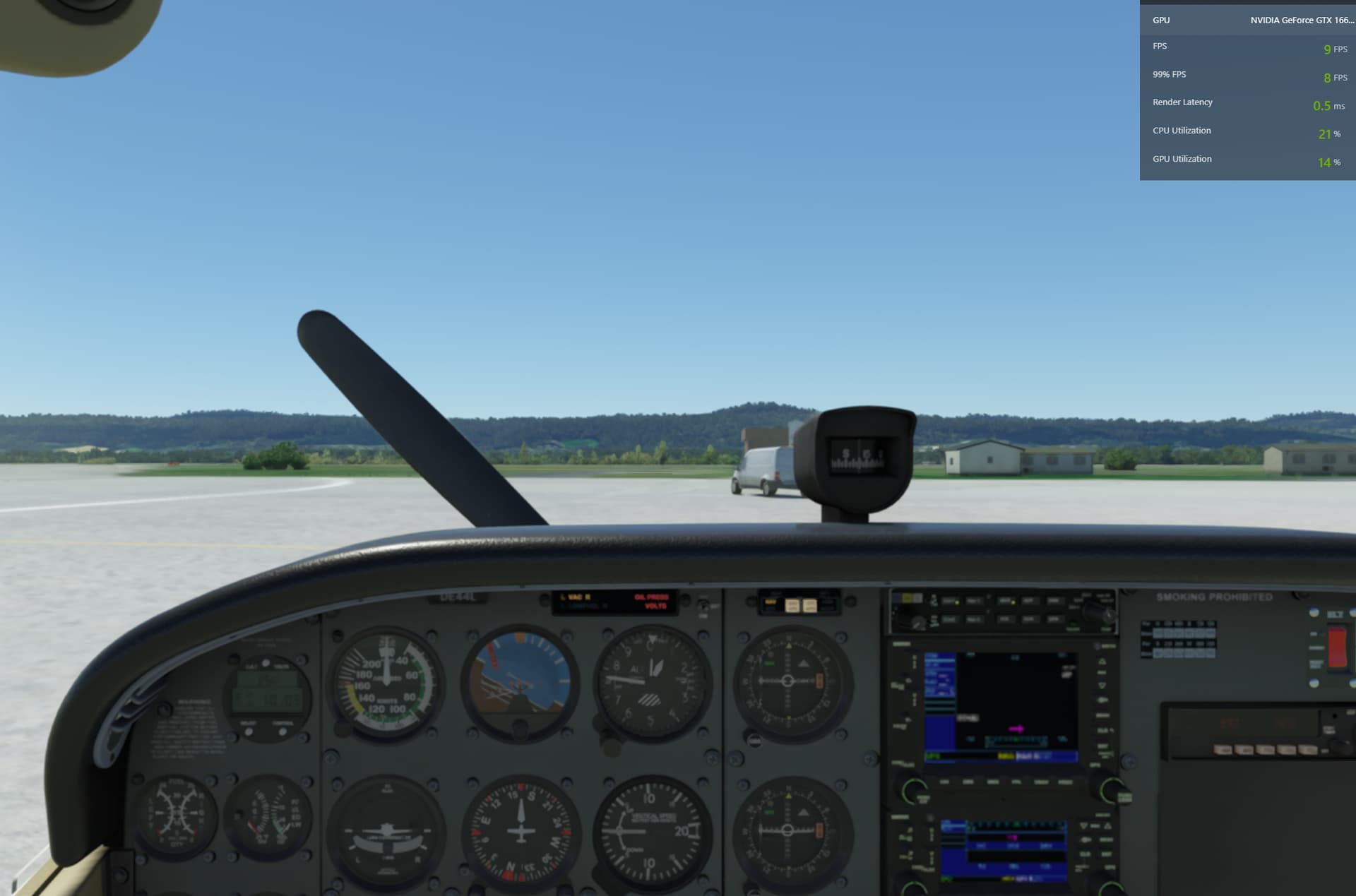
 :
: