Guys we have an easy work around, read above. Still needs fixing of course, but for the time being the workaround works around.
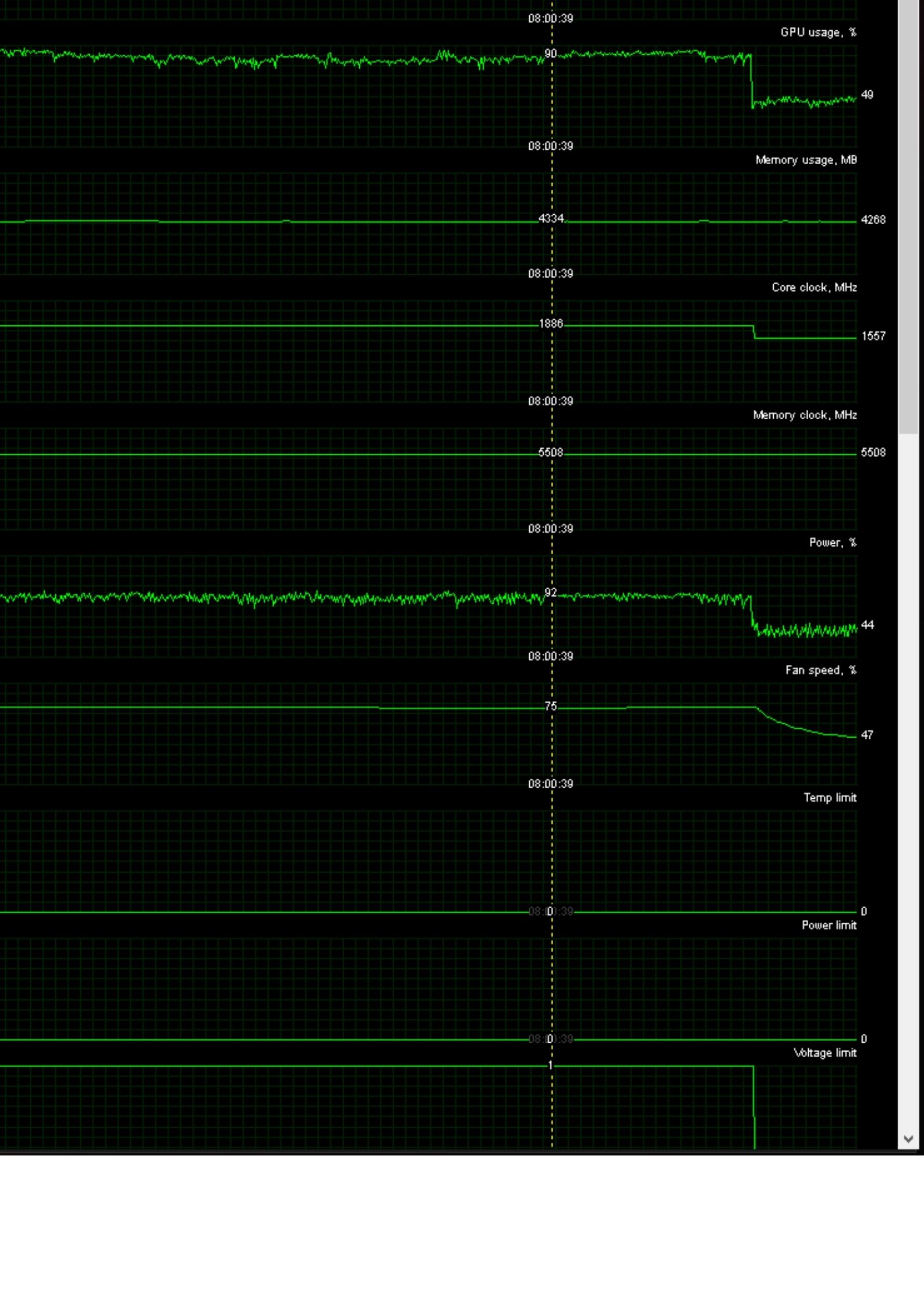
So this is what happens to me on long flights. It’s more instant drop rather than gradual decrease. It’s been happening since release. sometimes after 4 hours, sometimes after 1 hour. It’s really random.
With FBW is more gradual but it’s honestly unnoticeable.
3 Likes
Once touchdown GPU usage goes from 30% back up to 90%. This is ridiculous and unacceptable.
No matter if I try to save and reload, GPU usage will stay at around 30% until landed.
This is so annoying. Pretty much no fix works for me. The only thing that works is saving the flight then reloading it. But the last time I did that, I couldn’t use LNAV and I had to use Headings instead.. the plane seemed a bit more buggy than usual overall. Really annoying.
2 Likes
the “work around” (NOT a fix) worked for me, also.
but, it’s ANOTHER work around.
the list just gets longer and longer…
1 Like
Let’s vote this up! Last time I saw the bug snapshot I think the last one had 300-something votes. We are still a bit short unfortunately.
When I filed the bug through Zendesk they told me that it was logged in their tracking system, but I really don’t know how much of a high-priority issue this was for them…to me it doesn’t seem like one at the moment. 
"We have decided to share the Release Notes publicly. This is not final as beta testing is happening, but please see current notes below for the flight:
RELEASE NOTES 1.20.5.0
Stability
[…]
-More optimization work has been performed including performance issue with Real-time AirTraffic after a long period of time
[…]"
6 Likes
I hope Air Traffic is the sole cause of the performance issues on long haul flights…I guess we’ll see
I have noticed this is still happening with me even after turning AI traffic off. Does anyone have any other suggestions how to stop this?
I never use Ai traffic, and is the same. a lot of people is crashing In the runways and no body respects you are going to depart May Xbox Users, so for me always is off. So by now for long hauls my solution is xplane, for short and mid flights (less than 4 hrs) fs2020. Hope with sim update 6 get minimized or fixed. A beta is in progress hope this get fixed soon
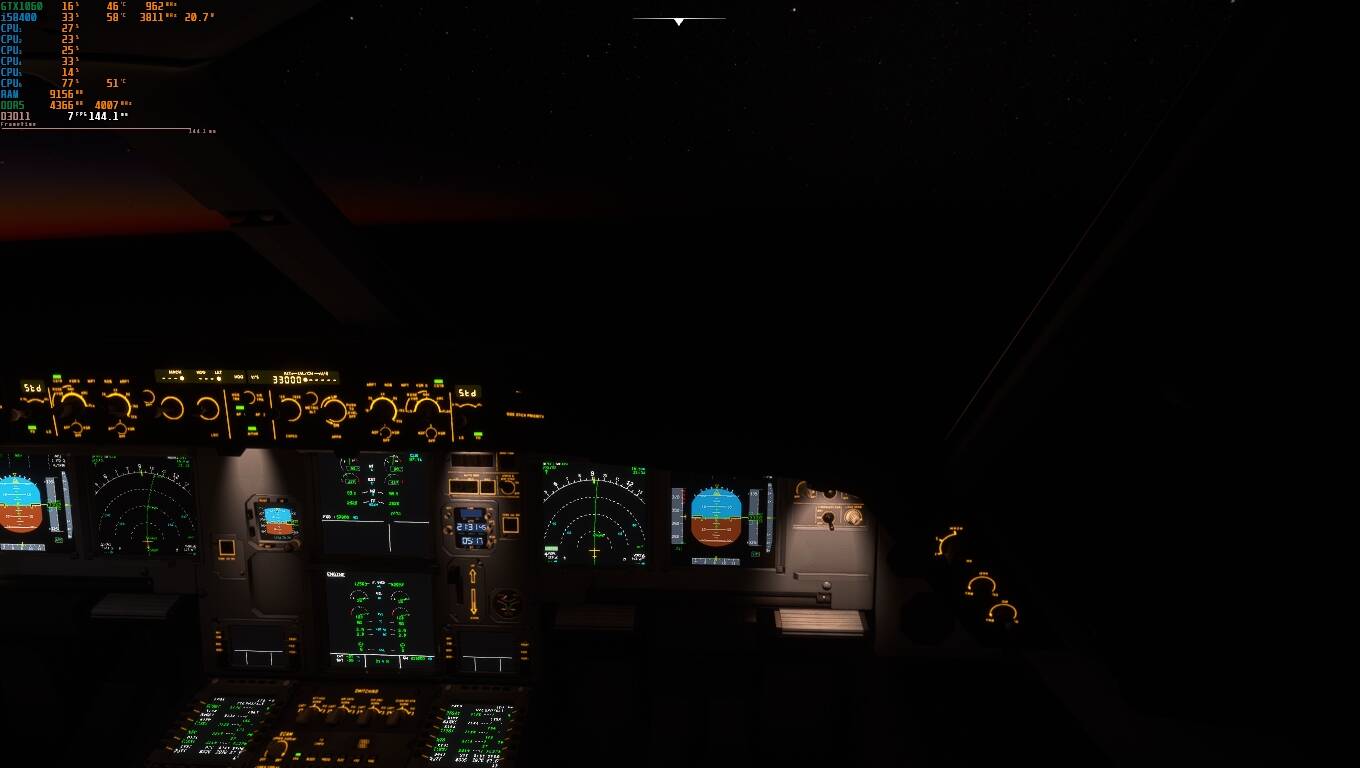
yesterday trying to make an 11 hour flight with a friend , we were unsuccessful and we switched to an airport closer to the coast . Flying over the oceans is being impossible for long flights. We had offline AI, real-time traffic and multiplayer turned off, only live weather turned on. In the community folder we had the a330-900 and navigraph data. At the beginning it went well but after 04 hrs of flight the fps started to drop and we had to cross the whole ocean with 05 to 10 fps. My friend’s video card reached 0% use (amd 6900 xt) and mine stayed in 10 to 15% of use (gtx 1060 6gb). When we landed by touching the wheels on the ground the fps returned 30 fps recorded for both and the use of the plates returned normal, we made a backtrack and tried to resume the flight to the final destination Tokyo - Japan. But without success when taking the wheels off the ground the fps dropped again to 05 to 15 and the use of the plates too. We played a game of getting on and off the plane to see this bug happening, touching the ground fsp would come back, take the wheels off the ground and fps would fall. We had a lot of laughs but I can’t hide the frustration of wanting to do a simulation of a real international flight and not being able to. Here’s a tip for those who want to make long flights, this is not the time because yes, it’s for small legs (we call this simulator on friends’ wheels Short Leg Simulator). We tried to do what the friend above recommended but without success. I circled the exact place where the fps started to fall and I see that the oceans that were supposed to have no fps problems are the most responsible for this fall.

2 Likes
Hoping that Sim Update #6 helps maintain performance with these longer flights.
2 Likes
I have having the exact same problem, when ever I land my fps comes back a bit but during cruise its 3-10
I am not sure if Asobo fixed it or if I have a solution but I have been flying 5 hours and no fps drop and what I did was be in external view I wasnt in cockpit (yes you can go back to cockpit but not for long)
Hey the ai pilot workaround doesn’t seem to work for me anymore. It worked the first couple of times. Does it matter what kind of destination I set?
I am having the same problem on long flights. It started with 41 fps and after 11 hours of flight it dropped to 8! Imagine landing with 8 fps in dark hours. I wish to have the solution to improve this soon.
1 Like
Hello, i’m experiencing this issue in Steam version of the game.
PC Specs:
GTX 1050TI, i5 7600k, 16GB RAM DDR4.
Game is installed on a HDD.
This is the scenario:
Planned a flight between RJTT and BIKF
Took-off with the plane, left it at cruising altitude and speed.
I went to bed.
Woke up 8 hours later and the performance was bad. 10FPS when running it, but when i pause and go to the menu, the FPS goes back up to 45 fps.
Then i decided to open the Task Manager to check my resources usage and here’s the results:
When the game is running:

When the game is paused in the menu:

For some reason, GPU usage is very low when the game is running, but once i pause it, its usage increases and the FPS goes up with it.
I have already reseted my rolling cache and disabled my live traffic/AI traffic. None of these fixed the issue.
Edit:
Seems like the game is limiting itself to 10FPS, it does’t goes higher than it, in fact, it stays at exacts “10.0” FPS for some reason.
LOL… what a usefull usage of energy…
According to the FPS counter, the decreased frame rate is due to the “Manipulators” processing time. No one seems to exactly what the “Manipulators” are doing, why it is taking too much time, or if it will be fixed. Unfortunately there is no end user documentation or help provided for the Developers tools.
There are workarounds but clearly the “Manipulators” are broken and need to be fixed ASAP.
The Developers FPS Counter has been broken for months. It will not show any FPS below 10.0. According to you screen caps, you are actually seeing 4.6 FPS. Since the Developers Tools are for developers and not end users, I doubt it will ever be fixed.
Just wanted to point out that I’m finding I only have to click “Set as destination” to make this trick work. I didn’t have to turn on the AI pilot. With that said, this is absolutely perfect for a work around and should help narrow down this bug. @Jummivana Can we please get this bug logged?
Thanks Viralwhite Good to know that the AI pilot is not necessary for the workaround. Let’s vote this up and hope it gets fixed soon! @Jummivana yes please get this bug logged! I believe this issue has been impacting long-haul flights well before SU 4 & 5.
2 Likes