That is not my experience. I quite often enjoy simply spawning into a major airport, with no intention of doing a flight, just to hang out and watch the airport activity, and unfortunately the MSFS madness that goes with it.
How much time it takes for you that airplanes land on the airport you spawn?
For me with live traffic they spawn immediately but with controller it takes like 15 mins or more for them to land. Quite annoying in my opinion.
Thats an issue of the internal AI System of MSFS
When I landed at Denver the other day there were lots of aircraft around, nice to see a lot of GA stuff too. But when I returned the following day for a departure, I was on my own! Yes Controller was active, perhaps I just didn’t wait long enough for stuff to spawn.
Generally speaking AIG runs very well, just think that there are way too many “air-misses” cluttering up ATC! But that’s probably down to the sim ATC.
Hello friends. I really love so much the AIG AI traffic but I dont have traffic in route when using the TC… I have post so many times my issue but I didnt recive any answer how to fix it  please, please, please, if someone know how to get the traffic IN ROUTE with the AIG TC woule be great if you share it with me
Thanks in andvance
Best bet is to watch Utube videos, couple of good ones make installation easy to follow. It’s not as simple as most other addons and very easy to miss an important step, then you get no traffic. You really do have to be very careful you don’t miss ANYTHING.
Installing AIG AIM and its asking whether i want to run in a slower collection mode. I have no clue what this means and it is kinda scary tbh.
Thank you for your advice 
Its designed for slower PC’s with less RAM. Generally speaking just select NO if you have a half decent PC.
We have fixed a bug that could have caused faulty flightplan installations between 11AUG and today. To repair your system, remove all flightplans you have installed during that time period and reinstall them. No software update is needed to get the fix.
Are we talking about the aigfp files under the traffic-files folder?
correct, or remove them via the interface of AIM
And how do I realize which FPs I have installed in this timespan? By checking the folders in Windows explorer?
Hi Kaiii3,
Are you able to fix the jamming of airplanes in one location on the 2nd visit (return flight) to an airport? The problem is even closing the AIG TC doesn’t remove them and the only way to fix is to restart the flight from MSFS main menu! Do you know what’s causing this? This started happening to me with SU10. Thanks.
must be a new bug in SU10… I had no time to run detailed tests in SU10 so far. As soon as AIG injects stuff, it is out of our control and handled fully by the Sim.
MSFS AI is such a joy. (AIG inserted the Delta and American, but MSFS is responsible for the rest)
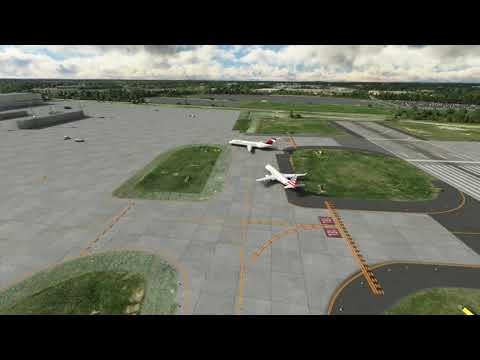
LOOL..
Hey C’mon. Dont be so nitpicking. At least both has the right liveries on it.

may have been asked but virgin atlantic has no models for me in aig manager, i tried to download a zip i found on avsim but not really sure how to add it as when i click install local zip all that happens is the file window closes and still no virgin atlantic aircraft any help would be appreciated
I checked my OCI folder and i have Virgin models and liveries like the A35K or 787. You can always try “verify setup” and see if it solves the problem.
already verified made no difference and ive just deleted and reinstalled virgin atlantic still says no model and cant find any in the oci.