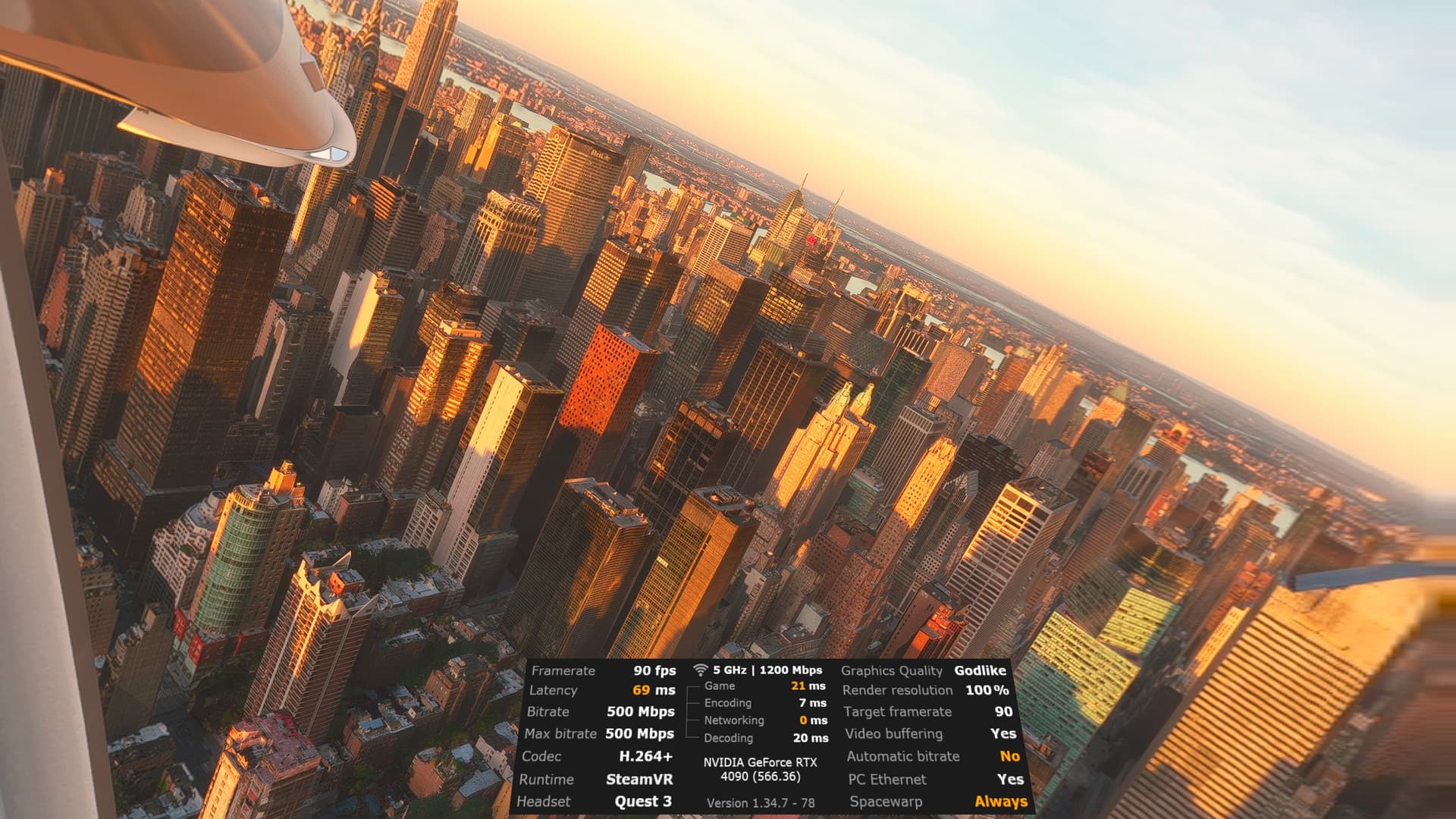
Have you tried your Quest Pro with virtual desktop at Godlike res? You can´t use meta link to make a fair comparison, it´s garbage
Yes, Virtual Desktop. The native link cable and software was unusable, lol.
The thing with quest and meta is I do not want anything to do with the “alleged” reptile that owns it.
If this happens again, please submit a ticket to our tech team.
Foveated rendering below MSFS default 0.5 on Pimax causes artifacts flickering everywhere, using DLAA helps a bit, but it would be nice if they address this.
Might be placebo, but you may try it:
I tried this, but it’s not exactly a jitter issue, but some flickering artifacts in edges.
Turning contact shadows off stops the flickering artifacts when using DFR for me. I also turn of Ramarched Reflections as DFR messes them up too.
I do have some issues with jitter in MS2024 with the Pimax Super. Kind of like a random tracking issue, most noticeable at the edge of the side windows. It will jiggle just a bit even when the headset is stationary on the desk. It’s not due to DFR, though as it happens when I have it turned off. Still investigating this, as it could be a nVidia driver issue or maybe just my 43" 4K monitor affecting tracking, as the screen is only semi non reflective.
If it’s tracking, I noticed a difference when I kept a few other lights on and a desk lamp. I have the faceplate that can do both camera and base station tracking. But using the base stations has always been problematic for me.
What video card do you have? I’m using 0.2 with TAA and super sampled to 1.25. On a 4090 I’m getting 50+ FPS in the air. I did see quite a few artifacts with DLAA on the same setting.
At 0.5 I need DLSS balanced which makes DLSS artifacts worse than the foveated rendering artifacts.
In the TBM I did catch a slight flicker on some straight lines on the lower panel. Otherwise, I just notice in the system menus. Would be nice if it had a different menu vs. flight mode.
I have a 5090, now I’m using TAA with most settings on ultra (locked at 45FPS), using 0.3 foveated rendering. Turning contact shadows off helped a bit with artifacts, but they are still present on the edges of some buttons, glass cockpit and buildings from airports, specially during daytime.
At 0.5, I also need DLSS balanced or quality, but have to lower some settings.
Turning contact shadows off improves a lot indeed, but with Ramarched Reflections there were no differences.
I also have this tracking issue. Turning off the monitor screen helps a lot, but not 100%. It must be something from Pimax tracking.
Try DLAA instead of TAA. For me it gets rid of some shimmering in the scenery and also gives finer detail to things like pylons.
So do I. Without the internal processing in the OG Crystal, the Super has to use the CPU via the USB connection. The inside out tracking of the Super therefore is not as good as the OG Crystal I find.
However, what I am also getting is a random jitter that moves the image every so slightly up or down etc, just a bit. You can see it on the side window frames especially or looking at screw heads on the lining of the C172 windscreen pillars. I try and hold my head still but it still happens. Placing the headset on my computer desk seems to mostly get rid of it, but the slightest jar or even a finger tap on the desk will cause a jittter. Not sure if it’s bad tracking or a hardware issue with something like the accelerometers in the headset.
It could just be a slight headshake that I have, but it feels as if the headset is over sensitive. I tried using the prediction damping setting in the Toolkit to reduce it but is seemed to have no effect.
Could you describe what you are getting? Is it similar to what I have described?
Hmm, that is concerning  . Any jumping around is quite jarring and unnatural.
Tagging @CalvinPimax
What’s odd is going TAA with a slight super sample got rid of that for me. Specifically, when it came to taxiway lines,
OK, I think I’ve fixed the slight judder problem in the Super. I meant to do this earlier, but being ancient I forgot. I disabled HAGS and then in Task Manager, set piserver.exe priority to high. Then I adjusted FlightSimulator2024 affinity to disable core 0.
That way the Super’s headtracking via the CPU has better access to the CPU.
Tried it out just now and the jitter is pretty much gone and the overall headtracking is also smoother.
There may well be a better affinity set up than this, but for now it works OK.
Had another look at whats happening in my PC. All cores on my i9 9900k running at 50%. My 4080 is running at 85% and achieving 42fps both on screen and reverb.
Diagnostics says mainthread limited, so it appears my CPU is not fast enough pushing data around internally and getting it out to the 4080, despite only being loaded to 50%.
So first order of business is a Ryzen 7 9800x3D. Decided I did not need the extra cores and expense of the 9550 just for MSFS2024. MSI X870 mainboard and 64gig of corsair vengeance 6000hz RAM.
No point spending big on a 5090 when my CPU cannot feed it.
See how the 4080 copes at full chat with the ryzen and save my pennies for the next gen GPU.
I’m also getting a white rectangle in the center of screen using the foveated rendering below 0.5 in Pimax. It appears specially during bright scenes (like flying through clouds) or at night using landing lights (in TBM, per example). Anyone else with this issue too?
I’ll keep a lookout for that. I’ve seen people mention clouds before. Everything cloud wise for me has been the past few days has been dark grey.
I’ll try out the TBM also, but I get so sad over the overhead panel. That overly bright atmospheric glow shouldn’t be there anyway unless it was foggy. Hope that gets addressed soon. Sometimes I just don’t use the lights so I can see, lol.
So far, I haven’t seen anything as bad straight up DLSS.
That should be a nice setup. I’m on a 7950X3D, I had about the best system possible for a month or two.  But too soon for another upgrade.