Yup you’re right as I’m playing at lower resolutions. I’m still testing right now but it’s really starting to look good and if I may say, not at all degraded for me at all.
I tried it with ramcahce set at 45gb, but can’t say I saw things being any different with it on or off.
Will have to try it again, but I’m sure using ramcache actually reduced my in sim ram usage. At eghi orbx I was seeing around 5.6gb ram usage with ramcache enabled the in sim ram usage dropped to 2-3 gb.
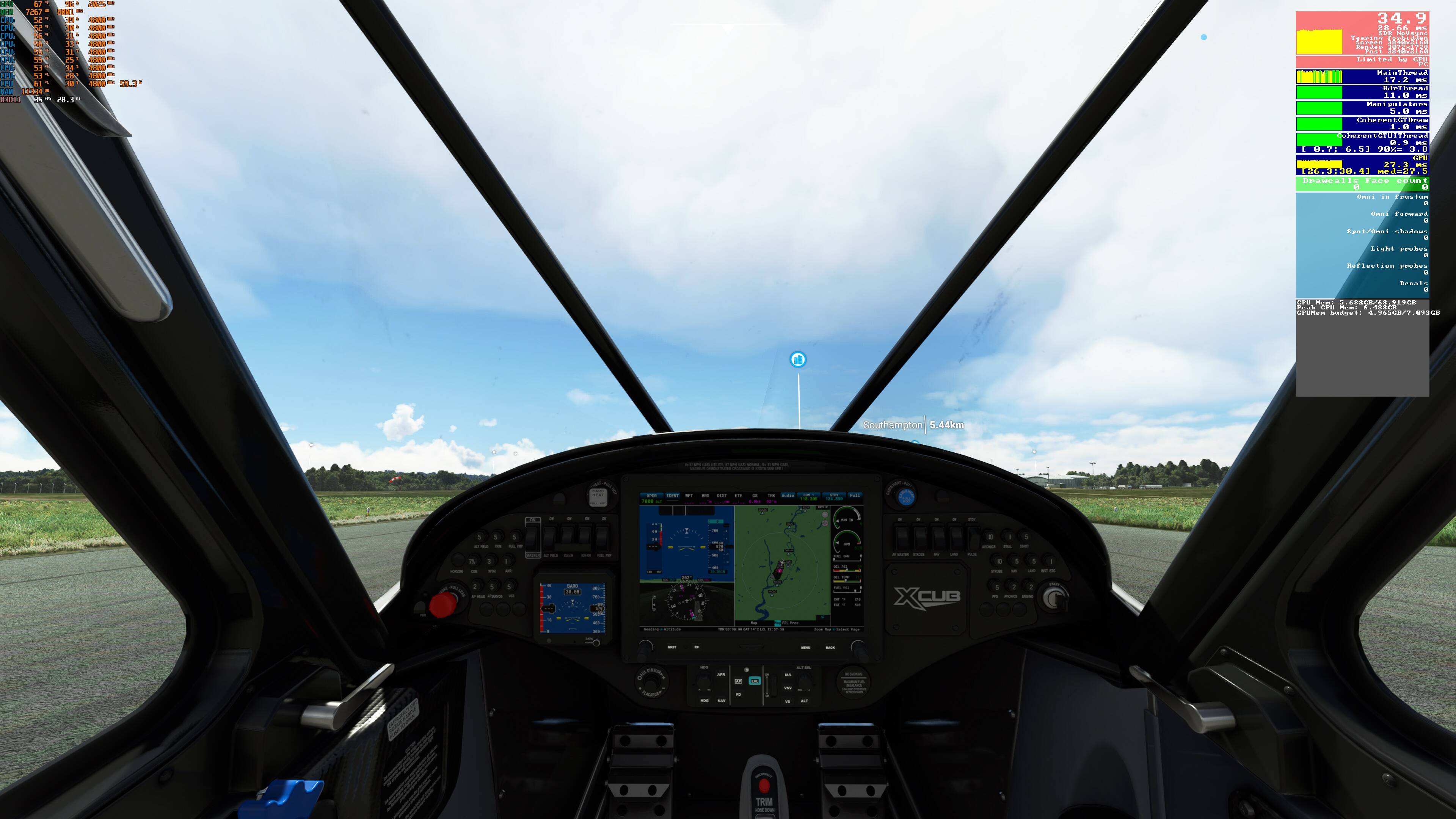
ACtually looking at thses screenshots there does seem to be more difference between ramcache on and off.
I will have to retest with clear skies so it’s the same both times.
Ramcache off
Ramcache on
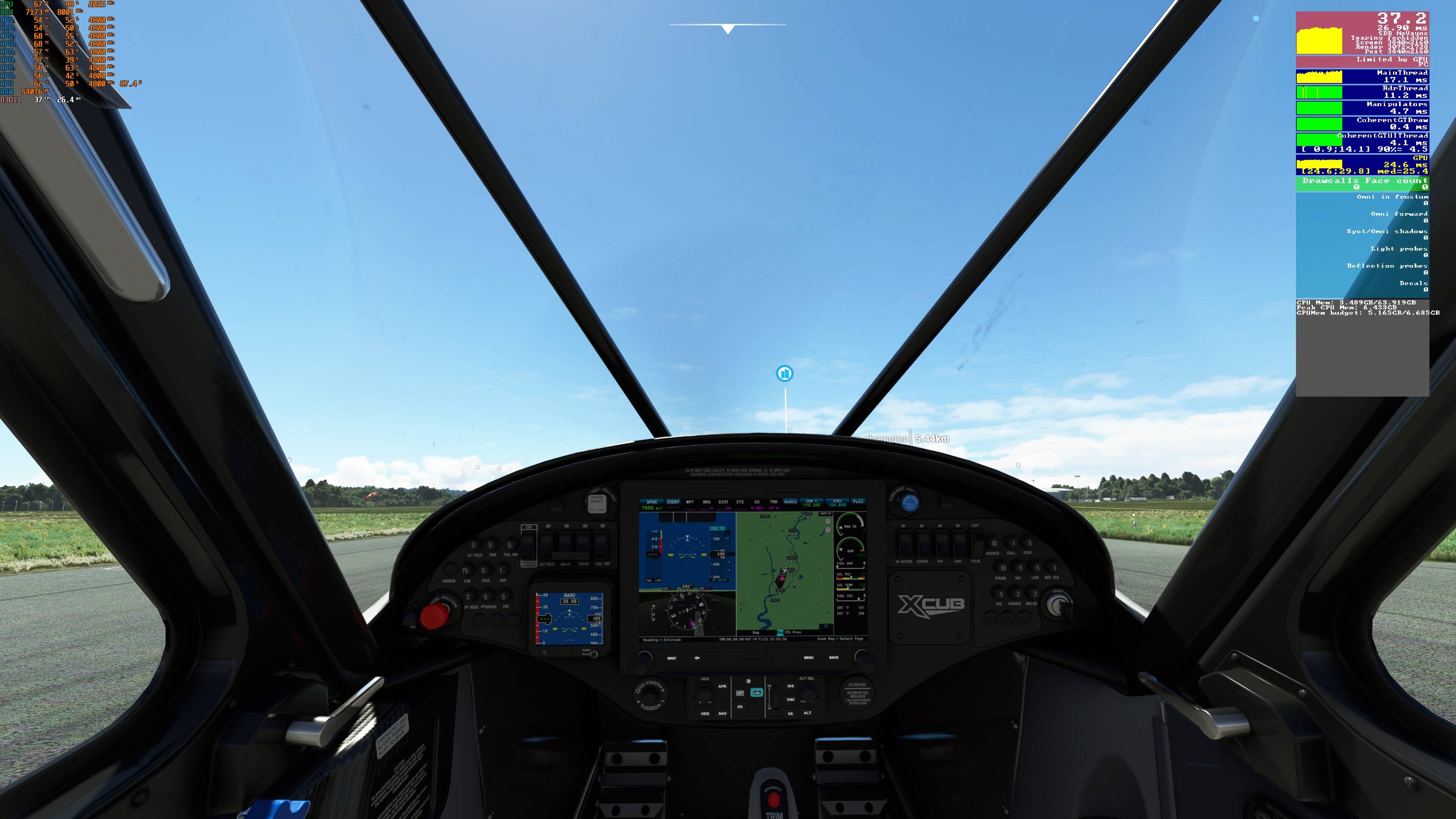
So not only did I gain 2fps you can see gpu and cpu usage increased aswell as the cpu power consumption. I will do a comparison tomorrow with weather set exactly the same as this could be the reason. possibly the cpu usage increase is because of the ramcache software running will check that out more.
Just wait for WU6. They will give PC users the option to cache more data in memory so you don’t get bad fps drops or stuttering when panning the camera

New patch looks good. Lighting back to where it was before the patch.
Still with popping of trees, morphing of mountains but not too bad with LOD=3.0. Stuttering with head movement really only when I am on the ground. Looking forward to the cache slider!
Good morning. I am not a developer or a computer programmer, but I do see that my RAM usage is substantially reduced since SU5, and there is (undeniably) loading of textures when I pan my head (using TrackIr). This causes a drop in FPS that is limited by Main Thread. Throughout the rest of the flight, my FPS is limited by GPU. My CPU is Ryzen 5600 X and my GPU is RTX 2070. Running everything Ultra at 1440 with LOD=3.0.
The developers have identified this is an issue and will try to fix with a cache slider in WU6. You seem to be arguing quite forcefully that this is not due to some imposed RAM limitation. If not, what exactly do you think the issue is and what do you think the slider will do?
PLEASE do not think I am trying to be argumentative. I honestly have very little knowledge about software development and I’m just trying to see what you think is going on since you seem to be more knowledgeable.
Thanks
At least in the case of VRAM, putting a hard cap on VRAM use is an absolutely necessary feature going forward if DX12 is ever to come to MSFS.
In DX11, if textures and graphics exceed the capacity of the VRAM on the GPU, they will be automatically offloaded to main system RAM. This will usually cause a noticeable drop in performance, but at least the simulation will keep running.
This is not the case in DX12, which puts full responsibility of managing GPU VRAM on the developer of the software. In DX12, if required VRAM exceeds actual installed VRAM by even one byte, the program will promptly crash.
This was a major issue in P3D when version 5 debuted running under DX12. Users found that if they loaded a complex aircraft in a complex scenery area, that required more VRAM than the GPU could provide, the simulation would pop up a “not enough VRAM” message and close. This led to great wailing and gnashing of teeth by customers on the support forums.
I would assume that Asobo is proactively adding VRAM limitations in anticipation of DX12 coming to MSFS.
Good day to you. Thanks for the reply.
I am also not trying to be argumentative. I’m just trying to get an understanding of what is going on since SOBO does not want to share any info with us.
Right now it looks like , to me, Asobo has made a great leap in reducing the amount of RAM that it needs for FS2020.
I can see that my FS2020 after SU5 runs with about half as much which is
astonishing.
With my LODs (Object and Terrain each set to 9.0, the graphics are mind blowing (for me and my GTX 1660 TI, i8-9900K system.
So, I don’t know if the RAM usage is now limited because of or for XBOX.
I don’t care.
I just don’t see the argument that RAM usage has been limited to 6.8 GB period and also GPU VRAM limited.
My PC is already self limited due to my 6 GB of VRAM.
The only thing that I have heard that makes any logical sense to me is
a reply from:
That really gave me a feeling of relief. It really does to me seem to be a logical
reason why my FS2020 ,after SU5, is giving me such gorgeous graphics and smooth flying.
You can see my Graphics Options and I have on WT CJ4 and Navigraph in my Community Folder.
It’s currently SU5/HF1 swapping out for low VRAM when tested with a 4gb card.
Yes, my 11GB GTX1080Ti is only using 4.5 GB of the available 11 in SU5. I assume much of this comes from the object culling.
That said, strict VRAM management is going to be absolutely essential when DX12 arrives, and Asobo may already be laying the groundwork for that in SU5.
So would that allow for those with or wanting to invest in 32GB+ RAM will see an improvement in scene popping? So in other words, more RAM will be better?
This will reduce stutters because the scenery that comes into sight when panning is already in memory and doesn’t have to be loaded.
And yes, the more RAM the better.
Strange logic.
The cars you are comparing are only equally nice and performant because they put the shackles on the better. Which in turn does not objectively improve the worse car.
If both cars were allowed to drive as fast as they could, the difference would be anything but close.
So guys, I think this may be the reason for low memory usage. I believe this is implemented to reduce the stress on the CPU and to improve the CPU performance. Since CPU plays the key part in loading/unloading items into both RAM and VRAM. Therefore if you load larger items into the memory, then CPU has to work very hard to unload the items from the RAM and then loads into your VRAM(Graphic memory) for rendering. Sometimes if the CPU was unable to perform the task within milliseconds, then further calls needs to wait causing the CPU latency.
So best solution will be providing the slider for us to configure how much items that can be cached into the RAM. Therefore those who have medium level CPU’s can benefit as well as the high end CPU users. Which I believe they are going to include it in WU6.
Another solution is to start planning for implementing Direct Storage technology along with DX12. It is currently in beta and expected to be released along with windows 11 and windows 10 via updates. You can find more information about it here.
Meanwhile right now i have created the rolling cache on the remaining RAM. So the scenery popping is a lot faster so it is almost not visible.
Thank you kaha300d!
Sure. Direct Storage?
New Disk Storage drive.
New MB.
New CPU.
New GPU.
Hope those that can afford enjoy it.
I can’t…
When MSFS-CPU is finished with a file in memory, If the file hasn’t been changed, Windows marks that memory available for use. Nothing is done with the file itself. If the file has been changed, Windows writes it to disk before freeing the memory. So there isn’t any “stress” unloading files. When MSFS opens a file, Windows allocates the memory needed. The Rolling Cache is different it is more like a database file. MSFS only reads and writes specific “records”. It doesn’t pull the entire file into memory to read it, especially if the Rolling Cache Is 32 Gb.
Having a “slider” to limit the amount of items into RAM is problematic. If set too low and needed items aren’t in cache, FPS will drop while files are being moved around. If set too high and the cache fills up, Windows starts moving files and memory to virtual storage/paging file. This too would decrease FPS whenever a file that is needed is in virtual storage.
We already have “tools/sliders” to manage the amount and size of files stored in memory. There are five graphics GLOBAL RENDERING QUALITY settings: Low-End, Medium, High-End, Ultra, and Default. Ultra needs the most RAM and processing power. Low needs the least amount of RAM and processing power. There are other settings that impact processing power like weather, traffic, multiplayer. The size and location of the Rolling Cache is also important.
Limiting the optimal number and size of graphic files can easily be accomplished today by correctly using the right GLOBAL RENDERING QUALITY that matches hardware performance. Adding a “slider” would only cause more confusion about performance optimization.
Unfortunately that is what happening with the scenery culling introduced in the SU4. The sim is constantly loading and unloading the items into the RAM when the camera is panned around, causing the scenery objects to be popped out.
Yes, it is up to the users to balance the performance quality. But yes setting it too high or low will cause more problems and soon people will start crying if they configure them wrong.
Yes but, today even with ultra the sim is consuming very less memory. They have to either add the slider or fix the sim to use the ram based on the settings ( Low/Med/High/Ultra).
The ‘slider’ will probably just have 4 or 5 steps depicting a percentage, I doubt it’s something users can really mess up. Too much culling push it up one, too big a hit on performance then down one. Of course there will still complainers with overspecced machines harking back to the alpha … something I’ve learned to ignore and Asobo probably should do too.
Microsoft ideal specs = i7-9800x, RTX2080, 8GB vram, 32GB ram, 150GB SSD, 50Mbps internet.
Dont read to much into the cars geeze but what your saying you’d buy the car that gets 20 mpg even though the other car that gets 30 mpg performs identical, and for sake of ‘suppose’ both cars look identical <-Better? Lol