The story in the ATR thread became quite long and will probably disappear quickly in the pile of posts. So therefore a separate thread explaining how VNAV works on the ATR.
To be clear, this is how VNAV is supposed to work (i.e. how it works on the real aircraft).
Basics:
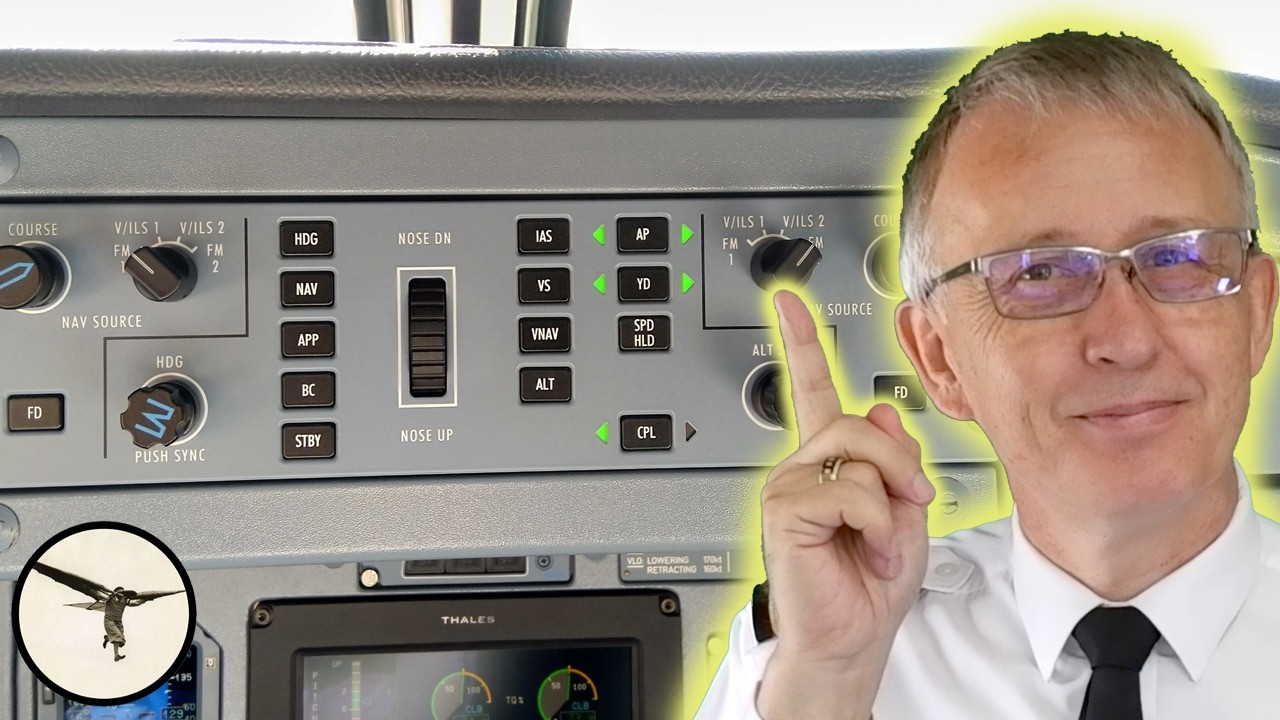
- LNAV needs to be the active lateral mode for VNAV to work.
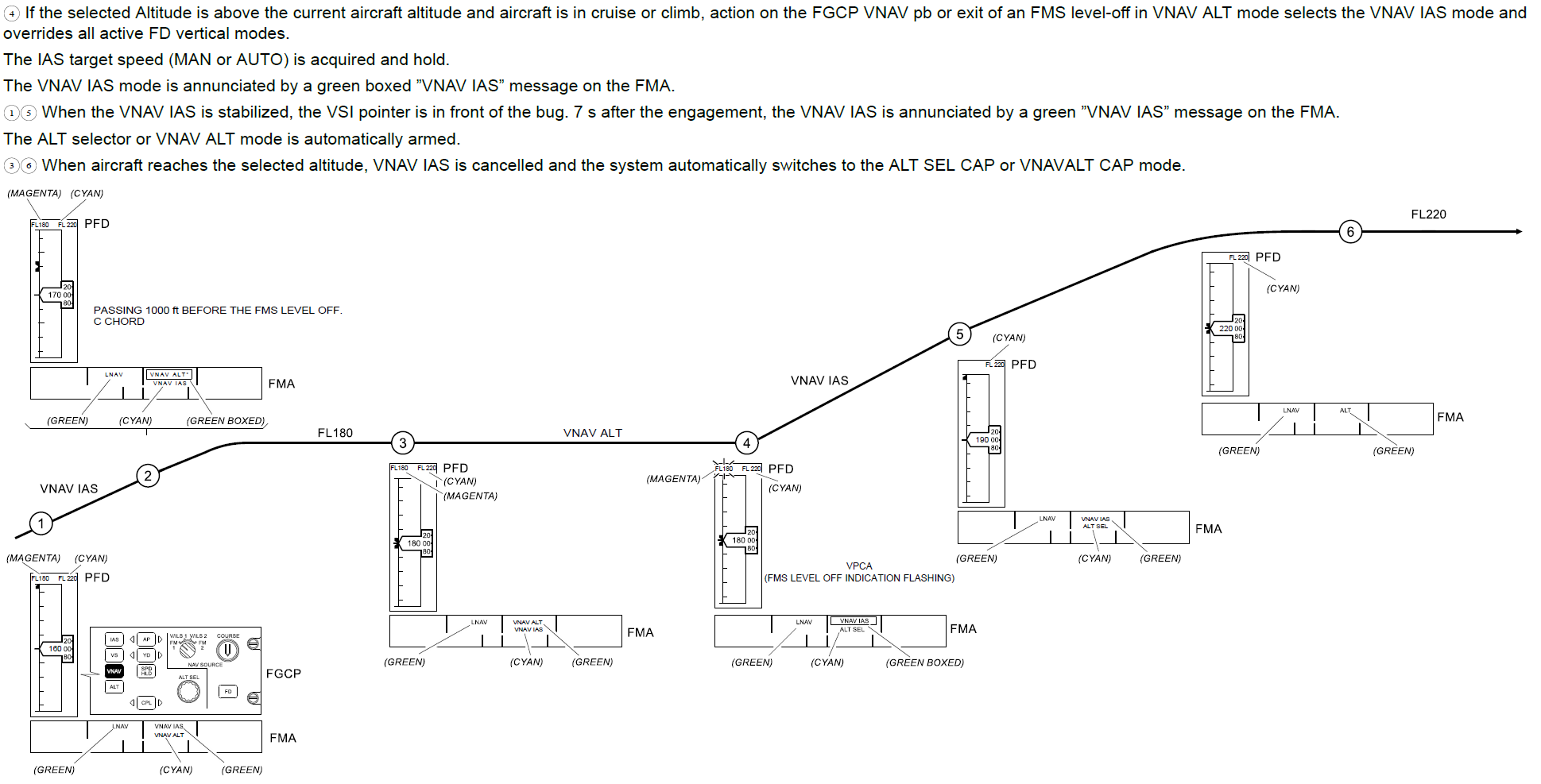
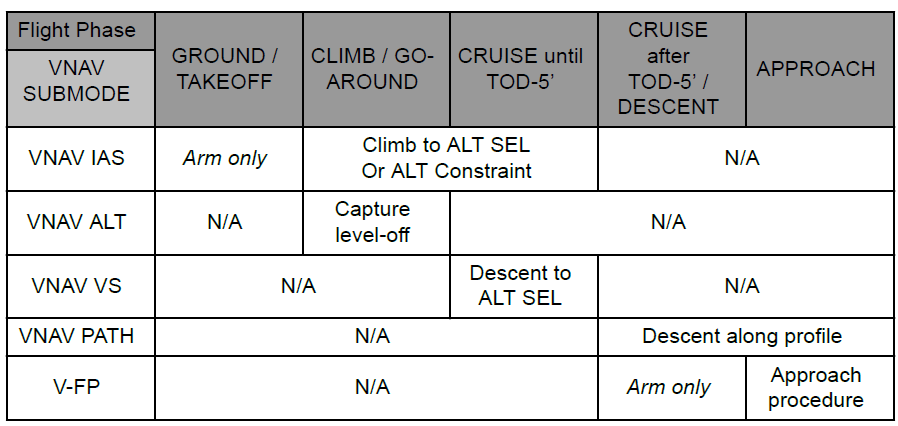
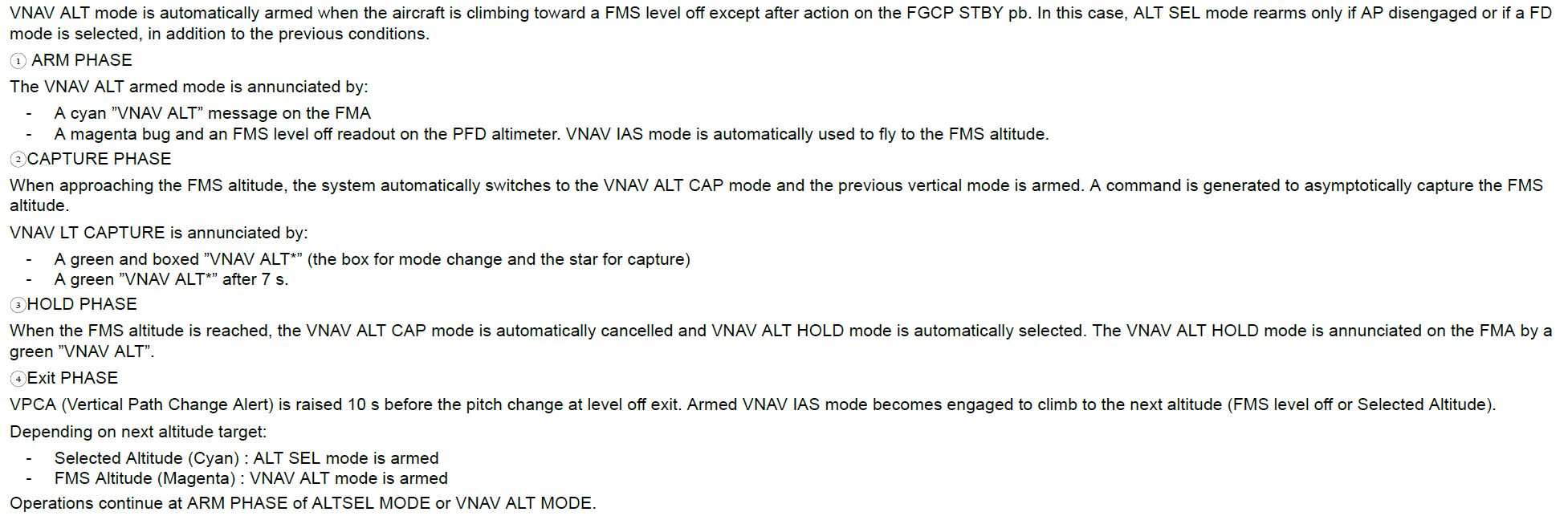
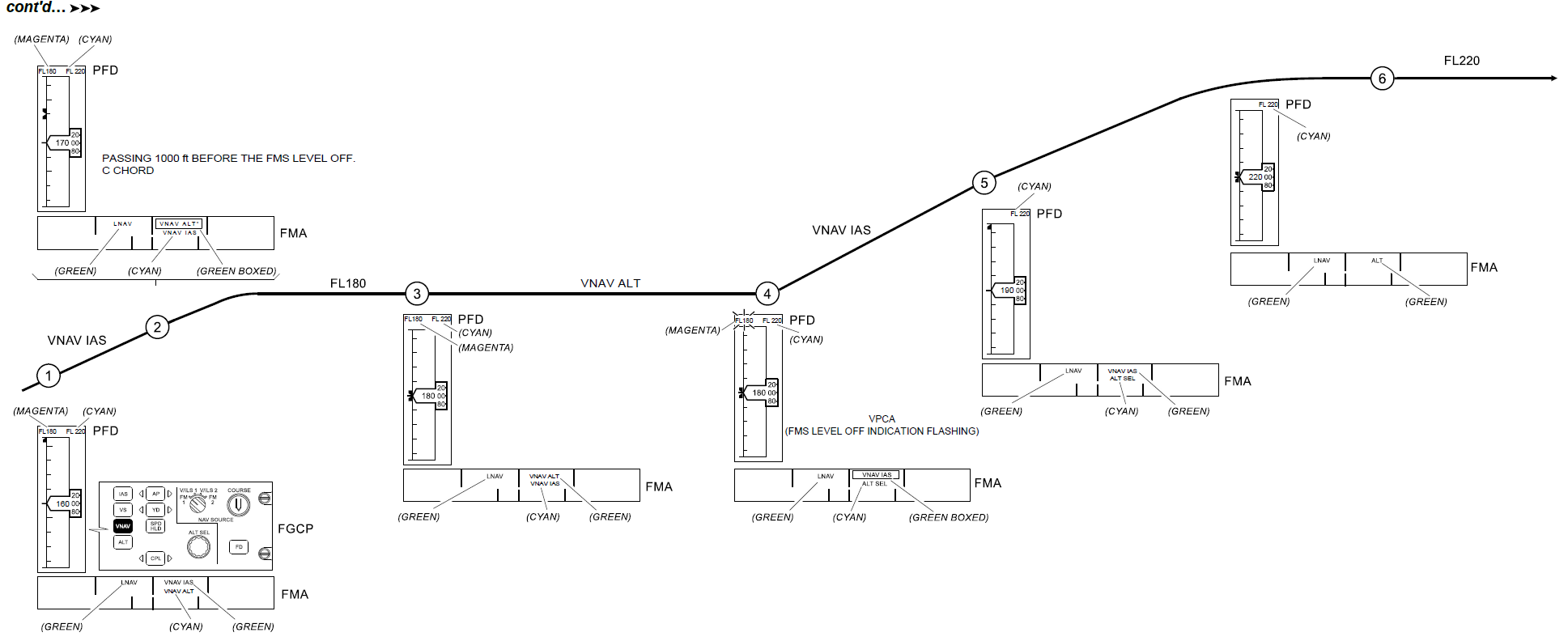
- If aircraft is below ALT SEL, when pressing VNAV, the VNAV IAS mode engages. Aircraft levels-off (VNAV ALT) to meet altitude constraints, then continues the climb when the constraint is met, until the next one etc. when reaching the ALT SEL, VNAV is cancelled.
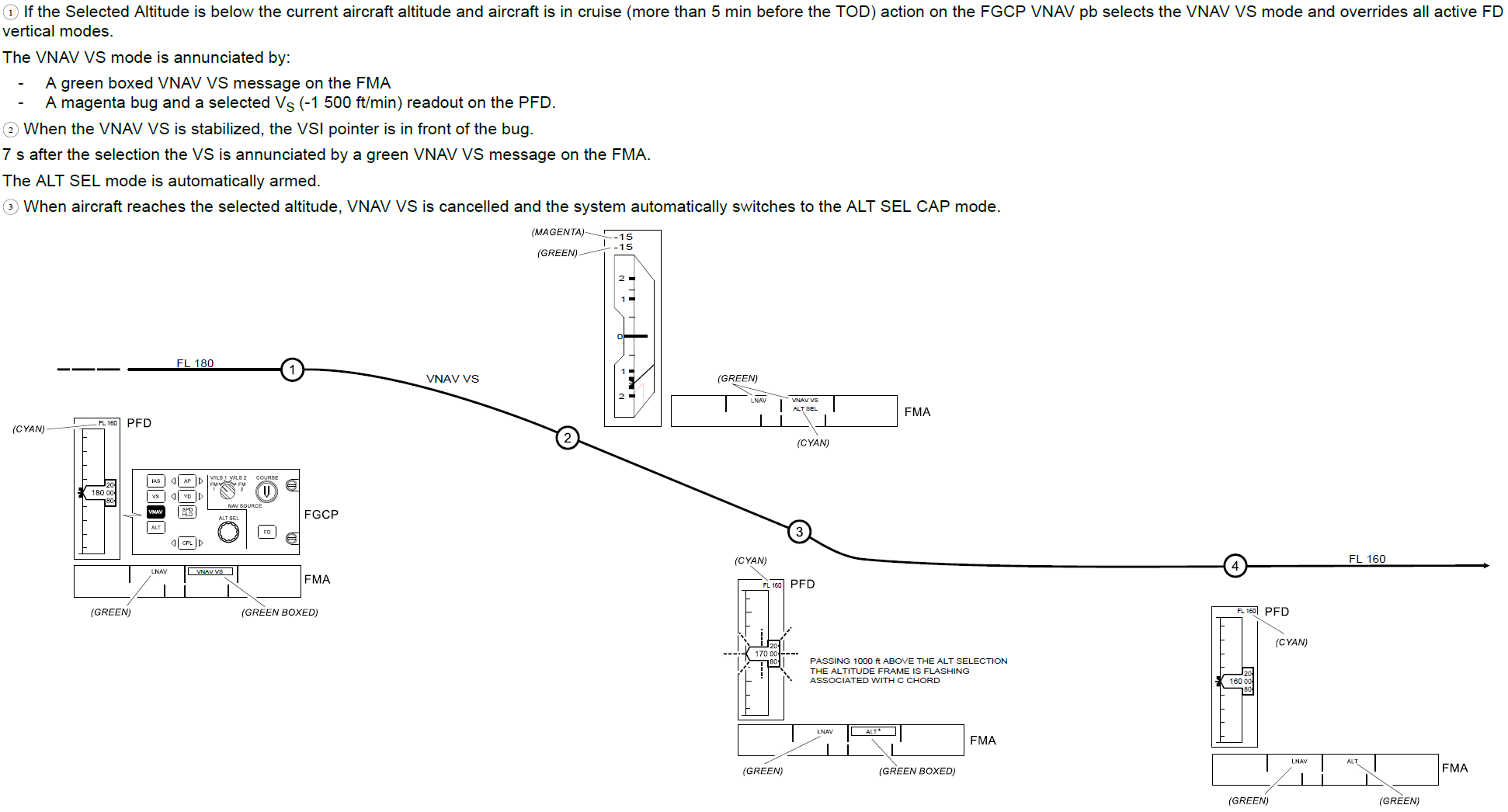
- When ALT SEL is lowered with TOD more than 5 minutes away, upon selecting VNAV, the VNAV VS mode activates and the aircraft descends with 1500 ft/min.
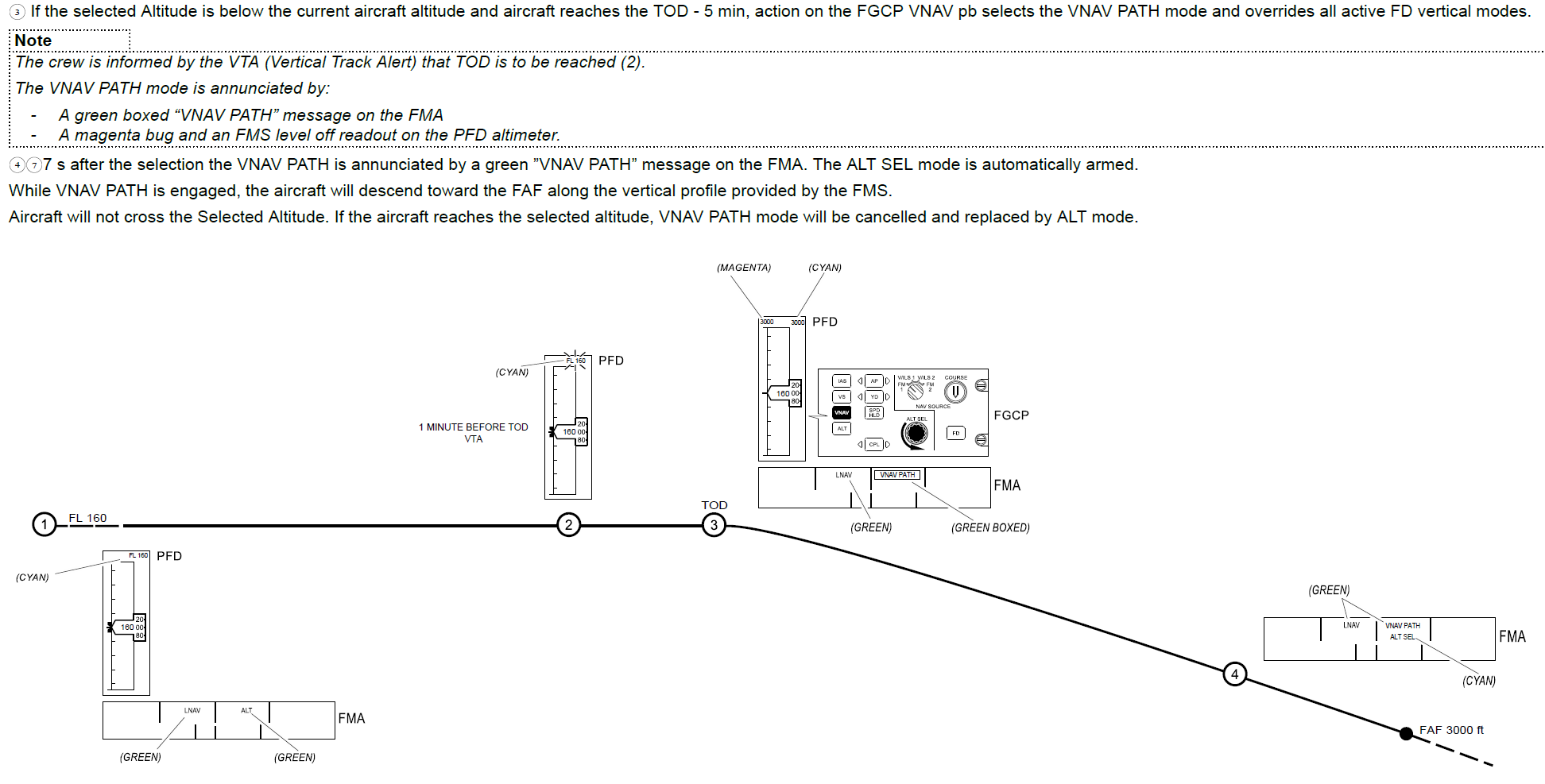
- When ALT SEL is lowered with TOD within 5 minutes, upon selecting VNAV, the VNAV PATH mode engages, essentially executes a “vertical-direct” to the next waypoint with an altitude constraint and start descent.
- When selecting VNAV after the TOD, the FMS will start a 5.5 degree descent (which is more or less an idle descent) until intercepting the nominal descent path.
FMS cruise altitude logic:
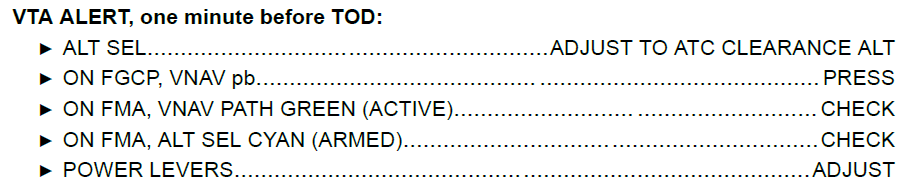
The FMS guide provides the following procedure to initiate descent (wait with selecting a lower altitude until within 1 minute from the TOD):
Selecting a lower altitude when more than 5 minutes prior TOD, will result in the following:
- The ATR has a weird logic where selecting a lower altitude when more than 5 minutes away from TOD, will set ALT SEL as the new FMS cruising altitude and shows the difference between current and selected altitude as vertical deviation (above path).
- The FMS cruising altitude on VNAV page 1 and CRUISE performance page is blue on the ground but changes to green during flight, meaning it can not be modified manually.
- When selecting a lower altitude more than 5 minutes prior TOD and then selecting VNAV, it will start a 1500 ft/min descent in VNAV VS mode to the selected altitude.
Considering the ALT SEL is the new FMS cruising altitude, TOD is where further descent is required from this new cruising altitude. 5 minutes prior to this point VDEV will appear, when selecting VNAV it will “vertical-direct” to the next waypoint with a altitude constraint and start descent in VNAV PATH.
Example:
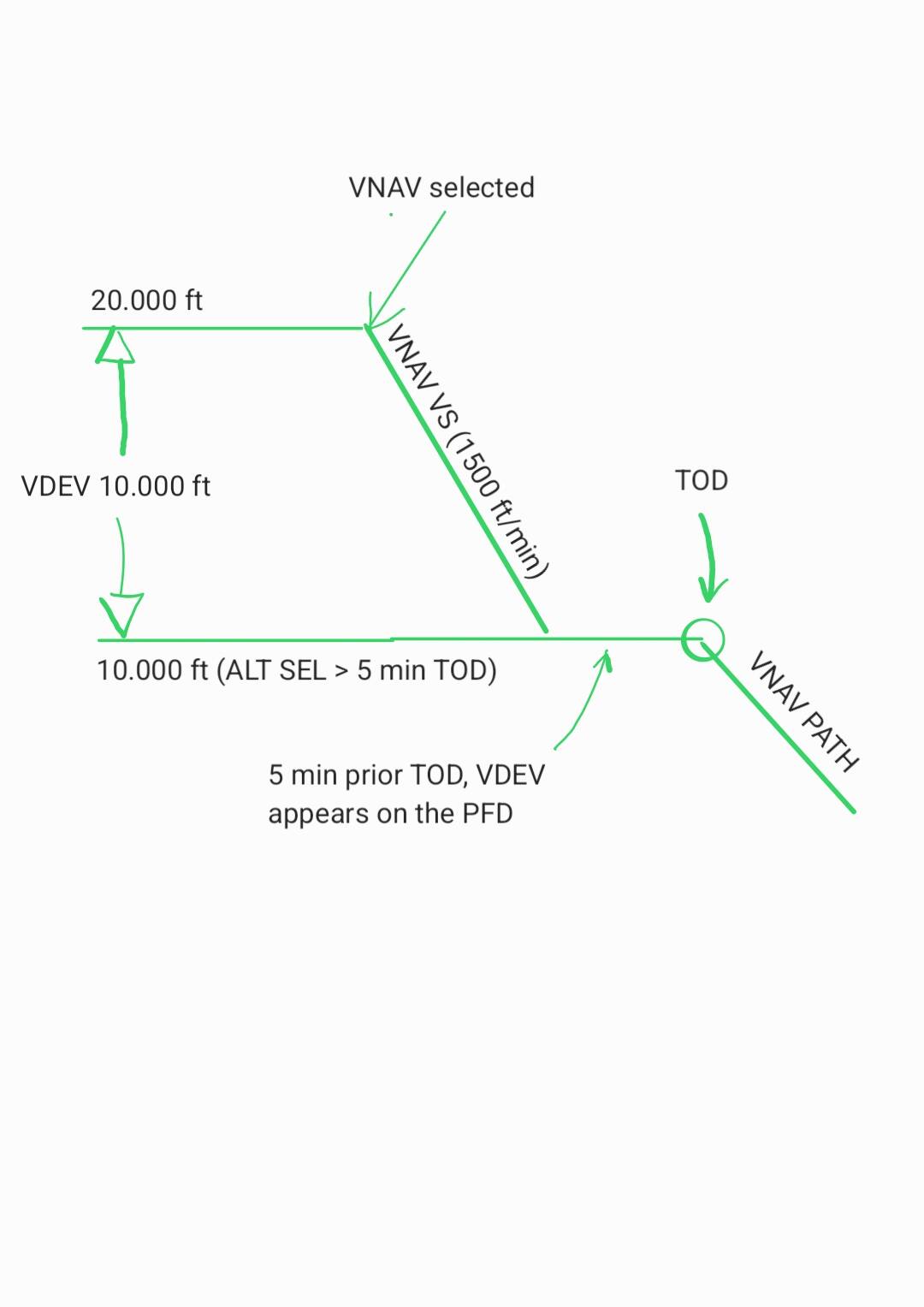
- While flying at 20.000 ft, ATC clears for descent to 10.000 ft “when ready” (own discretion). 10.000 ft is selected on the FGCP while more than 5 min prior TOD.
- 10.000 ft is set as the new cruising altitude by the FMS, the vertical deviation (VDEV) therefore shows 10.000 ft above path.
- Upon selecting VNAV, the aircraft will start a VNAV VS descent at 1500 ft/min.
- The aircraft will level-off at 10.000 ft and VNAV is canceled.
- Within 5 minutes from TOD, the VDEV appears on the PFD, upon reselecting VNAV, the aircraft will “vertical-direct” to the next waypoint with altitude constraint in VNAV PATH.
So basically, VNAV PATH will be unavailable until the new FMS cruising altitude is reached. Theoretically, if ATC keeps providing early descent clearances, so that you never get within 5 minutes before the natural TOD, the FMS never goes into the descent mode and you’ll never get the VDEV on the PFD and no VNAV PATH without trickery.
Workarounds:
- Wait with selecting a lower altitude until within 5 minutes prior TOD (VDEV appearing).
- Move the TOD towards you, within 5 minutes, by adjusting the vertical path angle (until VDEV displayed). As soon as the TOD has been within 5 minutes, the FMS will latch into the descent mode and the vertical path angle can be moved back to the original value. When now selecting a lower altitude, it will no longer modify the FMS cruising altitude. (When you go too far and accidentally place the TOD behind you, the path angle doesn’t change back, so make small incremental steps
 ).
). - Scroll the ALT SEL momentarily all the way up to maximum, the FMS will set this as the new cruising altitude, since the TOD for that altitude is likely close to you or even behind you (unless still a long way to go), the FMS locks into the descent mode, VDEV appears showing that you are well below path. You can now set a lower ALT SEL, at TOD the VDEV will become alive from the top of the scale.
- Accept the fact that the VDEV indicator and VNAV PATH will be unavailable until reaching the new FMS cruising altitude. Perform the descent using conventional means with VNAV off or select VNAV and descent in VNAV VS.
- Perhaps vertical direct-to would also be an option to get VDEV and VNAV PATH available again. I don’t remember if this option works for real (edit: this doesn’t work, according to the FMS manual, VERT DTO is only available when TOD is within 5 minutes).
Important note: VNAV cannot be “armed” before descent like with other aircraft types (except on ground before take-off). VNAV will cancel during climb when reaching the ALT SEL, for further climb or for descent, VNAV needs to be reselected. During descent as well, when ALT SEL is captured, VNAV cancels and needs to be reselected when requiring further descent.
References (ATR FCOM):
VNAV modes:
VNAV ALT Mode (for FMS Level OFF):
VNAV Vertical Speed Mode:
VNAV Path Mode:
VNAV Indicated Airspeed Mode: