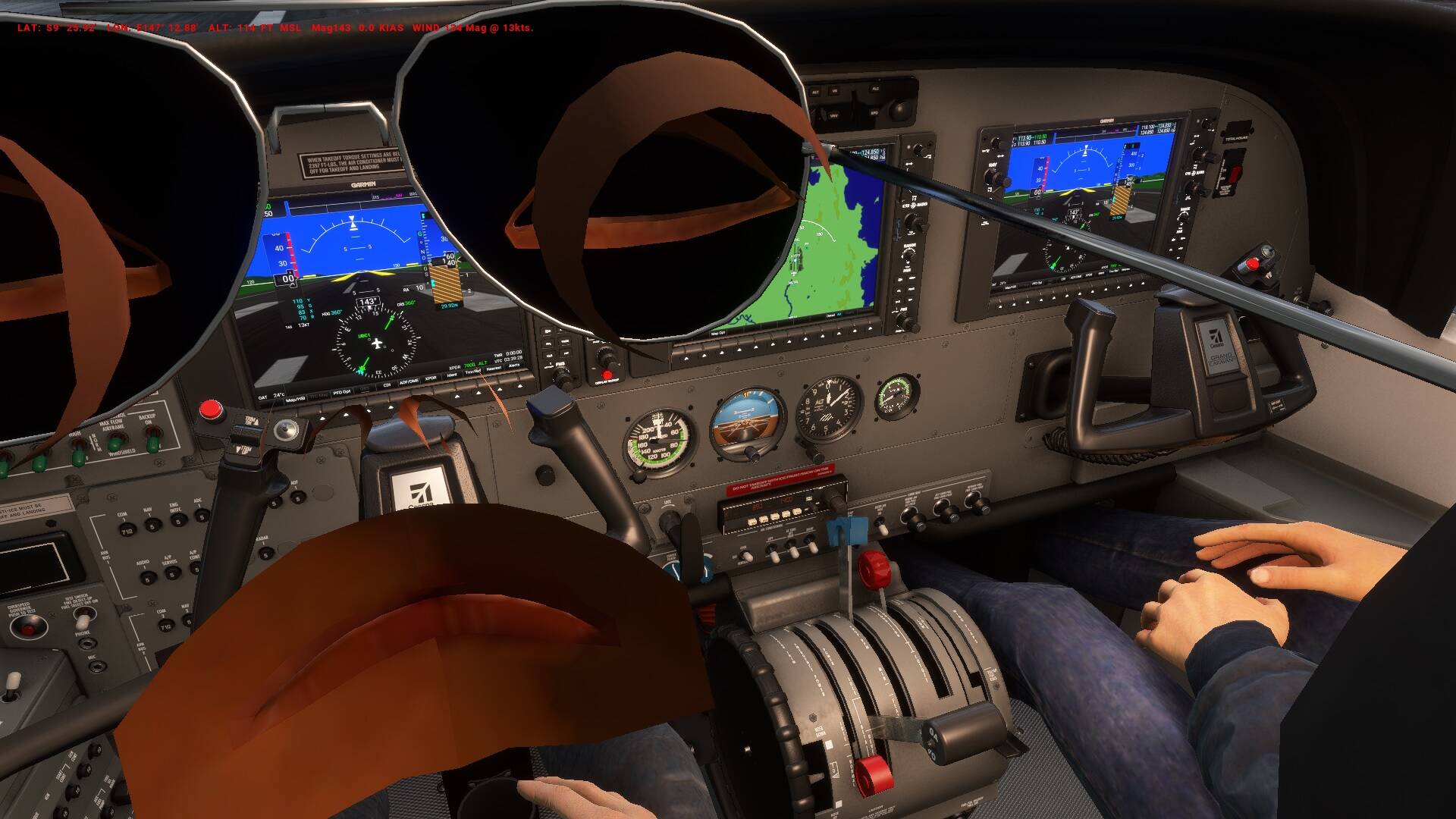
I loaded into the Cessna 208B but cannot use it because avatar visuals are blocking the views in the cockpit. How do I turn them off so they don’t appear. I have searched in all of the MSFS graphics etc menus and the only thing I find is the option to choose which I want to use, but no option to get rid of them. How do I do this?
Have you tried reducing the weight of the pilots to zero in the payload/fuel drop down menu?
Stock aircraft don’t have pilot figures visible from the interior view by default. Try again with an empty Community folder. If you still have the issue, post a screenshot.
I had a similar problem with an addon I downloaded for the Longitude quite some time ago. Sorry I can’t remember what it was, but I think it had to do with interior lighting. So yes, definitely remove your addons and try again.
You misunderstand the issue.
See here, maybe it helps.
This usually is a mod conflict. Try with an empty comunity folder (maybe also uninstall all MSFS store purchased mods in the content manager), then the issue should be gone. Then reanable the mods one by one to find out which one is causing the issue.
You can’t find any settings for this, because for default aircraft this is not meant to happen. No avatars are shown in default aircraft inside the cockpit - only in outside views. You can not enable avatars for inside cockpit views in stock MSFS.
1 Like
Maybe a better explanation of the issue would have helped in the first place
Thanks. It worked. No more avatars! I am going to try the latest mod to see if everything else works