ISSUE DESCRIPTION
Description of the issue:
There’s a long topic covering the issue for MSFS2020, but it was never fixed.
See https://forums.flightsimulator.com/t/avionics-refresh-rate-much-slower-now/630261
So, before the description, I’ll just suggest this: PLEASE, bring back the old behaviour (in the form of a setting, configuration file change, secret option, etc ) for people that don’t want it. I know the idea is improving performance, but there’re people with fast hardware and that don’t need this “improvement”. I know you don’t have control of how frame generation does its thing, then PLEASE bring back some option for us to disable it and have the smooth performance back. I know real avionics hardware update at 30fps, but updating at 60 is much better that what we have now.
After updating to version 1.2.7.0, avionics are updating oddly (at least) when frame generation is enabled and simulator is locked to 60fps. The avionics of planes update at ~30fps, but the following pace:
they update two consecutive frames, then the next two consecutive frames they remain still. Repeat the cycle.
Another explanation: consider the timeline below representing 10 consecutive frames. 1 represents a just-updated frame, and 0 represents a frame that didn’t changed since the previous one:
1 1 0 0 1 1 0 0 1 1
This is how the framerate of avionics is updating now. The visual effect is very bad, because the avionics seem to be running at 20 fps. Take a look at the video.
This is probably the change that brought this behaviour back from MSFS2020:
Changed the CoherentGT frame distribution system and views refresh rate to better match MSFS (2020) behavior
Please, bring everything back again to 60fps in the form of some option.
If applicable, which aircraft is experiencing this issue:
DA62
[PC Only] Did you remove all your community mods/add-ons? If yes, are you still experiencing the issue?
yes
FREQUENCY OF ISSUE
How often does this occur for you (Example: Just once, every time on sim load, intermittently)?
every time
REPRODUCTION STEPS
Please list clear steps you took in order to help our test team reproduce the same issue:
- Enable frame generation
- Make sure simulator is running at 60 fps (60, no more that that) at max settings. Anti aliasing set to TAA.
- Start the flight and climb or descend, looking at altitude and airspeed indication
YOUR SETTINGS
If the issue still occurs with no mods and add-ons, please continue to report your issue. If not, please move this post to the User Support Hub.
What peripherals are you using, if relevant:
keyboard and mouse
[PC Only] Are you using Developer Mode or have you made any changes to it?
No
MEDIA
Please add a screenshot or video of the issue occurring.
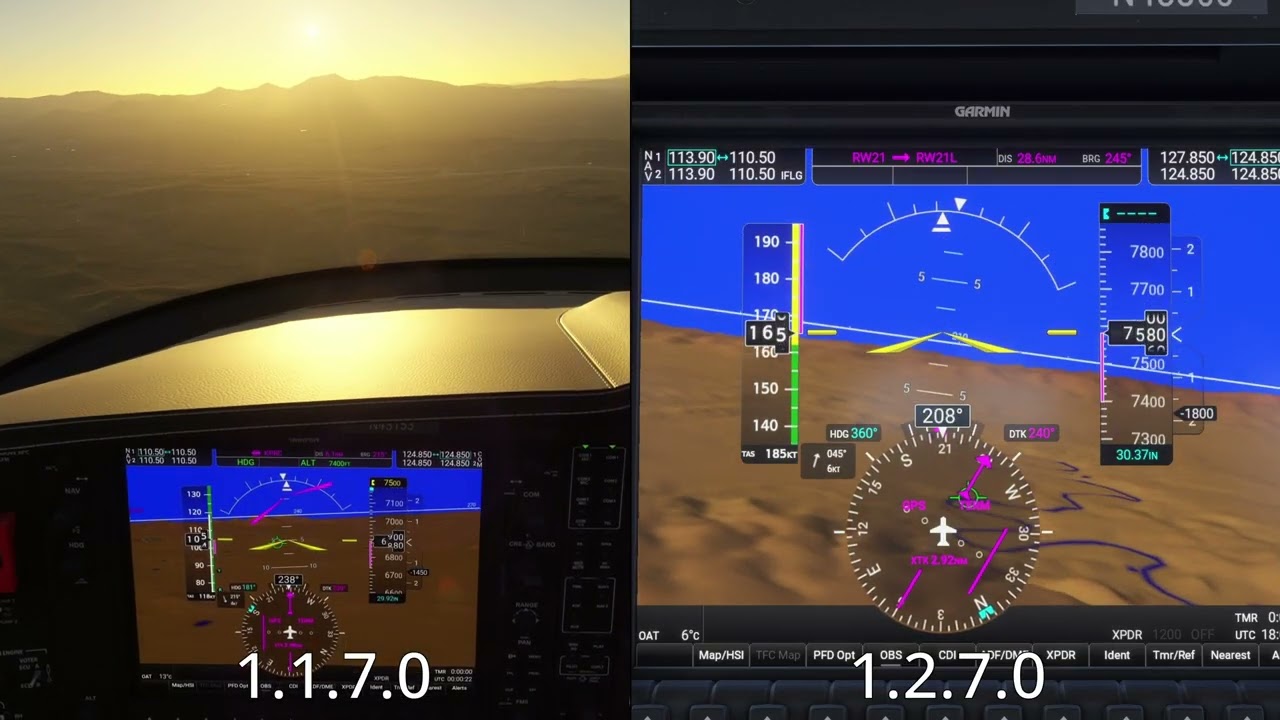
Unfortunatelly, I don’t have a better footage of 1.1.7.0, so I cannot do a better comparison. But fortunatelly it’s possible to see that 1.1.7.0 is completely smooth when FG is on.
[END OF FIRST USER REPORT]
 For anyone who wants to contribute on this issue, Click on the button below to use this template:
Do you have the same issue if you follow the OP’s steps to reproduce it?
•
Provide extra information to complete the original description of the issue:
•
If relevant, provide additional screenshots/video:
•