Sorry, but no, I don’t. Justflight doesn’t have an automated shop upload nor any form of notifications, and the developer (me) doesn’t have access to their system either. They prefer the classic way, I have to send them an email with a link to the new version, but I never get any feedback.
Hi everyone,
First i want to thank Oliver Binder for this wonderfull tool and even more for the time you spend answering all our questions !
I bought AAO to work with my xtouch mini using my favorite plane M20r from Carenado.
I managed to map all functions from the GNS530, works very well ! I use the slider to zoom in and out, nice feature !
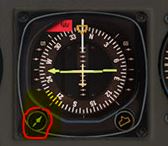
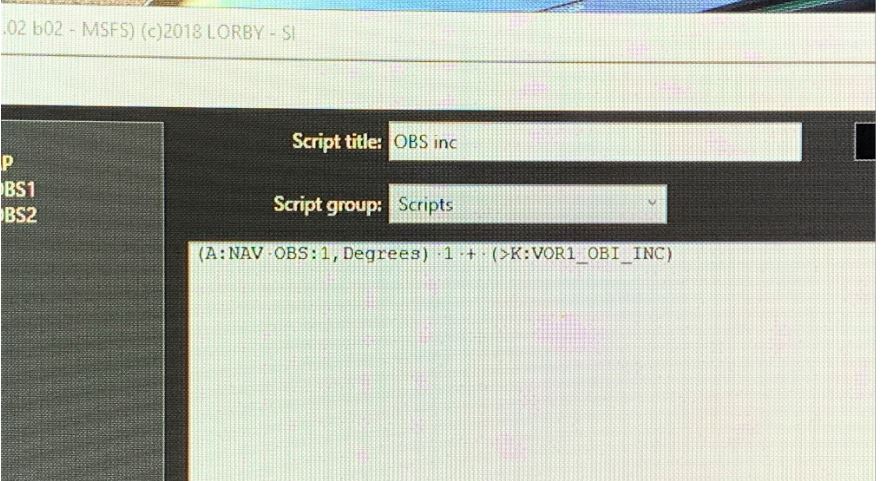
Since i also have both honeycomb yoke and throttle, i used the script to fine tune the Heading. So now i have 10 deg inc with the Bravo button and 1 deg inc with the Xtouch. I want also to be able to use the VOR1 quadrant, so the question: how shall i write the script ?
My second question: i could map the defrost Lever by reading the lvars, but failed with the very next Air Lever even so the lvar is present, can it be that some functions are somehow inaccessible ? Thank you !
can it be that some functions are somehow inaccessible
Absolutely. Or you didn’t hit the correct value range for the LVar, those are not all just 0 and 1. If it is controlling an animation, try assigning all kinds of values from 0 to 360. Check my example above with the COM radio knobs in the ATS Piaggio 149.
Not sure about the other questions - I have neither the Honeycomb stuff nor the aircraft, sorry.
What is a “VOR1 quadrant”?
The email definitely went out two days ago. If you want, send your proof of purchase to the Lorby email address that you find on the last page of the manual - I’ll can create a temporary download link for you.
I just realized that there is a typo in the MSFS manual of AAO - the version number and date on the first page are wrong, it still shows 2.02. The rest of the manual is correct though and describes the current version 2.03.
Well if this is why i am supposed to create as a script i still have the 10 deg increment. I will wait for the next patch from Asobo, hopefully it will solve the
For my AIr Lever problem, i tried to “hear” the data exchange per simconnect but nothing showed up when pushing the lever, is there another way to find out wich value should be used ? I tried until 30 but it is a pain always saving and reloading the settings to try the next value…
Well if this is why i am supposed to create as a script
No, that is not how inc/dec events work. They change the variable by a fixed amount, you cannot just assign the actual value to them.
Btw, as far as I know, the 10deg problem is caused by switches on the controller that send a permanent ON signal and that have been assigned in the sim itself. If you make sure that all switches and buttons are assigned only in AAO, the input acelleration of the sim shouldn’t trigger in the first place.
If you have to make scripts, is either triggering the event with a value of 1
1 (>K:VOR1_OBI_INC)
or writing the desired change back into to the variable:
I tried until 30 but it is a pain always saving and reloading the settings to try the next value
The “Test” button on the script editor should always work, you don’t have to save the script first. Just enter new values, first from 0 to 3, then in steps of 10 and press Test after every change. The app will show a bit of the calculations that it does, and you can observe if something happens in the sim.
If this lever is controlled by an LVar or HVar, there is no way to track it. There is no event, nothing. You would have to take a look into the model definition XML files, see what the code is that is associated with the lever.
Would you mind giving sa bit more info on these two chages? Is a rotary encoder diffrent to what is on the Bravo? That just sends button presses when it is rotated…
Aslo what is the special LVAR and how does it work in a script?
Would you mind giving sa bit more info on these two chages? Is a rotary encoder diffrent to what is on the Bravo? That just sends button presses when it is rotated…
Doesn’t really matter what it is, but normally only a rotary encoder makes the clicks follow suitably fast. Theoretically a double click on a button would have the same effect. All that this logic does, is to watch out if a second button event arrives faster than the selected timeout in ms. It doesn’t care what hardware sends it.
Also what is the special LVAR and how does it work in a script?
Oh, so that is what is missing from the manual. I knew there was something, but couldn’t pinpoint it.
Processing the button value (the little box to the right of the Key Up/Down Event selector)
To access the button value within a script, use the following variable:
(L:AaoButtonValue)
That way you can use the same script for several different assignments. For example, instead of two scripts required to increment the AP altitude by 100 or 1000 you can just use the one, and set 100 and 1000 as Key Down Event value: