Make sure you do not connect both Minis to the same (or for troubleshooting any) usb-hubs and try different usb-port versions (2.0, 3.0, 3.1 → the lower, the better) of your mainboard and try using the usb-ports on the rear of your computer as well (direkt ports of your mainboard).
If nothing changed after checking the stuff above verify that you use the latest chipset drivers for your motherboard and as last you could try a bios-update.
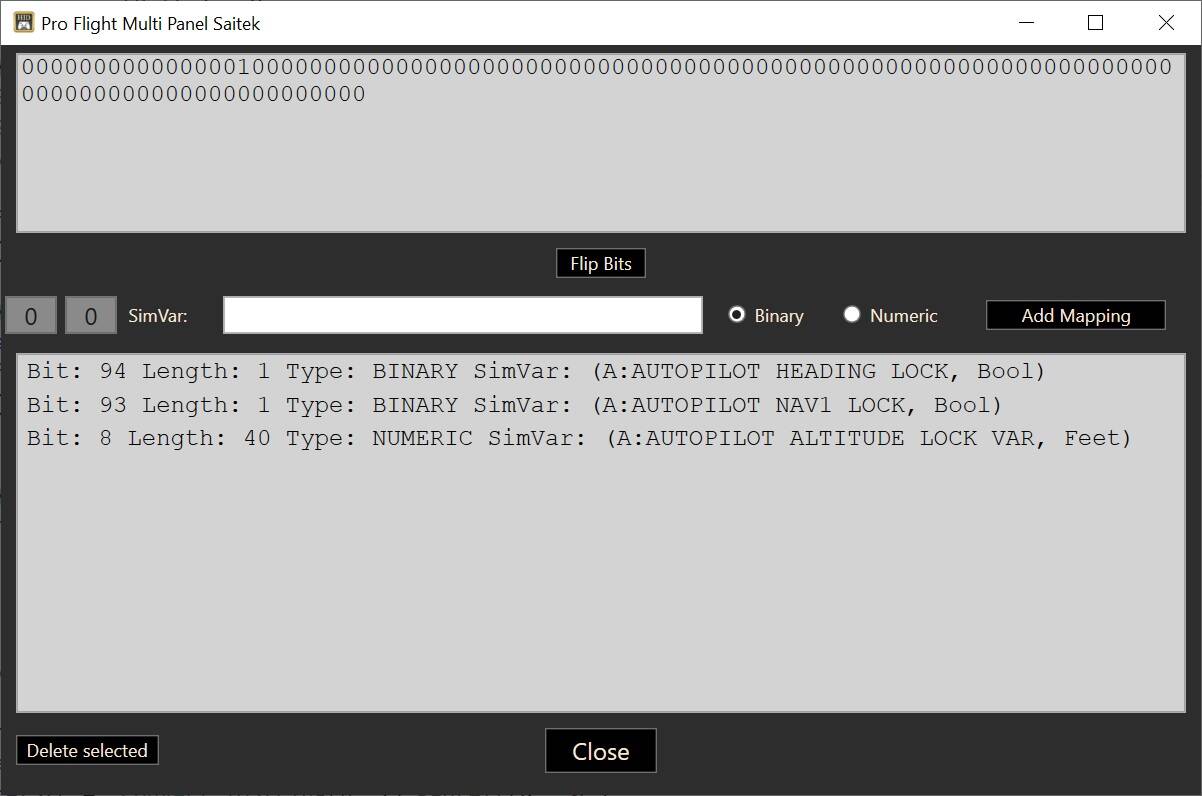
A question about that. The output for the Bravo has five bytes, lets say I would like to set the last 32 bits. (The first 8 bits do not do anything). I can build an integer with binary operators to flip some bits, but that does not work as expected. When I select the numeric assignment, does the variable need to contain a 32 bit integer? And what byte order should I use?
Thanks in advance!
If that is the case, then the device cannot be operated with the HID Bridge, sorry. I would have expected that a single LED is tied to a single bit. I am pretty sure that binary is the only option here. The “Numeric” assignment is for displays that can actually display digits (like the Saitek Multi or Radio panels). It is just a simple binary encoding, each byte will contain the appropriate digit (0-9) as a binary number.
For example, this is part of the code for a Saitek MultiPanel:
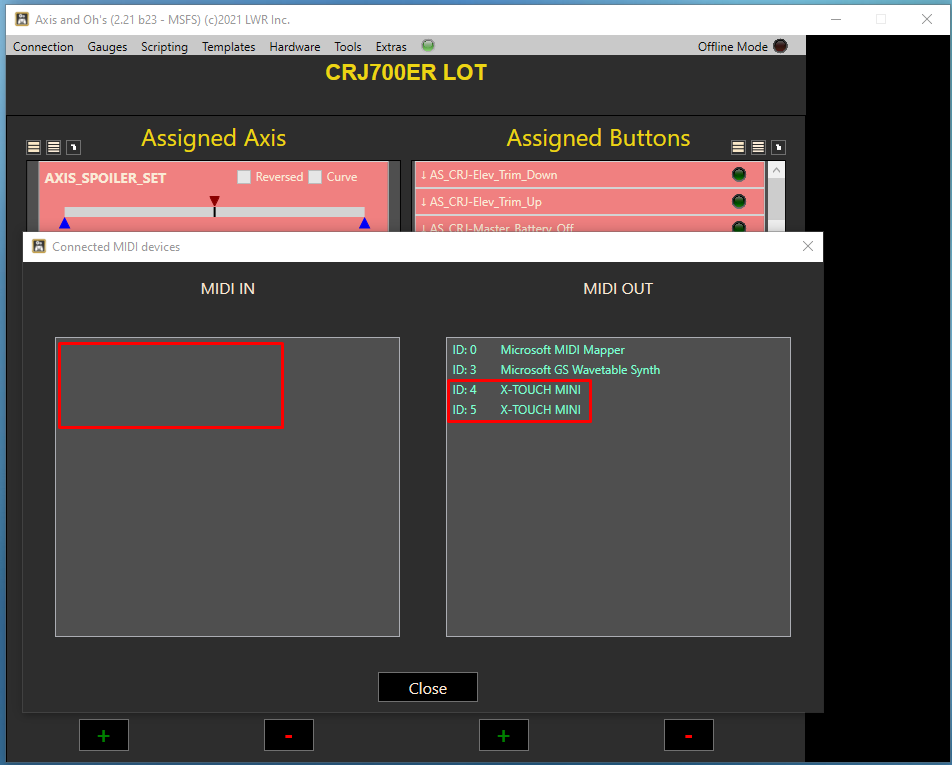
My 2 Behringer X-Touch Minis started working fine. Each connected to separate, powered USB hub. I restarted my PC to be sure they will continue working. And now AAO is only recongizing them as MIDI Out, not as MIDI In:
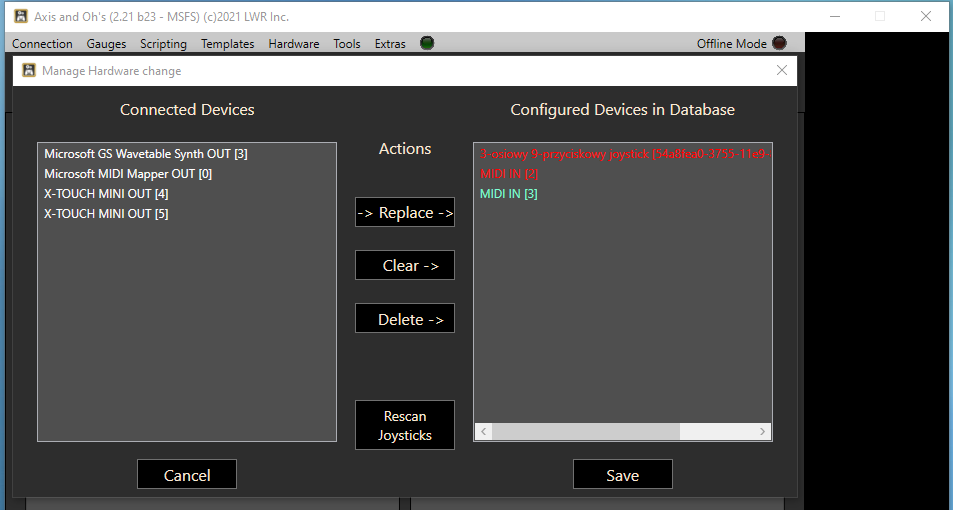
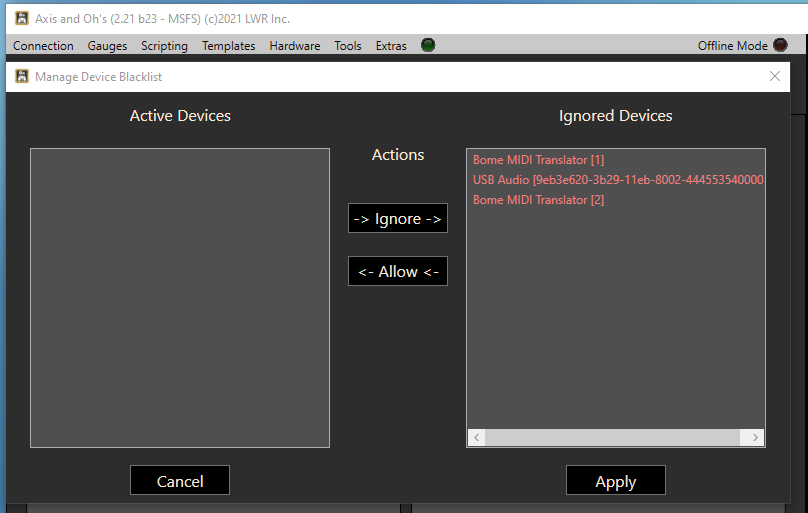
I checked - the Minis are not blackilsted:
Disabling and enabling MIDI devices in AAO doesn’t help.
The issue is there even if I have just one Mini connected.
I don’t use the MIDI Out function, I need the Minis only as MIDI In devices (I fly in VR).
Is there a way to force MIDI In recognition?
Rescan joystick, restarting the AAO, restarting the PC, disconnecting the Minis and the Hub to which they are connected is not helping. Whe I deicsonnect the disappear as MIDI Out, when I connect they appear as MIDI Out, but I need them as MIDI In.
I’m afraid of connectint the direclty, even for the test, to not loose their identity as I have a lot of assignments on them (more than 120 assignments in total on them).
No. Now your Windows MIDI subsystem only reports them as MIDI Out devices. AAO cannot detect what isn’t there. (and if the devices would be blacklisted, they wouldn’t appear at all, neither in nor out)
I’m sorry, but there is nothing that AAO can do. You probably have a MIDI mapper software or something similar running in the background. I can see a “Bome MIDI translator” on the blacklist (whatever that is), that would be the first thing to check.
Hi,
just to properly understand how it is working:
I have created a simple script, taking the input value and setting it to Heading Bug (just for easy visualization):
(L:Junkers·Ju52-Test)·(>K:HEADING_BUG_SET)
Now I am binding one lever of my Brave Throttle to that script:
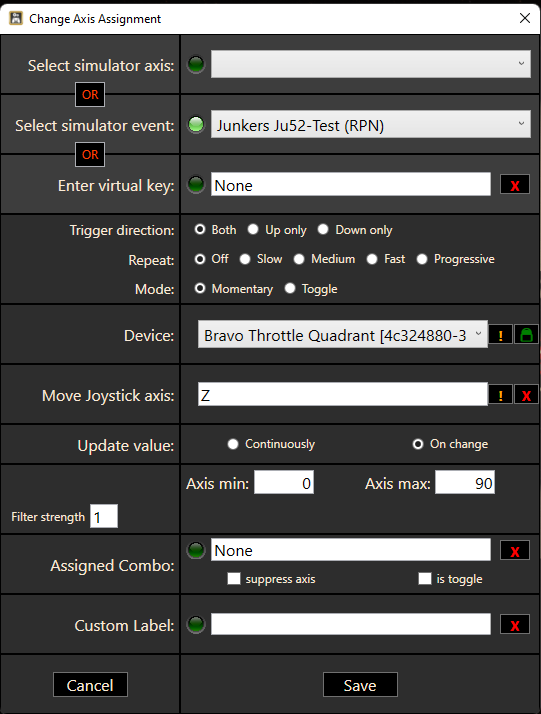
All is working fine. With these settings, the heading bug is moving between 0 and 90 degrees, when moving the lever from bottom to top.
When I change the “min” value to 45, my expectation would be the heading bug is moving between 45 and 90 degrees (what in fact it is doing) - but I would expect 45 degrees at the starting point of the lever.
In fact when starting to move the lever there is a “dead zone” until the lever has passed approx 2/3 of its way - THEN the heading bug starts moving from 45 to 90.
When I move the “middle” marker to the top left position the “dead zone” is reducing to approx 1/2 the total.
Is that the expected behavior?
How should I do if I want the lever to go from 90 to 180 instead of 0 to 90 (without having a dead zone in the beginning)?
I have the feeling that it is working fine when starting from 0 or when min and max is same absolute value.
To make sure - the question is not on setting the heading bug (this is just an example to visualize what’s happening) - the question is on the values sent from the axis when min is not set to 0.
Thank you!
Regards,
Thomas
All was working fine, until I restarted the POC after progarmming and adding the second Mini. I used the first Mini for moths already. I even deisntalled the Bome translator.
Is there a way to force Windows to recognize the MIDI In devices?

And with “shod hidden devices option” enabled:

Is this expected - not at all. To be honest, I would never have considered setting up an axis like this. May I ask what the specific use case is for that?
I would suggest to use a more traditional axis assignment (0-360?) and do the rest in your script (=the conversion of axis value to desired range in degrees).
Sorry, I don’t have the slightest idea.
Take a look into the AAO startup log too, to make sure what MIDI devices AAO can actually see.
C:\Users...\AppData\Local\LORBY_SI\LorbyAxisAndOhsMSFS\LAAO_Startup_log.txt
27.10.2021 19:08:07.40 : Device acquisition completed
27.10.2021 19:08:07.80 : MIDI IN device initialized 1 Automap MIDI MMSystem
27.10.2021 19:08:07.80 : MIDI IN device initialized 2 X-TOUCH MINI MMSystem
27.10.2021 19:08:07.80 : MIDI IN device initialized 3 Automap Propellerhead Mixer MMSystem
27.10.2021 19:08:07.80 : MIDI IN device initialized 4 Automap Propellerhead MMSystem
27.10.2021 19:08:07.182 : MIDI OUT device initialized 0 Microsoft MIDI Mapper MMSystem
27.10.2021 19:08:07.182 : MIDI OUT device initialized 5 Microsoft GS Wavetable Synth MMSystem
27.10.2021 19:08:07.182 : MIDI OUT device initialized 6 Automap MIDI MMSystem
27.10.2021 19:08:07.182 : MIDI OUT device initialized 7 X-TOUCH MINI MMSystem
27.10.2021 19:08:07.182 : MIDI OUT device initialized 8 Automap Propellerhead Mixer MMSystem
27.10.2021 19:08:07.182 : MIDI OUT device initialized 9 Automap Propellerhead MMSystem
27.10.2021 19:08:07.211 : Running As Administrator, Web FIPs enabled
28.10.2021 19:09:04.593 : App configuration loaded
28.10.2021 19:09:04.718 : Config database loaded
28.10.2021 19:09:05.30 : SimConnect callback established
28.10.2021 19:09:05.30 : Simulator activated
28.10.2021 19:09:05.218 : Found Device Urządzenie UPS USB American Power Conversion 9ecc2910-d605-11e7-8003-444553540000
28.10.2021 19:09:05.249 : Acquiring devices now
28.10.2021 19:09:05.249 : Device acquisition completed
28.10.2021 19:09:05.405 : MIDI OUT device initialized 0 Microsoft MIDI Mapper MMSystem
28.10.2021 19:09:05.405 : MIDI OUT device initialized 2 Microsoft GS Wavetable Synth MMSystem
28.10.2021 19:09:05.405 : MIDI OUT device initialized 3 X-TOUCH MINI MMSystem
28.10.2021 19:09:05.453 : Running As Administrator, Web FIPs enabled
I removed the Minis drivers from the system, disconnected one Minis, connected one. System installed it, AAO can’t see it.
Yes, as expected. As far as Windows is concerned, there are no MIDI IN - Devices. Something messed up your local MIDI configuration. There are about a million threads about similar problems on the Net, I’m not sure even where to begin. They all revolve around connect/disconnect, remove/reinstall drivers etc. But if I had to guess, then you have some piece of software running in the background. No way to be sure though.
We did have a use case where we wanted the mixture lever not to go down to 0 but to a higher value (and set it to 0 using the button pressed by the mixture lever bottom position). It did work as the min value was close to 0, but I recognized the dead zone when using higher values as min value and I was wondering if i properly understood the min/max values and middle marker.
I am working to use one lever as “FuelSupplyLever” in the Ju52. For this reason I am passing values 0 to 3 to the proper variable - and it is working fine.
To reduce the numbers of scripts needed I wanted to use values 0..3 for left lever, 8..11 for middle lever and 16..19 for right lever - and trigger the script with proper min/max values (depending on a combo selector to select 1,2 or 3).
I can manage to implement this using one script per lever and sending values 0..3 - I just had the idea to reduce the number of scripts by sending values from different ranges to distinguish the levers (which turned out not to work because of the dead zone effect)…
I installed a MIDI diagnostic tool which can see the Mini as MIDI In device.

I guess AAO must be somehow confused?
Probably. It is obviously not getting the information that it needs. But as I said, I haven’t got the slightest idea about how to help you. First the app was working and detected the devices. Then you did something, maybe even several somethings. Now the app is suddenly no longer detecting the devices. What am I supposed to make of this? Only you can retrace your steps and undo whatever you did.
In any case, IMHO a public forum is hardly the place to post large amounts of screenshots and logfiles. Please consider sending an email to the support address on the last page of the manual. And please remember to include your proof of purchase.
OK, I will look into this. No promises though, I am not sure that the logic in AAO can do actually do this without a major change.
It’s ok for me to work around.
I was simply trying to verify HOW the min/max values and the middle marker works.
So, yes, my feeling is this is unexpected - but it’s not urgent, so spend your time on the urgent topics… 
Thank you!
Following your suggestion I just sent an e-mail to support address.
I perfomed clean install of AAO and it is able to properly recognize both MIDI In devices.
If I restore the previous config files from the backup, the MIDI In recognition issue returns.
I would really appreciate you help in bringing my templates back, hundreds of assignments there, I have a cockpit with 6 devices…
That is really weird. But also welcome, because it means that there may be a solution after all. Please include those files in the email.
Included in the mail via the Dropbox link.
My setup when it comes to MIDI devices:
- two powered USB hubs - one Behringer X-Touch Mini connected to each hub (w Minis in total(
- all was working super fine untill yesterday, when I:
– added second Begringer Mini - still working super fine
– programmed it - still fine
– restarted the PC and disconnected the Mini’s to correct the cabling routing - one Mini was not recognized, the other was fine (the new one)
– then I played with connecting, reconnecting - I managed to have both Minis operational
– I blackilsted some devices: Bome MIDI Translator, USB audio (this one probably related to my HP Reverb G2 VR headset)
– restart today, with disconnecting the Mini’s to be sure the issue is gone - AAO no longer able to recognize MIDI In
– I deinstalled Bome MIDI translator (which I used with x-plane, before discovering AAO) - no joy.
– clean install of AAO - MIDI In (both Minis) visible, but my templates gone.
I think that I got it. One has to trick AAO into thinking that the input is coming from a slider axis. Please send an email with your proof of purchase to the support address on the last page of the manual. Then you can try the current development version.