Has no bearing on anything. It is just an artifact that appears on this dialog when you have voice assignments in the database.
I’m sorry, but I don’t know what else to tell you. It is working perfectly fine here and for all testers too. There haven’t been any other complaints since the release either. No further configuration in Windows etc. is required.
Is your microphone connected to the Windows “Default” audio device?
Did you try polish phrases too? Just asking out of curiosity. What language is your speech recognition system set to - and does it have English too or just Polish? I have German and English, with the default being German.
But if the little Microphone doesn’t appear, I imagine that something else is wrong. Please check the AAO logfiles if they show any errors when you try to use voice commands. I would also try and save, shut down and restart AAO after creating the first voice assignment, just to make sure.
11.12.2021 16:53:14.81 : SH: Exception received: 3 from send id 55 errloc 1
11.12.2021 16:53:14.86 : SH: Exception received: 7 from send id 57 errloc 3
11.12.2021 16:53:52.498 : Couldn't start voice recognizer Język dla gramatyki jest niezgodny z językiem aparatu rozpoznawania mowy.
11.12.2021 16:54:12.417 : Couldn't start voice recognizer Język dla gramatyki jest niezgodny z językiem aparatu rozpoznawania mowy.
It means - Language for grammar is not aligned with langauage of speech recognition apparatus
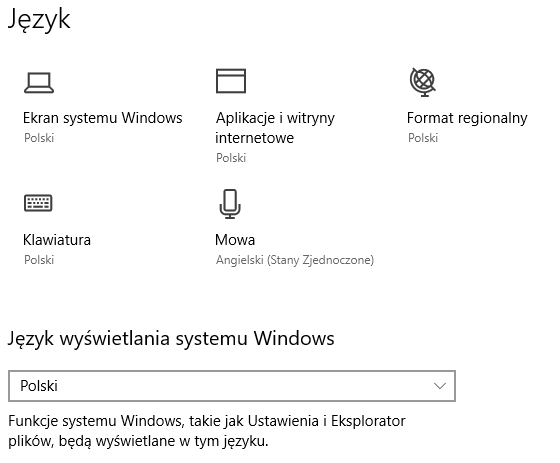
I run Windows UI set to Polish, the speech recongnition is set to US English (Stany Zjednoczone).
I switched Windows UI to US English and now the AAO works properly with speech recogniton. Unfortunattely I have to return back to the Polish interface.
The mail with the proof of purchase was sent.
How / where can I learn how to understand write RPN scripts for AAO please?! I am trying to understand a number of scripts so I can adapt / amend / create my own but other than knowing it uses RPN and uses MSFS simvars even though I have coded in past lives I’m struggling to understand the scripts so I can write my own! Please HELP
Plus a lot of other resources. Microsoft Flightsim RPN scripting has been around for at least 20 years. Not to forget the AAO manual, which lists all operators and additional commands that are available in AAO on top of what the simulators support.
Flightsim RPN is actually more like we programmed computers +40 years ago. A very simple stack based processing model. Reading it from left to right, every value is pushed on top of a stack. Every operator takes its parameters from the stack and pushes the result back on top of it. Simple basic computer stuff.
Then I can address the LEDs with a simple MIDI OUT script, just like the buttons nnn·(>MIDI:7:CC:11:1)
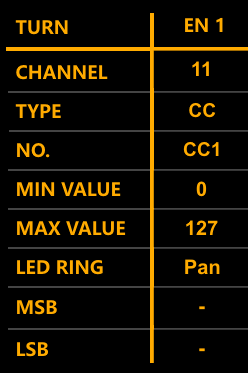
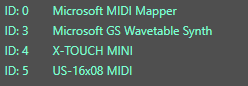
with nnn between 0 and 127. The MIDI OUT ID of my X-Touch is 7, yours will probably be different. Use “Hardware → Show MIDI devices” to find out what MIDI OUT ID your device has. The CC is sent on channel 11, and it is a NO. “1”, as expected by the encoder.
All you have to figure out is which value to send exactly under what condition.
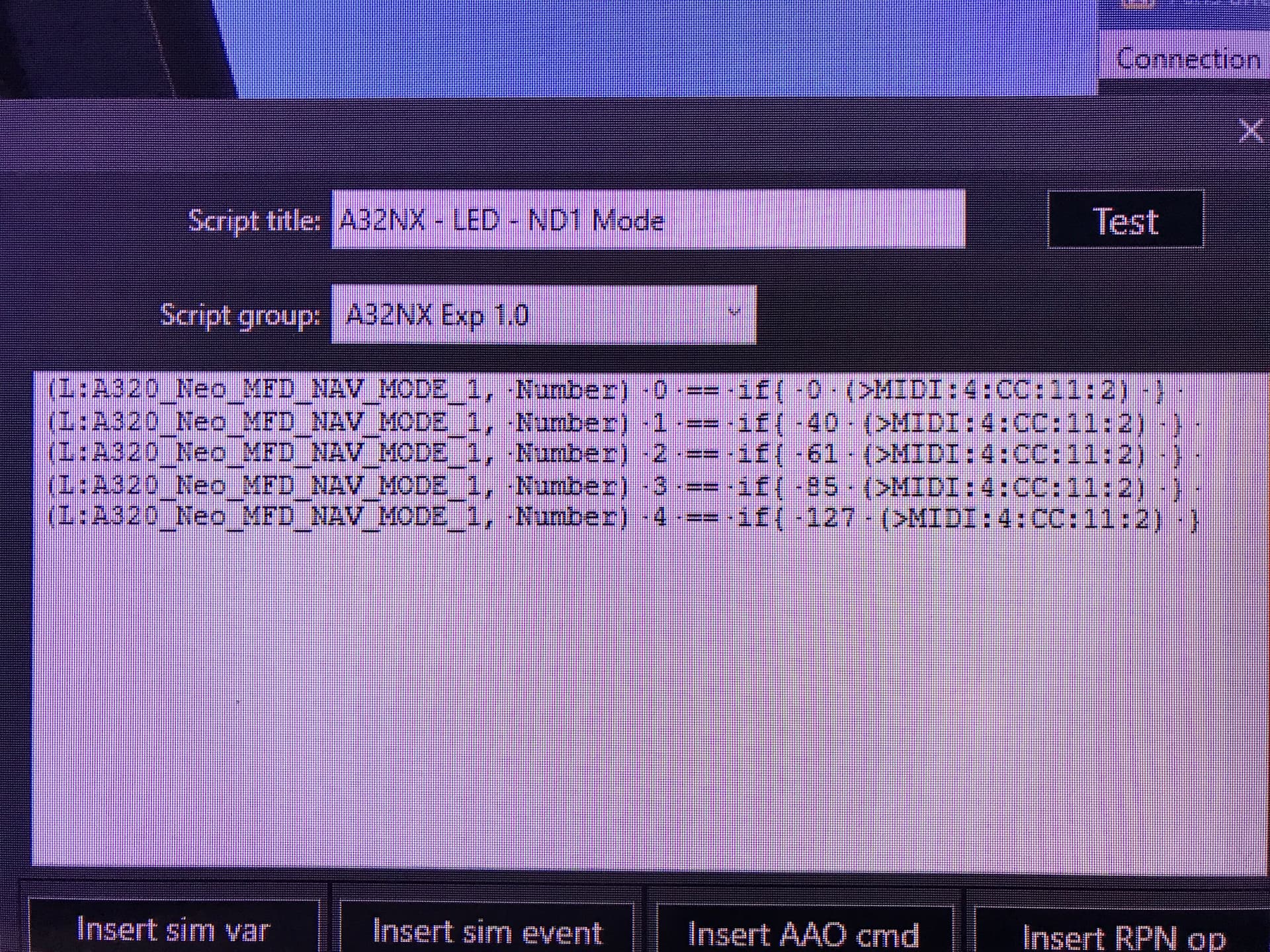
Can you please post the actual code as text instead of a screenshot? I’m sure that many people who might be able to help just won’t bother under these circumstances, because they would have to type in your entire script again.
yes sure, this is the code:
(L:A320_Neo_MFD_NAV_MODE_1,·Number)·0·==·if{·0·(>MIDI:4:CC:1:2)·}·(L:A320_Neo_MFD_NAV_MODE_1,·Number)·1·==·if{·41·(>MIDI:4:CC:1:2)·}·(L:A320_Neo_MFD_NAV_MODE_1,·Number)·2·==·if{·62·(>MIDI:4:CC:1:2)·}·(L:A320_Neo_MFD_NAV_MODE_1,·Number)·3·==·if{·80·(>MIDI:4:CC:1:2)·}·(L:A320_Neo_MFD_NAV_MODE_1,·Number)·4·==·if{·127·(>MIDI:4:CC:1:2)·}
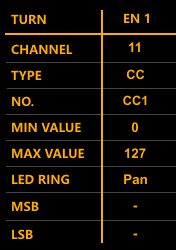
I am pretty sure that the channel you want to send on isn’t “1”. Check my screenshot above, taken from the XT Editor. On my unit, which is as default as they get (I hope), the encoder expects the data on channel 11.
And “4” is definitely the MIDI OUT ID of your XTouch? The encoders are set up like in my post above in the XT Editor? (remember to flash all changes onto the device, just changing things in the software is not enough)
Also, on a side note, don’t use hyphens “-” in script names. And keep everything to ASCII standard, no funny characters. I know that it doesn’t say this in the manual, and normally nothing bad happens. It is just safer this way.
Hello
I want to simulate the 30s delay for the INERTSEP to deploy in the TBM.
I use the event ANTI_ICE_TOGGLE_ENGINE_1 to activate the inertsep (the switch will not move unfortunatly)
is there as simple way to add a 30 s delay ? maybe a RPN script but I find nothing on the documentation
It is controlled by a B-Variable. As luck would have it, this is even one of the built-in examples for the BVar logic in AAO - all you have to do is to activate the AAO BVar hook and then set “(L:AAO_TBM_InertSep, Bool)” to 0 or 1
Try the AAO manual, the chapter about “AAO specific RPN commands” in the neighborhood of page 50. You will find the SPLIT and WAIT commands there.