Mods are players too. 
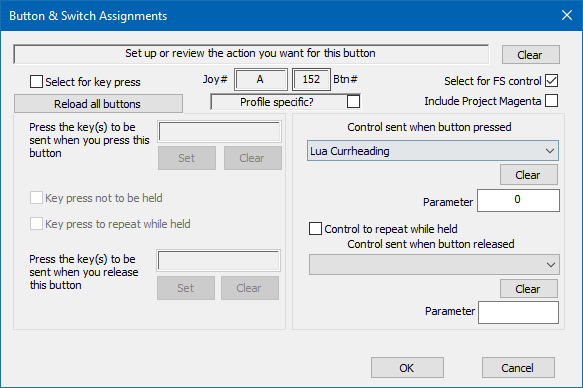
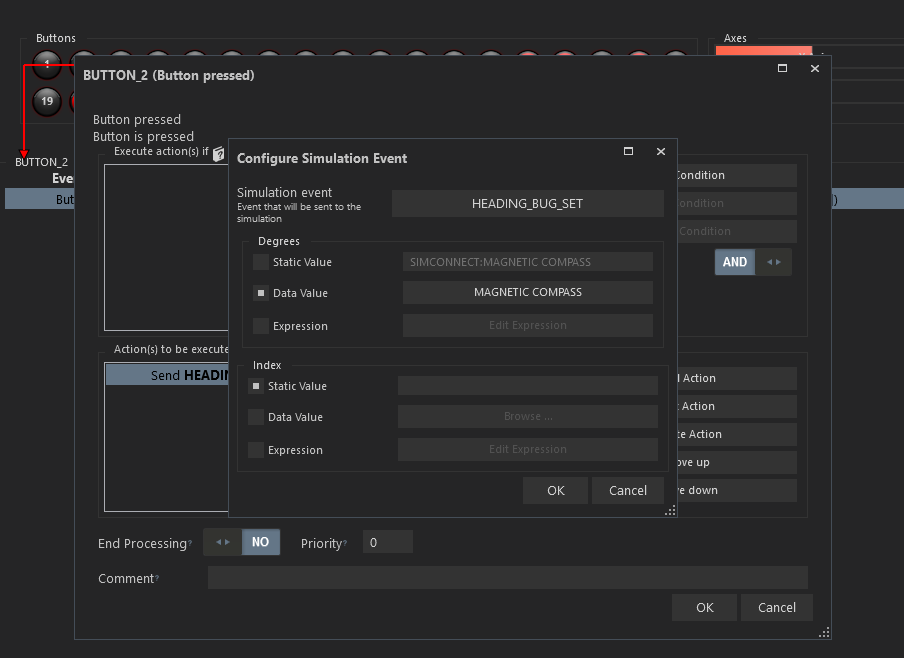
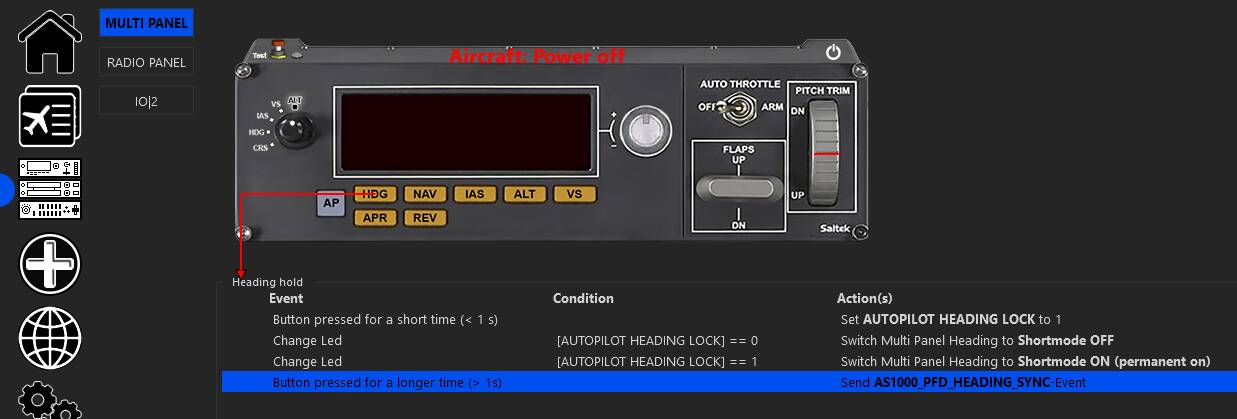
I solved it by using Mobiflight to map a custom command to my VKB GA Module. Same solution for the VNAV button.
Mods are players too.
I solved it by using Mobiflight to map a custom command to my VKB GA Module. Same solution for the VNAV button.
would love to see this fixed Asobo..
TEMP WORKAROUND IF YOU HAVE FSUIPC ON PC
with thanks to https://www.mobiflight.com/forum/message/21141.html
Sigh, been what, nearly 2 years since this has been posted, and yet still no solution.
All I want to do is have a keybind that I can map to a button on my HOTAS, or to an emulated TouchPortal button on my tablet, so I can line up the heading bug with my current heading.
3 years after… All the same. I cannot bind a key to do what a right click on the HDG knob do.
Hi CC.
Sorry for the rather late response to your May 22 post!
Could you possibly go into a little more detail on how to use Mobiflight to map a custom command for ‘Sync Heading Bug’ to the VKB GA Module? I assume basically the same process would apply for VNAV.
I have looked at the tutorials on the mobiflight site and scrolled the forum only to find a massive community and technology option I was completely unaware of. Any pointers on how to get started would therefore be highly appreciated!
Hi! The commands I use are in this thread:
Thank you very much for the quick response.
I downloaded mobiflight, had a bit of messing around looking at basic tutorials which only added to my confusion. Then I just followed the steps suggested and it worked a treat! Thank you again.
Just wasted half an hour looking for the non-existent SYNC HEADING BUG. I don’t understand why it isn’t there. Not mad keen on running external software for one binding.
Oh well, there’s always MSFS 2024 (maybe, perhaps, perhaps not).
Mobiflight works well and reliably, and doesn’t have a noticeable impact on pc load / game frames. I use it daily for Heading Sync and VNAV, great tool.
Do you how to realign heading bug from drift of course on Xbox series X?
Not sure how to do that. I am on PC and use Spad.next to do that but it probably doesn’t work for Xbox.
Tested. NOT. 
LOL, came back to this thread after.. 5 years. Is this STILL not fixed? There’s still no way in-game (without using a third party program) to use the “Set Heading Bug” to a key or a joystick button and have it actually work?
If you right click on the HDG knob with your mouse, it works. If you bind it to a key or a joystick button, and push that button, it puts the bug at 360 degrees regardless of where the plane is pointing. Basically, the game gives you the option to create a keybind/joystick bind for it, but that bind doesn’t work properly.
5 years since being reported. Over 1800 days!
In MSFS 2020, you can do it using Mobiflight.
In MSFS 2024, you can do it using native control mappings.
Use “Set AP Current HDG” to set the heading bug to the airplane’s heading.