Yeah your RAM might be running at stock and not on EXPO settings. Basically you can create a bios profile to enable expo(AMD). This would allow your RAM to run at it’s advertised MHz.
We can help you with how to go into the BIOS and tweak those settings.
Try turning airport life and land and sea traffic down. You’re CPU limited, and that’s probably your issue. I made this video comparing land/sea traffic at 20% and 100%, and it’s a noticeable difference. Ignore the excessive performance loss near the end, as I think it was related to recording off the GPU.
But I migrated from Xbox to get more detail, not less.
I think I need to realise that I’m way out of my comfort zone here and I’m going to end up doing some physical damage if I carry on. This is what worried me most about the transition to PC.
You guys have been fab. It’ clearly me, not you guys. I just feel beaten and worn out now.
Does the Xbox even have settings for that? It’s been a while since I used it, but I know it has almost no adjustable graphics settings. Keep in mind you are comparing the sim on PC vs a different version of the sim designed specifically for the Xbox.
But with the help of the people here, a bit of Google research and a few YouTube videos, you can still do it. And you’ll certainly need a little persistence too.
I’m just at a dead end now. With the help of folks here, I’m eliminating the possibilities, slowly but surely. But with each possibility eliminated, pinning down the issue becomes harder. I’m starting to think my expectations might have been too high but I just did a side-by-side with Series X and the console is definitely running smoother.
I’m certain that you can get your PC running more smooth than the xbox and with better graphics at the same time. It might not be massively more smooth or heaps better graphics but it will be an improvement. The big wins are not necessarily from smooth but from zero black screens ever, and no CTD. Then the other huge win is from having access to the entire flight sim ecosystem. These are the reasons I love the PC.
I think for now it’s important to just get a baseline setup that works OK, it’s not the best but it should be ballpark around the xbox fidelity. After that go and fly and enjoy for a while, then tweak later. Everyone has a thousand different things that you can fiddle with and most of them aren’t going to fix the problem.
For me after installation and with a BIOS at default settings (expo off, all speeds at standard), with the nvidia driver installed but not a single graphics setting changed, I fired up the sim, tweaked a couple of options as I noted before (for me it was vsync at half, taa) and then it was OK. I flew like that for a month before touching any other settings. It was several months before I enabled expo, or looked in the nvidia settings.
I really think less is more here. Even if perhaps it’s not quite as smooth as the xbox on day one, just fly with it for a while and have some fun, then you’ll have plenty of time to fix it later. It can be so frustrating when you feel like you are banging your head against a wall and getting nowhere.
@NixonRedgrave I know you have a similar system, can you recommend a baseline setup that isn’t perfect but is simple and works well enough?
I have to reiterate this as a baseline for you Jax.
I don’t have any of the AMD Adrenaline “features” enabled at all. I am running their default non-gaming settings. I do all my graphics settings in the sim itself.
I did make changes in BIOS straight out of the box, but I would refrain from that in your case.
Keep it simple.
Another thing. You bought your PC. Does it have pre-installed software like virus protection or other such things running in the background?
I would caution against TLOD 400 for anyone that has performance issues, it is the single biggest setting that affects CPU cycles. TLOD 100 is a fair compromise to start with (can always tweak it later), and clouds is the next biggest impact (unless it’s sunny ), so dropping clouds from ultra to high gives a few fps. OLOD doesn’t make much difference, just leave that alone.
My mentioning it was more a case of, look, I have a PC with the same CPU and GPU and I’m running the sim on full blast.
Therefore, you have got to be able to find something that will work within all the available settings without having to take a shotgun approach to problem solving.
I run a very similar setup to both @JakTrax78 and @NixonRedgrave and I also have no issues running the Sim at 4K Ultra. Similar to Nixon, I use DX11 and so I do not use FSR (or other AMD features). I even sim without XMP/EXPO turned on for stability reasons and I’m not having performance issues.
My TLOD and object LOD is set usually around 175 as a sweet spot but I only see performance slowdowns above about 200 in demanding locations.
My suspicion is the problem is within drivers or the baseline setup, @JakTrax78. I haven’t had a chance to read everything above in detail but I’ll see if I have other suggestions when I can get back to the thread in detail.
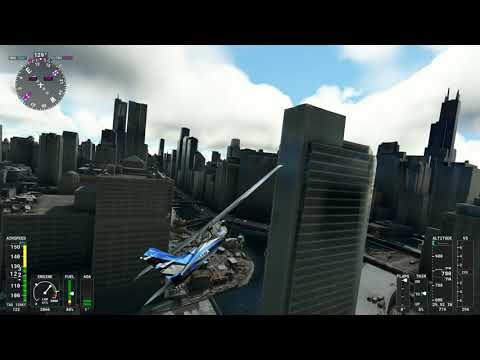


 ), so dropping clouds from ultra to high gives a few fps. OLOD doesn’t make much difference, just leave that alone.