Thanks - do I have to install sound module also and buy both module and wings for a Buttkicker 2 - I loaded wings and simmconnect but see nothing about MSFS2020 nor does it work with just wings portion as far as I can tell - thanks
Hi Guys really need a bit of help - I see these screens tey dont look like your screenshots with al lthe relative simulator settings - what am I missing here  also do I need both programs for this to work ?
Using a buttkicker 2 - I like the the screenshots showing all the surfaces that can be changed to different variables and such but I dont see anything even close to what your showing - thanks much
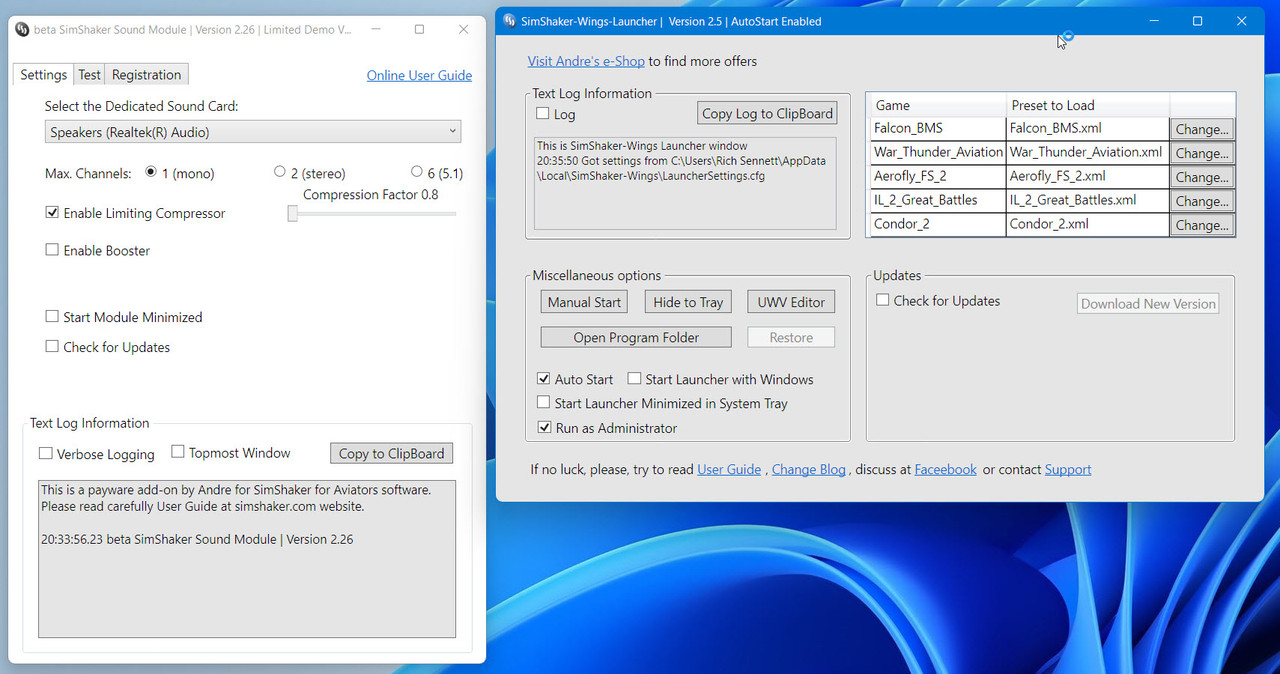
You need the SimShaker for Aviators beta (free) and Andre’s SimShaker Sound Module (payware version for all the effects). Not sure what SimShaker - Wings is ? For the Buttkicker you need the 2 applications I mentioned here.
1 Like
Thank you found SimShaker for Aviators beta exe so looks like I have to start sim first report back
Just ordered one after watching quite a few reviews, looks like an alright product at not a bad price point to add a bit of “rumble” to the immersion.
Lots of pieces / integration required to get it optimized while using a headset at the same time with only 1 sound card but doesn’t look too bad.
Found this video which seems to tie it all together;
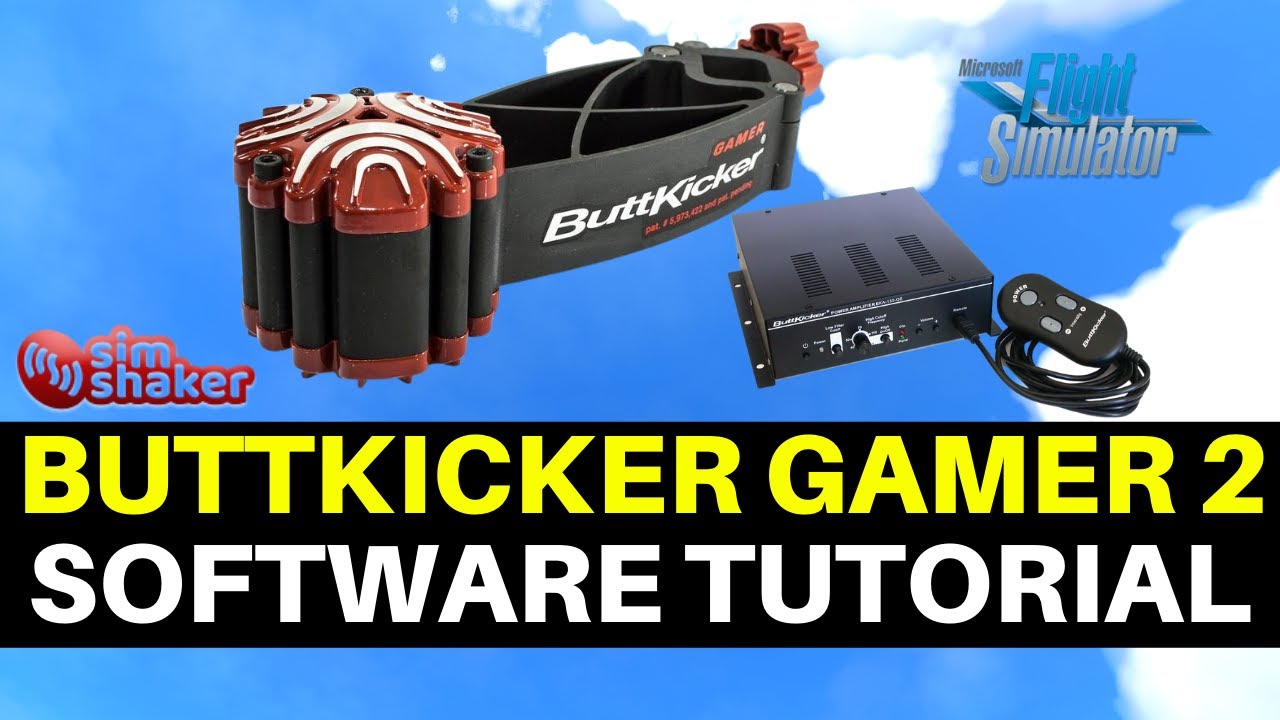
Anyone else running one and have other suggestions on set up?
Oddly enough the girlfriend has never had an interest in the sim, explained this vibrating chair feature that’s on the way and she’s studying to become a captain, go figure, 

3 Likes
I have one and its great. at the moment I just use the audio from the sim rather than the SImshaker for aviators as you need a separate sound card for that to make sense.
Just on its own with the audio it’s a great experience though and its amazing how the significant other suddenly gets interested in flying when the chair starts shaking :-), although my wife seems to be quite happy just sat in a parking space revving the engine up on the arrow, doesnt even seem to be interested in taxiing.
It did take me a while to get it set up and working so be prepared for a bit of fiddling with audio settings, but once its dialed in its great.
1 Like
So, I don’t know that you actually do need a separate soundcard. You can use freeware (voice meter) to direct output to multiple devices. So you can have sound go to your USB / wireless headset and as well through the soundcard to SimShaker. (the video explains it).
Again, in theory and as described I’ll have to test it for myself.
LOL engine run ups are the only thing on the significant others checklist!
You don’t need an extra card. All you need is the free “Voice Meeter Banana” and the free “SimShaker for Aviators”.
This configuration provides the best experience.
1 Like
I should probably elaborate. I have speakers running from my sound card and don’t use a headset (USB or otherwise) so in normal use, Voice Meeter doesn’t have an additional device to pump the sound to, hence why I said it needs an additional soundcard.
When in VR with the G2, different story, Voicemeeter works like a charm and I can use Aviator to enhance the experience, so for me it all depends on if i’m flying in VR or flatscreen. I just need to work a good configuration for both situations.
I’m sure you’ll have a blast with it either way
1 Like
If you are lucky enough to have a separate second headphone jack in the front of your computer, you can skip voicemeeter and/or second audio card. Just plug your speakers as normal into the back, run the Buttkicker to the front jack. In “SimShaker for Aviators” select the front headphone jack for the Buttkicker.
3 Likes
It came in incredibly fast (next day).
Just got it all setup, took about an hour to complete but here is what I did.
-
Hardware installations
-
Connected Buttkicker to headphone jack as my ASTRO A50 headset is USB to the stand then wireless so I didn’t need a splitter, Etc…
-
Install Voice Meeter
-
Set Windows audio output device to Voice Meeter
-
Configure Voice Meeter to output to both the Headset and the Buttkicker
-
Install Simshaker for Aviators
-
Install Sim Shaker for Aviators Sound Module
-
Configure both Simshaker Apps and test
Everything worked great, the only piece missing is I need to buy a license for the Sound Module for Sim Shaker however the creator is attending to a family emergency and closed his store so just have to wait on that.
I tested the setup with MSFS and it worked great, could feel the engine revs / RPM changes, take off / landings and flaps in the 152.
The cool thing about the Sim Shaker software is rather than using the sound outputs, it also uses the integration via SimConnect with MSFS to set off specific vibrations for each function so gives it a bit more realistic feeling.
I’ll play more with it once I get the license but so far so good.


4 Likes
To date, I have just been using the Buttkicker Gamer 2 with the “audio” feedback from the SIM. I have two other peices of software (simshaker for aviators & simshaker for aviators sound module). However, this requires a license and the creator was off for a bit due to a family emergency.
I was able to get it licensed today and test it out and what a difference!
Rather than just using the sounds from the sim (based on volume). simshaker for aviators tied with the sound module use game events to trigger the vibrations in the buttkicker.
And all are customizable fo aircraft type. Can adjust intesity for taxi roll, take off, landing, engine rev, landing gear, flaps, etc…
Was really cool to feel the different bumps and thumps throughout the flight in comibation with engine vibration.
Rather than just a “steady” rumble through traditional audio.
Well worth the license price (32 bucks Canadian I think).
2 Likes
Yes it’s true. I always encourage everyone to do so. There are many planes (mostly GA) that simulate wearing headphones while flying. When using Simshaker for Aviators & Simshaker for Aviators Sound Module it works perfectly.
Without it, when you put your headphones on, you were losing vibrations at the same time.
Using SSA + SSM it looks much more real. The sounds are quieter with the headphones on, but the vibrations of the engine, gear up/down, flaps, etc., remain active all the time.
1 Like
Ive got a buttkicker gamer 2, but havent used it for years. This has inspired me to get it out of the cupboard and hook it up to MSFS.
2 Likes
If you’re going to get it going again I highly suggest the license for simshaker sound module! It makes it much more enjoyable.
I posted a video above that walks through all the pieces and setup.
I’ve been looking at these for a couple of years now.
Im currently running main sim sounds through my creative xfi titanium sound card, via an optical cable to my pioneer 5.1 surround sound system, and I have ATC and microphone going to my Rockat Kave 5.1 surround sound headset that is connected to my motherboard inbuilt 5.1 surround sound card.
Not 100% sure how I would get sounds to go to a buttkicker if I purchased one, it was a nightmare just to get my creative card to work with Windows 10 in the first place.
1 Like
While not as elaborate of a sound setup as you, I have my Astro A50 wireless headset (wireless to base, then base is optical to PC).
I use Voice Meeter which allows you to output to multiple devices.
The Buttkicker is using a simply headphone jack out of the PC to the Amp. If you opted not to use the simshaker software you could use voicemeeter to output to both your devices and the buttkicker.
Basically you set voicemeeter as the default in windows, and then in voicemeeter set your output devices.
If you use the soundshaker and soundshaker sound module it bypasses the need for voicemeeter output but you could still use it to output to your other devices.
Ok, thanks.
I will take a deeper look at this voice meter app.
If you use a G2, you don’t need the extra sound card either because you would route the buttkicker to the sound card and G2 is it’s own device.
yep, absolutely, that’s what I was saying, it’s only for my 2d flying that my personal setup means I need a different solution now before anyone says “but why not fly in VR all the time” … what can I say, I’m just weird that way 