ISSUE DESCRIPTION
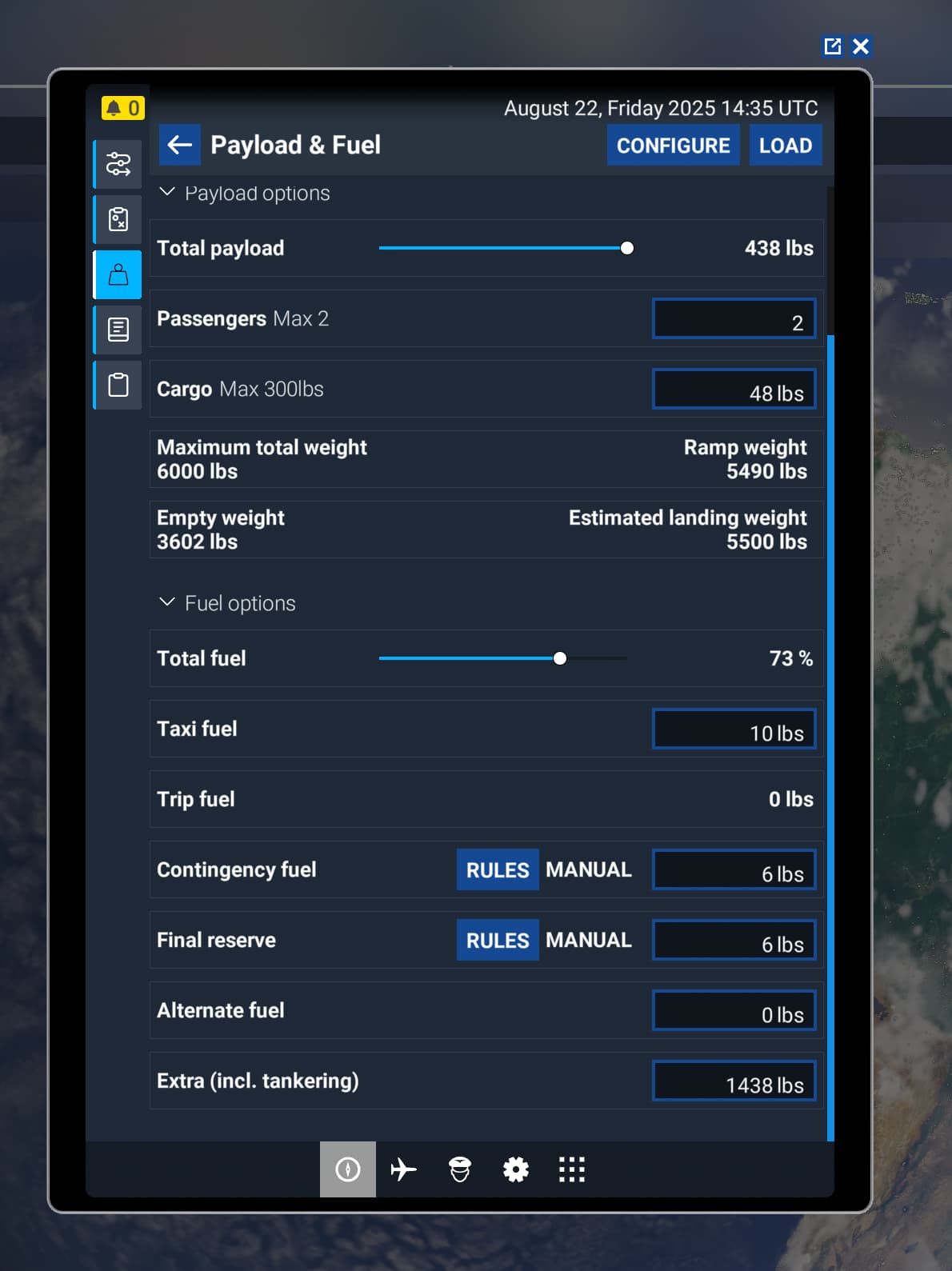
Description of the issue: After the SU3, going to Weight and Balance in the EFB trip fuel is 0lbs and no way to edit the field. I loaded three different aircraft, the Icon A5, the Cirrus VisionJet and the DA-62. This field had been uneditable in the original release, it was editable after SU2. I haven’t participated in any Betas I’m running Standard Edition Default Aircraft.
Weather settings: LIVE
NOTE this is a different issue than Multiple aircraft, none of the EFB weight & balance options work or the EFB Weight & Balance Issue from Dec 2024. This is a NEW BUG post SU3
FREQUENCY OF ISSUE
How often does this occur for you (Example: Just once, every time on sim load, intermittently)?
So far everytime I ATTEMPT to do any flight planning.
REPRODUCTION STEPS
Please list clear steps you took in order to help our test team reproduce the same issue:
-
Enter Free Flight Mode
-
Bring up the EFB
-
Enter Flight Planning
-
Select Weight and Balance
-
Scroll down to the line that says Trip Fuel
-
Note that it is 0lbs and uneditable.
-
Close the EFB
-
Select A parking space at an airport
-
Select Start Flight
-
Once in control of the character pull up the EFB
-
Enter Flight Planning
-
Select Weight & Balance
-
Scroll down to where it says Trip Fuel
-
Note that it is 0lbs and uneditable
YOUR SETTINGS
What peripherals are you using:
Microsoft Elite 2 Wireless Controller
X-56 H.O.T.A.S. stick and throttle
Generic Mouse and Keyboard
[PC Only] Are you using Developer Mode or have you made any changes to it? No
[PC, MSFS 2020 Only] Are you using DX11 or DX12? DX12
[PC Only] What GPU (Graphics Card) do you use? Nvidia 3060 RTX 12Gb
[PC Only] What other relevant PC specs can you share?
32Gb RAM i7-13700