Wowee, quite the little hot-rod! I’m relieved to hear it’s not just bad coding.
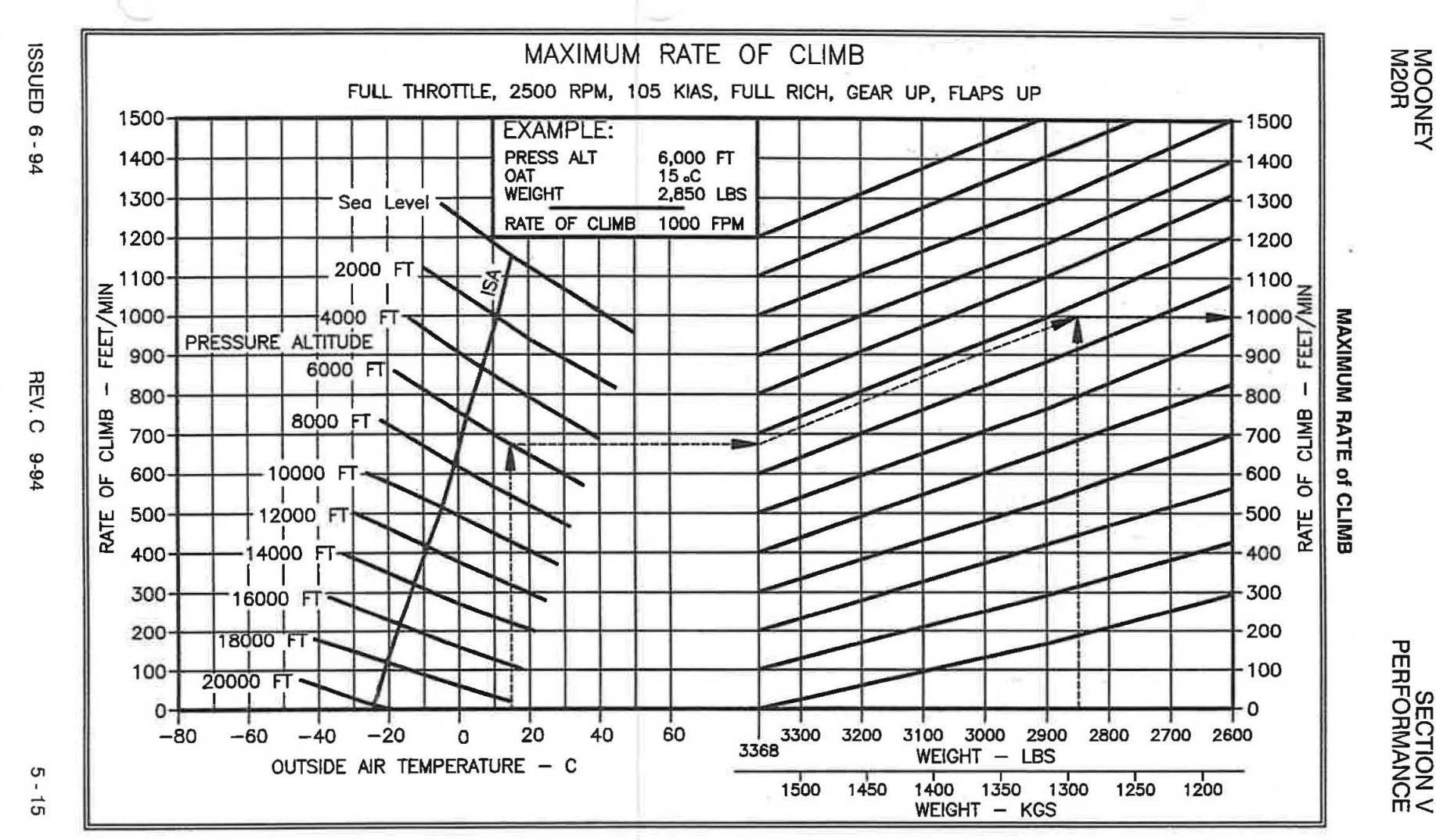
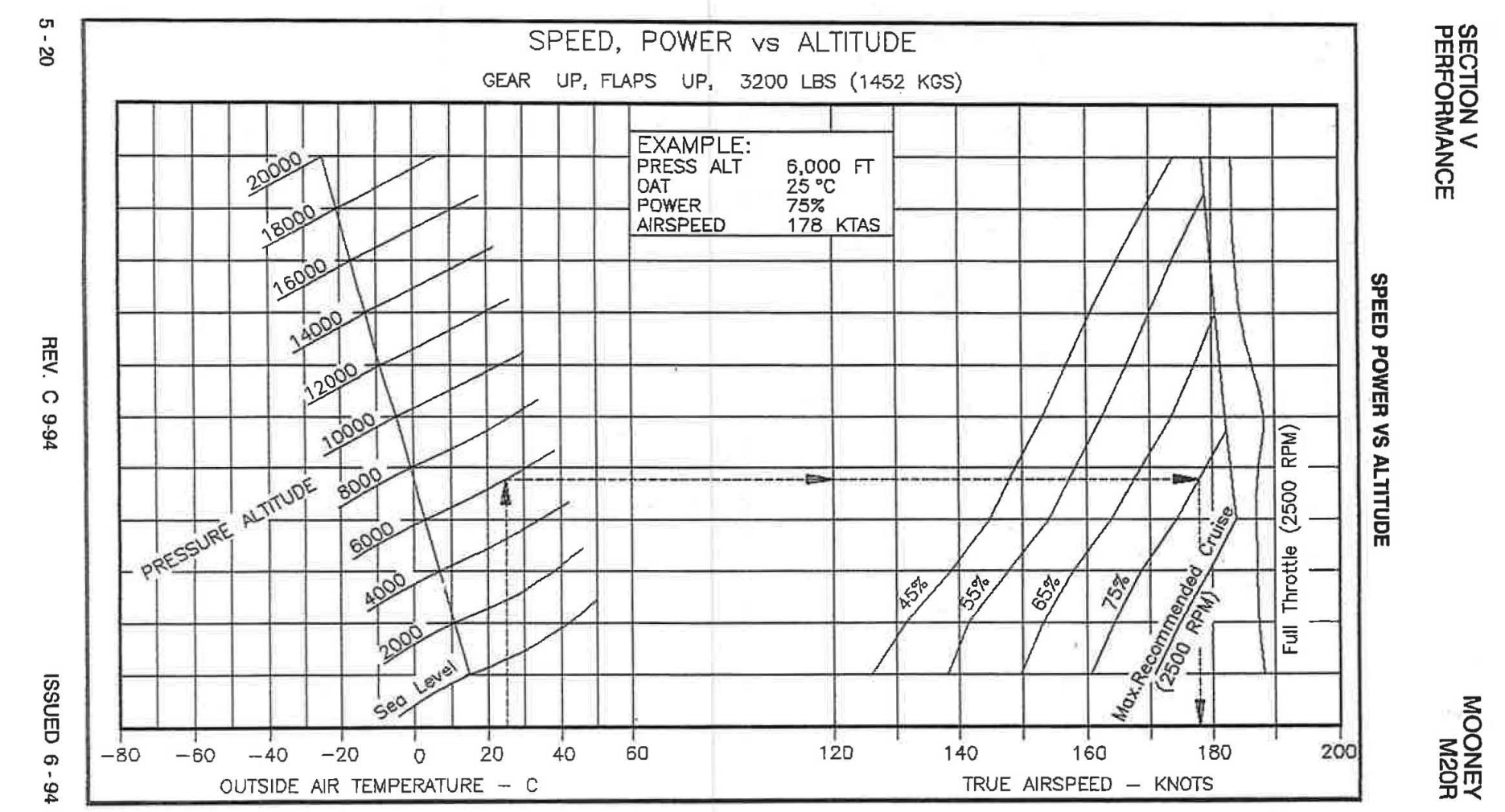
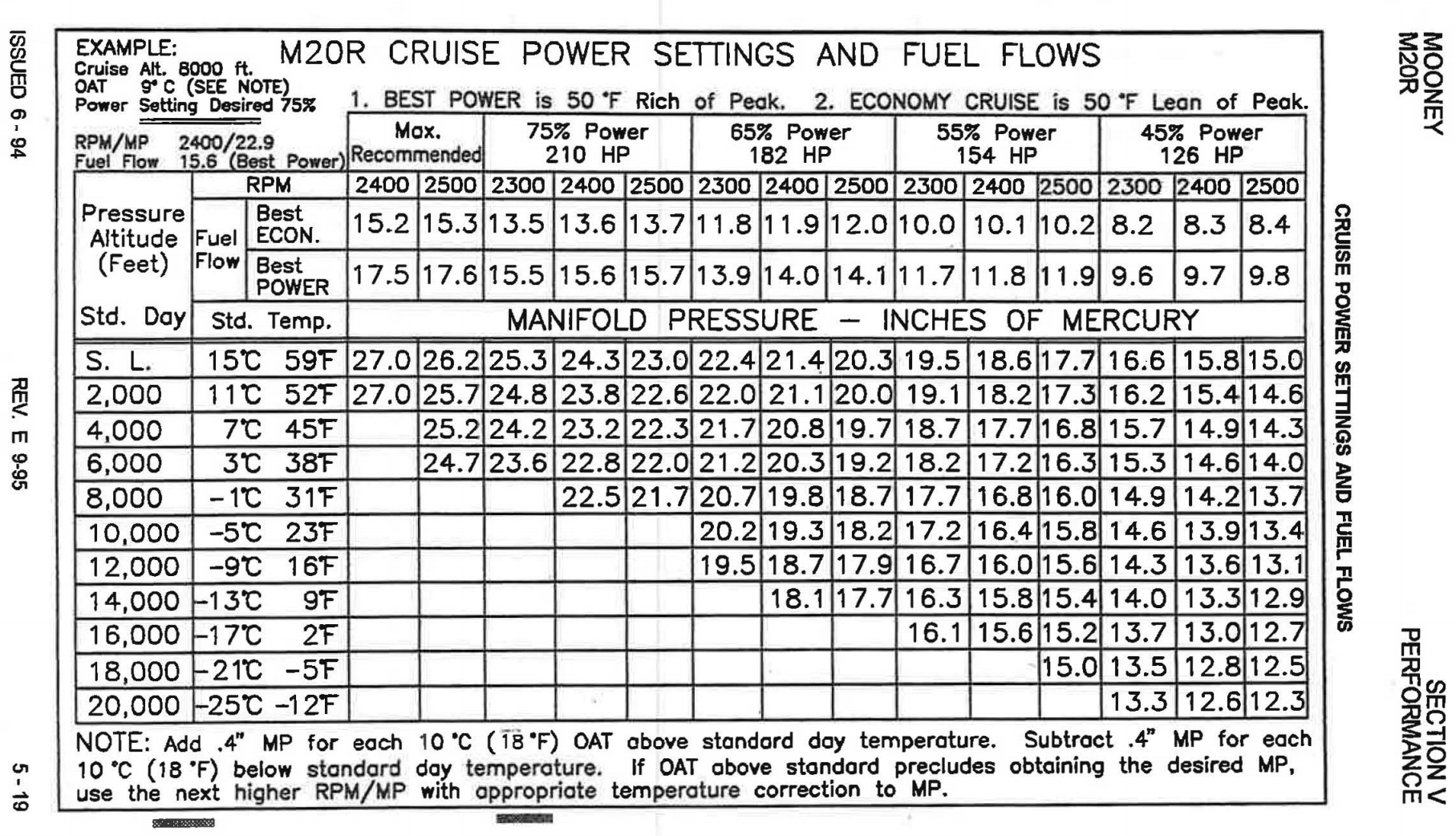
I have also finally found Carenado’s documentation. If anyone else was looking here’s where I found mine: [install location]\Packages\Official\Steam\carenado-aircraft-m20r-ovation\SimObjects\Airplanes\Carenado_M20R_Ovation\Documentation
Does anyone know if there is anything that illuminates the overhead switches at night? I can’t turn on/off landing/taxi lights cause I can’t see the switches… it’s pitch black up there.
First time I see in the Joke the CWR button that if I don’t mistake let you change the heading with the AP active. But I can’t found any option to this in the control menu . Anyone know something about.
An update: I noticed that icing does in fact work at high altitudes, but not at low altitudes when the temperature is very cold. Needs more testing.
As mentioned above, staring the game and then playing an aircraft with lots of garmin screens does in fact seem to help. The TBM is my go-to. Loading the Mooney after flying the TBM for an hour seems to be a reliable way of preventing avionics failures, as long as I don’t turn off the game.
I can confirm that iceing does work . Just had a flight where the plane iced up at 8000ft . I was flying / skimming , approx 100ft above a bank of clouds , just south of Birmingham in the UK . Outside temp was -3 deg and plane started to ice up rapidly . Ice on wings and windshield . Decreased altitude to 3000ft and eventually ice cleared , ( temps at 3000ft was 4 deg ) .
( P.s Had clear skies and -3 deg before encountering cloud bank . Plane only iced over upon encountering cloud bank ) .
Well, pretty disappointed with the Garmin, half the buttons don’t work; direct to, inner/outer knobs, proc, etc. Is this because it is using the base 530?
Yes, it’s an Asobo side problem. They’re just calling up the asset for their plane. Probably same too the autopilot. A house is only as good as its foundation.

 . Anyone know something about.