Carenado Piper PA-44 Seminole

Yes, Asosbo fixed the problems on their end with their update on Tuesday. @RoyalTot said there’d also be an update from Carenado in the Marketplace today (12/10).

Edit: So, I just checked the content manager. Yep, there’s an update for both the Seminole and the Mooney in the Content manager! Of course, we can’t use it because it requires a newer game version to install it… which, based on past experience, will break it again at the same time it’s updated for the last version :roll_eyes:

Sorry, couldn’t resist the dig… :smirk:
Please make sure these planes work Asobo :pleading_face:

I did get an update early this morning in MSFS (about 640KB). I’m not sure what that’s about?

Sure makes a lot of sense doesn’t it. ‘Here is your needed update to fix our screw-ups, but you can’t use it until ???’

There is also an update for the C-182T which cannot be used yet.

Well…Maybe NOT ! Here is a quote from RoyalTot in the news section:

"P.S. Carenado mods: We are targeting to have the M20R and CT182T updates in our next Marketplace release (usually Thursdays barring issues.) We have yet to receive PA44 from Carenado."

Thank you again Carenado !

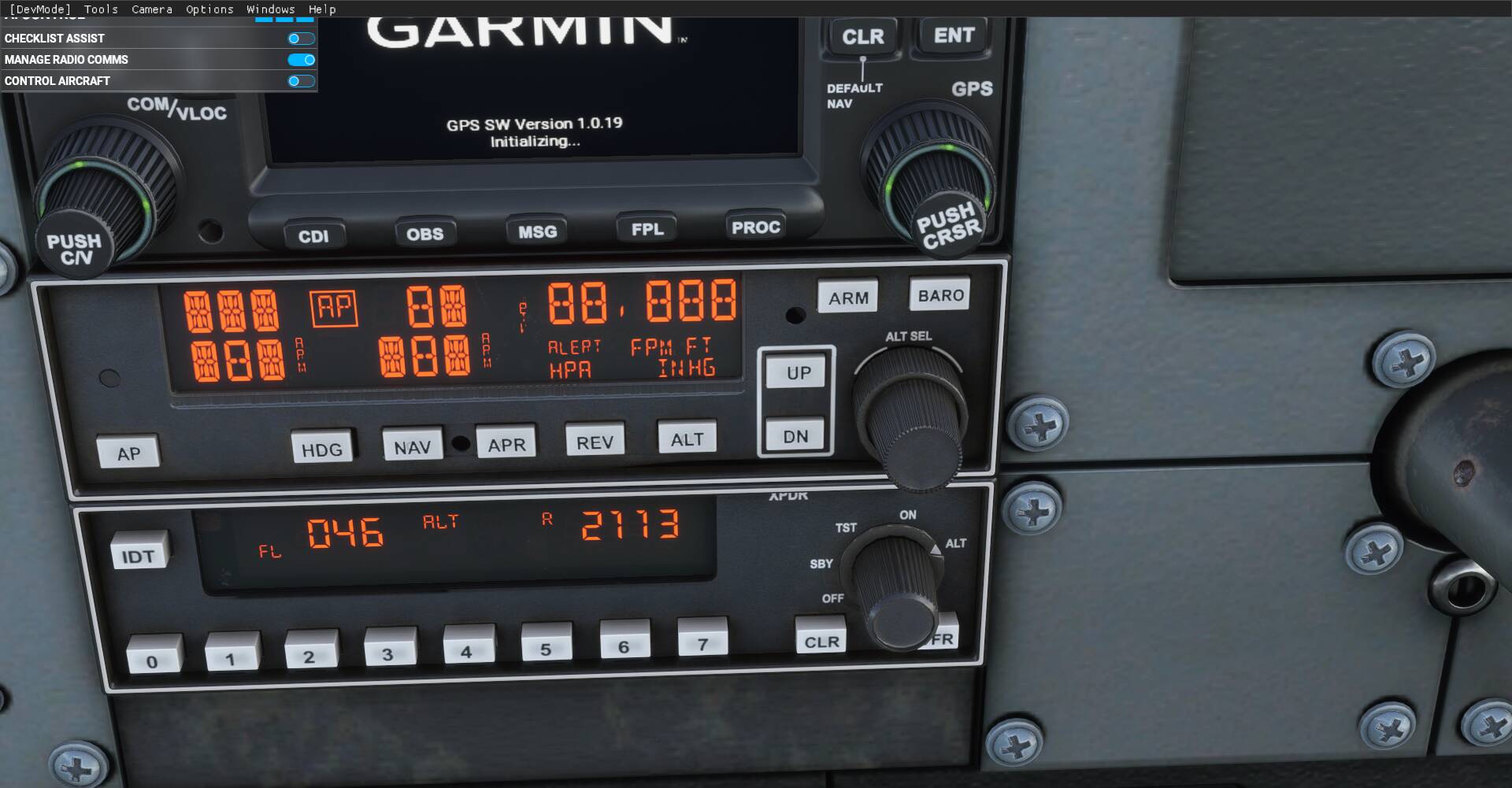
A picture is worth a 1000 words ..

HUMMMMM must be FL 500?

So, that’s what I said. The updates are in the content manager. But can’t be used until some future date with a future update. I have not yet seen any discussion about the next update other than the one on 12/23. They also did not announce that there would be a Carenado hotfix until they released it. They just, again, said they were going to include fixes in a future update, then, too, but did not discuss how that update would be delivered.

So, maybe we’ll get another hotfix so we can use the updates from Carenado released, or maybe they are there, but we can’t use them until Dec 23.

Communication on this issue is MASSIVELY lacking. But, on the other hand, I’m sure we’ll get the fixes eventually. I’m sure they are super busy. But it would be nice to say something.

I won’t ask why they aren’t immediately available, that part makes sense to me. It’s the process going on here. My assumption, however, based on past communication is that Carenado has not been able to test these updates in the version that is being waited upon. So whether or not it works without issues is a crapshoot, unless Asobo is taking responsibility for testing the addons themselves before they release their own update.

There was an update just now and the PA-44 window, door, and visor work without causing a CTD.

Right, that was the Asobo update for third party aircraft to fix whatever happened to cause the CTD’s. Apparently Carenado has also released an update for other stuff (I dont know what) that’s in the content manager, but the person how managed that for the Marketplace entered it incorrectly possibly,… For whatever reason, we still can’t access that update. I’m imagining it’s for the Transponder and maybe other issues we don’t even know about.

I think that’s just how they slate updates for the Marketplace items.

I find the whole process a touch unsatisfactory; developers should be able to fast-track updates through the marketplace fairly quickly for minor repairs and updates, and not wait for a 2-4-week-long review by Microsoft/Asobo.

I appreciate any information that Asobo is prepared to share.

Strictly speaking, they probably do not have to tell the user anything, apart from , “here is a new Update”. ie The purchase of MSFS did not include any specific conditions about communication of development plans or update information.

That being said, Asobo are providing a lot of insight as to what they are doing, what is being worked on, and what changes are expected and actually are in updates.

But why are the Change Logs for each update so Sparse ??

One assumes internally, each update has a very detailed list & description of EVERY change made.
I am not asking for that much detail, but it would go a long way to help the whole “user being beta tester” setup, if those willing to test and report, know what was being changed in some more detail.

Lost of talented people, doing great Mods, and developing new content.

But every time there is an update, with little or no details of what has been changed, those developers have to stop work developing and adding, and go back and thoroughly re-test their product, because they have no idea what may or may not have been changed, and if any changes in the new Version, will affect their product.

A BIG waste of time and resources, for EVERY developer, and a source of constant frustration. - while a little bit of Asobo’s resource, put into producing a comprehensive Change Log, available to all, would help so much .. both the developer’s and Asobo’s PR with their customers.

The patches for the Seminole are up and working now.

I don’t know if you have to do this, but I went to the store, saw “Installing” flash and instantly go away. Then started the game, went to the content manager, and it’s updating now.

Be patient with the download. Super slow to start for me, but then it gets going ok. I normally get 350MB/s. But, personally, I know the internet is a fickle lass, so, I let her take her sweet time when she needs it…

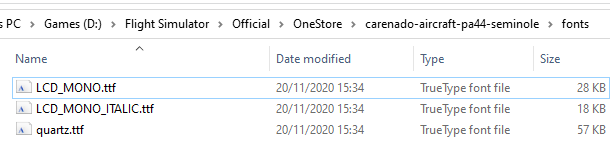
Just in case anyone else gets this, my download failed, and it looks like these files were blocking it.

I couldn’t delete them either while the sim was running. I closed MSFS, deleted the entire folder, then re-launched the sim, then re-launched the download:

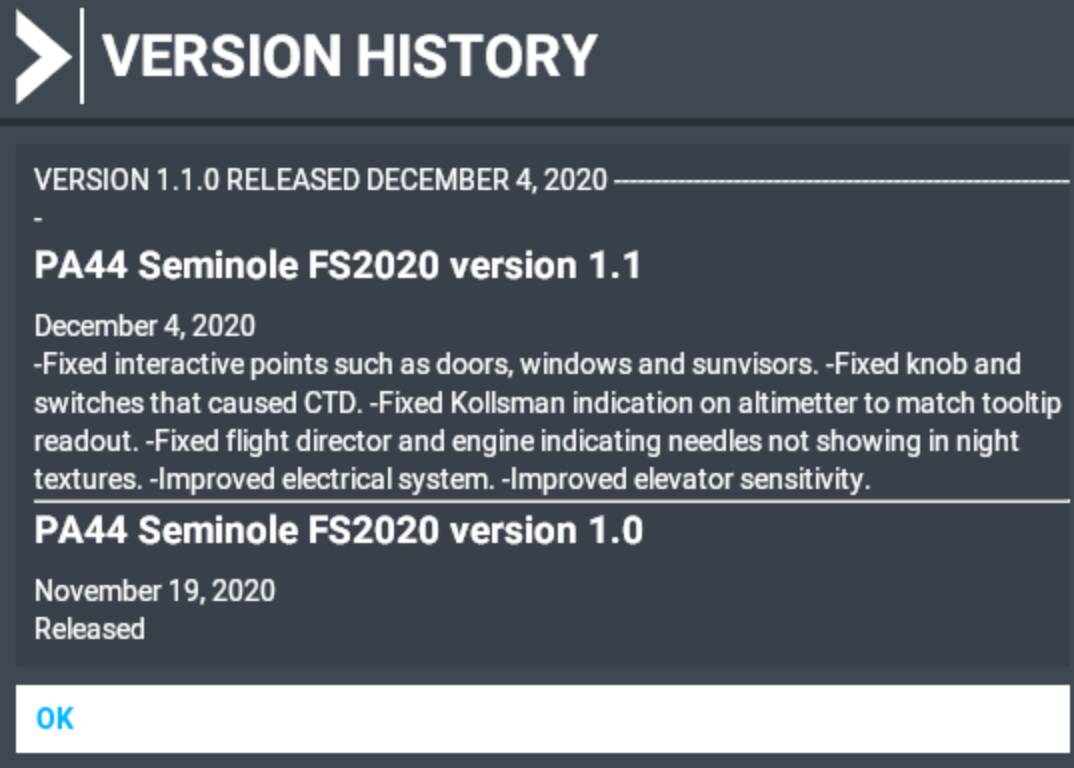
Patch notes for new version:

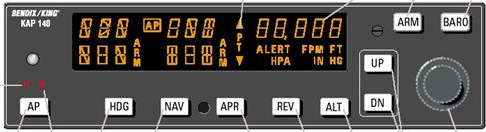
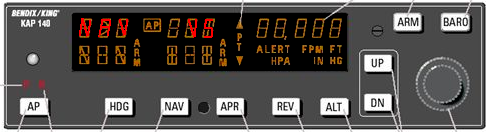
LCD_MONO !!! Cool… ( For KAP140 :slight_smile: ) Got to check that out ..
Quartz.tff is just “not right” in the default Asobo KAP140

Edit:
Somehow I knew that was going to be too good to be true .. Still a very poor match for the KAP140 LCD display – back to the Font Editor for KAP140.ttf & KAP140_ITALIC.ttf

The KAP140 has quite a unique (Custom) LCD Display that I think only MilViz has managed to capture correctly.
Carenado certainly has not :frowning:

Are you suggesting you’re going to develop a new font for us for this application? :grin:

Already have – the NON Italic part. The gauge also needs the Italic one as well.
Some of the characters are Italic, some are not.

Actually, it will be easier to combine Both Italic & Non Italic font in the same Font package,
probably as Italic being the lower case Ascii set, but displaying as Italic capitals.
Makes the css file a lot easier !!!

ie The area that can display NAV is italic, so the right side of the V is really a vertical line, but it slopes because it is Italic


It should be noted that the RW KAP140’s display is NOT made up of Individual 8 or 14 segment display parts, its a complete custom LED Panel, unique to the Bendix KAP140.

The key will be developing a Custom KAP140 ttf font set, that will accurately depict that Custom Kap140 display

WHY ? Good question .. probably, just for the Challenge – like – why do some people climb mountains

??


Earlier version, with new 1st version of the kap140.tff font

Anyone having an issue with the CDI bar on the HSI not correlating with the GPS post patch? I have tried a few flights, and I can not get any deviation to show on it. It shows properly in the GPS when the CDI key is set to GPS…just not in the HSI.

yes same here…

Same here. Post update the HSI beam bar remains locked to VOR/LOC1 irrespective of the selection of GPS or VLOC on the GNS530.

I just purchased the aircraft and verified this as well.

Same problem here.