I realise this is going back a bit but I too am seeing this problem although it doesn’t seem to generate any widespread complaints! I’m finding that provided the elevator trim setting is not changed after spawning the flight, the CJ 4 takes off fine at the designated VR. If the trim is moved however, even if it’s returned to the original position before take off, the aircraft exhibits this reluctance to fly, often needing full back pressure on the yoke to unstick by which time speed will be around 130 kts as the OP states. This doesn’t seem right to me and I don’t see this with any other aircraft, I am on MSFS 2020 and would be interested to hear if this is widespread?
Been a while since I flown the Cj4. I’m getting no flight plan magenta lines on my PFD and Nav display. Plan goes in fine, fill in all the other bits and pieces, all good. When I go to the legs page it reads AUTO/INHIBIT with inhibit in green. FMC1 is primary nav. Plan flies flawlessly but I have to rely on Navigraph for situational awareness and routing. What, pray tell, might I be doing in error. A MANUAL would sure be handy about now.
There’s a CJ4 manual here:
What you need to do is press the key next to where it says AUTO/INHIBIT, it should then change to AUTO in green, green being the active mode, and your flight plan legs will then display properly.
Thank you for taking a moment to help out. Appreciated. Pressing LSR1 does indeed change the Auto to green. That is all it does. It has no effect on the legs page. First thing I tried. No magenta line on PFD or MFD, no FMS DTK date (just magenta dashes, no legs. I used the world map to make a simple KRSW to KMCO plan, active on runway ready for TO.
The flight plan you mention is probably a bit too simplistic for the CJ 4, which seems to like to know at least which runway you’re taking off from. I’d suggest you try the following IFR flight plan: Depart KRSW runway 06 via CSHEL7 departure, destination KMCO with RW35L approach via Vectors.
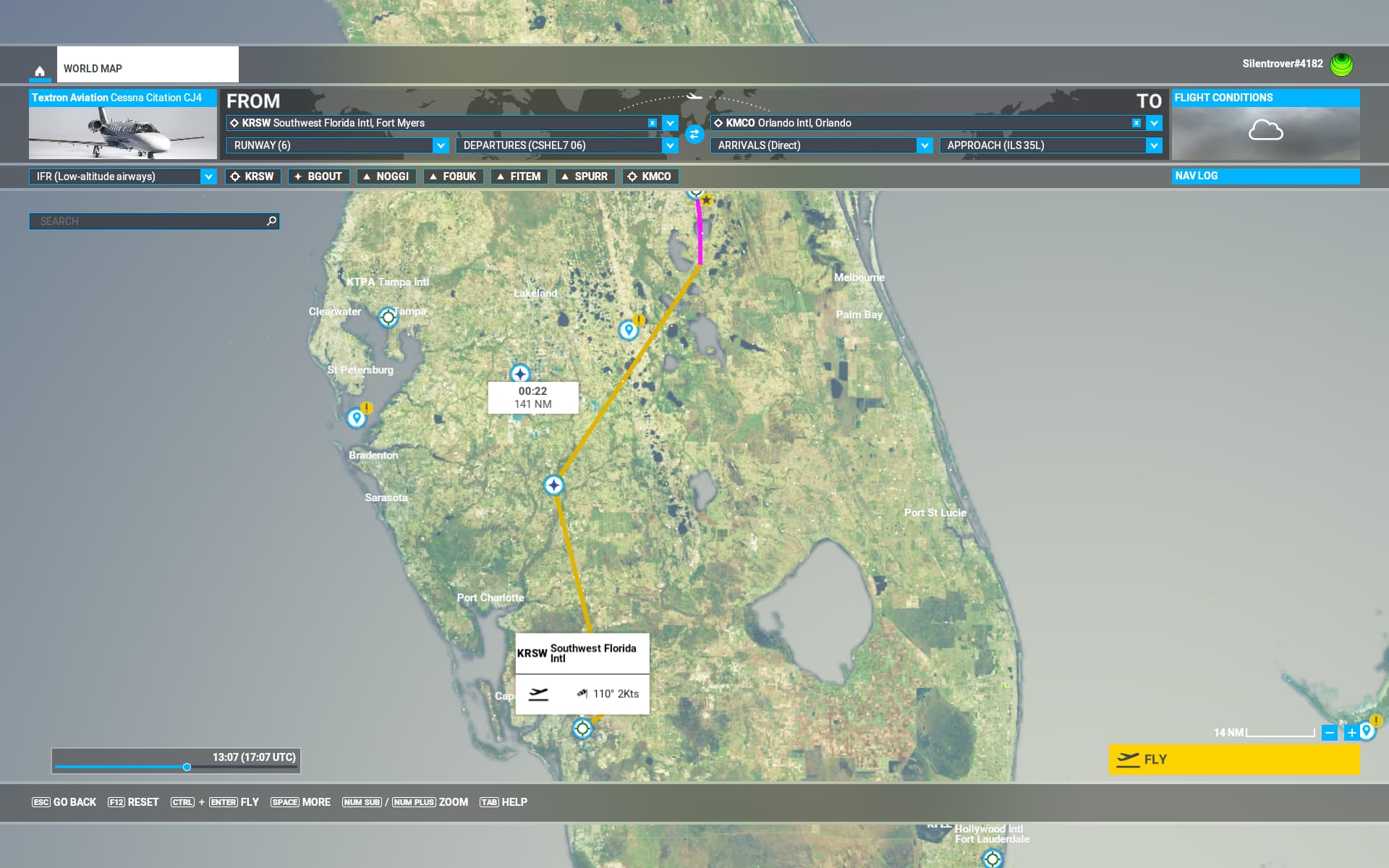
Click Fly Now and once you’re in the cockpit go to LEGS on the FMS, you will find a Discontinuity between (VECT) and BGOUT, remove this by clicking the key next to BGOUT, then click next to (VECT) and finally click EXEC. Your flight plan is now complete and you should have magenta needles!
I don’t usually use the world map but I have tested this for you. Personally I prefer to build a flight plan in Simbrief or Little Navmap which I then load while in the cockpit at the ramp. However that’s imaterial really, hopefully this will confirm your CJ 4 is working properly.
Thanks!! That seemed to have done the trick. I’m use to not using the world map for FP’s, I hand program the FMS. I’ll use the world map and see if I can get it to cooperate. I would tinker with both and see what’s up but the computer is being replaced/upgraded the next week or so, so it may be a mott issue and not worth the troubleshooting unless the new system does the same. Thanks for taking the time to suggest this. Much appreciated!
@Silentrover4182 is correct here.
The CJ4 FMS works just as it does IRL, and in real life just having an origin and destination entered does not constitute a flight plan on that unit. What IRL pilots will do in this scenario if they truly do want a direct plan is they will manually add a leg to the destination airport as the first entry in the flight plan itself (i.e. if the dest is KDPA, they’ll also add a KDPA into the first line of the flight plan).
Hope that helps a bit!
4 Likes
That’s a good tip, I didn’t know you could do that!
Hello everyone, do you know why the CJ4 (msfs2024) FMC always displays “GPU not available”? I can fly into any airport of any size and at any gate, and there’s no way the “avail” message will appear, with obvious battery life issues. I also tried using the default msfs ATC command; the generator comes up, but I don’t know if it actually works.
Personal Comments and Observations
I think the batteries are good for 40-50 minutes at a minimum before requiring a charge off the gens? Cold & Dark plus flight plan management prior to ATC clearance isn’t usually that long.
From what I have heard the batteries in the CJ4 in reality drain very, very fast.
In my CJ4 instructional video, the batteries went dead at just over 37 min of use while I was explaining things. I was in normal power mode, not low power “dispatch” mode. I made that video on FS20, but I’m guessing FS24 would be about the same unless they made specific modifications for battery life.
And yes, this will basically soft lock the sim. If you let them drain, you will have to restart the flight. If you need extended ground power time, just fire up one of the engines with the generator on. It’s easy enough to top off your fuel if needed before takeoff.
1 Like
I could be mis-remembering or thinking about a different Working Title Avionics plane, but didn’t they add something in one of the FMS user config screens to allow you to manually enable having external power available?
yes, but it doesn’t work, at any airport and/or gate it’s always “not avail”
The airac dates are not updated on all citation planes and pilatus planes. Because of this i can’t load any simbrief flightplan or enter any waypoints. it works in 737 pmdg 2024 and ifly 737 max msfs2024.
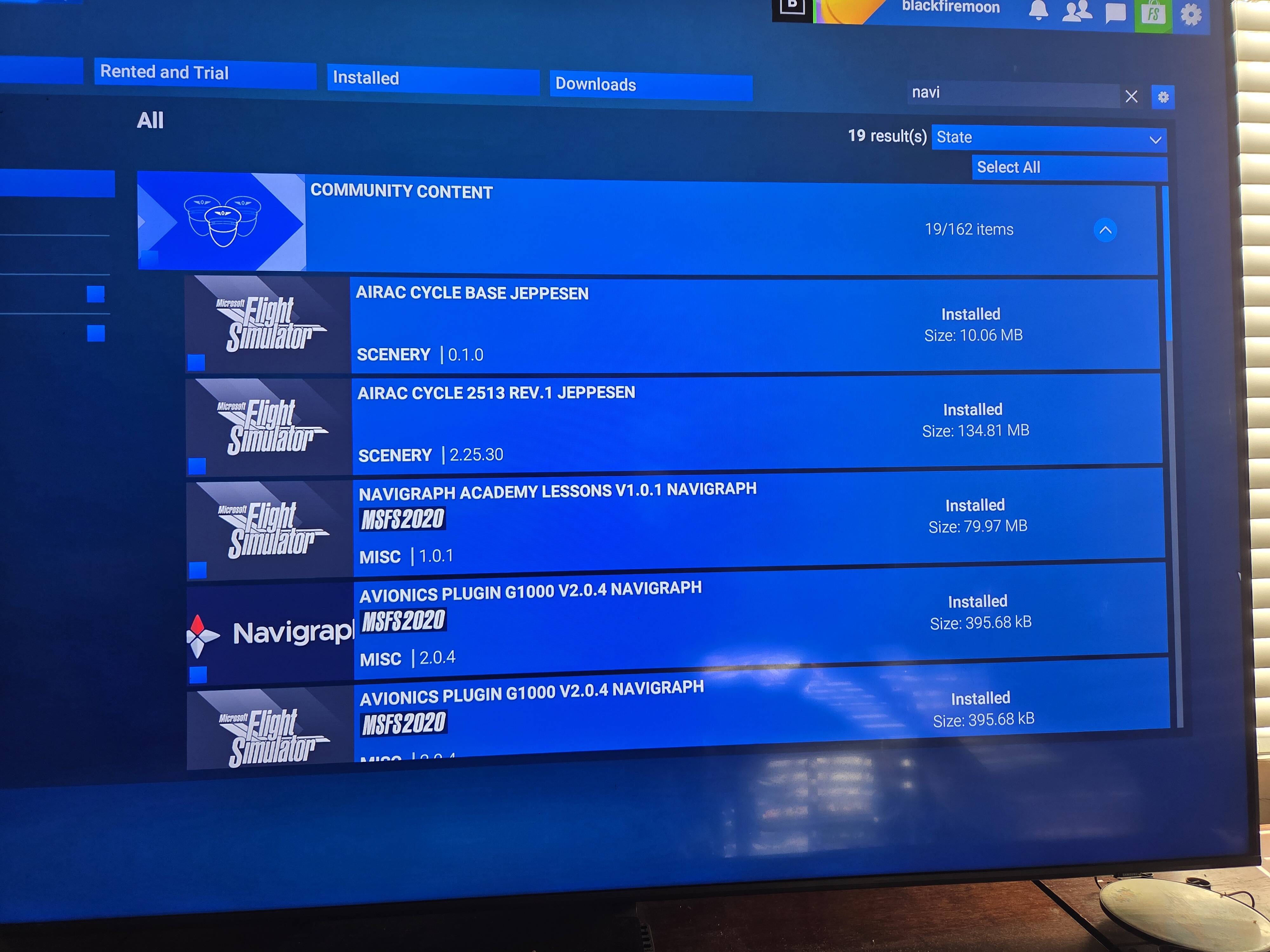

Those appear to be Navigraph AIRACs since it states Community folder. The stock Lufthansa data should be current. Have you inquired with Navigraph?
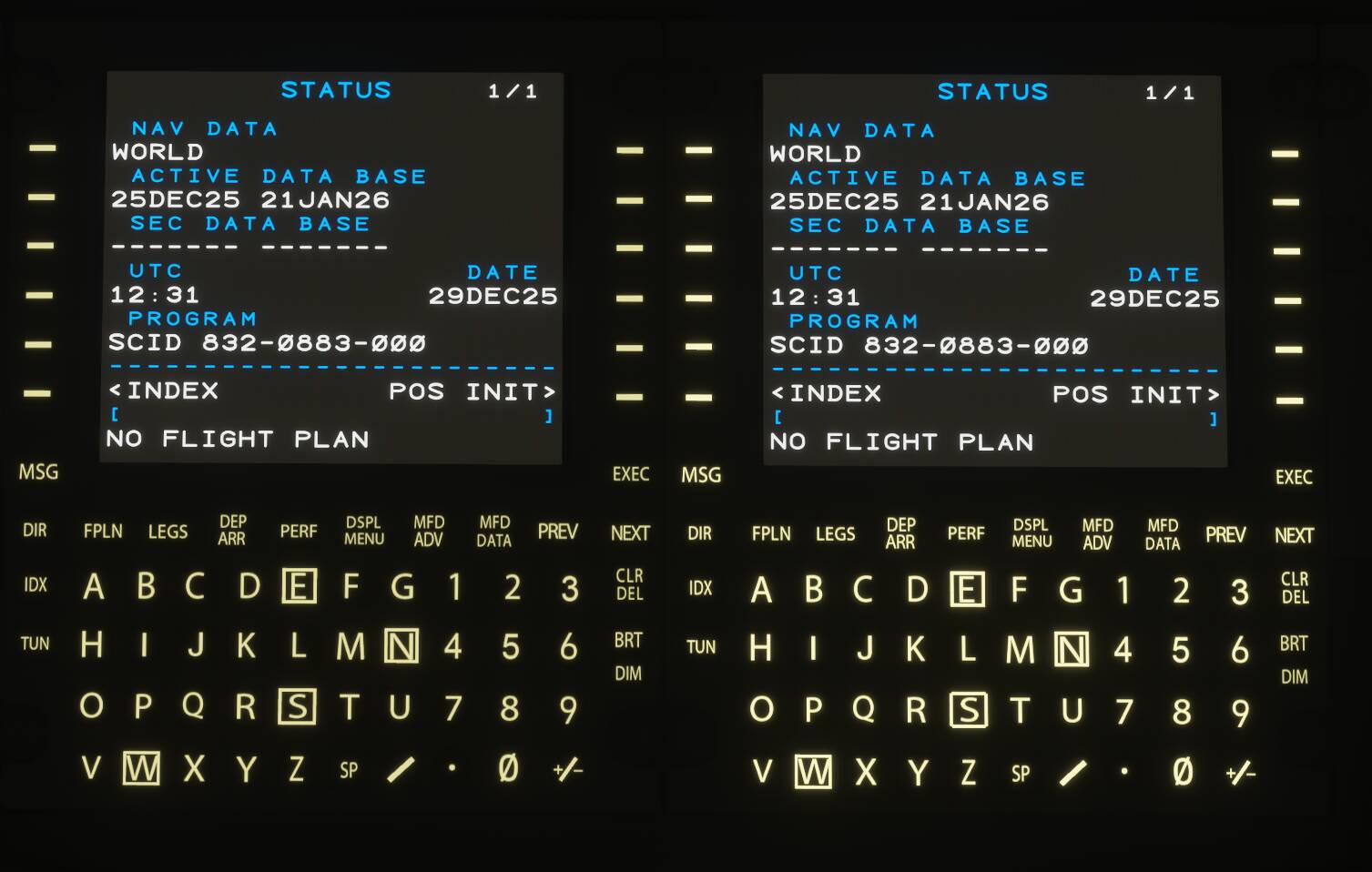
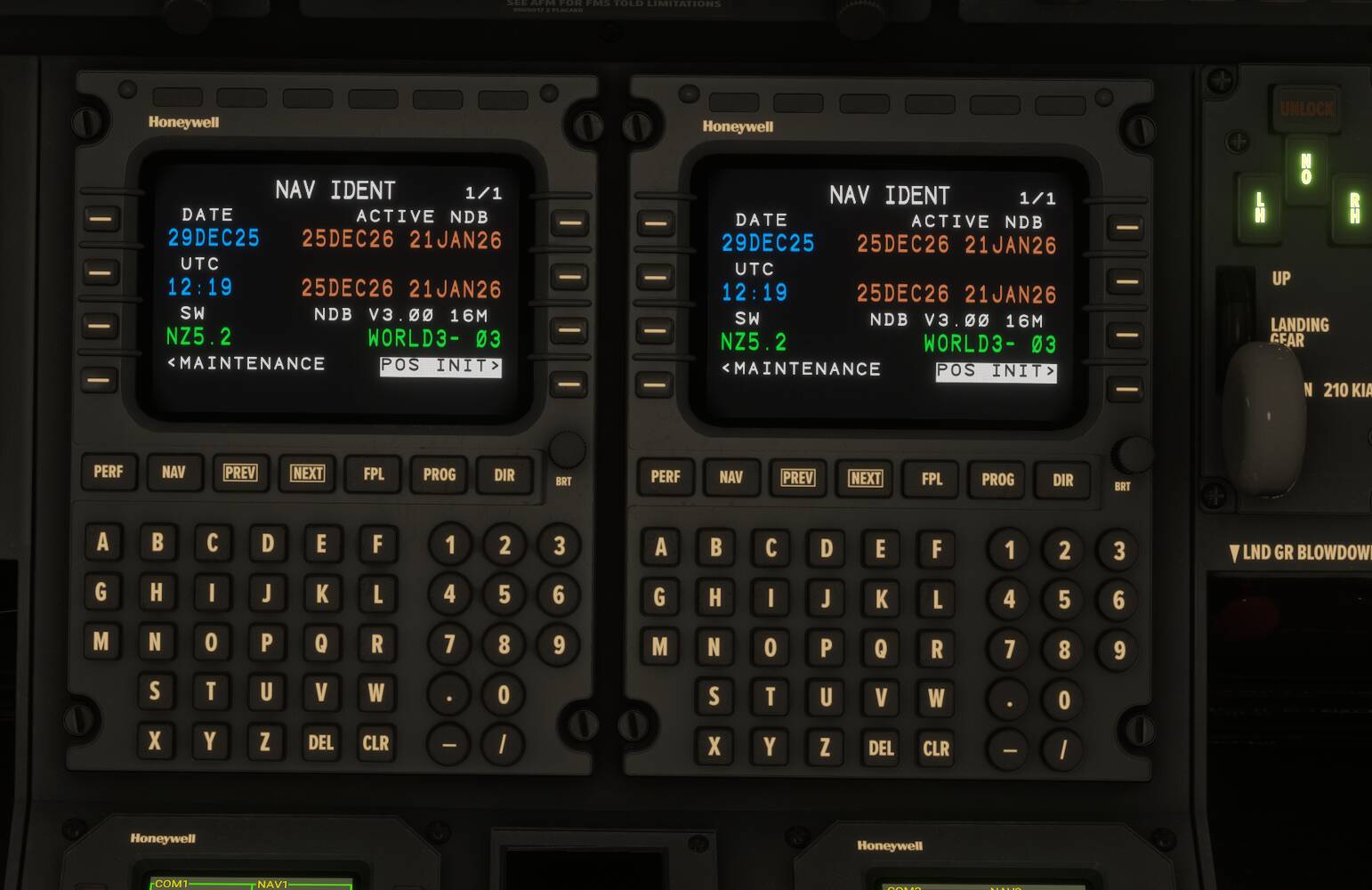


I noticed that after SU4 I can no longer directly load Littlenavmap flight plans any more.
Neither of those use the sim’s navdata (they both have an external database), while all of the sim Citations and Pilatus planes do.
This looks to be an issue somehow with your Navigraph install into the sim. I would uninstall and reinstall it and try again. Or, just use the stock navdata, which is equivalent (and as accurate).